Overview
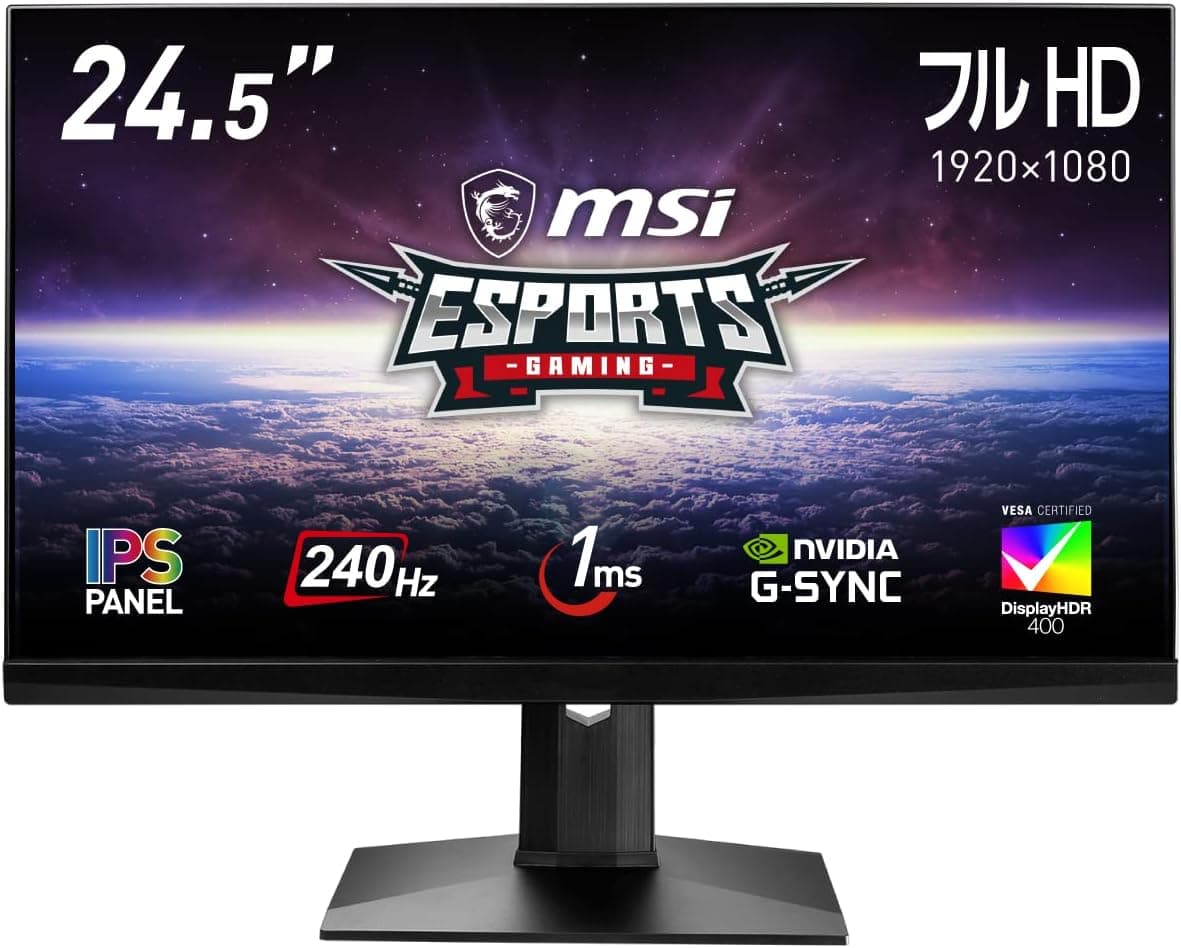
The MSI Optix MAG251RX — 24.5-inch 240Hz IPS Gaming Monitor pairs a Full HD (1920x1080) IPS panel with a 240Hz refresh rate and is built for competitive play.
The short verdict: it is still a solid pick for FPS players who value motion clarity over resolution. It is not for people who want rich image quality, a large workspace, or true high-end HDR.
Response time is rated at 1ms (MPRT), the monitor is NVIDIA G-Sync Compatible, and it carries DisplayHDR 400 certification. It launched in 2020.
360Hz panels and OLED gaming monitors now exist, but 24.5 inches, 1080p, 240Hz and IPS is still a standard combination for esports.
This article covers the connection pitfalls a spec sheet does not show, and who can sensibly settle for this monitor.
Compatibility Guide
Inputs and getting 240Hz
Inputs are one DisplayPort 1.2 and two HDMI 2.0 ports.
DisplayPort is the reliable way to get the full 240Hz. If you plan to use HDMI, check the maximum refresh rate in the manufacturer's specifications and for your source device.
A classic mistake with 240Hz monitors is running them at 60Hz or 144Hz without noticing. The cause is usually an HDMI cable, or Windows display settings left at a default value.
After setup, open Settings > Display > Advanced display and make sure 240Hz is selected. You can check the same thing in your GPU driver.
GPU pairing
Thanks to G-Sync Compatible support, variable refresh rate (VRR) works with GeForce GTX 10-series and newer GPUs. VRR cuts down on tearing and stutter, but you have to enable it in the NVIDIA Control Panel first.
For AMD Radeon users, official FreeSync certification cannot be assumed. VRR may work in some setups but is not guaranteed, so check the product page before buying.
To actually benefit from 240Hz, your GPU has to deliver close to 240fps. Lighter esports titles such as Valorant and CS2 can get there on mid-range GPUs.
Demanding AAA games often stay below 240fps even on high-end cards. In those games, VRR keeps the lower frame rates smooth instead.
Desk setup and peripherals
| Item | This monitor | Note |
|---|---|---|
| VESA mount | 100x100mm | Fits common monitor arms |
| Weight | 5.4kg | Leave headroom on arm load rating |
| Dimensions | 560.1x507x182.4mm | Check stand depth on shallow desks |
| USB hub | USB 3.2 Gen1 x2 | Works only with the upstream cable connected |
| Audio | Headphone out | Check the product page for speakers |
At about 560 mm wide, two of these side by side take up about 1120 mm, so measure your desk first. The USB hub only works when the upstream cable is connected to your PC, so plan your cabling if you want receivers or headsets plugged in up front.
Product Info
| Item | Value |
|---|---|
| Screen size | 24.5 inches |
| Resolution | 1920x1080 |
| Refresh rate | 240Hz |
| Response time | 1ms (MPRT) |
| Panel | IPS |
| Color gamut | sRGB-class, DCI-P3 81% |
| HDR | DisplayHDR 400 |
| Viewing angle | 178/178 degrees |
| VESA | 100x100mm |
When we captured prices on September 13, 2026, Amazon.co.jp listed it at ¥43,980. Prices change often with sales and stock, so check the listing for the current price.Check the retailer's page for the latest user reviews.
That is a decent score, but the sample is small, so don't treat it as proof of quality.
For a 24.5-inch 240Hz IPS monitor, it is well equipped: G-Sync Compatible, HDR400 certification and a built-in USB hub.
The box is said to include a power adapter, a DisplayPort cable, a USB upstream cable and the stand base. Contents can change over time, so confirm them on the listing.
The DisplayPort cable matters most for 240Hz, so buy one separately if it isn't included.
Comparison with Rivals
| Model | Size | Resolution | Refresh | Positioning |
|---|---|---|---|---|
| MSI Optix MAG251RX | 24.5 in | Full HD | 240Hz | This monitor; well-equipped 240Hz IPS |
| ASUS ROG Swift PG259QNR | 24.5 in | Full HD | 360Hz | Higher tier for maximum speed |
| MSI MAG 272F X24 | 27 in | Full HD | 240Hz | Same 240Hz on a bigger screen |
The PG259QNR keeps the same size and resolution but runs at 360Hz, which targets top-level competitive players. You will only notice the difference if your GPU and games can hold around 360fps.
If 240fps is your realistic ceiling, the MAG251RX is enough.
The 27-inch MAG 272F X24 also runs at 240Hz, but Full HD at 27 inches drops pixel density to about 82ppi, compared with about 90ppi at 24.5 inches.
Text and fine detail look coarser as a result. For FPS games, where less eye movement and sharper detail both help, 24.5 inches is the better size.
Recommended Users
1. Competitive FPS players The 240Hz refresh rate and 1ms (MPRT) response make moving targets easier to see and keep the image responsive while you aim.
It shines in titles that run at high frame rates, such as Valorant, CS2 and Apex Legends. At 24.5 inches the whole screen stays in view, close to the size used at tournaments.
2. NVIDIA GeForce owners G-Sync Compatible support gives you full VRR benefits on GeForce cards.
Even in heavier games that run below 240fps, tearing stays under control.
3. Dual-monitor builders The slim bezels and 24.5-inch size keep the seam between two screens small, and VESA 100 support makes arm mounting easy.
Using this as your main display next to a cheaper secondary monitor also works well.
4. Players moving up from TN panels With 178/178-degree IPS viewing angles, colors hold up when you look from an angle.
If you are coming from an older speed-focused TN panel, you will notice the better colors and viewing angles.
Before You Buy
Keep HDR expectations low. DisplayHDR 400 is the entry tier of HDR certification.
If you expect the dramatic contrast of high-end HDR or OLED monitors in movies and HDR games, you will be disappointed. Think of it as being able to accept and display an HDR signal.
Not for color-critical work. The listed gamut is sRGB-class with DCI-P3 81%.
The monitor is not designed for accurate color in photo editing or video grading. If creative work is your main use, you will be happier with a dedicated 4K productivity monitor.
Full HD means limited workspace. At 24.5 inches, Full HD is comfortable for gaming but cramped for spreadsheets or several windows side by side.
If you also work on this PC, consider a dual setup or pairing it with a higher-resolution screen.
IPS black levels. In a dark room, IPS panels can show slightly raised blacks and glowing corners, often called IPS glow.
How much you see varies from unit to unit, and it can bother you in dark games such as horror titles.
It is an older model. Since it launched in 2020, newer 240Hz monitors may now sell at a similar price.
Compare features and prices with current models in the same range before buying.
Check the listing. On Amazon, the seller is shown as ノースフォワード and the item ships from Amazon.
Monitors often come in many near-identical model numbers and successors, and listing details sometimes mix in data from other models. Confirm from the photos and the product title that the model is MAG251RX.
FAQ
Q. Can I get 240Hz over HDMI?
A. For HDMI limits, check your source device and the manufacturer's specifications.
Q. Does it work with consoles like the PS5? A.
Yes, it connects over HDMI. Consoles don't output 240Hz, though, so you lose the monitor's main strength.
If you only play on a console, a cheaper monitor will give you a very similar experience.
Q. Does VRR work with Radeon GPUs? A.
The officially stated support is G-Sync Compatible. Some Radeon setups may work, but it is not guaranteed, so check the product page.
Q. Can I use a monitor arm? A.
Yes. It supports VESA 100x100mm.
The listed weight is 5.4kg, so pick an arm with enough load capacity to spare.
Q. Is it worth buying if my PC can't reach 240fps? A.
Even at around 144fps, VRR keeps motion smooth. To get the full benefit of 240Hz, though, your frame rate has to keep up.
If you plan to upgrade your GPU, buying the monitor first is a reasonable choice.
Product Disclosure (Amazon)
- Manufacturer: MSI
- Seller: ノースフォワード
- Fulfilled by: Amazon
- ASIN: B0B669VSMH
- Note: This article covers a manufacturer-made product based on Amazon listing details.