Overview
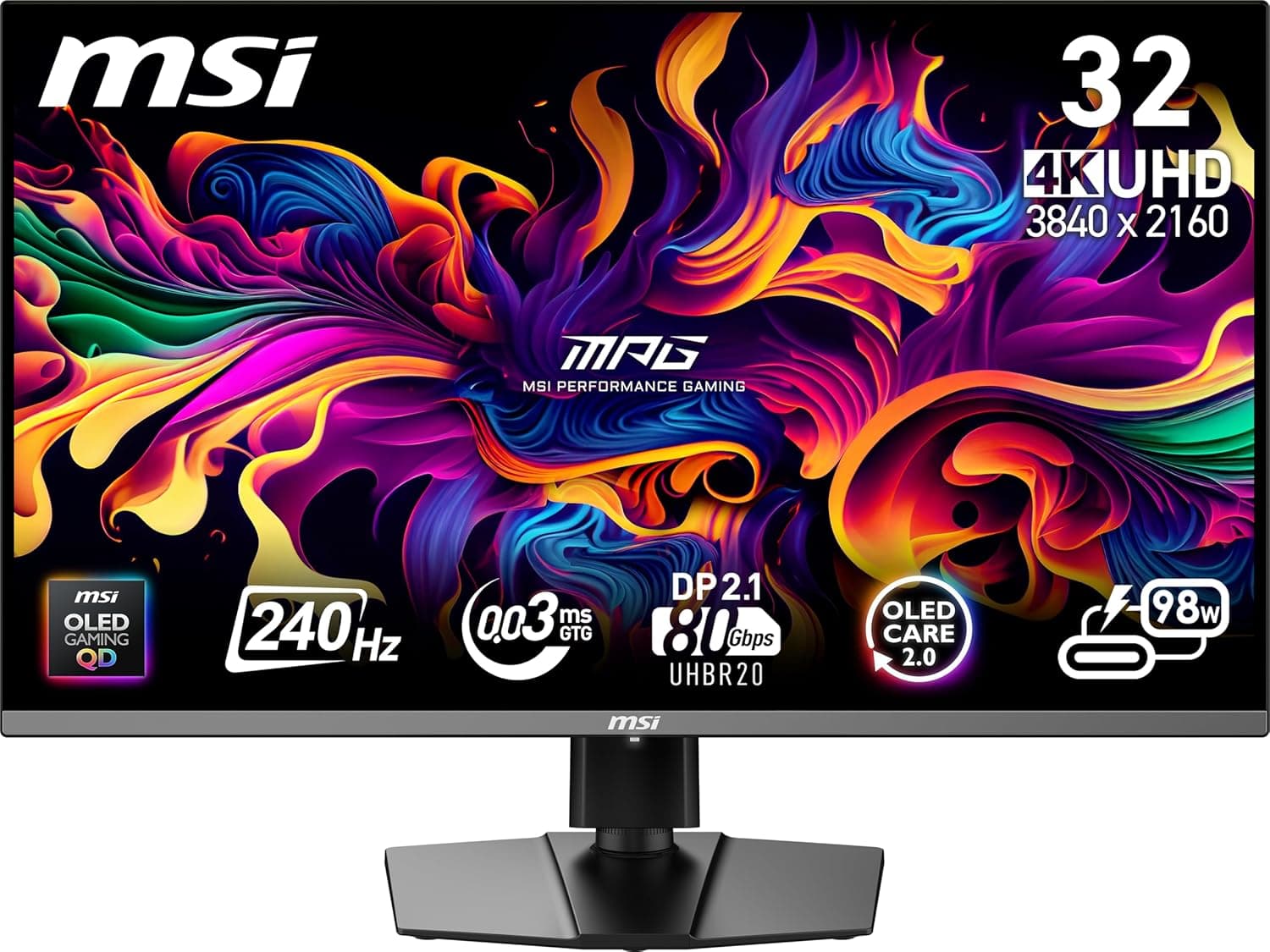
The MSI MPG 322URX QD-OLED 32インチ 3840 x 2160 (UHD) monitor pairs a 32-inch 4K UHD (3840 x 2160) panel with a 240Hz refresh rate, built on a 3rd-generation QD-OLED panel. The short version: this is a display for people who refuse to trade resolution for refresh rate, and it only makes sense if you can also afford the GPU to drive it.
If you already own a high-end RTX 40-series or newer card and are moving up from 1440p 240Hz, it is the most straightforward upgrade available.
Response time is 0.03ms (GtG), HDR is certified to VESA DisplayHDR True Black 400, and color accuracy is rated at Delta E ≤ 2 — a spec sheet aimed at gaming and creative work at the same time.
Amazon.co.jp reviews stood at 102 ratings and 4.4 out of 5 stars (88% positive) as captured in May 2026.
That is a small sample for a flagship product, but the score itself is consistently high.
Who It Is For (Quick Answer)
| Use case | Fit | Why |
|---|---|---|
| Competitive FPS | Fair | 240Hz is plenty, but running 4K at competitive settings is GPU-expensive; a 1080p/1440p high-refresh panel is more rational |
| AAA single-player at max settings | Excellent | Where QD-OLED black levels and DisplayHDR True Black 400 pay off most |
| PS5 / Xbox Series X | Good | HDMI 2.1 gives 4K 120Hz; the 240Hz headroom goes unused |
| Photo and video editing | Good | Delta E ≤ 2, though OLED burn-in risk matters for all-day production work |
| Office and long text sessions | Fair | Static UI on screen for hours is OLED's weakest scenario |
The pattern is clear: this panel shines in games you want to look at, not just win at.
Connectivity & Compatibility
Inputs are one DisplayPort 2.1a (UHBR20), two HDMI 2.1 ports, and one USB-C with DP Alt Mode.
DisplayPort 2.1a uses its 80Gbps of bandwidth to carry 4K 240Hz 10-bit color without compression.
HDMI 2.1 handles 4K 120Hz at 48Gbps for PlayStation 5 and Xbox Series X.
The USB-C port carries video and data while supplying up to 65W of Power Delivery, so a laptop can charge over the same single cable.
VESA mounting is 100×100mm. The included stand offers tilt adjustment. There are no built-in speakers, so external audio is required.
Compatibility Guide
The GPU is the real gate. Per the manufacturer's compatibility notes, full DisplayPort 2.1a bandwidth requires an NVIDIA GeForce RTX 40 series card or newer.
On older cards limited to DisplayPort 1.4, reaching 4K 240Hz means going through DSC.
DSC is considered visually near-lossless, but the uncompressed transport that this monitor is sold on is no longer in play. Check your card's DisplayPort version before you buy.
Cables are an easy trap. Use the bundled DisplayPort cable.
Reusing an old cable is the classic way to end up locked at 120Hz or 60Hz without noticing. Open Windows advanced display settings right after setup and confirm 240Hz is actually selected.
Consoles top out at 4K 120Hz. HDMI 2.1 supports VRR and ALLM with PS5 and Xbox Series X, but 240Hz is a PC-only number.
Buying this specifically for a console does not recover the price premium.
65W USB-C has limits. It comfortably runs a thin-and-light laptop over one cable, but it will not keep a gaming laptop charged under load — plan on using the original AC adapter alongside it.
Desk space matters. A 32-inch 16:9 panel is hard to take in on a desk shallower than about 60cm.
The stand tilts; check the product page for height and swivel. VESA 100×100mm makes arm mounting easy, but 32-inch panels can sit near an arm's weight limit, so match the arm's rated load against the monitor's weight.
Product Info
The price on Amazon.co.jp was ¥238,747 as captured on 27 May 2026 (the Amazon US entry records the same value and ASIN).
An eBay US listing showed $877.49 as captured on 9 July 2026.
Overseas listings differ from domestic purchases in warranty handling, power specifications, and shipping risk. All of these are point-in-time figures that move with sales and exchange rates — check the product page for current pricing.
Reviews stood at 102 ratings and 4.4 out of 5 stars (88% positive) as of 27 May 2026.
With a sample that small, read the low-star reviews rather than relying on the average alone.
Key specifications: 32-inch screen, 3840 x 2160 (UHD), 240Hz refresh rate, 0.03ms GtG response, 3rd-generation QD-OLED panel, VESA DisplayHDR True Black 400, Delta E ≤ 2 color accuracy, 16:9 aspect ratio.
Warranty is the manufacturer's standard three years including the panel. Accessories include DisplayPort, HDMI, and USB cables, a power cord, and a quick start guide.
Product Disclosure (Amazon)
- Manufacturer: MSI
- Seller: KING TRADING SHOP
- Fulfilled by: KING TRADING SHOP
- ASIN: B0DTJRWVVW
- Note: This article covers a manufacturer-made product based on Amazon listing details.
Best Use Cases
- AAA gaming enthusiasts: QD-OLED plus DisplayHDR True Black 400 delivers rich shadow detail. The gap versus LCD is most obvious in dark scenes — horror, space, night-time open worlds.
- Upgraders from 1440p high-refresh: one of the few ways to raise resolution without giving up refresh rate.
- Competitive players who also play everything else: 240Hz and 0.03ms minimize motion blur, though hitting near-240fps at 4K requires a serious GPU and usually a lower render resolution in esports titles.
- Creators: Delta E ≤ 2 supports accurate color checking for photo and video work on the same machine you game on.
- Laptop users: one USB-C cable covers video, data, and 65W charging, cutting desk clutter.
Pairing with a DisplayPort 2.1a-capable GPU (RTX 40 series or newer) unlocks native 4K 240Hz output.
Before You Buy
Budget for the GPU, not just the monitor. This is the most common regret.
4K 240Hz is a mode, not a guarantee; few titles actually reach it. If your card manages 60–100fps at 4K, what you will experience is sharpness and OLED black, not 240Hz.
Plan the panel and the GPU together.
Burn-in mitigation is not immunity. Pixel refresh features extend panel life; they do not eliminate risk.
Taskbars, game HUDs, and streaming overlays parked in the same spot for hours are the problem case. Auto-hide the taskbar, use a short screen timeout, and prefer darker wallpapers.
If this will be an all-day office display, it should not be your first choice.
There are no built-in speakers. Parts of the listing title read as though a speaker is included; it is not.
Budget for headphones or desktop speakers.
32-inch 4K needs display scaling. At 100% the text is very small.
125–150% is practical, but older applications can break their layouts. Do not buy this expecting a huge increase in usable desktop space by default.
Bright rooms work against QD-OLED. Deep blacks are the selling point, but direct sunlight or strong lighting on the panel can raise apparent black levels.
Avoid placing the screen facing a window and favor indirect lighting.
Verify the Amazon listing yourself. At the time of writing, the listing is sold and shipped by a marketplace seller (KING TRADING SHOP) rather than Amazon itself.
On listings like this, seller details, accessory lists, and even product titles sometimes disagree with reality. Before ordering, confirm who handles the warranty, which cables are included, and the return process for a defective unit.
The price and review counts here are point-in-time values — treat the live page as authoritative.
How It Compares
Large gaming monitors differ more than their size suggests. A 49-inch ultrawide wins on immersion and desktop width but shows pillarboxing and edge-shifted UI in 16:9 games.
A 39-inch curved OLED leans cinematic. A 24-inch TN esports panel deliberately trades image quality for pure responsiveness.
Among these, this MSI refuses to compromise on resolution, refresh rate, or image quality — and concentrates the compromise in price and GPU requirements. On a tighter budget, a 1440p QD-OLED or a 4K 144Hz LCD often produces higher overall satisfaction.
Setup Checklist
Connect with the bundled DisplayPort cable and set 240Hz in Windows advanced display settings (it may default to 60Hz).
Enable 10-bit color and HDR in the GPU control panel, and match the Windows HDR setting.
Confirm OLED care features are enabled in the OSD.
Auto-hide the taskbar and shorten the sleep timer.
Set scaling to 125–150% and check your daily apps for layout breakage.
FAQ
Q. What GPU do I need for 4K 240Hz? A.
Uncompressed full-bandwidth output requires DisplayPort 2.1a, meaning RTX 40 series or newer.
Whether you reach near-240fps depends on the title; heavy AAA games will need setting adjustments or upscaling.
Q. Will a PS5 run at 240Hz?
A. No. Over HDMI 2.1 the ceiling is 4K 120Hz, with VRR and ALLM available.
Q. Is burn-in a concern? A.
Care features extend panel life but do not remove the risk. Avoid leaving static UI on screen for long periods.
The warranty is three years including the panel; check the manufacturer's terms for burn-in coverage specifically.
Q. Are speakers included?
A. No. External speakers or headphones are required.
Q. Can I mount it on an arm? A.
Yes, via VESA 100×100mm — but verify the arm's supported size and weight rating first, as 32-inch panels can exceed common limits.
Q. Can I run a laptop over a single USB-C cable? A.
Yes, with a DP Alt Mode laptop: video, data, and up to 65W of charging. A power-hungry gaming laptop will still need its AC adapter.