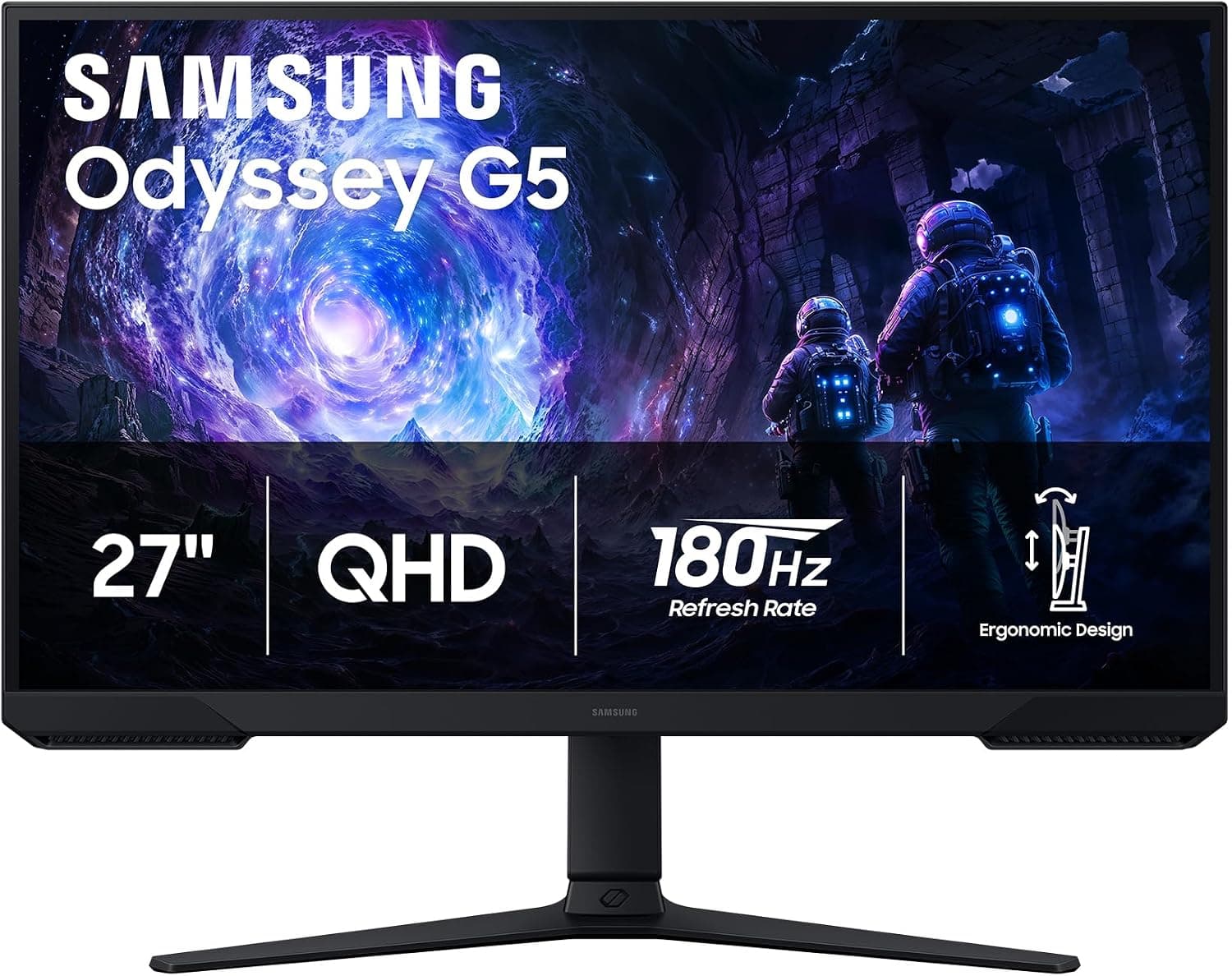
This article covers the Samsung 27" Odyssey G5 (G51F) — QHD 180Hz Curved Gaming Monitor (Japanese listing: Samsung 27インチオデッセイ G5 (G51F) シリーズ QHD (1440P) ゲーミングモニター). It combines a 27-inch screen, 2560x1440 (QHD) resolution and a 180Hz refresh rate, one of the most popular pairings in PC gaming today.
In short, it suits PC gamers moving up from 1080p who want more detail without the cost and GPU load of 4K. Two things matter before buying: you need DisplayPort to reach 180Hz, and game consoles will not benefit from the 180Hz panel.
Overview
The Samsung 27-inch Odyssey G5 (G51F) Series gaming monitor delivers QHD 2560x1440 resolution and a 180Hz refresh rate, aimed mainly at fast-paced genres such as FPS and racing games. Its 1ms MPRT response time targets reduced motion blur in quick action.
HDR10 input and AMD FreeSync are supported. FreeSync syncs the display to the GPU's output, reducing screen tearing and stutter.
At 27 inches, QHD works out to roughly 109 pixels per inch, noticeably sharper than a 24-inch 1080p screen (about 92 ppi) while being far easier to drive than 4K. That makes it a balanced size and resolution for using one screen for both gaming and everyday work.
According to the original listing details, the ergonomic stand offers height, tilt and pivot adjustment. The gaming features include Black Equalizer, which lifts dark areas so enemies are easier to spot; Virtual Aim Point, an on-screen crosshair marker; and Auto Source Switch+, which switches inputs automatically.
None of these are flashy, but they add up over long sessions and in competitive titles.
Reading the Specs
| Item | Value | What it means |
|---|---|---|
| Screen size | 27 inches | About 109 ppi at QHD; comfortable on a desk around 600 mm deep |
| Resolution | 2560x1440 (QHD) | About 1.8x the pixels of 1080p, with GPU load to match |
| Refresh rate | 180Hz | Over DisplayPort; HDMI is limited to 144Hz |
| Response time | 1ms (MPRT) | A perceived-blur metric, not GtG pixel transition time |
| HDR | HDR10 | Accepts the signal; no brightness tier is listed |
| Aspect ratio | 16:9 | Nearly every game runs full screen natively |
| Adaptive sync | AMD FreeSync | Keeps motion smooth when frame rates fall below 180 |
Two figures deserve care: 1ms MPRT and HDR10. MPRT measures perceived blur, often achieved with backlight strobing, and is not the panel's pixel transition speed.
Modes that enable it typically dim the image and often cannot be combined with FreeSync. HDR10 is the name of a supported format and says nothing about how bright the panel can get.
Read the numbers in light of how you will actually use the monitor.
Compatibility Guide
There is one HDMI input and one DisplayPort input. HDMI supports up to 144Hz, while DisplayPort handles the full 180Hz.
On PC, DisplayPort is required for 180Hz. Desktop graphics cards almost always have DisplayPort, but many laptops only offer HDMI, which caps you at 144Hz.
A USB-C (DisplayPort Alt Mode) to DisplayPort adapter may reach 180Hz, but check both your PC's support and the cable's rated bandwidth.
The PS5 and Xbox Series X output up to 120Hz in many titles, which fits within the HDMI 144Hz limit, so console performance is preserved. The monitor's 180Hz, however, goes unused.
Console resolution and 120Hz support also depend on the title, system settings, and HDMI version or cable. If consoles are your main platform, 180Hz should not be the reason you buy this monitor.
Variable refresh is officially AMD FreeSync, which works straightforwardly with Radeon GPUs. NVIDIA GeForce cards can often enable it as "G-SYNC Compatible" in the driver, but whether this model is officially certified is not stated in the available data.
Plan to verify it on your own system.
There is no USB hub, so you cannot route a keyboard and mouse through the monitor, and there is no single-cable USB-C connection for laptops. VESA mount support is not listed; check the product page if you plan to use a monitor arm.
What PC You Need
High frame rates at QHD put clearly more load on the GPU than 1080p. As a rough guide, a mid-range GPU can approach 180fps in lightweight competitive shooters at reduced settings.
Demanding AAA games at high settings commonly drop to around 100fps or below.
That is still worthwhile. Within FreeSync's working range, 120fps or 90fps looks smooth and tear-free.
Think of this monitor not as a way to hold 180fps constantly, but as a way to get sharper-than-1080p, smoother-than-60Hz gaming on a reasonable GPU.
Where It Sits by Resolution and Refresh Rate
| Combination | Best for | Compared with this model |
|---|---|---|
| 1080p, 144-165Hz | Tight budgets, modest GPUs | This model runs lower fps on the same GPU but is much sharper |
| QHD, 180Hz (this model) | Balance of detail and smoothness | — |
| QHD, 240Hz+ | Competitive players with strong GPUs | A step up in price and GPU demand |
| 4K, 60-144Hz | Text sharpness, video, creative work | Less sharp, but easier to drive at high fps |
The point is that QHD at 180Hz does not excel at any one thing; it is the middle option that avoids big compromises. If you want 240Hz+ to win in esports or 4K for maximum sharpness, start your search in those tiers instead.
Product Info
As of September 2026, Amazon.co.jp listed it at ¥40,725.
Prices change frequently with sales and stock, so check the product page for the current price. At the same time, Amazon.co.Check the retailer's page for the latest user reviews.
The review count is modest, but the rating is consistently high.
The original listing details place its release in late 2024, in the mid-to-high tier of 27-inch QHD 180Hz monitors. At around ¥40,000, it is a value-focused choice in its class.
The warranty is listed as Samsung's standard one year, though coverage may differ depending on the seller. Accessories are listed as a power cable, HDMI cable, DisplayPort cable and a quick setup guide.
It is widely available from online retailers and major electronics stores.
Recommended Users
This monitor is a good fit for the following users.
First, PC gamers playing FPS and battle royale titles where fast reactions matter. 180Hz smoothness and 1ms MPRT help with tracking targets and flicking the camera.
QHD shows more detail than 1080p, making distant enemies easier to spot. Players who want more than 240Hz for competitive play may find it lacking.
Second, people who want one screen for both PC and a PS5 or Xbox Series X. Consoles can use their 120Hz output within the HDMI 144Hz limit, and with the PC on DisplayPort and the console on HDMI, switching between them is easy.
The height-adjustable stand helps set the screen at eye level for long sessions. It is not suitable for 4K gaming.
Third, users who split time between gaming and work. QHD gives more workspace than 1080p, enough for side-by-side windows and light photo or video editing.
Color gamut and calibration are not specified, so it is not a professional creator monitor. For color-critical work, choose a dedicated creator display.
Before You Buy
Only DisplayPort reaches 180Hz. Over HDMI the limit is 144Hz.
With a laptop or an HDMI-only setup, you may buy a 180Hz monitor and only be able to select 144Hz. Confirm your PC has a DisplayPort output first.
There are only two inputs. One PC and one console fill them, and a third device needs a switch.
With no USB hub or USB-C input, it does not suit a single-cable laptop desk setup.
HDR10 support does not mean great HDR. No peak brightness or DisplayHDR tier is listed, so HDR10 here means the monitor accepts the signal.
In this class, turning on HDR often makes the image look washed out or dim, and SDR may look better. Do not buy it for HDR.
Panel type and shape cannot be confirmed from the data. The English product name says "Curved," but the provided specs list neither curved versus flat nor VA versus IPS.
These strongly affect viewing angles, black levels and reflections, so check the product page images and specifications. Built-in speakers are not listed either, so plan on headphones or external speakers.
Check the listing details carefully. The Amazon listing we referenced showed a yen price on Amazon.co.jp but named "Amazon US" as seller and shipper.
When the seller is overseas, domestic manufacturer warranty and support may differ from a regular Japanese retail unit. Confirm the seller, warranty terms, and that the product name includes "G51F" using the images and title.
Without enough GPU power, 180Hz is just a number. If your GPU struggles even at 1080p, upgrading the GPU first will make a bigger difference than this monitor.
FAQ
Q. Can a PS5 or Xbox Series X output 180Hz? A.
No. Consoles output up to 120Hz in many titles, which the monitor accepts over HDMI (up to 144Hz).
Q. Does variable refresh work with NVIDIA graphics cards? A.
The official support is AMD FreeSync. NVIDIA drivers can often enable it as G-SYNC Compatible, but certification is not stated in the available data, so check the product page.
Q. Does 1ms response time eliminate blur completely? A.
1ms is an MPRT figure for perceived blur, not a promise of zero blur. Modes that use it may dim the screen or disable FreeSync.
Q. Why choose this QHD model over 4K? A.Check the retailer's page for the latest price.co.jp as of September 2026, which is accessible for QHD at 180Hz.
For text sharpness and video, 4K has the edge.
Q. Is the screen curved? A.
The English product name says "Curved," but the provided specs do not state the screen shape. Check the product page images and specifications.
Product Disclosure (Amazon)
- Manufacturer: サムスン(SAMSUNG)
- Seller: Amazon US
- Fulfilled by: Amazon US
- ASIN: B0GLV9PML4
- Note: This article covers a manufacturer-made product based on Amazon listing details.