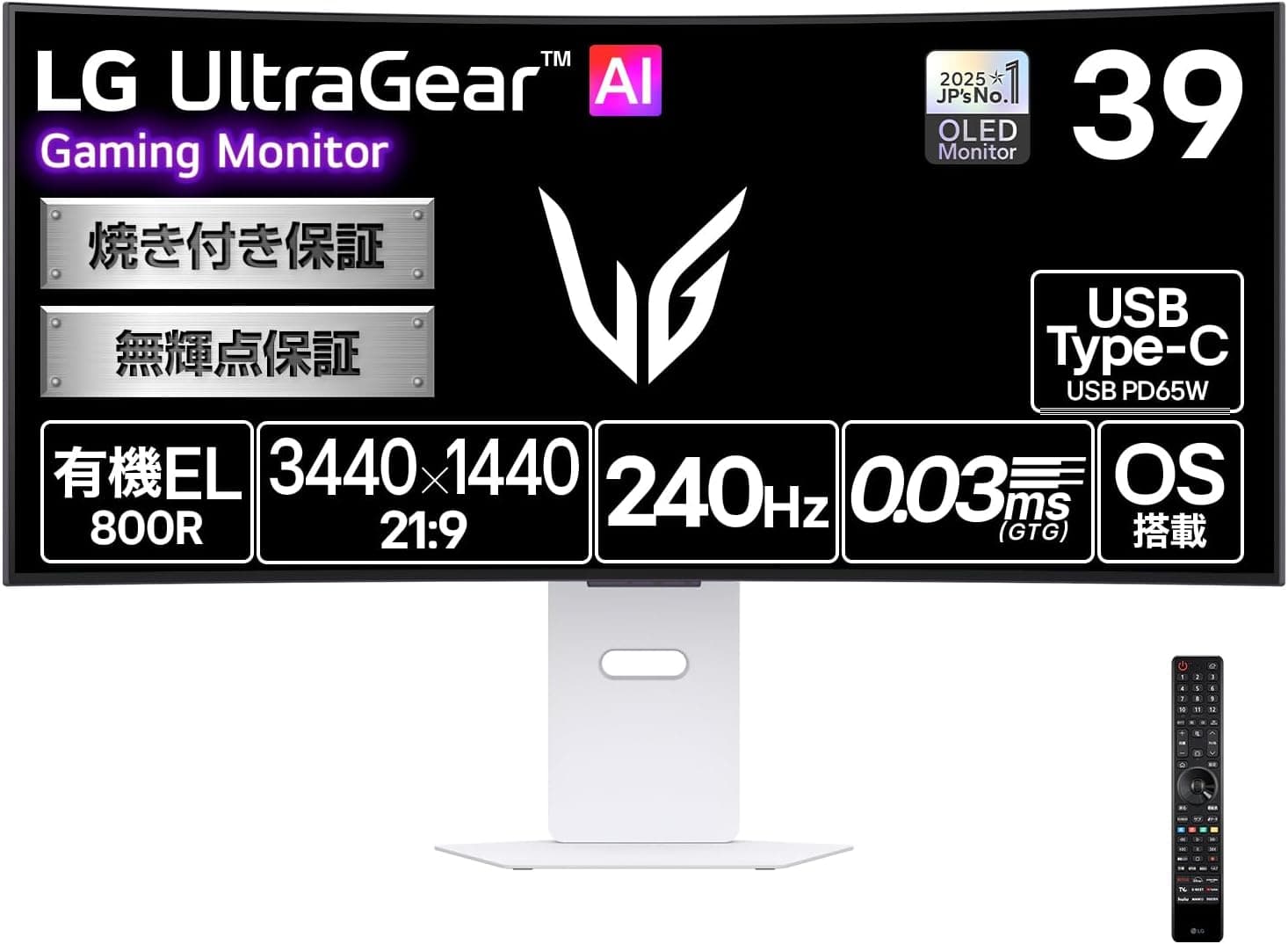
Overview
The LG 39GX90SB-W — 39-inch Curved OLED AI Gaming Monitor is an ultrawide gaming display.
The short verdict: it is a strong pick for PC gamers who own an upper-tier GPU and want maximum immersion in racing, flight and open-world games. If most of your day is spreadsheets or documents, there are better options.
The same goes for esports players chasing every last frame. This article focuses on how the spec sheet translates into real-world use, and where buyers tend to go wrong.
Its main strength is OLED black levels. The contrast ratio is 1,500,000:1, color gamut is DCI-P3 98.5%, and it carries VESA DisplayHDR True Black 400 certification.
According to the listing, MLA (Micro Lens Array) technology helps it reach 1300 cd/m² peak brightness at 1.5% APL.
It shines most in dark scenes with small, bright highlights. On Amazon.co.Check the retailer's page for the latest user reviews.
Reading the Specs
| Item | Value | What it means |
|---|---|---|
| Size / ratio | 39-inch / 21:9 | Very wide. Height is similar to a 31-inch 16:9 screen |
| Resolution | 3440×1440 | About 96 PPI, coarser than a 27-inch 1440p monitor (about 109 PPI) |
| Peak brightness | 1300 cd/m² (APL 1.5%) | Applies to small highlights. Full-screen white is much dimmer |
| HDR certification | DisplayHDR True Black 400 | An OLED-focused tier that emphasizes deep blacks |
| Curvature | 800R | Aggressive curve. Very immersive, but straight lines bend |
| Viewing angle | 178°/178° | Little color shift off-axis |
3440×1440 is the usual resolution for 34-inch ultrawides. Spreading it across 39 inches lowers pixel density to about 96 PPI.
For reading small text for hours, though, text looks a little coarser than on a 34-inch ultrawide or a 27-inch 1440p monitor.
The 1300 cd/m² figure is measured with only 1.5% of the screen lit.
Like most OLEDs, the panel limits brightness as the bright area grows. A full-screen white web page or spreadsheet will therefore be much dimmer than the headline number, and brightness may visibly shift as you switch windows.
The figure matters most in HDR games and films, where night scenes and explosions pop.
DCI-P3 98.5% is ample for HDR video and modern games.
The 800R curve keeps the edges of the ultrawide in view, but it distorts straight lines, which matters for CAD or technical drawing.
Compatibility Guide
PC and graphics card
3440×1440 is about 4.95 million pixels.
That is roughly 1.34x the load of 2560×1440 (about 3.69 million) and about 60% of 4K (about 8.29 million).
Few GPUs hold 240 fps in demanding AAA titles at this resolution. Check the product page for which variable refresh rate (VRR) standards it supports.
Check your GPU's specs, and use a cable rated for the standard.
Consoles (PS5 / Xbox Series X|S / Switch)
Most consoles output 16:9. On this 21:9 panel you will see black bars on both sides, or a stretched image.
With black bars, the visible area is roughly equivalent to a 31-inch 16:9 screen. If consoles are your main platform, a 16:9 4K monitor or a TV will use the screen better.
Laptops and Mac
That is enough for one-cable video and charging on many thin laptops. High-performance gaming laptops draw more power, so they may charge slowly or not keep up.
Use their own power adapter as well. On a Mac, about 96 PPI will not look Retina-sharp, so keep expectations for text smoothness modest.
Ports and wireless (from the listing)
- USB-A and wired LAN
- HDMI CEC (power sync with connected devices via the remote)
This list is based on the Amazon listing. Port counts and power delivery can differ between closely related model numbers, so check the official spec sheet before buying.
Desk space
A 39-inch ultrawide is wide, and the 800R curve adds depth. On a shallow desk the screen sits too close and you end up turning your head a lot.
We could not confirm the exact dimensions and weight, so check the product page. If you plan to use a monitor arm, confirm VESA compatibility and weight capacity.
Large curved panels can be too heavy for light-duty arms.
Product Info
As of September 17, 2026, the price on Amazon.co.jp was ¥199,800.
Prices change with sales and stock, so check the product page for the current price. eBay listings also exist, but overseas units may differ from the Japanese version in power specifications and warranty terms, so choose carefully.
co.jp as of September 16, 2026.
That is not a large sample, so read the critical reviews too, for comments on burn-in, text clarity and early defects, rather than relying on the score alone.
The listing says it runs webOS. That means the remote can stream Netflix, YouTube and other services without a PC, so it doubles as a smart monitor.
The 'AI' in the product name likely refers to these smart features, but check the product page for exactly which functions use AI processing. It is also listed with built-in stereo speakers.
Like most thin monitor speakers, they suit casual viewing. For competitive games where footstep direction matters, a headset or external speakers will serve you better.
The listing says a remote and several cables (power, HDMI, DisplayPort, USB-C) are included. Check the box contents on the retailer page.
We strongly recommend checking LG's warranty terms before buying, including the warranty length and whether OLED burn-in is covered.
Who Should Buy
- HDR viewers in dark rooms: The 1,500,000:1 contrast ratio and True Black 400 certification beat LCDs most clearly in starfields, night cities and dark horror games.
- One-screen gaming and streaming: webOS lets you watch streaming services without booting a PC. There is no TV tuner, so broadcast TV needs an external tuner.
Comparison with Other Monitors
Even at the same budget, the right answer depends on your priorities. Here is how the 39GX90SB-W differs from other monitors we cover.
| Product | Direction | Best for |
|---|---|---|
| LG UltraGear 27GN65R-B | 27-inch gaming monitor | An affordable first gaming monitor |
The 39GX90SB-W is about being wrapped in the image and seeing deep blacks, not raw speed. If you do a lot of text work, consider pairing it with a 27-inch productivity monitor such as the LG 27UP600K-W.
Splitting gaming and work across two screens reduces burn-in worries and the text-clarity issue at the same time.
Before You Buy
Burn-in risk can be managed through how you use it. OLED panels can retain an image if the same content stays on screen for long periods.
Taskbars, game HUDs and browser toolbars are the usual culprits. Auto-hiding the taskbar, using a darker wallpaper that you change now and then, and turning the screen off when you step away all help.
Many OLED makers advise against cutting main power immediately so that the panel's protection routines can run. Check the manual.
Some people notice color fringing on text. LG OLED panels generally use a subpixel layout that differs from LCDs.
Combined with about 96 PPI, this can show color fringes on text edges. It is barely visible in games and video, but if you code or write for hours, try one in a store or buy where returns are easy.
Full-screen white is dimmer than you might expect, and brightness can shift. As noted, 1300 cd/m² applies to small highlights.
White-background work in a bright room looks fairly subdued, and brightness may change as you switch windows. The anti-glare finish cuts reflections, but in bright rooms OLED blacks can look slightly lifted.
** Drawing about 1.34x the pixels of 1440p at 240 fps is demanding. Check what frame rates your current GPU reaches in your usual games before buying.
Console-first players will likely be happier elsewhere. 16:9 output leaves black bars and wastes the 21:9 width.
Check the full model number. Closely related model numbers that differ only in the final letters may exist, with different ports or smart features.
Amazon listings sometimes contain incorrect details, so confirm that the images, title and model number all match 39GX90SB-W before you buy.
FAQ
Q. How worried should I be about burn-in? A.
Avoiding long periods of static content lowers the risk considerably. If you work from home with the same layout all day, a separate work monitor is the safest choice.
Check LG's warranty terms for burn-in coverage.
Q. Does it work with PS5 or Xbox?
A. Yes, but consoles generally output 16:9, so you get black bars on both sides.
Q. What GPU do I need? A.
3440×1440 has about 1.34x the pixels of 1440p.
For smooth play in demanding games, aim for an upper-tier GPU that already runs 1440p at high frame rates.
Q. How does it differ from a 34-inch 3440×1440 monitor? A.
Same resolution, but the larger 39-inch screen lowers density to about 96 PPI. The 39-inch wins on impact, the 34-inch on text sharpness.
Q. Can it double as a work monitor? A.
The wide workspace is useful, but you need to accept some text fringing and brightness shifts on white screens, and take care with burn-in. If gaming comes first and work second, it handles both well enough.
Product Disclosure (Amazon)
- Manufacturer: LG
- Seller: Amazon.co.jp
- Fulfilled by: Amazon.co.jp
- ASIN: B0H41SP2ZZ
- Note: This article covers a manufacturer-made product based on Amazon listing details.


