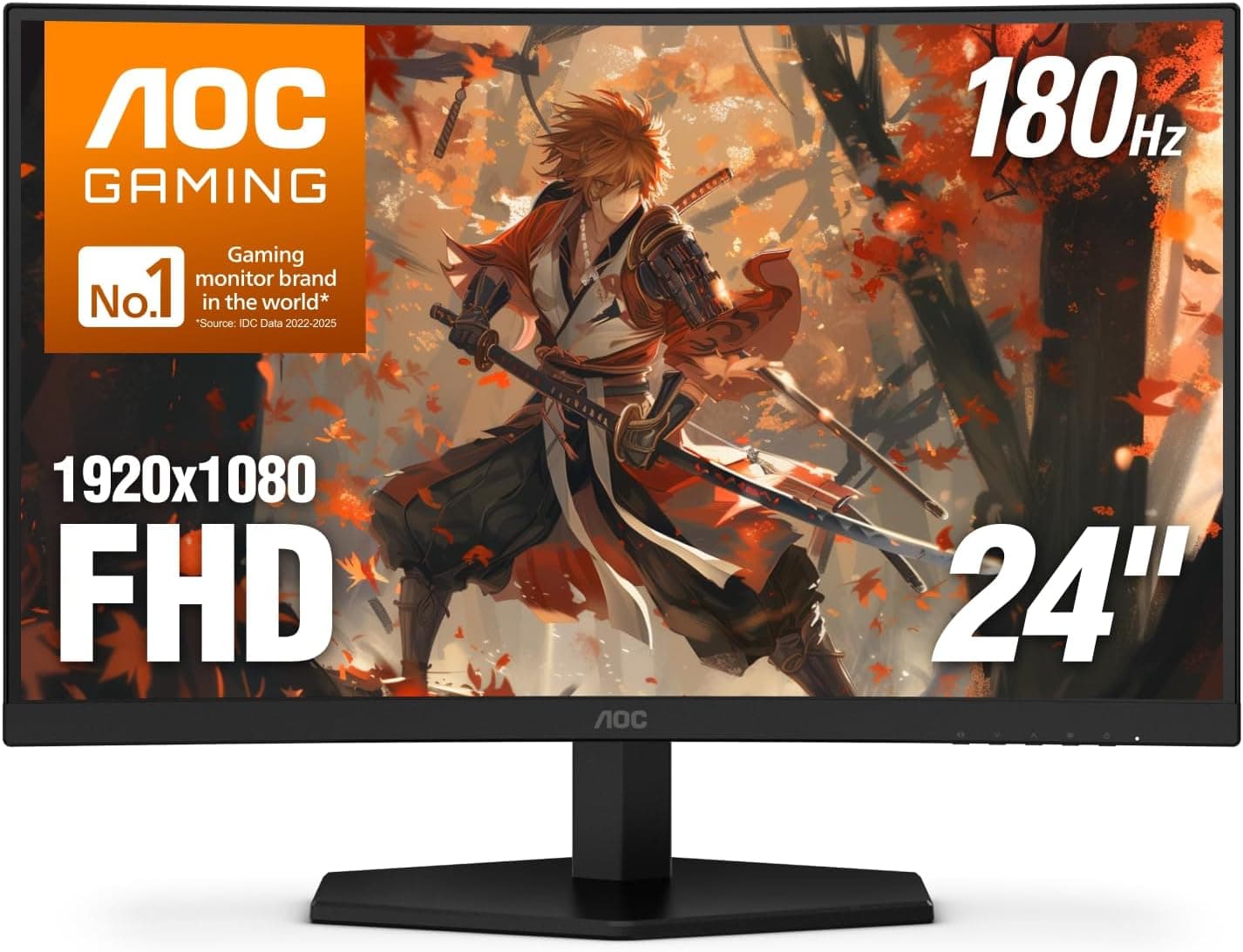
This article covers the AOC 27インチゲーミングモニター FHD 144Hz 高速IPS 0.5ms HDR (AOC 27-inch Full HD 144Hz Fast IPS gaming monitor).
Beyond the spec sheet, it explains what running Full HD at 27 inches means in practice, where buyers commonly make connection mistakes, and who should skip this monitor.
Overview
The short version: this is a monitor for PC gamers who want both the clarity of IPS and the smoothness of 144Hz for a little over ¥22,000. The trade-off is that 1920×1080 at 27 inches looks noticeably soft when you sit close.
People who spend long hours on documents or photo editing should look at other options.
The model covered here is the AOC GAMING 27G51F. It has a 144Hz refresh rate, 0.5ms (GtG) and 1ms (MPRT) response times, and a Fast IPS panel.
It covers 116% of sRGB and supports HDR input and Adaptive-Sync (G-Sync Compatible and FreeSync). Thin bezels on three sides make it easy to place several units side by side.
On Amazon.co.jp it was rated 4.7 out of 5 from 76 reviews when the data was captured on September 25, 2026.
The rating is high, but the review count is still small, so there is not yet enough evidence to judge long-term durability or unit-to-unit variance.
What the Specs Actually Mean
| Item | Value | What it means in practice |
|---|---|---|
| Size / resolution | 27 in / 1920×1080 | About 82 PPI. Softer than a 24-inch 1080p screen (about 92 PPI) and clearly behind 27-inch 1440p (about 109 PPI) |
| Refresh rate | 144Hz | Redraws the screen 2.4 times as often as 60Hz, which makes fast camera turns much easier to follow |
| Response time | 0.5ms GtG / 1ms MPRT | Manufacturer ratings. Real-world blur depends on the overdrive setting |
| Panel | Fast IPS | Colors shift less at an angle, so viewing angles beat VA |
| Color gamut | 116% sRGB | Wider than sRGB, so standard web content can look oversaturated |
| HDR | Supported | No peak brightness or DisplayHDR certification is listed |
| Inputs | HDMI 2.0 x2, DisplayPort 1.4 x1 | Keep one PC and two consoles connected without swapping cables |
| VESA | 100×100mm | Works with standard monitor arms |
Pixel density matters most here. A 27-inch 1080p panel has the same number of pixels as a 24-inch 1080p panel, just stretched over a larger area.
Moving game footage hides this well. Small browser text and spreadsheet gridlines, however, look less crisp.
Sitting a bit farther back helps a lot, so desk depth has a big effect on how happy you will be with this screen.
The 0.5ms figure is a spec-sheet number.
In general, setting overdrive to its maximum can cause overshoot, which shows up as bright halos at the edges of moving objects. Start at a middle setting, then sweep the camera left and right in a shooter and adjust from there.
Compatibility Guide
Connecting a PC: DisplayPort 1.4 is the recommended connection.
At 1920×1080 and 144Hz, both DisplayPort and HDMI 2.0 have plenty of bandwidth.
If you have an NVIDIA GPU and want G-Sync Compatible, though, DisplayPort is the reliable choice. Whether variable refresh works over HDMI can depend on your GPU generation and driver.
AMD FreeSync usually works over HDMI as well. The product data also says Adaptive-Sync works over DisplayPort or HDMI.
GPU requirements: 1080p is a light resolution to render. Compared with 1440p or 4K, a modest GPU has a much better chance of getting close to 144fps, which is an advantage if you want to keep GPU spending down.
On the other hand, a high-end GPU may not be fully used at this resolution.
Connecting a console: PS5 and Xbox Series X/S connect over HDMI. 1080p at 120Hz works when both the console and the game support it.
Variable refresh rate (VRR) is the catch. PS5 VRR is built on the HDMI 2.1 VRR standard, so it most likely will not work with this HDMI 2.0 monitor.
Xbox Series X/S supports FreeSync, so VRR may work there as FreeSync. Whether it actually turns on depends on the console settings and the game.
Mounting: VESA 100×100mm support means you can use a monitor arm or wall mount. A 27-inch monitor has some weight to it, so compare your arm's weight limit with the weight on the product page.
Audio comes out through a 3.5mm stereo jack.
The spec data provided does not mention built-in speakers, so if nothing else in your setup plays sound, plan on using headphones or external speakers.
Product Info
When the data was captured on September 25, 2026, the price on Amazon.co.jp was ¥22,410.
Prices change with sales and stock levels, so check the product page for the current price before you buy. The eBay entry only links to a search page, and no price was captured from it.
The original article says the monitor comes with a three-year warranty that includes a zero-bright-dot policy, and that the box contains a power cable, an HDMI cable, and a quick-start guide. Warranty terms can differ depending on where and from which seller you buy, so confirm them on the listing or on the warranty card in the box.
The main selling point is getting 144Hz, IPS, and 0.5ms GtG for a little over ¥22,000.
For anyone who wants an affordable 27-inch 144Hz gaming setup, it is a strong option that saves you from buying a higher-tier model.
Comparison with Competitors
Against other monitors at this price, the right pick mostly comes down to what you value most.
| Priority | Better fit |
|---|---|
| Smoother motion while staying at 27-inch 1080p | 240Hz models, such as the MSI MAG 272F X24 |
| The highest frame rates for competitive FPS | 24.5-inch 360Hz models, such as the ASUS ROG Swift PG259QNR |
| Sharp text and comfortable office work | 27-inch 4K models, such as the LG 27UP600K-W |
| 144Hz, IPS, and 27 inches on a budget | This monitor |
A 240Hz model at the same size and resolution can be even smoother, but you need a GPU that can push around 240fps. The 24.5-inch 360Hz class has a smaller screen, so your eyes move less, and it is built specifically for competitive play.
If reading text matters most, a 4K model is far more comfortable. This monitor sits between these specialized products as an affordable all-rounder.
Who It's For
- Gamers who want smooth FPS and action games: 144Hz and fast response keep fast camera turns clear and make targets easier to track. Players who need 240Hz or more for competitive play may find it lacking.
- Buyers keeping GPU spending low: 1080p is light to render, so midrange and lower GPUs can make good use of 144Hz.
- Multi-monitor builders: The thin bezels on three sides make two- or three-screen setups look continuous. That also helps when building a wide field of view for sim racing.
- Budget buyers who still want IPS image quality: You get IPS viewing angles and 144Hz smoothness for a little over ¥22,000.
- Xbox owners and people sharing the screen between PC and console: With two HDMI ports, you can connect the PC over DisplayPort and leave two consoles plugged in over HDMI.
Before You Buy
27-inch 1080p looks soft up close: This is the most common regret with this kind of monitor. If you sit close to the screen, read text for long periods, or use spreadsheets a lot, a 1440p or 4K model will likely make you happier.
On a shallow desk where you sit close, the pixel grid stands out even more.
Keep HDR expectations low: HDR input is listed as supported, but no brightness figures or certification are given. LCD monitors in this price range often show little extra contrast in HDR.
Treat HDR as a bonus rather than a reason to buy.
Not ideal if you want VRR on PS5: As explained above, the monitor stops at HDMI 2.0, so PS5 VRR most likely will not work.
It can still display 1080p at 120Hz, but if you want to smooth out frame-rate swings on PS5, look at a monitor with HDMI 2.1.
116% sRGB is not the same as accurate color: Because the gamut is wider than sRGB, ordinary web pages and SDR games can look more saturated or vivid. That is partly a matter of taste, but if you want to do color-critical work, check the manual for an sRGB mode.
IPS can glow in the corners on dark scenes: IPS panels in general can show IPS glow, a faint brightening in the corners of dark images. The amount varies between units, so keep this in mind if you play horror games in a dark room.
Double-check the listing: The product name does not include a model number, so use the listing's photos and specs to confirm you are getting the right model. The Amazon disclosure also names Amazon US as the seller and shipper, while the link goes to Amazon.co.jp.
Warranty and return terms can depend on the seller, so check the seller shown before you add it to your cart.
FAQ
Q. Does 27-inch 1080p look soft? A.
Yes, especially when you read text up close. Game footage and video hide it well, and sitting a little farther back makes it much less noticeable.
Q. Can PS5 run at 120Hz? A.
Yes. In games that support it, the PS5 can output 1080p at 120Hz over HDMI.
PS5 VRR, however, requires HDMI 2.1 and most likely will not work on this monitor.
Q. How do I use G-Sync Compatible with an NVIDIA GPU? A.
Connect over DisplayPort and turn on G-SYNC in the NVIDIA Control Panel. Some combinations do not work over HDMI.
Q. Does it have built-in speakers? A.
The spec data provided does not list built-in speakers. Only a 3.5mm audio output is confirmed, so plan on using headphones or external speakers.
Q. Can I use a monitor arm?
A. Yes. It supports VESA 100×100mm. Make sure the arm's weight limit is higher than the monitor's weight.
Product Disclosure (Amazon)
- Manufacturer: AOC
- Seller: Amazon US
- Fulfilled by: Amazon US
- ASIN: B0FF6CHRYD
- Note: This article covers a manufacturer-made product based on Amazon listing details.