Overview
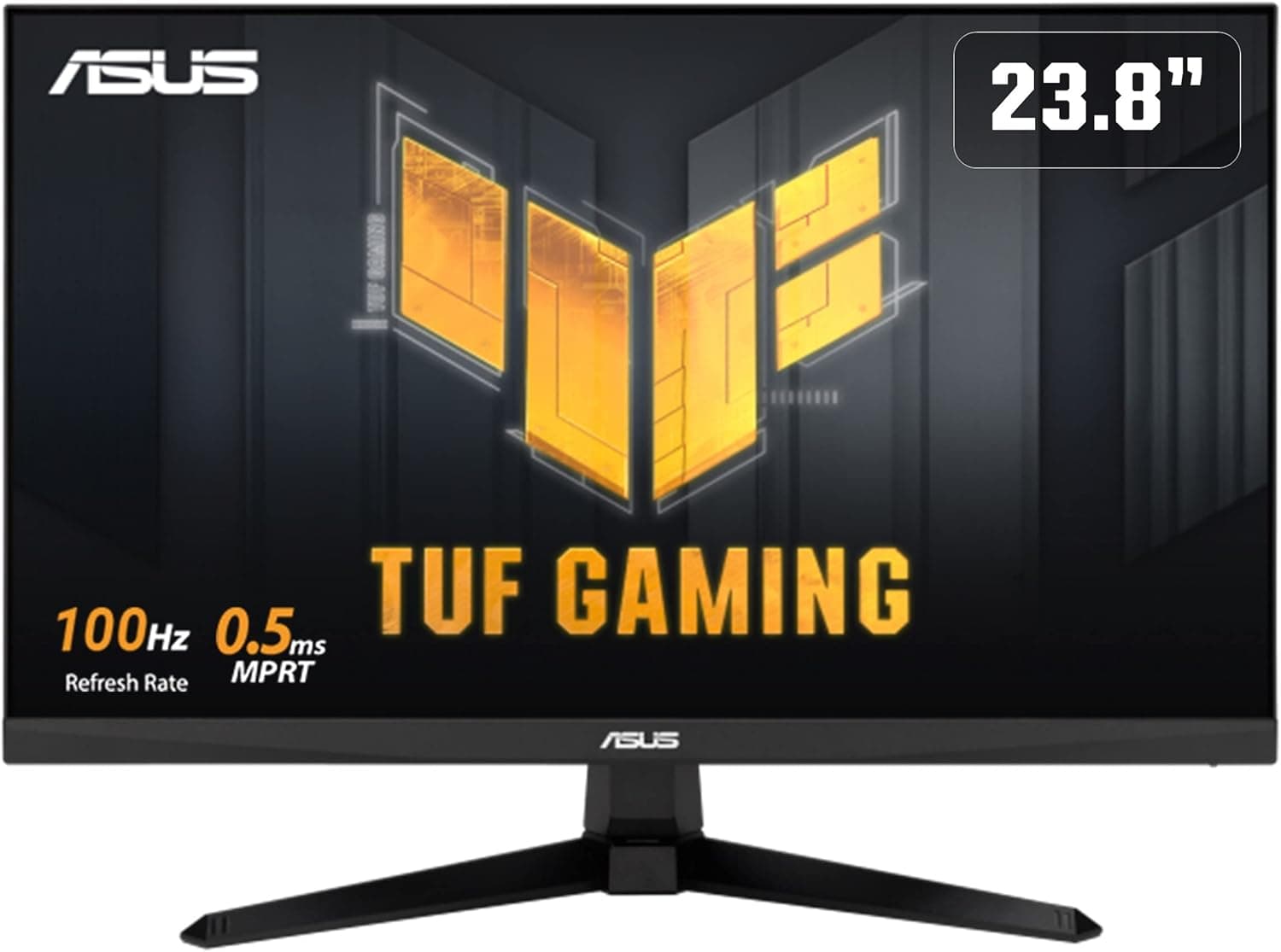
The ASUS TUF Gaming VG246H1A (ASUS ゲーミングモニター TUF Gaming VG246H1A 23.8インチ) is listed on the manufacturer's official spec page as "ASUS VG246H1A".
According to that page, it uses an IPS panel, measures 23.8 inches, has a 16:9 aspect ratio, and has a resolution of 1920x1080.
The official page gives the maximum refresh rate as 100Hz and the response time as 0.5ms MPRT.
It lists VRR technology as Adaptive-Sync, and the compliance entry includes AMD FreeSync.
The video features entry lists Game Visual, GamePlus, Shadow Boost, GameFast Input technology and Extreme Low Motion Blur. For eye comfort, the official page also lists a low blue light function and a flicker-free function.
Compatibility Guide
The video inputs in the official I/O port entry are two HDMI (v1.4) ports, plus a headphone jack.
DisplayPort and USB-C are not listed, so first check whether the output on your source device is HDMI.
The official scan frequency for HDMI is 30120 KHz (H) / 48100 Hz (V). The maximum refresh rate of 100Hz equals the upper end of that vertical range.
For wall or arm mounting, the reference is the official VESA mount value of 100x100mm. The stand's tilt is +23° ~ -5°, and height adjustment is listed as No.
Product Info
rmation
The table below transcribes values from the manufacturer's official page.
| Item | Official page value |
|---|---|
| Panel type | IPS |
| Panel size | 23.8 inches |
| Resolution | 1920x1080 |
| Display area (H x V) | 527.04mm x 296.46mm |
| Surface | Non-glare |
| Brightness (typical) | 300cd/㎡ |
| Contrast ratio (typical) | 1300:1 |
| Viewing angle (CR≧10, H / V) | 178°/ 178° |
| Display colors | 16.77 million |
| Response time | 0.5ms MPRT |
| Refresh rate (max) | 100Hz |
| Pixel pitch | 0.2745mm |
| Power consumption (in use) | <19W |
| Voltage | 100-240V, 50/60Hz |
| Dimensions (W×H×D) with stand | 541 x 394.4 x 174 mm |
| Dimensions (W×H×D) without stand | 541 x 323.3 x 61.4 mm |
| Weight | 3.42 kg (2.87 kg without stand) |
| Main accessories | Warranty card, quick start guide, power cord, HDMI cable |
Two rows in the table bear on gaming: response time and refresh rate. The display area, the dimensions with stand and the weight matter for desk planning.
The official page also lists DisplayWidget Lite as the display widget. Color temperature selection offers 4 modes, and HDCP is 1.4.
A Kensington security slot is included.
Recommended For
- People who want a monitor arm to change height: The stand cannot adjust height, so changing eye level means checking the arm's standard. The condition when choosing an arm is that its mounting-hole spacing matches the official value.
- People with limited desk depth: The official depth with stand is 174 mm and the height is 394.4 mm. Measuring the spot first lets you judge fit before buying.
- People who want to connect two HDMI devices: The monitor has two HDMI (v1.4) inputs, and an HDMI cable is among the accessories. Use the supplied cable for the first device and prepare another cable for the second.
Before You Buy
- Audio output: The official audio entry says "Speakers: No". You need a device connected to the headphone jack, or separate speakers, to hear sound.
- Input ports: Only HDMI (v1.4) is listed for video input. Check that your source device has an HDMI output.
- Stand adjustment: Only tilt is adjustable, in a range of +23° ~ -5°. Any other posture means considering a separately sold bracket or arm.
- Delivery and placement: The official package size is 600 x 405 x 168 mm, and the weight including packaging is 5.01 kg. Measure the delivery route and the installation spot.
Check price and stock on the sales page.
FAQ
Q. Does it have built-in speakers?
A. No. The official page says "Speakers: No", and the headphone jack is listed as Yes.
Q. What is the maximum refresh rate?
A. The official page lists the maximum refresh rate as 100Hz.
Q. Can I use an arm or wall bracket? A.
The official specs include a VESA mount entry with a hole spacing of 100x100mm. Compare it with the standard of the arm or bracket you plan to buy.