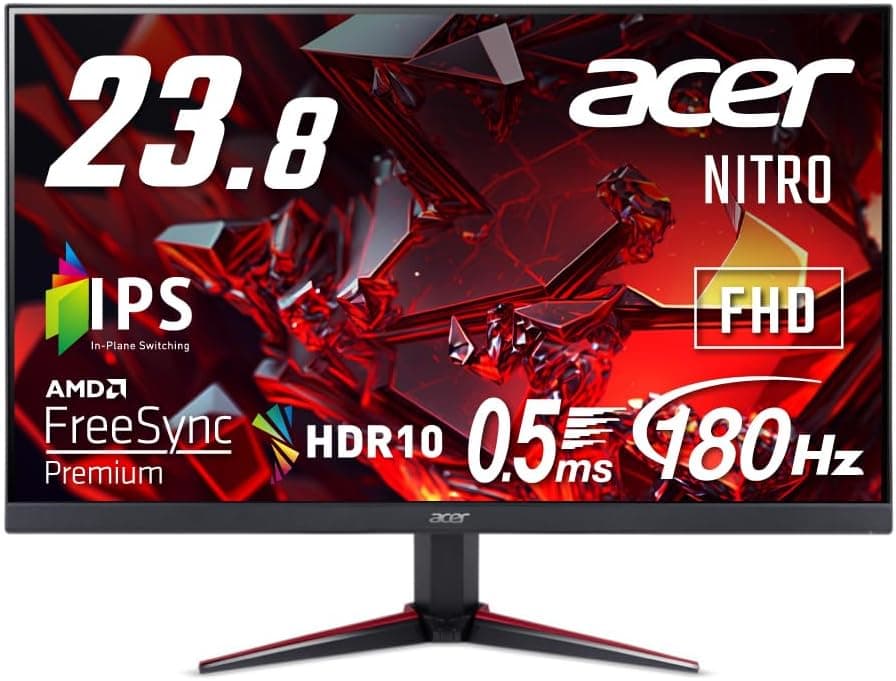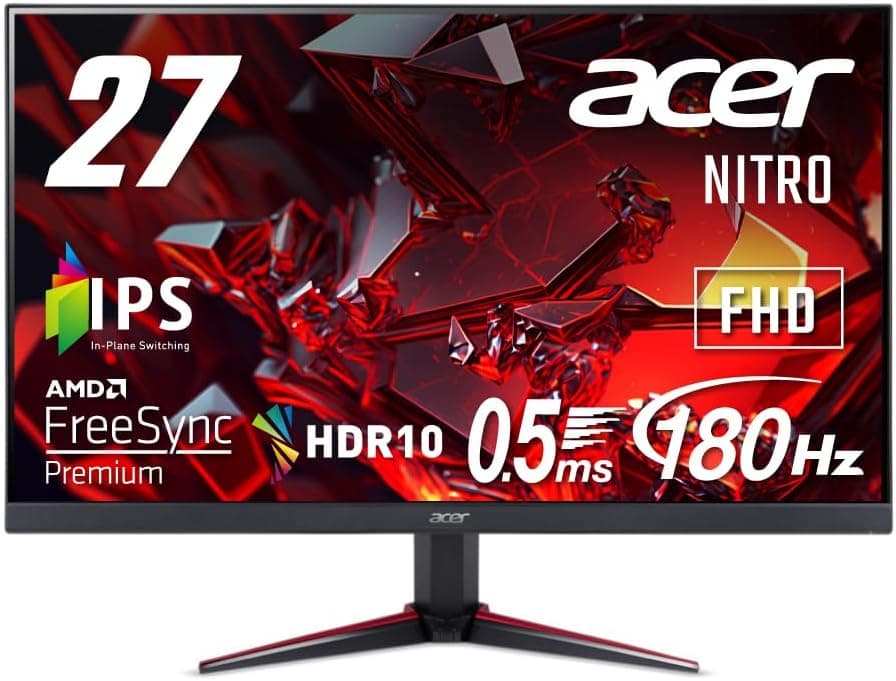
This article covers 日本エイサー Acer Nitro ゲーミングモニター 27インチ IPS フルHD 180Hz 0.5ms PC, sold as the Acer Nitro VG270M3bmiipx.
It is a practical, value-focused gaming display that delivers 27 inches, Full HD and 180Hz for roughly the price of an entry-level panel. Below, we look at how the spec-sheet numbers translate into real use, and exactly what you give up to hit that price.
Overview
This monitor is for people who want every yen of their budget spent on high frame rates at 1080p. In fast genres where motion clarity decides matches — FPS, fighting games, racing — it punches above its price.
If you care about text sharpness, deep blacks in a dark room, or convincing HDR, it is the wrong purchase.
The panel is a 27-inch IPS with a non-glare coating at 1920×1080. Refresh tops out at 180Hz, with a 1ms (GTG) response time and a 0.5ms (GTG Min.) figure.
Brightness is 250 cd/m2, contrast is quoted as 100,000,000:1 (ACM), and HDR10 is supported. Built-in 2W×2 speakers and a headphone jack are included, along with AMD FreeSync Premium.
Video inputs are one HDMI 2.0 and one DisplayPort.
As captured on 2026-06-08, the Amazon.co.Check the retailer's page for the latest user reviews.
For a monitor in this bracket that is average at best, and opinions are clearly split. The sections below explain why.
How to Read 180Hz and 0.5ms
The benefit of 180Hz comes from shorter intervals between screen updates: roughly 16.7ms at 60Hz, 6.9ms at 144Hz and 5.6ms at 180Hz.
Coming from 60Hz, the difference is obvious on day one. Coming from 144Hz, you are chasing about 1.3ms, and how much that matters varies a lot from person to person.
If you already own a 144Hz IPS panel, this is a weak upgrade.
The 0.5ms (GTG Min.) number is the minimum value with overdrive pushed to its strongest setting, not a figure that applies across every grey-to-grey transition.
Treat the 1ms (GTG) rating as the representative one. Pushing overdrive too hard can also produce overshoot — a pale trail behind moving objects.
The fastest setting is not automatically the best; compare it against a middle setting before you commit.
Whether you can actually use 180Hz depends on your GPU. Lightweight competitive titles will sit near 180fps on a mid-range card at 1080p, while recent AAA games often fall short even with settings reduced.
FreeSync Premium still helps there by smoothing out the stutter when frame rates fluctuate.
Compatibility Guide
1080p at 180Hz is not a bandwidth-hungry mode, so both HDMI 2.0 and DisplayPort can carry it.
DisplayPort is the safer choice for reliability. If you go with HDMI, use a Premium High Speed (18Gbps) class cable or better — with an old, cheap cable the higher refresh options often simply never appear in the OS or OSD.
For consoles, the HDMI 2.0 input supports 1080p 120Hz output from PS5 and Xbox Series X|S.
VRR is the catch: PS5's VRR is an HDMI 2.1 feature, so it is safest to assume it will not engage on this monitor's HDMI 2.0 input.
Treat FreeSync Premium as a feature you use with an AMD GPU on the PC side. Switch-family consoles will display at 1080p, but high-refresh operation depends on the console itself.
FreeSync Premium includes LFC (low framerate compensation), so the variable refresh range keeps working even when frame rates dip below its lower bound. NVIDIA GPUs can often run Adaptive-Sync over DisplayPort as G-SYNC Compatible, but check the product page or the vendor's list for official certification.
The spec sheet does not state VESA support or the stand's adjustment range. If you plan to use a monitor arm or a dual setup, confirm 100×100 VESA compatibility on the product page before buying.
Tilt-only stands are common in this price class, and "the eye line is wrong and I cannot fix it" is a classic post-purchase regret.
Product Info
rmation
Check the retailer's page for the latest price.co.jp.
Monitor prices move constantly with sales and stock, so read that as a point-in-time figure and confirm the current price on the listing. The eBay entry is a search link only, with no specific amount captured.
To recap the specification: 27-inch IPS (non-glare), 1920×1080, 180Hz, 1ms GTG with a 0.5ms GTG minimum, 250 cd/m2 brightness, 100,000,000:1 (ACM) contrast, HDR10, one HDMI 2.0 and one DisplayPort, 2W×2 speakers and a headphone jack.
It is described as a model launched in late 2023, with a three-year manufacturer warranty (terms may vary).
If you intend to connect over DisplayPort, check the listing for what is in the box or have a cable ready.
Comparison with Alternatives
Three directions compete for the same budget. A 24-inch 200Hz panel packs the same pixel count into a smaller area, raising pixel density and reducing eye movement — a sensible fit for competitive play.
A 27-inch 144Hz IPS is worth a look if discounted, though this model wins on refresh rate. A 32-inch VA at 75Hz offers better blacks and immersion but is plainly unsuited to fast-motion games.
The option most often overlooked is stepping up to 27-inch WQHD (2560×1440). At 27 inches, Full HD pixels are visible, and the same screen size looks very different at 1440p.
Buy this panel if the machine is a dedicated gaming rig; move up to WQHD if one display has to handle both games and work.
Recommended Users
First, competitive players who want their budget concentrated on frame rate at 1080p. The combination of 180Hz and 1ms (GTG) genuinely reduces smearing when tracking fast targets, and paired with an AMD GPU that can use FreeSync Premium, the value is strong.
Second, PS5 and Xbox Series X|S owners looking for an affordable display for 120Hz-capable titles. As long as you accept that VRR will likely not work here, it is a straightforward secondary screen for console play.
Third, anyone moving up from a 60Hz display for their first gaming monitor. The jump from 60Hz to 180Hz is visible to everyone, and the IPS panel's wide viewing angles make it a low-risk first purchase.
Conversely, if you already run a 144Hz-or-better IPS panel, the case for upgrading is thin.
Before You Buy
Pixel density is the main compromise. 1920×1080 across 27 inches works out to roughly 81 ppi, noticeably coarser than a 24-inch Full HD panel at about 92 ppi.
In games you rarely notice; reading browser text or spreadsheets for hours, you will. If work occupies more of your screen time than games, go straight to 27-inch WQHD.
Do not over-trust the HDR10 badge either. With 250 cd/m2 and no local dimming, accepting an HDR signal is not the same as delivering an HDR image; in most cases SDR output simply looks cleaner.
The 100,000,000:1 contrast figure is an ACM (dynamic contrast) number — native IPS contrast is generally around 1000:1. Raised blacks in a dark room are structural, not something you can tune away in the OSD.
The 2W×2 speakers are fine for notification sounds or casual video, but not for positional audio in games. Plan on using the headphone jack with a headset.
As a general rule, IPS panels at this price show unit-to-unit variance in colour uniformity and backlight evenness, so display full-screen solid colours as soon as the monitor arrives and check the seller's return terms for defects beforehand.
Finally, be sceptical of the listing metadata itself. In the source data for this article, the overseas price field was labelled "Amazon US" while carrying a Japanese yen amount — the kind of inconsistency that shows up in automatically collected listings.
Manufacturer names, model numbers and prices on shopping pages are sometimes wrong, so verify the product with the images and title, and check the currency alongside the amount, before you order.
Setup Tips
Check three things once it is out of the box. First, confirm in the OSD or your OS display settings that the refresh rate is actually set to 180Hz.
It often defaults to 60Hz, and that single oversight explains most "my fast new monitor feels the same" complaints.
Second, enable FreeSync. You have to switch Adaptive-Sync on in the monitor's OSD and enable it in the GPU driver as well — one side alone does nothing.
Third, set overdrive sensibly: if you see pale trailing edges at the fastest setting, drop it one step.
Brightness caps at 250 cd/m2, so expect to run it higher than default in a bright room and lower it at night. The non-glare coating handles reflections well, but a window or lamp behind you will still wash out the image even at maximum brightness.
If you can choose the placement, keep light sources out from behind the panel.
FAQ
Q. What GPU do I need to actually hit 180Hz? A.
It depends on the title. Lightweight competitive shooters reach close to 180fps at 1080p on a mid-range card; recent AAA games may not, even with settings lowered.
FreeSync Premium still smooths things out when they do not.
Q. Does it work with PS5 or Xbox Series X|S, and will 120Hz or VRR run? A.
The HDMI 2.0 input supports 1080p 120Hz output.
PS5's VRR is an HDMI 2.1 feature, so assume it will not engage here.
Q. Does Full HD look coarse at 27 inches? A.
At about 81 ppi, yes — coarser than a 24-inch Full HD panel. It is easy to ignore in games but visible when reading text.
For work-first use, consider WQHD.
Q. Can NVIDIA GPUs use variable refresh? A.
Usually yes, as Adaptive-Sync over DisplayPort (G-SYNC Compatible behaviour), but check the product page or vendor list for official certification.
Q. Can I mount it on a monitor arm? A.
The spec sheet lists neither VESA support nor the stand's adjustment range. Confirm 100×100 VESA compatibility on the product page before buying if you plan to use an arm.
Product Disclosure (Amazon)
- ASIN: B0CFXJMCLN
- Note: This article covers a manufacturer-made product based on Amazon listing details.