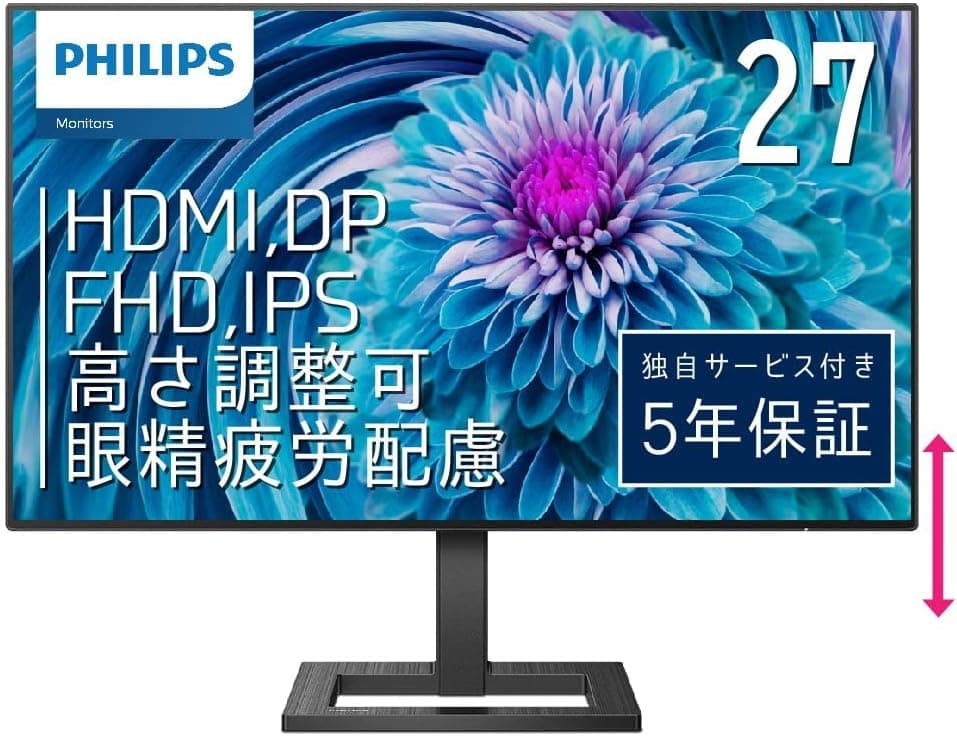
The PHILIPS 272E2FE/11 pairs a 27-inch Full HD IPS panel with a 75 Hz refresh rate and FreeSync at an entry-to-mid-range price. This article goes beyond the spec sheet to explain what those numbers mean in daily use — and who should skip this monitor entirely.
Overview
The short version: the 272E2FE/11 is best suited to people who want a large, comfortable work display for as little money as possible. 27 inches, 1920×1080, IPS, 75 Hz, 4ms GtG / 1ms MPRT — none of these numbers are remarkable on their own, but the combination has very few weak points for the money.
Brightness is 350 cd/m², viewing angles are 178°/178°, and the color gamut is quoted at NTSC 97.4% / sRGB 113.1%.
What it is not is a competitive gaming display or a color-critical creator monitor. It targets the broad practical middle ground below both.
On Amazon.co.Check the retailer's page for the latest user reviews.
| Spec | Value | What it means in practice |
|---|---|---|
| Size / Resolution | 27" / 1920×1080 | About 82 ppi — text looks large, not razor sharp |
| Panel | IPS Technology | 178°/178° viewing angles, consistent color off-axis |
| Refresh rate | 75 Hz | Smoother than 60 Hz, well short of 144 Hz+ |
| Response | 4ms GtG / 1ms MPRT | Ghosting is a non-issue for general use |
| Brightness / Gamut | 350 cd/m² / sRGB 113.1%, NTSC 97.4% | Bright enough for lit rooms; wide ≠ accurate |
| VESA | 100×100mm | Standard monitor arms fit directly |
Pixel density is the spec that matters most here. At 27 inches, Full HD works out to roughly 82 ppi, coarser than a 24-inch Full HD panel (about 92 ppi).
That is not automatically bad — it means text renders large at 100% scaling, which some people prefer — but it is the single trade-off most buyers underestimate.
Connectivity & Compatibility
There are three video inputs: VGA (D-Sub 15), HDMI and DisplayPort. Three inputs let you keep a desktop on DisplayPort, a laptop or console on HDMI, and a legacy machine or KVM on VGA.
A working VGA input is genuinely rare now and can be a deciding factor in offices with older equipment. There is a headphone output, but no built-in speakers — you will need external speakers or headphones for any audio at all.
FreeSync works over both HDMI and DisplayPort according to the manufacturer's compatibility notes. Variable refresh usually needs to be enabled explicitly on the GPU side (AMD Software for FreeSync, or the G-SYNC Compatible entry in the NVIDIA control panel) — plugging in a cable is rarely enough.
Likewise, 75 Hz is not automatic: you have to select it in your OS display settings, which is by far the most common reason people report "it still feels like 60 Hz."
For mounting, the VESA 100×100mm pattern accepts standard arms and wall brackets. Dimensions with the stand are 475 × 614 × 234 mm and weight with the stand is 5.23 kg.
The 234 mm depth includes the stand base, so check clearance on shallow desks. Panel-only weight (stand removed) is lower than 5.23 kg — confirm it on the product page when picking an arm.
Power comes from an external AC adapter rather than an internal supply, so budget desk or power-strip space for the brick.
Product Info
As captured on 2026-08-25, the Amazon.co.Check the retailer's page for the latest price.
Prices move constantly with sales and stock, so always confirm the current figure on the product page — the number here is a snapshot, not a standing price. Note that the international listing points at the same Japanese ASIN and the same yen price, so it is not a useful reference for overseas retail pricing; check your local storefront instead.
The box includes a VGA cable (1.5 m), HDMI cable (1.8 m), DisplayPort cable (1.8 m), AC adapter, power cord, quick-start guide, warranty card, stand base and stand column.
Shipping all three cable types is generous at this price — nothing extra to buy on day one. The monitor carries a 5-year repair warranty, which is unusually long for an entry-class display where one to three years is typical, and is a legitimate reason to pick it over similarly specced rivals.
It first appeared around 2021 and has stayed in circulation since.
How It Compares
Three alternatives usually compete for the same budget:
- 24-inch Full HD — around 92 ppi, noticeably sharper text. Better if your desk is shallow or you sit 500-600 mm from the screen.
- 27-inch WQHD (2560×1440) — the resolution 27 inches really wants. Worth stretching the budget for if you need workspace or crisp text.
- 144 Hz+ gaming panels — if competitive FPS is the point, spend on refresh rate before anything else; 75 Hz will not satisfy you.
The 272E2FE/11's niche is getting 27 inches and IPS viewing angles for the least money. If sharpness or speed is your primary goal, look at a different category.
Living With It
Viewing distance does most of the work with a 27-inch Full HD panel. At around 600 mm the pixel structure becomes visible; at 700-800 mm the coarseness fades and you just get the benefit of a big screen.
Height adjustment and tilt make it easy to dial in that position.
The "SmartContrast 80,000,000:1" figure comes from dynamic backlight control and is not the panel's static contrast. Expect the usual IPS black-level lift and glow in dark scenes.
If dark-room movie watching is your main use, VA or OLED will match your expectations better.
Similarly, sRGB 113.1% means wide, not accurate.
Coverage beyond sRGB tends to oversaturate standard web content. If color matters, use an sRGB mode in the OSD if available, and assume a colorimeter is needed for anything critical.
Best Use Cases
- Home-office workers handling documents and spreadsheets for hours. Two A4 pages fit side by side, and height plus tilt adjustment beats stacking books under a laptop. Flicker-free backlighting and blue-light reduction help over long sessions.
- Anyone wanting a bigger secondary display next to a WQHD or 4K main panel — reference docs, chat and video are fine at Full HD, and VESA support allows a portrait arm setup.
- Casual gamers playing RPGs, strategy, simulation or controller titles. 75 Hz plus FreeSync is plenty, and Full HD keeps GPU load low enough for mid-range and older cards.
- Offices with legacy hardware that still needs a VGA input or a KVM switch.
Before You Buy
There are no built-in speakers. The headphone jack is the only audio path.
If you assume a monitor makes sound, you will be disappointed on day one — plan for speakers or headphones.
82 ppi divides opinion. Coming from 24-inch Full HD or 27-inch WQHD, this panel will look coarse.
Coming from a small laptop screen, or if you simply want larger text, it will look great. For photo/video editing or reading dense code all day, stretch to WQHD instead.
75 Hz is "better than 60," not high refresh. If you are used to 144 Hz or 240 Hz you will notice immediately, even in cursor movement.
Competitive FPS players should look elsewhere. And remember to switch to 75 Hz manually in display settings.
The 1ms MPRT figure typically involves a motion-blur-reduction mode, which usually costs brightness when enabled. Judge real-world smearing by the 4ms GtG number instead.
Verify price and listing details yourself. Retail listing metadata — manufacturer, model number, price, compatibility claims — occasionally carries stale or mismatched information from other products.
The price quoted here is a 2026-08-25 snapshot and is likely to differ today. Confirm from the images and title that the product is the 272E2FE/11; PHILIPS model numbers can vary by regional suffix (such as /11), so match the full string.
FAQ
Q. Does FreeSync work with NVIDIA GPUs? A.
FreeSync is supported over HDMI and DisplayPort. On NVIDIA hardware it runs as G-SYNC Compatible and generally needs manual activation in the NVIDIA control panel.
Check the vendor lists for certification status.
Q. How do I actually get 75 Hz? A.
On Windows, go to Settings → System → Display → Advanced display and set the refresh rate to 75 Hz. It commonly defaults to 60 Hz out of the box.
Q. Can I use a monitor arm? A.
Yes — VESA 100×100mm. Total weight with the stand is 5.23 kg; the panel alone is lighter, and that is the figure to check against an arm's load rating.
Q. Will a PS5 or Switch work? A.
Yes over HDMI, but output is capped at Full HD and there are no speakers, so you will need headphones or external audio.
Q. What about the warranty? A.
Five years of free repair coverage — long for this class. Confirm the terms on the included warranty card and with your retailer.
Q. Is it good enough for creative work? A.
Fine for rough work and light web-oriented image editing. For color-critical work, choose a monitor with hardware calibration support; wide gamut is not the same as accurate gamut.
Product Disclosure (Amazon)
- Manufacturer: PHILIPS
- ASIN: B08PTSY9PL
- Note: This article covers a manufacturer-made product based on Amazon listing details.