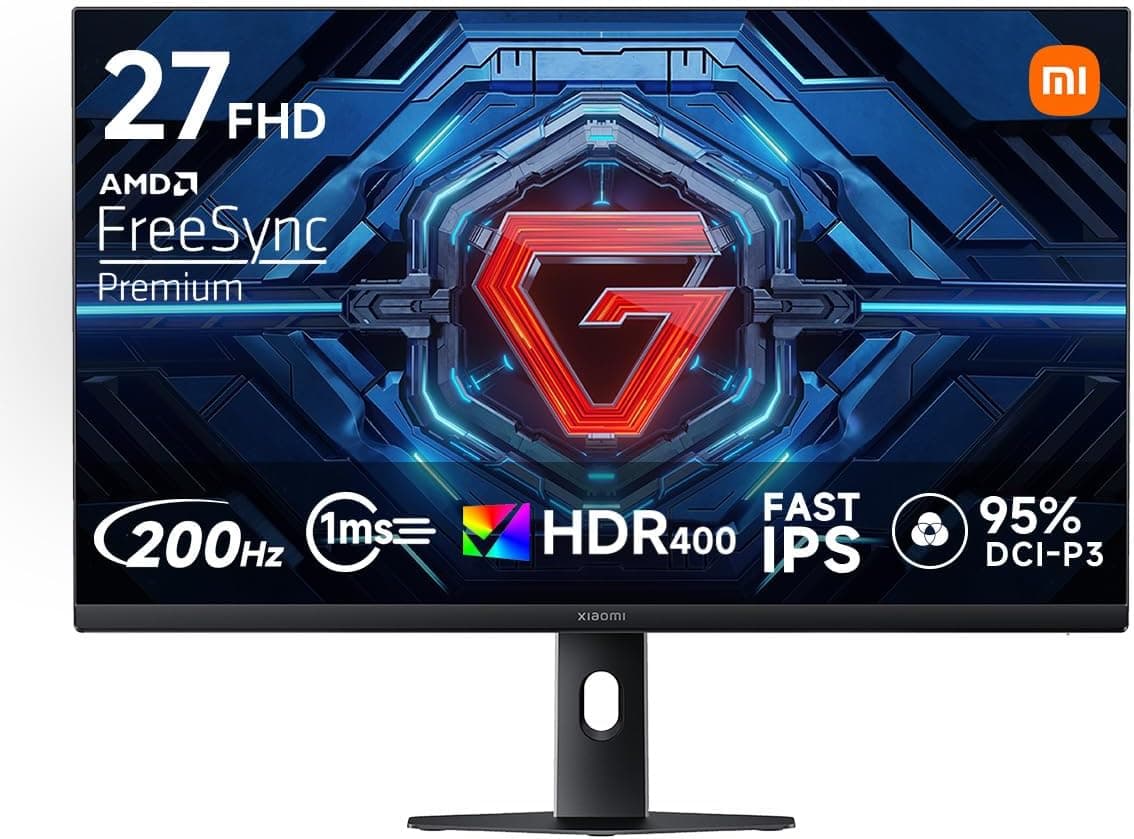
This article covers Xiaomi G27Qi 27インチ ゲーミングモニター WQHD 2560×1440 200Hz Fast IPS 1ms GTG.
Overview
The short answer: the Xiaomi G27Qi is a strong candidate for PC gamers who will connect over DisplayPort and want a high-refresh WQHD setup for around ¥30,000. If you expect impactful HDR, deep blacks in a dark room, or plan to use it only with a game console, parts of its spec sheet will go unused or feel underwhelming.
Below we lay out where it is strong and where you should accept compromises.
The Xiaomi G27Qi is a 27-inch gaming monitor with a WQHD (2560×1440) resolution and a Fast IPS panel. It delivers a 200Hz refresh rate and 1ms GTG response time for smooth, low-blur visuals in fast-paced games.
Color coverage is sRGB 100% and DCI-P3 95%, with a stated accuracy of ΔE<2. Color depth is listed as 10-bit (8-bit+FRC), meaning it is not a native 10-bit panel: an 8-bit panel uses temporal dithering (FRC) to produce 10-bit-equivalent gradients.
It supports VESA DisplayHDR 400 and AMD FreeSync Premium to reduce tearing and stuttering.
At 27 inches, WQHD works out to roughly 109 ppi, noticeably sharper than a 27-inch Full HD panel (about 82 ppi). Text stays readable even at 100% Windows scaling, which makes this a comfortable resolution for the size.
As of September 2026, the Amazon.co.jp listing shows 51 reviews at 4.8 out of 5 stars (96% positive).
That is a strong score, but the sample is still small, so long-term reliability and unit-to-unit variation are not yet well established.
What 200Hz, WQHD, and HDR400 Really Deliver
Whether you benefit from 200Hz depends more on your graphics card than on the monitor. WQHD has about 1.78 times as many pixels as Full HD, so frame rates drop compared with 1080p.
In lighter competitive titles such as VALORANT or Counter-Strike 2, around 200 fps is realistic with suitable settings, while heavy AAA games will often stay below 144 fps. Even then, FreeSync Premium's variable refresh rate keeps the image clean as frame rates fluctuate.
VESA DisplayHDR 400 is the entry tier of the HDR certification and does not require local dimming. Bright scenes get brighter, but the deep, contrasty look of OLED or multi-zone mini-LED HDR is a different class.
Treat HDR as a bonus and plan to use the monitor mainly in SDR.
Fast IPS keeps IPS's color quality and wide viewing angles while speeding up response. It generally offers better color than TN and less smearing in fast motion than typical VA panels.
As with all IPS panels, contrast is lower than VA, and faint corner glow (IPS glow) can appear on dark screens.
Compatibility Guide
The monitor has two DisplayPort 1.4 and two HDMI 2.0 inputs.
The maximum refresh rate depends on which port you use, and this is where most buyers trip up.
| Connection | Maximum | Best for |
|---|---|---|
| DisplayPort 1.4 | WQHD 200Hz | Gaming PC (primary connection) |
| HDMI 2.0 | WQHD 144Hz | Consoles, secondary PCs, HDMI-only laptops |
Only DisplayPort 1.4 delivers the full 200Hz.
On a desktop, plug into the graphics card's DisplayPort output, not the motherboard's video output, which would route through integrated graphics. USB-C is not among the listed inputs, so USB-C laptops need a cable that supports DisplayPort Alt Mode.
HDMI-only laptops are limited to WQHD 144Hz.
Because HDMI 2.0 supports up to WQHD 144Hz, PS5 and Xbox Series X can still run at high refresh rates.
However, consoles generally output a maximum of 120Hz, and HDMI 2.1 features such as 4K 120Hz and HDMI VRR are not available.
Whether WQHD or 120Hz output works depends on console settings and each game.
FreeSync Premium works over DisplayPort with compatible AMD Radeon GPUs. It is not officially certified as G-Sync Compatible, but NVIDIA drivers let you manually enable variable refresh on uncertified FreeSync monitors, and it works in many setups.
Some combinations show flicker, so verify after setup if you use an NVIDIA GPU.
VESA 100×100mm mounting is supported, so standard monitor arms and wall mounts fit. The included stand reportedly offers tilt only, so an arm is the practical route if you need height or swivel adjustment.
Check the arm's load rating against the monitor's weight on the product page. Also note that a 27-inch 16:9 panel is about 60cm wide for the visible area alone, and wider with bezels, so a shallow desk can put the screen uncomfortably close.
Product Info
| Item | Details |
|---|---|
| Screen size / Resolution | 27-inch / 2560×1440 (WQHD) |
| Panel / Response time | Fast IPS / 1ms (GTG) |
| Refresh rate | 200Hz |
| Color depth / Gamut / Accuracy | 10-bit (8-bit+FRC) / sRGB 100%, DCI-P3 95% / ΔE<2 |
| HDR / Sync | VESA DisplayHDR 400 / AMD FreeSync Premium |
| Video inputs | DisplayPort 1.4×2, HDMI 2.0×2 |
| VESA mount | 100×100mm |
As of September 2026, the price on Amazon.co.jp was ¥30,303.
Prices change with sales and stock, so check the product page for the current price before buying. Few monitors at this price combine WQHD, 200Hz, wide color gamut, and HDR400, which makes its spec-per-yen ratio very aggressive.
It is sold and shipped by Amazon.co.jp, and the listing showed 51 reviews at 4.8 out of 5 stars at that time.
The original listing information describes a standard one-year manufacturer warranty and includes a DisplayPort cable, HDMI cable, power cable, stand base, screws, and a quick-start guide. Bundles and warranty terms can change over time, so confirm them on the product page.
Market positioning is entry to mid-range, aimed at buyers who want high specs without a high price, in line with Xiaomi's aggressive pricing. Above it sit QD-OLED and 4K high-refresh monitors; below it are Full HD IPS models around 144Hz.
The G27Qi fills the middle ground of reasonably high resolution and reasonably high refresh rate.
Best Use Cases
- Competitive FPS gamers: The 200Hz refresh rate and 1ms response provide a clear advantage in fast shooters, and FreeSync Premium keeps the image smooth. If you are aiming for esports-level play, a 240Hz+ model may be worth the extra cost.
- Upgraders from 27-inch Full HD: If text looks coarse on your current 27-inch 1080p screen, the jump to about 109 ppi is an easy-to-notice improvement for both games and desktop work.
- Creators on a budget: sRGB 100%, DCI-P3 95%, and ΔE<2 handle photo retouching and web-oriented video editing well. Color depth is 8-bit+FRC and Adobe RGB coverage is not specified, so it is not ideal for strict print workflows.
- Value-seeking gamers: At around ¥30,000 as of September 2026, you get WQHD, 200Hz, and HDR400 together. Because the stand is basic, budget for a monitor arm as well.
Before You Buy
HDMI will not give you 200Hz. The most common mistake is buying a 200Hz monitor and finding only 144Hz available.
HDMI 2.0 tops out at WQHD 144Hz, so always use DisplayPort 1.4 for 200Hz.
If 200Hz still does not appear over DisplayPort, check that Windows' advanced display settings are not stuck at the default 60Hz and that your cable supports DisplayPort 1.4 bandwidth.
Keep HDR400 expectations modest. It is the entry tier and does not bring local-dimming contrast.
Turning on HDR in Windows can also make the SDR desktop look washed out. If real HDR impact is the goal, OLED or another class of monitor will satisfy you more.
Not for dark-room black levels. IPS shows more elevated blacks than VA or OLED, and dark games or films in a dim room can look grayish with faint corner glow.
This is a trait of IPS technology, not a defect.
The 10-bit is not native. The 10-bit (8-bit+FRC) spec uses FRC to reach 10-bit-equivalent output.
This rarely matters in everyday use, but note it if you specifically require a native 10-bit panel.
The stand reportedly tilts only. Without height or pivot adjustment, you may need a monitor arm if the screen does not sit at eye level, which adds to the cost.
Only 51 reviews so far. The 4.8-star rating is high, but the small sample makes it hard to judge trends in dead pixels, unit variation, or long-term issues.
Check return and exchange terms for initial defects before purchase.
Who should skip it: console-only users (200Hz goes unused and HDMI 2.1 features are missing), people who only play heavy games on a GPU that cannot approach 200 fps, print-focused color work, and those mainly watching films in a dark room.
FAQ
Q. What cable do I need for 200Hz? A.
A DisplayPort 1.4 connection.
HDMI 2.0 is limited to WQHD 144Hz.
If 200Hz is unavailable with the included cable, try a cable rated for DisplayPort 1.4.
Q. Does variable refresh work with NVIDIA graphics cards? A.
It is not officially G-Sync Compatible certified, but connecting via DisplayPort and enabling it manually in the NVIDIA Control Panel often works. Disable it if you see flicker.
Q. Can I use it with PS5 or Xbox Series X? A.
Yes, over HDMI 2.0.
Consoles generally output up to 120Hz, and 4K 120Hz and HDMI 2.1 VRR are not supported.
For console-only use, the 200Hz capability goes to waste.
Q. Is it good for photo editing? A.
With sRGB 100%, DCI-P3 95%, and ΔE<2, it is fine for web and mobile-oriented photo and video work. For print work that relies on Adobe RGB, consider a dedicated color-managed monitor since coverage is not specified.
Q. Is text too small on a 27-inch WQHD screen? A.
At about 109 ppi, most people are comfortable at 100% scaling or around 110–125%. Adjust Windows scaling to your eyesight and viewing distance.
Product Disclosure (Amazon)
- Manufacturer: xiaomi(シャオミ)
- Seller: Amazon.co.jp
- Fulfilled by: Amazon.co.jp
- ASIN: B0GCC98DMZ
- Note: This article covers a manufacturer-made product based on Amazon listing details.