This article covers the StarTech TB31PCIEX16 — External Thunderbolt 3 PCIe Expansion Chassis. It focuses on which cards fit and which limits buyers tend to discover only after purchase.
Overview
The StarTech TB31PCIEX16 adds one PCI Express slot to a laptop or desktop over Thunderbolt 3. It is for people who want to attach one card externally: a capture card, a network card such as 10GbE, an NVMe SSD adapter, or a legacy card such as FireWire.
It is not an eGPU box for graphics cards, so check this before you buy.
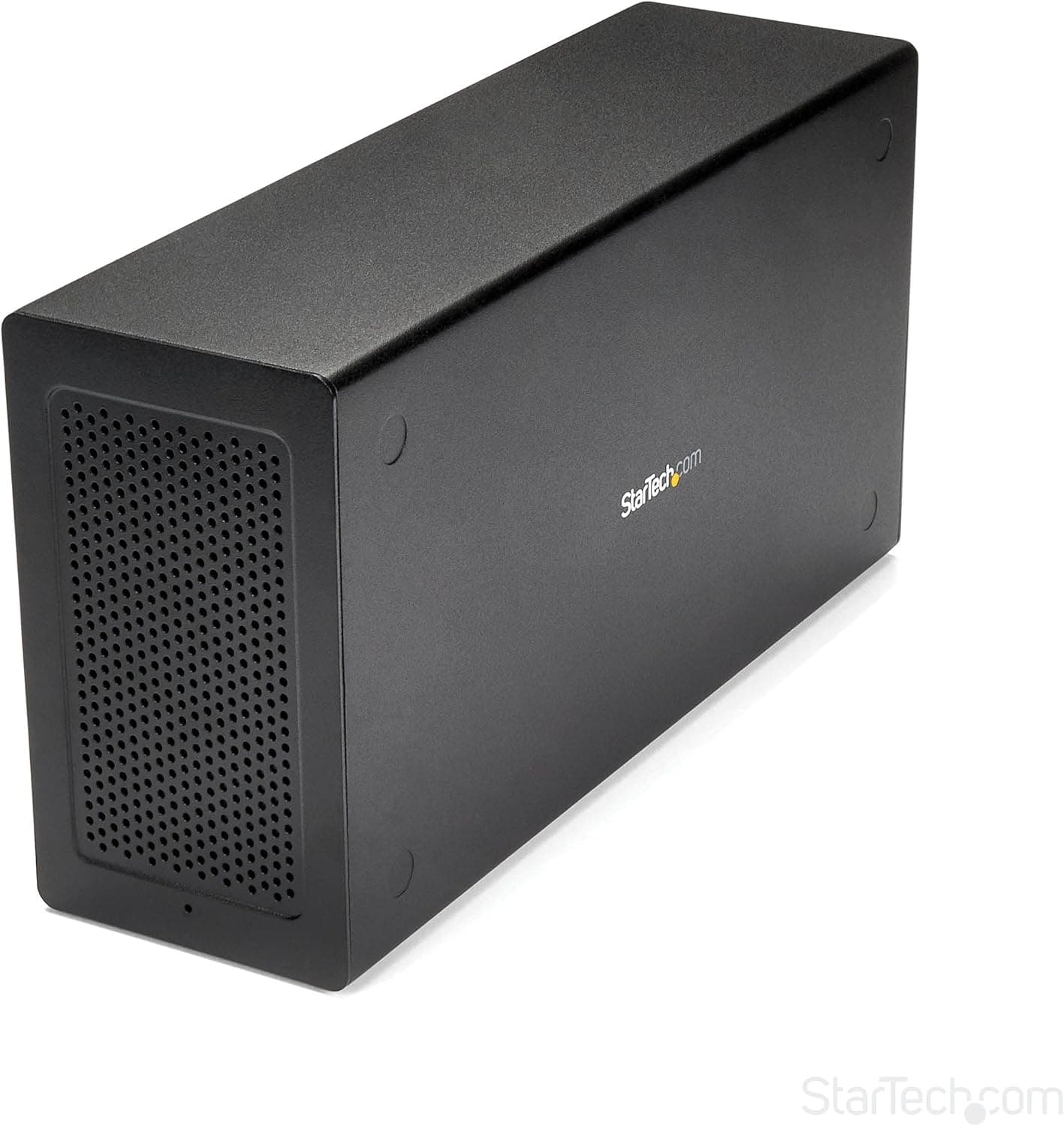
The chassis is extruded aluminum and opens without tools. A 120mm fan keeps it cool, and there is a DisplayPort output on the unit.
The '4K' in the Japanese product name is the resolution that output supports. On Amazon.co.Check the retailer's page for the latest user reviews.
Buyers who know exactly what card they want to use tend to rate it well.
Compatibility Guide
The host needs a Thunderbolt 3 (USB-C shaped) or Thunderbolt 4 port. It works with Windows, Mac and Linux.
A USB-C port without Thunderbolt (USB 3.x only) will not run it as a PCIe device.
USB4 ports differ by product in whether they can carry PCIe. Look for the lightning-bolt icon next to the port, or check the PC maker's spec sheet.
| Item | Requirement |
|---|---|
| Connection | Thunderbolt 3 (USB-C); also works with Thunderbolt 4 PCs |
| Slot | PCIe 3.0 x16 (physical shape) |
| Cards that fit | Single-slot width, up to 203mm (8 in) long |
| GPU | Not supported |
| Power to the card | Up to 25W from the slot, 30W from an internal LP4 connector |
| Video output | DisplayPort (4K) |
The x16 label is what people misread most. The slot is x16-shaped, but Thunderbolt 3 carries PCIe traffic at no more than PCIe 3.0 x4.
A card designed to run at x8 or x16 will not reach its full speed. Cards that need only x1 to x4, such as capture cards and NICs, are rarely affected.
Multi-port x8 NICs and RAID cards will hit that ceiling.
Size is also a limit. Because cards must be single-slot and no longer than 203mm, cards with large heatsinks or dual-slot coolers will not fit.
Power is capped at 25W from the slot plus 30W from the LP4 connector. Assume that any card needing a 6-pin or 8-pin PCIe power cable will not work.
OS and driver support are easy to overlook. The chassis only extends a slot outside the PC.
Whether a card works depends on its driver supporting Thunderbolt connections and hot-plugging. On macOS, first check that the card maker offers a driver for your Mac (Intel or Apple silicon).
Some Linux setups require you to allow the Thunderbolt device with a tool such as bolt.
What Thunderbolt 3 Can and Cannot Do
Thunderbolt 3 is rated at up to 40Gbps, but that figure is PCIe data and DisplayPort video combined. A PCIe card cannot use all 40Gbps.
Its theoretical ceiling is PCIe 3.0 x4 (about 32Gbps), and real transfer speeds are usually lower.
With that in mind, the strengths and weaknesses are clear. Full HD to 4K capture cards, 1GbE to 10GbE NICs, audio cards, and legacy serial or FireWire cards have plenty of headroom.
A single 10GbE port fits within the bandwidth, but running two ports at full speed at once leaves little to spare. NVMe adapters work too, but they will not match a drive in an internal M.2 slot.
You buy this chassis to reuse PCIe hardware you already own with a laptop, not for speed.
The DisplayPort output is drawn by the host PC's GPU. There is no GPU inside the chassis, so it will not improve gaming performance.
It just gives you one more way to connect an external monitor over Thunderbolt.
Product Info
The model number is TB31PCIEX16 and it is sold by StarTech.com.
It came out around 2017 and is still available from Amazon.co.jp and other retailers in 2026.
It has a 2-year manufacturer warranty, and StarTech.com offers free technical support.
The box includes a 50cm Thunderbolt 3 cable and a 65W power supply.
| Store | Price when checked | Date checked |
|---|---|---|
| Amazon.co.jp | ¥53,647 | Aug 18, 2026 |
| Rakuten (IS Direct) | ¥89,125 | Aug 24, 2026 |
| eBay US | $374.57 | Aug 27, 2026 |
These prices are from the dates shown and change with sales and stock. The same product differed by more than ¥30,000 between stores, so it is worth comparing a few before buying.
The included 50cm cable is short for many desk layouts. Depending on where the unit will sit, you may want to buy a longer certified Thunderbolt cable.
Comparison With Alternatives
Many people looking at external PCIe chassis can reach their goal another way.
| What you want | This chassis | Alternative |
|---|---|---|
| Use an external GPU with a laptop | Not possible (no GPU support) | An eGPU box that supports GPUs |
| Use an NVMe SSD externally | Works, but more than you need | A Thunderbolt or USB M.2 SSD enclosure |
| Carry storage around | Poor fit | A USB portable SSD |
| Use a capture card or 10GbE NIC | Strong fit | USB versions are also an option |
| Keep using a legacy PCIe card | Strong fit | Few other options |
If you only want an external SSD, a dedicated M.2 enclosure is cheaper, smaller, and needs no separate power.
This chassis earns its place when you need a PCIe card that has no USB version, or whose USB version is not fast enough, on the laptop you already have. Typical examples are professional capture cards, special-purpose I/O cards, and cards for older standards such as FireWire.
Setup Steps
Check the card's spec sheet for its length (203mm or less), thickness (single slot) and power draw (within 25W from the slot plus 30W from LP4).
Confirm that your PC supports Thunderbolt and that the card's driver supports your OS.
With the power disconnected, open the chassis, insert the card and secure the bracket.
Connect LP4 power if the card needs extra power. 4.
Turn on the chassis, connect it to the PC with the Thunderbolt cable, and allow the Thunderbolt device in the OS. 5.
Install the card's driver and check that it appears in Device Manager or your OS's equivalent.
On Windows, Thunderbolt security settings may ask you to approve the device the first time you connect it. If it is not detected, check the Thunderbolt control software and the BIOS/UEFI settings before you start swapping cables.
Who Should Buy
- Streamers and video editors on a laptop who want to use a PCIe capture card
- Users who want to add a 10GbE NIC so a laptop can transfer to a NAS or office network faster
- Users who need FireWire, serial or other ports that recent laptops no longer have
- Users who want to move one PCIe card between a desktop and a laptop
What these have in common: you already know which single card you want to use, and it is short and low-power. This is not a product to buy before you have picked the card.
Before You Buy
The most important point is that it does not support GPUs. The x16-shaped slot makes it look as if a graphics card would fit, but card length, slot width and power are all below what a GPU needs.
If you want an external GPU, choose an eGPU enclosure that supports GPUs from the start.
There is only one slot. You cannot use two cards at once, such as a capture card plus a NIC.
If you might add more cards later, a different setup is more practical than running two of these side by side.
Keep speed expectations realistic. Even with an x16-shaped slot, the real ceiling is PCIe 3.0 x4, so cards that need x8 or more will be held back.
Buying it to speed up an NVMe SSD costs more than a dedicated SSD enclosure and gives little or no speed advantage.
The specs we have do not say whether it can charge a laptop (USB PD). If you want one cable to also charge your PC, check the product page.
If charging is not listed, assume you still need the laptop's own charger.
The store listings also disagree with each other. Some describe the power supply as a 65W internal unit, while others say an AC adapter is included.
One Amazon price field is labeled Amazon US but actually shows an Amazon.co.jp yen price.
Whether the power supply is internal or external changes how much desk space you need, so check the product photos and the list of included items before buying. Also, this is a PCIe expansion chassis.
It is sometimes listed under storage enclosures, but you cannot put an SSD or HDD directly inside it.
FAQ
Q. Can I use a graphics card? A.
No. The manufacturer lists GPUs as unsupported.
For an external GPU, choose an eGPU box that supports GPUs.
Q. Does it work with Thunderbolt 4 PCs? A.
Usually yes, because Thunderbolt 4 ports also work with Thunderbolt 3 devices. It will not work on a USB-C port that lacks Thunderbolt.
Q. Does it work with a Mac? A.
The chassis will connect, but whether the card works depends on its macOS driver. On Apple silicon Macs in particular, first check that the card maker offers a compatible driver.
Q. Will an x16 card run at x16? A.
No. PCIe over Thunderbolt 3 tops out at PCIe 3.0 x4.
An x16 card will fit physically, but its speed is limited to that.
Q. Can I connect other Thunderbolt devices along with it? A.
Yes. You can daisy-chain through the second Thunderbolt 3 port, and the Thunderbolt 3 standard allows up to six devices in a chain.
Product Disclosure (Amazon)
- Manufacturer: StarTech.com(スターテック)
- Seller: Startech Japan KK
- Fulfilled by: Amazon
- ASIN: B075RJHLB4
- Note: This article covers a manufacturer-made product based on Amazon listing details.