Overview
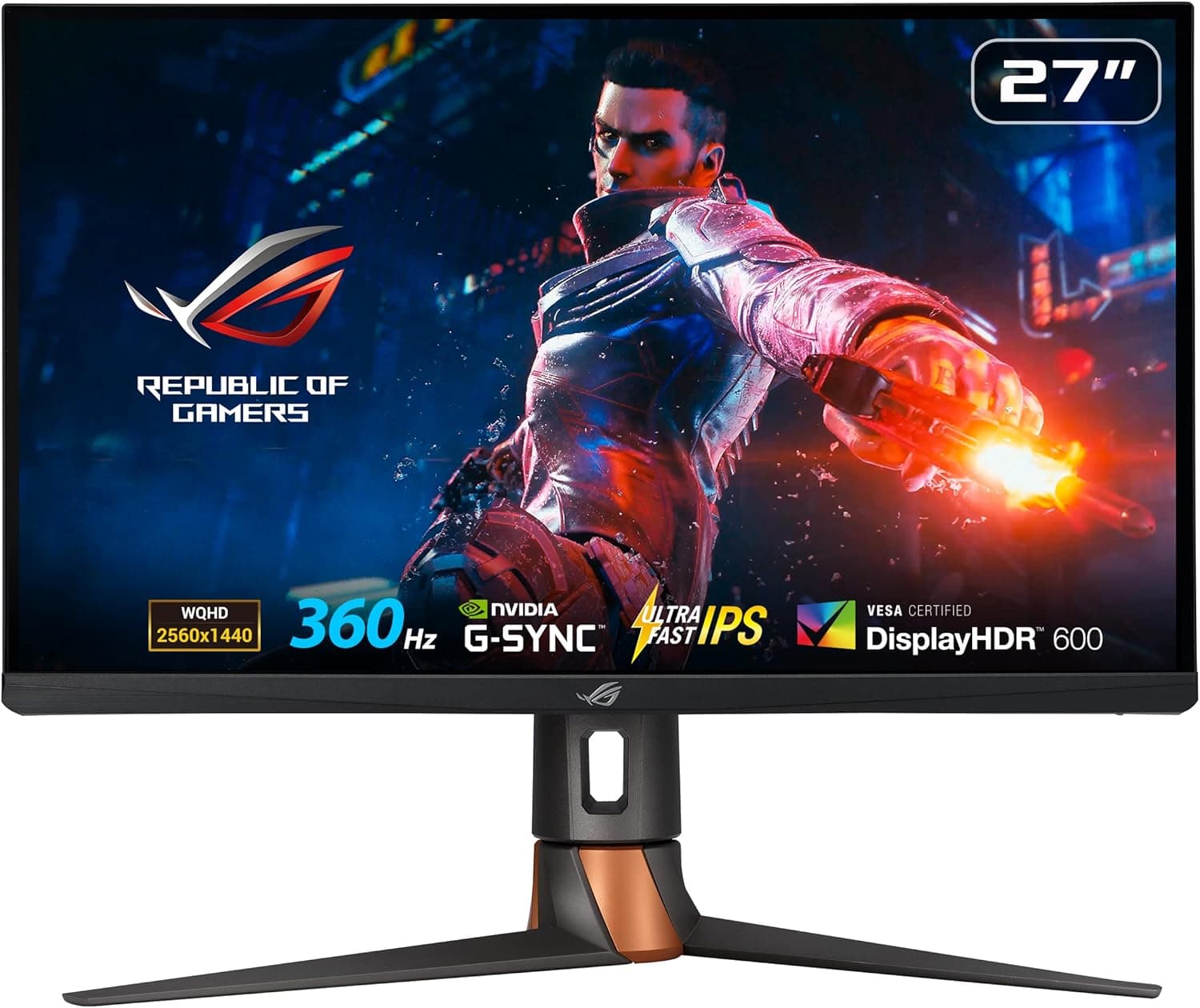
The ROG Swift PG27AQN — 27-inch 360Hz WQHD Gaming Monitor is ASUS's competitive-esports display. It uses a 27-inch WQHD (2560×1440) Ultrafast IPS panel with a 360Hz refresh rate and a 1ms (GTG) response time.
It suits players who run lightweight competitive shooters such as VALORANT or Counter-Strike 2 at very high frame rates and want a sharper image than 1080p. If you mostly play AAA games at maximum settings, or you mainly want a monitor for HDR movies, it should be low on your list.
The specs are typical for a good IPS panel: 400 cd/m² typical brightness, 600 cd/m² HDR brightness, a 1000:1 contrast ratio, and 178°/178° viewing angles. Colors and viewing angles are consistent, but blacks are nowhere near OLED.
The feature that sets it apart from most high-refresh monitors is NVIDIA Reflex Analyzer support, which measures system latency: the time from a mouse click to the change on screen.
Few monitors have ever combined WQHD, 360Hz and IPS. That makes this one a practical option for players who find 1080p at 360Hz too coarse but are worried about OLED burn-in.
What 360Hz Actually Changes
A higher refresh rate means each frame stays on screen for less time:
| Refresh rate | Time per frame | Reduction vs. previous row |
|---|---|---|
| 60Hz | ~16.7ms | — |
| 144Hz | ~6.9ms | ~9.8ms |
| 240Hz | ~4.2ms | ~2.7ms |
| 360Hz | ~2.8ms | ~1.4ms |
Moving from 60Hz to 144Hz is a big, obvious change. Moving from 240Hz to 360Hz saves about 1.4ms per frame, a much smaller difference.
It only helps if you actually hold 300+ fps in a fast game. When you do, targets keep clearer edges during fast flicks and motion looks less blurred.
At these frame rates, esports titles usually hit a CPU limit before a GPU limit. A faster graphics card alone may not get you to 360 fps.
Whether you can use what this monitor offers depends on the whole system, not just the GPU.
Compatibility Guide
Only DisplayPort can run 360Hz. The monitor has one DisplayPort 1.4 input and three HDMI 2.0 inputs.
The listing data confirms that DisplayPort is required for 360Hz and that HDMI 2.0 does not support it.
Over HDMI 2.0 at WQHD, expect a maximum of around 144Hz.
| Connection | 360Hz | Typical use |
|---|---|---|
| DisplayPort 1.4 (x1) | Yes | Main gaming PC |
| HDMI 2.0 (x3) | No | Consoles, a second PC, laptops |
There is only one DisplayPort input, so you cannot run two PCs at 360Hz and switch between them. Consoles such as the PS5 can connect over HDMI, but because the ports are HDMI 2.0, features that need HDMI 2.1 (such as 4K at 120Hz) are not available.
Cables cause a lot of problems. A 360Hz signal needs a lot of bandwidth.
Old or low-quality cables can cause brief blackouts or stop 360Hz from appearing as an option. Start with the included DisplayPort cable, and if you need a longer one, buy a VESA-certified cable.
Variable refresh rate (VRR). The listing data says the monitor is NVIDIA G-SYNC Compatible certified, so VRR works with GeForce cards.
If you plan to use VRR with a Radeon card, check support on the official product page. Reflex Analyzer only works with Reflex-compatible mice and games.
Check the product page for supported devices and how the mouse needs to be connected.
Mounting. The monitor supports VESA 100×100mm mounting, so it works with monitor arms.
Check the monitor's weight on the product page against your arm's load rating. The included stand tilts, swivels, pivots and adjusts in height, so you can set up a low, tournament-style position without buying an arm.
Two USB 3.2 Gen 1 Type-A ports and a 3.5mm headphone jack let you connect a headset and other peripherals to the monitor.
Product Info
| Item | Detail |
|---|---|
| Panel | 27-inch Ultrafast IPS |
| Resolution | 2560×1440 (WQHD) |
| Refresh / response | 360Hz / 1ms (GTG) |
| Brightness | 400 cd/m² typical, 600 cd/m² HDR |
| Contrast / viewing angle | 1000:1 / 178°/178° |
| Inputs | DisplayPort 1.4×1, HDMI 2.0×3 |
| USB | USB 3.2 Gen 1 Type-A×2 |
| VESA | 100×100mm |
When we checked Amazon.co.jp on August 26, 2026, the price was ¥120,006.
Prices change with sales and stock, so check the current price before you buy. The monitor was released in early 2023, and the Japanese retail version reportedly comes with a 3-year warranty.
Confirm the warranty terms with your retailer. The box reportedly includes a power adapter, DisplayPort, HDMI and USB cables, and a calibration report.
As of June 2026, the Amazon.co.jp listing had only 8 reviews, with an average of 3.6 out of 5 stars.
With so few reviews, one or two ratings can move the average a lot, so the score says little by itself. The written reviews are more useful: look for which GPU and cable each reviewer used and what problems they had.
How It Compares
At a similar price, the alternatives fall into three groups:
| Direction | Example | Difference from the ROG Swift PG27AQN |
|---|---|---|
| Settle for 240Hz IPS | MSI G274QPX (WQHD 240Hz IPS) | Usually cheaper and only ~1.4ms slower per frame. Enough for most players |
| Choose OLED for image quality | LG 27GS95QE, MSI MPG 271QRX | Far better blacks and contrast, but you need to take steps to limit burn-in |
| Drop refresh rate to save money | Xiaomi G27Qi (WQHD 200Hz Fast IPS) | Much cheaper, but a lower ceiling for competitive play |
The ROG Swift PG27AQN makes sense when you want all three of: no burn-in risk from IPS, a true 360Hz, and Reflex Analyzer latency measurement. If you can do without any one of them, look at the other options in the table first.
Best Use Cases
- Serious competitive FPS players: In VALORANT, Overwatch 2 or Apex Legends, higher frame rates translate directly into better aim and faster reactions. This assumes your PC can get close to 360 fps.
- Players moving up from 1080p: Compared with a 24-inch 1080p 360Hz monitor, WQHD makes distant enemies easier to pick out and gives you more desktop space.
- Streamers and content creators: WQHD leaves room for streaming and editing software side by side, and gameplay stays smooth. For color-critical work you will still need to calibrate it yourself.
- High-end builders: A good match for systems with an RTX 5090-class GPU and a fast CPU such as the Ryzen 7 9800X3D.
- Anyone avoiding OLED burn-in: IPS is a safe choice if you leave a static game HUD on screen for hours or use the same monitor for desktop work.
Things to Consider
Without enough PC performance, 360Hz is wasted. Holding 360 fps in AAA games at WQHD and high settings is unrealistic even on today's top GPUs.
If you mostly play demanding games, a 240Hz monitor or an OLED will probably satisfy you more. Esports titles are often limited by the CPU, so plan upgrades for the CPU as well as the GPU.
Keep HDR expectations modest. Peak HDR brightness is 600 cd/m², but this is a 1000:1 IPS panel.
Dark scenes look clearly worse than on OLED, and in a dark room you may see IPS glow, a faint light in the corners of the screen. Treat HDR as a bonus, not a reason to buy.
In practice there is one high-refresh input. Only the single DisplayPort input can run 360Hz, so the monitor is a poor fit if you switch between several PCs at high refresh rates.
Text can look small. 27-inch WQHD is sharp, but some people find text small at 100% scaling. Setting Windows scaling to 125% helps.
Check the color gamut figures. The spec data provided for this article does not include gamut coverage (sRGB or DCI-P3).
If color accuracy matters for your work, check those numbers on the product page.
The store listing has inconsistent details. The source data for this article included an Amazon disclosure naming the manufacturer as Thermaltake and giving an ASIN that differs from the product page we reference.
The ROG Swift PG27AQN is an ASUS product, so this is almost certainly a listing error, and we have left that information out. Before you buy, check that the product images and title show the ROG Swift PG27AQN and that you are not on the page for a different product.
FAQ
Q. Can I get 360Hz over HDMI?
A. No. HDMI 2.0 does not support 360Hz, so you need a DisplayPort connection.
Q. What GPU do I need to make use of 360Hz? A.
It depends heavily on the game. In lightweight esports titles, an upper-midrange or high-end GPU may be enough, but above 300 fps the CPU often becomes the limit.
Consider the GPU and CPU together.
Q. Does it work with a PS5? A.
Yes, over HDMI 2.0.
It will not run at 360Hz, and features that need HDMI 2.1 are not available.
If consoles are your main use, a monitor with HDMI 2.1 is a better fit.
Q. Is it worth upgrading from a 240Hz monitor? A.
The difference is about 1.4ms per frame.
It is worth it only if you already hold 240+ fps consistently and want every competitive edge. Otherwise it is a low priority.
Q. Is burn-in a concern? A.
No. It uses an IPS panel, so OLED-style burn-in is not a concern, which makes it a good fit for long sessions with static content on screen.