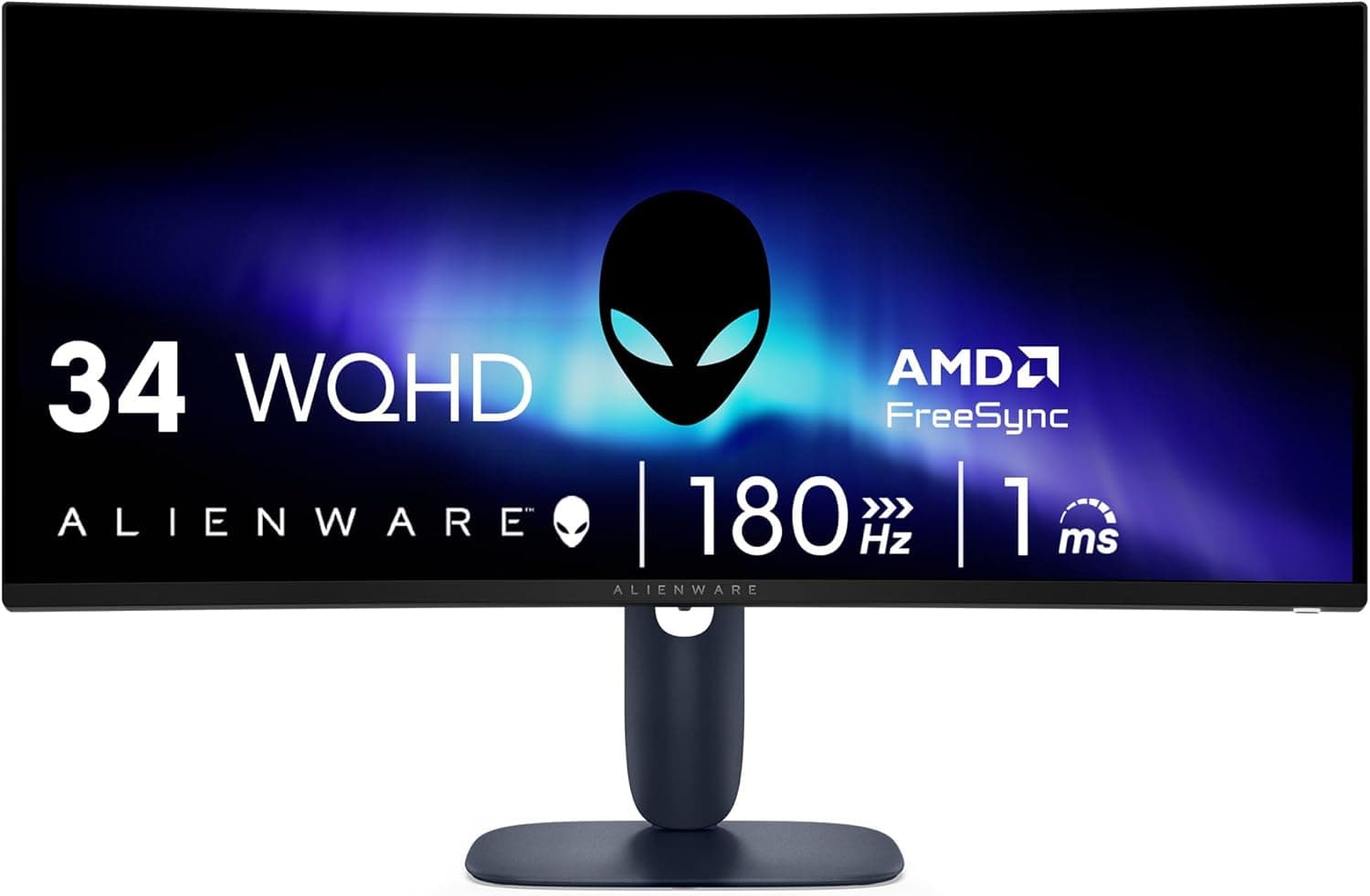
This article covers the Alienware 34カーブゲーミングモニター (AW3425DWM), going beyond the spec sheet into what actually happens once it is on your desk.
Overview
The Alienware AW3425DWM is a 34-inch curved ultrawide gaming monitor with WQHD (3440x1440) resolution, a 180Hz refresh rate and a 1ms (GtG) response time. The short version: it is a sensible step up for PC gamers moving from 16:9 1080p, balancing resolution, smoothness and price.
It is not a one-stop answer for strict color work, serious HDR, or chasing the highest possible frame rates in competitive shooters.
The 1500R curve and 21:9 aspect ratio wrap the image toward the edges of your vision, which meaningfully increases on-screen information in racing games and open-world RPGs. AMD FreeSync Premium and VESA AdaptiveSync keep tearing under control when frame rates fluctuate.
The panel covers DCI-P3 95%, carries VESA DisplayHDR 400 certification, uses a matte (non-glossy) surface, and adds a hardware-based low blue light mode plus a dedicated console mode.Check the retailer's page for the latest user reviews.
Size and Resolution in Real Numbers
The most common miscalculation with ultrawides is physical size. A 34-inch diagonal is about 864mm, and with a 3440:1440 (roughly 2.39:1) ratio the active panel area works out to roughly 800 mm wide and 330 mm tall (calculated from the diagonal and pixel ratio; the outer chassis with bezels and stand is larger, so check the official dimensions before committing).
A 1200 mm desk is comfortable; a 1000 mm desk leaves almost no margin.
Pixel density lands near 110ppi, essentially the same sharpness as a 27-inch WQHD display. Coming from 24-inch 1080p (about 92ppi), text looks a notch smaller but stays usable at 100% scaling in Windows.
For GPU load: 3440x1440 is about 4.95 million pixels, roughly 2.4x 1080p and about 1.34x 2560x1440.
Assuming it costs the same as a 27-inch WQHD panel is where many buyers get caught out.
Compatibility Guide
Inputs cover DisplayPort and HDMI. To run 3440x1440 at 180Hz, plan on DisplayPort. HDMI bandwidth varies by version, and older ports or cables silently drop refresh rate or color depth.
The HDMI version is not included in the data available here, so verify it on the product page if HDMI is your only option. Use a certified DisplayPort 1.4 or newer cable.
Adaptive sync is handled by AMD FreeSync Premium and VESA AdaptiveSync. Radeon cards enable it automatically.
GeForce cards usually run VESA AdaptiveSync displays as G-SYNC Compatible, though you may need to turn it on manually in the NVIDIA Control Panel; check the vendor compatibility list for official certification status.
On GPU requirements, remember the 2.4x pixel figure.
Locking a modern heavyweight title to 180Hz at maximum settings is unrealistic. Medium-to-high settings plus an upscaler to hold 100-144Hz is the practical target; lighter competitive titles can genuinely use the full 180Hz.
Mounting uses VESA 100x100mm. Note that a 34-inch curved panel is roughly 800 mm wide, which puts significant leverage on an arm.
Pick one with headroom above the minimum rating, since arms at the edge of their limit tend to droop. The unit weight is not in the available data, so base your arm compatibility check on the mass listed by the manufacturer.
For consoles, there is a dedicated console mode, but the 21:9 benefit is mainly a PC story. PS5 does not officially output 21:9, so most titles letterbox to an effective 16:9 image.
Xbox Series X|S supports ultrawide in a subset of games. USB hub functionality is not listed in the available data, so confirm it separately if you plan to consolidate peripherals.
Product Info
rmation
The price is Y119,940 on Amazon Japan as captured on 2026-05-28. Note that this listing is sold and shipped by a third party (メタショップ), not by Dell or Alienware directly.
An eBay US listing for the same model was recorded at $349.99 as of 2026-07-09.
Even allowing for different capture dates and exchange rates, that is a wide gap, so compare Dell's own store and other retailers before treating Y119,940 as the going rate. Monitor pricing moves frequently and drops sharply during sales.
One data caveat: the entry recorded as Amazon US shares the same URL, ASIN and yen currency as the Japanese listing, so it does not represent an overseas street price. This article treats it as a single domestic price plus one marketplace data point.
| Item | Value |
|---|---|
| Screen Size | 34-inch |
| Resolution | WQHD (3440x1440) |
| Refresh Rate | 180Hz |
| Response Time | 1ms (GtG) |
| Curvature | 1500R |
| Aspect Ratio | 21:9 |
| Color Coverage | DCI-P3 95% |
| HDR Certification | VESA DisplayHDR 400 |
| Sync | AMD FreeSync Premium / VESA AdaptiveSync |
| Panel Surface | Matte |
| Mount | VESA 100x100mm |
How to read those numbers: 1500R means a 1.5m curvature radius, the distance at which the curve looks most natural.
At a typical 500-800 mm desk distance the curve feels a little pronounced, though it is a reasonable choice for a panel this wide. DCI-P3 95% is plenty for games and video, but per-unit factory calibration results and delta-E guarantees are not in the available data, so assume you will need your own colorimeter for print-critical work.
The 1ms (GtG) figure is the maximum-overdrive rating; aggressive overdrive can introduce inverse ghosting. The matte surface handles room lighting and window reflections well during long sessions.
Regarding warranty and accessories, a manufacturer warranty and power plus video cables are typical, but the exact bundle and warranty terms vary by sales channel, and support contacts differ for third-party listings. Confirm the details on the listing before buying.
Competitive Comparison
At a similar budget, the best answer depends on your priority.
| Priority | Better choice | Why |
|---|---|---|
| Immersion, single-player | 34-inch 21:9 WQHD (this unit) | Good balance of field of view and pixel count |
| Competitive FPS frame rate | 24-27-inch 16:9 high refresh | Fewer pixels, and no 21:9 support gaps |
| Maximum workspace | 49-inch super ultrawide, or dual 27-inch WQHD | Far more horizontal room |
| Image quality, black levels | OLED panels | Contrast is in another class, at a higher price and with burn-in care |
| Lowest cost | 32-inch FHD curved or 27-inch FHD | Dropping resolution cuts entry cost sharply |
Flat 34-inch ultrawides also exist; if slightly bowed straight lines bother you in spreadsheets or image editing, a flat panel is the safer pick. For gaming, the curve equalizes the distance to the screen edges and reduces eye travel.
OLED ultrawides clearly win on image quality but sit in a different price bracket and need burn-in mitigation for static content. Think of this model as the sensible LCD middle ground between immersion and cost.
Recommended Users
- PC gamers who value immersion — The 1500R curve and 21:9 ratio pay off most in racing, flight sims, open-world RPGs and story-driven titles, while 180Hz and 1ms (GtG) keep faster games responsive.
- Anyone upgrading from 16:9 1080p — Pixel count rises about 2.4x, but perceived sharpness matches a 27-inch WQHD, so the transition feels like extra width rather than a different display class.
- People who game and work at the same desk — 21:9 suits side-by-side windows, letting you keep chat, streaming tools or reference material visible while playing.
- Lightly color-conscious creators — DCI-P3 95% is enough for first-pass photo and video work. For stricter standards, read the cautions below.
Before You Buy
1. Not every game supports 21:9. Some competitive shooters deliberately lock to 16:9, which pillarboxes the image down to roughly a 27-inch view.
Checking whether your regular titles support ultrawide is the single most important pre-purchase step. Older games may stretch UI elements instead.
2. Do not over-expect DisplayHDR 400. That tier certifies HDR signal acceptance; it does not require local dimming or high peak brightness.
For genuinely deep HDR, look at DisplayHDR 600 or OLED. For SDR games and desktop work, HDR off often looks more natural.
3. Panel technology is not in the available data. 1500R 34-inch panels are frequently VA, but this model's type is not documented in the data at hand.
VA brings strong contrast but can smear in dark transitions. If you play dark games, confirm the panel type on the product page first.
4. Desk width and depth. The active area alone is about 800 mm wide, and the chassis is wider.
Curved panels also look distorted at the edges if you sit too close, so aim for at least 600-700 mm of depth. Discovering there is no room left for a keyboard is a common post-purchase regret.
5. GPU headroom. At roughly 2.4x the pixels of 1080p, frame rates will drop after upgrading from a 1080p display.
Plan on lower settings or upscaling.
6. This listing is from a third-party seller. The Amazon Japan listing is sold and fulfilled by メタショップ, not Dell.
Warranty handling, defect replacement, bundled accessories and power specifications may differ from domestic retail stock. Given the gap versus overseas pricing, compare the official store if warranty coverage matters to you.
7. Listing metadata is not always accurate. Shopping pages sometimes carry another product's metadata or incorrect specs.
Confirm that the model number (AW3425DWM), the images and the title all agree before ordering, and treat the manufacturer's official spec page as authoritative when they conflict.
8. Dead and stuck pixel policies. Probability rises with panel size, and replacement thresholds vary by retailer and manufacturer.
Check the policy in advance.
FAQ
Q. Will I get 180Hz and 21:9 on PS5 or Xbox? A.
Xbox Series X|S supports ultrawide in some games. Console mode is present, but PC is the platform that unlocks the full benefit.
Q. DisplayPort or HDMI? A.
Use DisplayPort for 3440x1440 at 180Hz. Depending on the HDMI version and cable, bandwidth limits can silently reduce refresh rate or color depth.
Q. Does variable refresh rate work on GeForce cards? A.
VESA AdaptiveSync support means it generally runs as G-SYNC Compatible, sometimes after manual activation in the NVIDIA Control Panel. Check the vendor list for formal certification.
Q. Is a curved panel awkward for documents and spreadsheets? A.
The curve shortens eye travel, but straight lines appear slightly bowed. If layout or drafting accuracy is your main workload, a flat ultrawide suits better.
Q. Can it go on a monitor arm? A.
Yes, via VESA 100x100mm, but choose an arm with weight capacity to spare because a 34-inch curved panel creates substantial leverage. Base the decision on the listed mass.
Q. Is the price still the same? A.
The Y119,940 figure was captured on 2026-05-28. Monitor prices shift with sales and stock, so always verify the current price on the listing.
Product Disclosure (Amazon)
- Manufacturer: Alienware
- Seller: メタショップ
- Fulfilled by: メタショップ
- ASIN: B0DZL719V1
- Note: This article covers a manufacturer-made product based on Amazon listing details.