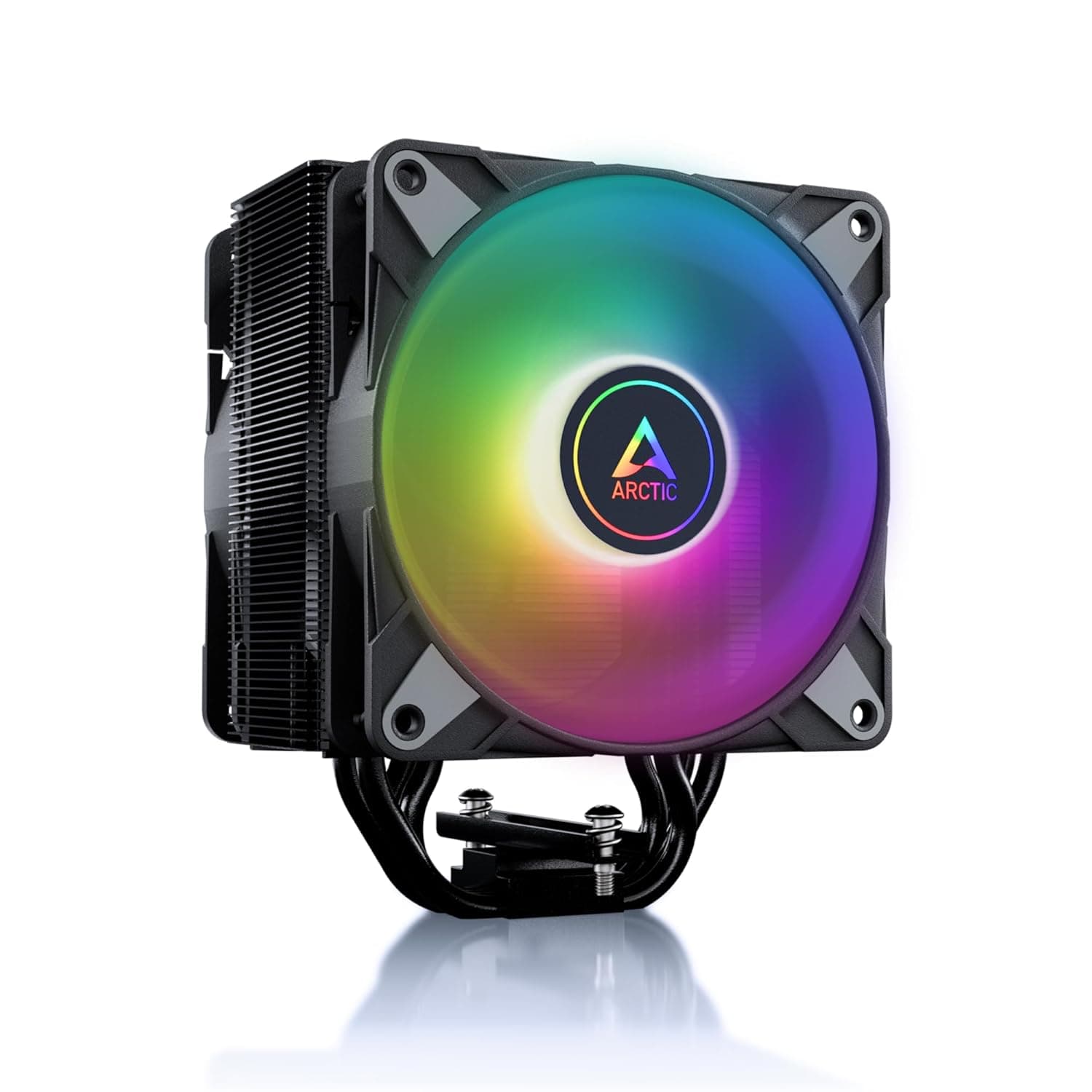
This article covers the Thermalright Peerless Assassin 120 SE ホワイト ARGB CPUエアクーラー 6ヒートパイプ CPUクーラー デュアル120mm PWMファンアルミニウムヒートシンクカバー AGHPテクノロジー AMD AM4 AM5 — the white ARGB version of Thermalright's dual-tower air cooler. Instead of restating the spec sheet, it focuses on the three things that actually block a build (height, RAM clearance, ARGB wiring) and on where you will have to compromise.
Overview
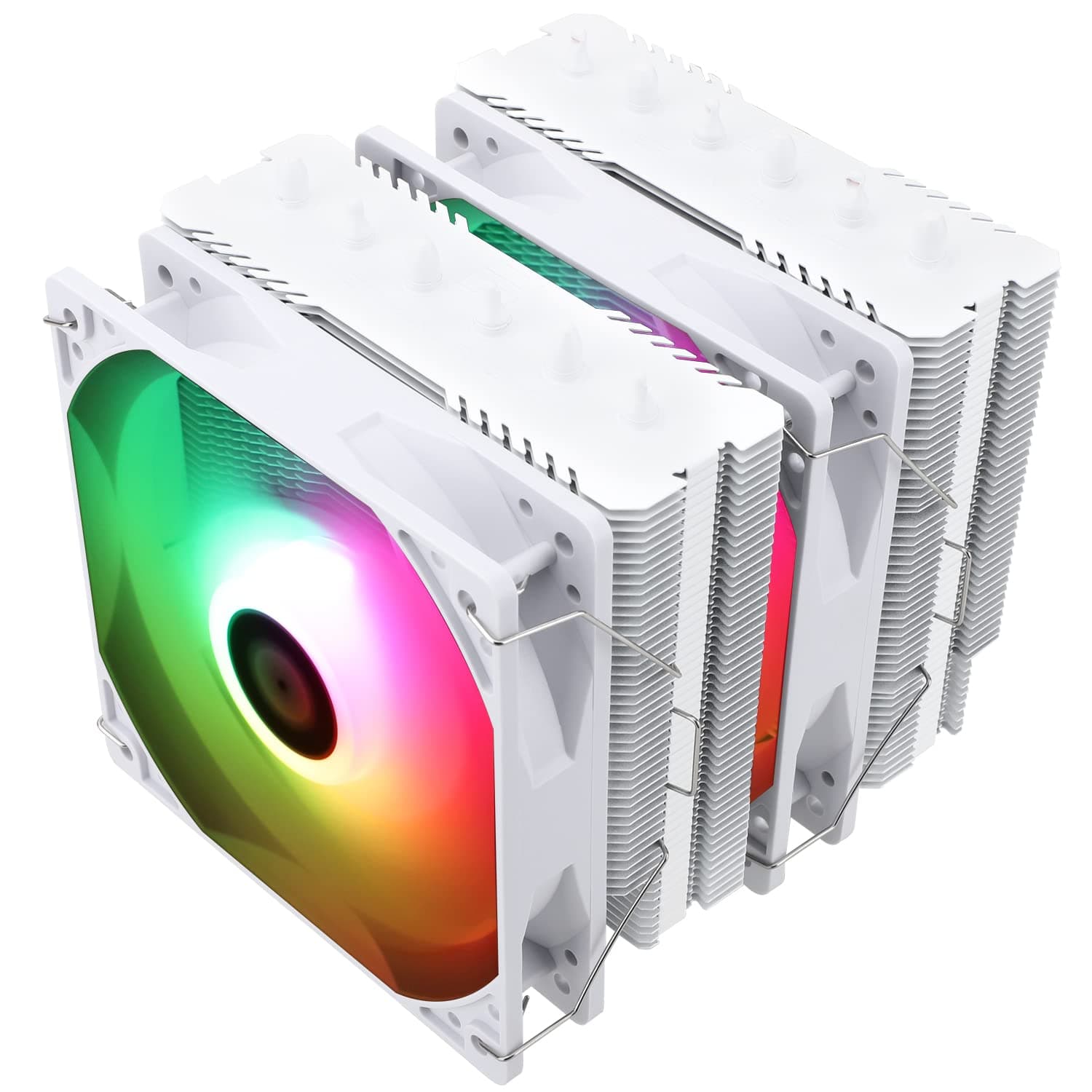
The cooler runs six 6mm heat pipes through two fin towers, sandwiched between two 120mm PWM fans (TL-C12CW-S). Rated maximum cooling capacity is 245W, which comfortably covers Core i5/i7 and Ryzen 5/7 parts in everyday use.
The short version: this is the default answer for a white mid-tower that still needs real cooling, and the wrong answer for small form factor cases or heavy overclocking.
AGHP in the product name refers to heat pipes ground flat at the base so they contact the CPU directly rather than through a separate copper plate. Heat transfer is more direct, but the exposed copper surface scratches and picks up fingerprints easily, so handle it carefully during installation.
Leave the protective film on until the moment you mount it.
On the white model the fin cover and both fans are white, but only the fans light up — the fin stack itself has no lighting. As of the 11 July 2026 capture, Amazon.co.jp showed 435 reviews at 4.7 out of 5 stars (94% positive), a stable score for an air cooler in this class.
The per-star breakdown was not captured, so treat it as a reference figure.
Compatibility Guide
Socket support covers Intel LGA1700 / 1200 / 1156 / 1155 / 1151 / 1150 and AMD AM4 / AM5, which spans practically every mainstream desktop platform from 12th-14th Gen Core through Ryzen 5000 and AM5. Check these numbers before anything else.
| Check | Value | Easy to miss |
|---|---|---|
| Height | 155mm | Case must clear 155mm; leave 5mm or more of margin |
| Width × Depth | 135 × 125 mm | The 135mm width overhangs the first DIMM slot |
| Weight | ~750g with fans | Transport and side-laying stress the board |
| Fans | 120mm × 2 / 1550rpm ±10% / 66.17 CFM / ≤25.6 dBA | A splitter is needed if the board has only one CPU fan header |
| Lighting | 3-pin 5V ARGB | Never plug it into a 4-pin 12V RGB header |
Height is the first gate. If your case lists exactly 155mm of CPU cooler clearance, side panel ribbing or fan cable routing can still make contact.
A case rated for 160mm or more removes the guesswork, and that margin matters most in narrower chassis.
Memory clearance causes the most build failures here. The manufacturer compatibility note states that RAM taller than 45mm may interfere with the first DIMM slot.
Standard DDR4/DDR5 modules without tall heatspreaders sit in the low 30mm range and are fine, but tall RGB kits can reach the high 40s. The bundled wire clips let you raise the front fan a few millimetres to clear them — at the cost of overall height, pushing the cooler closer to the side panel or top fans.
Both fans use 4-pin PWM connectors and are normally joined with a splitter into the CPU_FAN header. The lighting needs a 3-pin 5V addressable header (marked JRAINBOW, ARGB_HEADER or similar).
This is the easy mistake to make: forcing the plug into the neighbouring 4-pin 12V RGB header will destroy the LEDs. Count the pins, read the silkscreen, and buy a 5V ARGB controller if your board has no addressable header.
The auto-collected spec table lists LGA1851 among supported sockets, but the compatibility notes do not include it. Because the two sources disagree, we will not claim support either way — assume it is unsupported.
If you plan to use a newer Intel platform, check the manufacturer's compatibility chart and whether a separate mounting kit is required.
Product Info
rmation
Core specs: six 6mm heat pipes, two 120mm PWM fans (1550rpm ±10%, 66.17 CFM, ≤25.6 dBA), 135 × 125 × 155 mm, roughly 750g, and a rated 245W cooling capacity.
That 245W figure comes from the manufacturer's own test conditions, so the real ceiling depends heavily on case airflow and ambient temperature. Read it as a design class, not an unconditional guarantee.
The box includes mounting hardware for both Intel and AMD, TF7 thermal paste, fan wire clips and a manual, so no extra purchase is needed for the first install. The warranty is one year, which is short next to the multi-year coverage typical of AIO liquid coolers.
On the other hand, the only moving parts are two fans, so a failure is cheap and simple to fix.
Pricing deserves a warning. The automatically collected price fields contained amounts that do not match this product class, most likely a collection error, so no figure is quoted in this article.
Street pricing swings with sales and stock anyway, so check the product page for the current number. The cooler launched in late 2022 and remains widely available.
On reception, the 11 July 2026 capture shows 435 reviews at 4.7 stars (94% positive).
Holding that level across several hundred reviews suggests that dead-on-arrival units and impossible installs are not the common experience.
How It Compares
| Alternative | Structure | Difference | Why pick it |
|---|---|---|---|
| This cooler (120 SE White ARGB) | Dual tower / 6 pipes / 120mm ×2 | White fin cover plus ARGB fans | White build with no cooling compromise |
| Thermalright PA120 Black | Dual tower / 6 pipes / TL-C12B | No lighting, black finish, same family | All-black build, no RGB wanted |
| Peerless Assassin 90 SE | Lower dual tower | Reduced overall height | Escape hatch when 155mm will not fit |
| Assassin Spirit 120 EVO | Simpler, lower tier | Less cooling headroom | Tighter budget |
| 240-360mm AIO | Liquid | Needs radiator mounting area, longer warranty | Visual impact, top-mounted heat exhaust |
Within Thermalright's own range, colour and lighting are the cleanest way to choose, since several models share a similar cooling skeleton: PA120 if black is fine, 90 SE if 155mm will not fit. Against an AIO, the weak points of this cooler are visual drama and warranty length — not cooling performance.
Installation Tips
On a dual tower you cannot reach the screws without removing the middle fan first, so unclip it before you start. Fit the backplate and standoffs before the board goes into the case, and tighten the screws diagonally in small, even steps.
On AMD the stock motherboard backplate is generally reused with the supplied brackets, but follow the bundled manual rather than memory.
A rice-grain-sized dot of paste in the centre is enough. More paste does not cool better; it just squeezes out and creates cleanup.
Set both fans to follow the front-intake, rear-exhaust path, and confirm the direction against your rear case fan before closing the panel.
Finally, remember that a ~750g tower hangs off the motherboard. When moving a finished PC, lay it on its side or support the cooler with padding.
Shipping damage is a recurring failure mode for coolers of this shape.
Best Use Cases
- White-themed builds that still need real cooling — the white fin cover and fans change how the build reads through a glass panel, and the ARGB is present without being loud.
- Core i5 / Ryzen 5 through Core i7 / Ryzen 7 systems — a 245W-rated dual tower has clear headroom for these parts at everyday loads, and the 1550rpm ceiling keeps in-game fan noise unobtrusive.
- Quiet-focused builds — rated at ≤25.6 dBA with PWM control, it is genuinely quiet at idle. There is no zero-rpm stop, so aim for unobtrusive rather than silent.
- Anyone avoiding pump failure or leaks — with only two moving parts, the failure surface is small and replacements are cheap. A reasonable choice for long-term reliability.
Before You Buy
The price data is not trustworthy. The collected price fields held amounts clearly out of line with this product class.
The same thing can happen on the listing itself, where a different size or colour variant's price is shown. Confirm the variant selector reads White ARGB before you read the price.
Amazon listing details can contradict the actual product. Manufacturer, model number and socket fields are aggregated automatically, so values from other variants leak in — this dataset lists LGA1851 in one field and omits it in another.
Open the listing and verify from the images and title that you are looking at the White ARGB 120 SE.
155mm of height rules out many cases. Most Mini-ITX and some Micro-ATX cases simply cannot take it.
Check the case spec sheet for a real number instead of assuming, and treat an exact 155mm rating as marginal.
Tall memory is a problem. Heatspreaders over 45mm may hit the first DIMM slot.
If you already own RGB memory, measure it before ordering. Raising the fan solves the DIMM conflict but eats case clearance, so it is often one or the other.
Only the fans light up. The fin stack does not glow, so if you want the whole cooler illuminated, an AIO with a display block or an RGB block cooler will satisfy you more.
Sustained all-core loads on a Core i9 or Ryzen 9 are not its strength. Rendering or encoding for tens of minutes at full all-core load reaches the limit of a dual-tower air cooler.
Gaming rarely gets there; workstation duty should look at a 360mm AIO or a larger air cooler.
The warranty is one year. That is short compared with AIOs.
Also note that white plastics and coatings can shift in tone over years of use, which is worth knowing for a long-term build.
FAQ
Q. This or a 240mm AIO? A.
For a gaming-first build with 155mm of clearance, this cooler is enough, and it has no pump to fail after the warranty ends. Choose an AIO if you want the radiator look or run sustained all-core loads on a Core i9 class chip.
Q. Will it clear my RAM? A.
Modules under 45mm are essentially fine. Taller RGB kits may interfere with the first slot, so either raise the front fan with the supplied clips or use low-profile memory.
Q. Can I use it without an ARGB header? A.
Yes, as a cooler. The fans are 4-pin PWM and work from the CPU_FAN header.
Controlling the lighting requires a separate 5V ARGB controller. Never use a 4-pin 12V RGB header.
Q. Does it support LGA1851? A.
The available data contradicts itself, so no claim is made. The compatibility list omits LGA1851, so assume it is unsupported and check the manufacturer's chart and mounting kit availability first.
Q. Can I run a single fan? A.
Physically yes, and some builders do it for RAM clearance or looks. Cooling drops, so it is not advisable on hot CPUs.
Build with both fans, then remove one if you must.
Q. Do I need to buy thermal paste? A.
No. TF7 paste is included and is enough for the first installation.
A spare tube is useful for future rebuilds, but not required on day one.
Product Disclosure (Amazon)
- Manufacturer: THERMALRIGHT(サーマルライト)
- ASIN: B0B8Z3PPMP
- Note: This article covers a manufacturer-made product based on Amazon listing details.