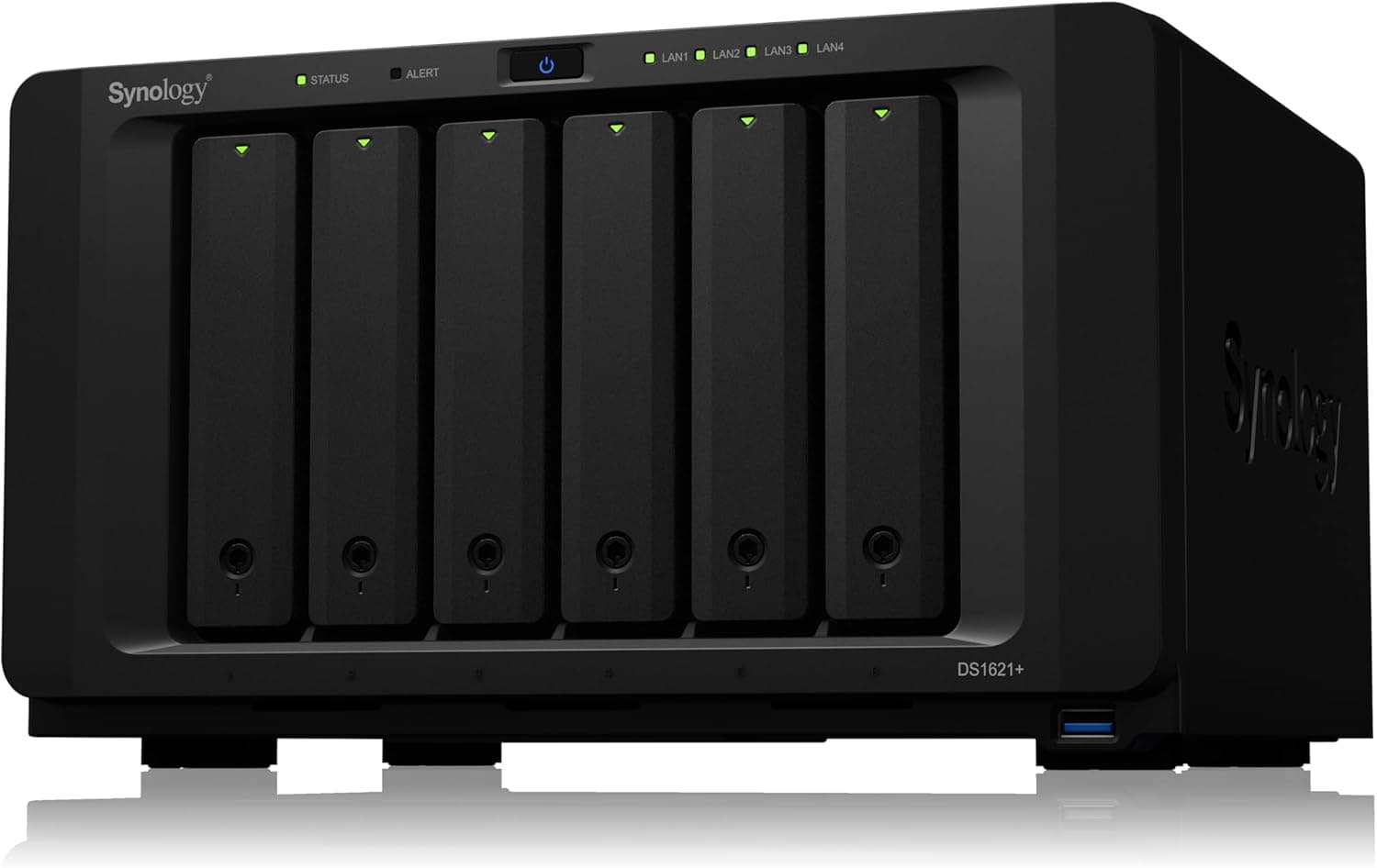
This article takes a close look at the Synology DS1621+ — 6-bay NAS with quad-core CPU and 4GB RAM. It goes beyond the spec sheet to cover compatibility pitfalls, the jobs this box is bad at, and how it compares with its Synology siblings.
Overview
The short answer: the Synology DS1621+ is a 6-bay NAS for small offices and advanced home users who want backups, snapshot protection and light virtual machines in one box. It is not a good fit for hardware video transcoding, because its CPU has no integrated GPU.
That one point decides whether it suits you.
Inside is an AMD Ryzen V1500B (4 cores/8 threads, 2.2GHz) with 4GB of DDR4, which you can expand to 32GB.
There are four 1GbE RJ-45 ports, and a PCIe 3.0 slot lets you add a 10GbE card.
Synology rates it at up to 110,000 random 4K read IOPS and up to 2,300 MB/s sequential write, a large step up from the DS1618+ it replaced.
It does far more than store files. DSM (DiskStation Manager) includes Virtual Machine Manager (VMM) for running VMs, Active Backup Suite for backing up PCs and servers to one place, and Snapshot Replication for point-in-time recovery.
Two built-in M.2 NVMe slots let you add an SSD cache without giving up a drive bay.
Where the DS1621+ Fits (Sibling Comparison)
The table below compares it with the Synology models buyers most often weigh it against. Check each product page for detailed specs.
| Model | Bays | CPU | Base RAM | 10GbE |
|---|---|---|---|---|
| DS1621+ | 6 (16 with expansion) | AMD Ryzen V1500B, 4 cores | 4GB | Add-in PCIe card |
| DS1621xs+ | 6 | Intel Xeon-class, 4 cores | 8GB | Built in |
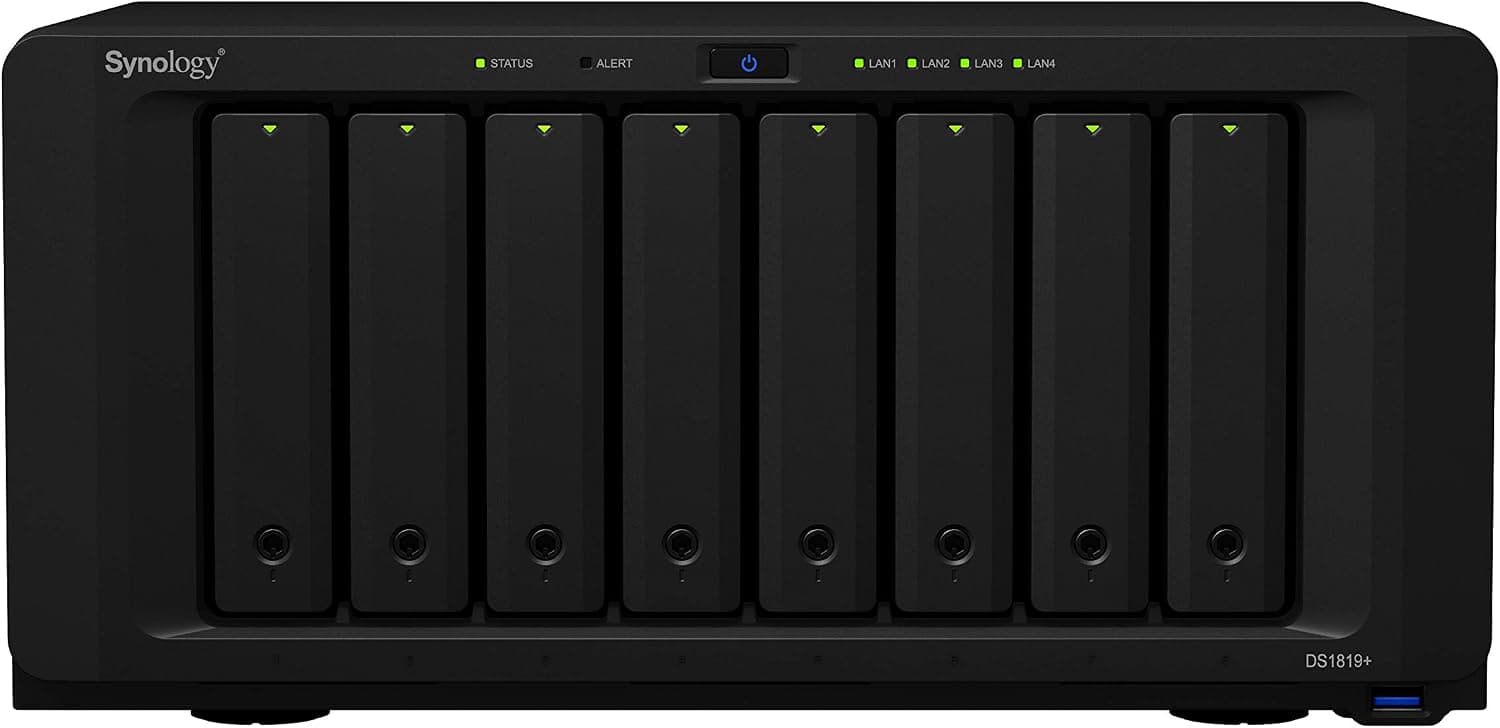
| DS1819+ | 8 | Intel Atom-class, 4 cores | 4GB | Add-in PCIe card |
| DS923+ | 4 | AMD Ryzen R1600, 2 cores | 4GB | Optional (dedicated slot) |
The DS1621+ sits in the middle: six bays and a 4-core Ryzen, with 10GbE available when you need it. If you know you want 10GbE from day one and more memory out of the box, the DS1621xs+ fits better.
If four bays are enough, the DS923+ costs less. The DS1819+ gives you more bays, but it is an older design with an Atom-class CPU, so the DS1621+ has more headroom for virtualization.
Compatibility Guide
Drives (3.5/2.5-inch SATA)
The six bays take 3.5-inch and 2.5-inch SATA HDDs and SSDs, for up to 96TB of raw capacity (6x 16TB).
Synology publishes a list of tested drives, and DSM may show warnings for drives that are not on it. For business use, stick to listed NAS-class drives, such as Synology's own HAT series or other NAS-rated models.
Desktop SMR drives can make RAID rebuilds very slow, so they are generally best kept out of a NAS.
M.2 NVMe Slots
You can install two M.2 2280 NVMe SSDs.
According to the compatibility data for this article, these slots are for cache only and cannot form a storage pool. Plan on them as an accelerator for the HDD array, not as a separate place to store data.
Support can change with DSM versions and SSD models, so check Synology's official documentation if you want to use them as storage. Also note that a read-write cache needs two SSDs; with only one you get a read-only cache.
Memory
The NAS uses DDR4, with 4GB installed and a 32GB maximum. Four gigabytes is enough for file sharing and backups, but it runs out quickly once you run VMs in VMM or keep several containers going in Container Manager.
When you upgrade, pick modules from Synology's compatibility list and confirm the ECC requirement there. Unlisted memory can cause boot failures or instability.
Networking and PCIe Expansion
Out of the box you get 4x 1GbE. Link aggregation raises total throughput across several clients, but a single PC still sees about one 1GbE link, roughly 110MB/s.
The 2,300 MB/s figure assumes a much faster connection such as 10GbE, so you will not see it on 1GbE. For real speed, add a 10GbE card (SFP+ or RJ-45) in the PCIe 3.0 slot and upgrade the switch and client NICs to match.
External Ports and Expansion Units
There are three USB 3.2 Gen1 Type-A ports and two eSATA ports for expansion units.
Up to two DX517 units bring the total to 16 bays, or 256TB with 16TB drives. Windows, macOS and Linux clients are all supported.
Footprint and Weight
The unit measures 166 x 282 x 243 mm (HxWxD) and weighs about 5.1kg without drives.
With six 3.5-inch HDDs installed it comes to roughly 9kg, so check your shelf's load rating and leave room behind the unit for exhaust air.
Product Info
| Item | Detail |
|---|---|
| CPU | AMD Ryzen V1500B (4C/8T, 2.2GHz) |
| Memory | 4GB DDR4 (up to 32GB) |
| Drive bays | 6 (3.5/2.5-inch SATA) |
| Max internal raw capacity | 96TB (16TB x6) |
| Expansion | Up to 2x DX517, 16 bays total |
| LAN | 4x 1GbE RJ-45 |
| NVMe cache | 2x M.2 2280 |
| 4K random read | Up to 110,000 IOPS |
| Sequential write | Up to 2,300 MB/s |
| Size / weight | 166 x 282 x 243 mm / approx. 5.1kg (no drives) |
| Warranty | 3 years |
The Synology DS1621+ was released in 2020. On Amazon.co.jp it was listed at ¥220,000 (drives not included) as of August 29, 2026.
Prices vary a lot by stock and seller, so check the current price on the product page before you buy.Check the retailer's page for the latest user reviews.
Units from the authorized Japanese distributor include a 3-year warranty and phone support. In the box you get only a power cable, an Ethernet cable and a quick installation guide; drives are sold separately.
It is an upper-mid-range business NAS. That is expensive if all you need is a place to put files, but it buys you strong data protection and virtualization features.
Planning Capacity
RAID layout is the usual question with six bays. With six 12TB drives, RAID 5 (or SHR) gives roughly 60TB usable with one drive's worth of redundancy, and RAID 6 (or SHR-2) gives roughly 48TB with two.
DSM will report a little less because of filesystem overhead and the TB-versus-TiB difference.
Many six-drive owners pick RAID 6 or SHR-2 because a second drive could fail during a rebuild, and bigger drives take longer to rebuild. You can also start with four drives and fill the empty bays later.
If you do, SHR handles mixed drive sizes with less wasted space.
Best Use Cases
- Data-protection-first users: Active Backup Suite and Snapshot Replication collect backups from PCs, servers and cloud services in one place, and let you roll back after ransomware or an accidental delete.
- Small offices and remote-work hubs: Run file sharing, collaborative editing and mail on-premises if you would rather not keep company data in the cloud.
- Home virtualization enthusiasts: Run Windows or Linux VMs in VMM for lab or test environments. Plan on a memory upgrade.
- Large photo and video archives: Six bays plus expansion units give the DS1621+ plenty of room to grow. Plan on direct play rather than transcoding.
- Not for: Buyers on a tight budget or anyone who just needs basic file storage. A 2-bay DS225+ or a 4-bay DS923+ will do that job for less.
Before You Buy
No hardware video transcoding. The earlier version of this article said 4K transcoding in Plex runs smoothly.
That needs correcting. The Ryzen V1500B has no integrated GPU, so Plex hardware transcoding is not available, and CPU-only 4K transcoding is heavy.
Store files in formats your devices can play directly. If media serving is your main goal, a model with an Intel Celeron and integrated graphics is a better fit.
Synology's own Video Station is also no longer offered as of DSM 7.2.2.
4GB is tight for virtualization. If you plan to use VMM or several containers, budget for a memory upgrade from the start.
DSM and caching already take a fair share of the RAM.
You won't see 2,300 MB/s on 1GbE. On a 1GbE network, transfers top out around 110MB/s.
Going to 10GbE means paying for the card, the switch and the client NICs as well.
M.2 is not general-purpose storage. Plan on it as cache only.
Caching helps most with workloads that make HDDs feel slow, such as many small files or VM disks. It does little for reading large video files from start to finish.
The chassis is only part of the cost. Drives are extra, and six of them can cost about as much as the NAS itself.
A UPS for power outages is also worth budgeting for.
Check the seller and warranty. On Amazon, the seller and shipper are a marketplace merchant (online Shop Yamamoto), not Synology or its distributor.
The title says the unit is from the authorized Japanese distributor, but warranty claims may require purchase documents. Confirm that the unit you receive is a distributor unit and keep the invoice and warranty card.
It is a 2020 model. Before buying, check Synology's official information on how long DSM updates will continue and whether the price gap to newer models makes sense.
FAQ
Q. Can it transcode 4K video in Plex?
A. Not with hardware acceleration, because the CPU has no integrated GPU.
Q. Can I use the M.2 NVMe SSDs as fast storage?
A. Treat them as an accelerator for the HDD array.
Q. How much memory does it support?
A. Up to 32GB. Pick modules from Synology's compatibility list.
Q. What do I need for 10GbE? A.
A 10GbE card (SFP+ or RJ-45) in the PCIe 3.0 slot, plus a 10GbE switch and client NICs.
Without all three, you will not get the extra speed.
Q. Can I add capacity later? A.
Yes, in three ways: add drives to empty bays, replace drives with larger ones one at a time, or connect up to two DX517 expansion units, for up to 16 bays and 256TB.
Product Disclosure (Amazon)
- Manufacturer: Synology
- Seller: online Shop Yamamoto
- ASIN: B08HYQJJ62
- Note: This article covers a manufacturer-made product based on Amazon listing details.