Overview
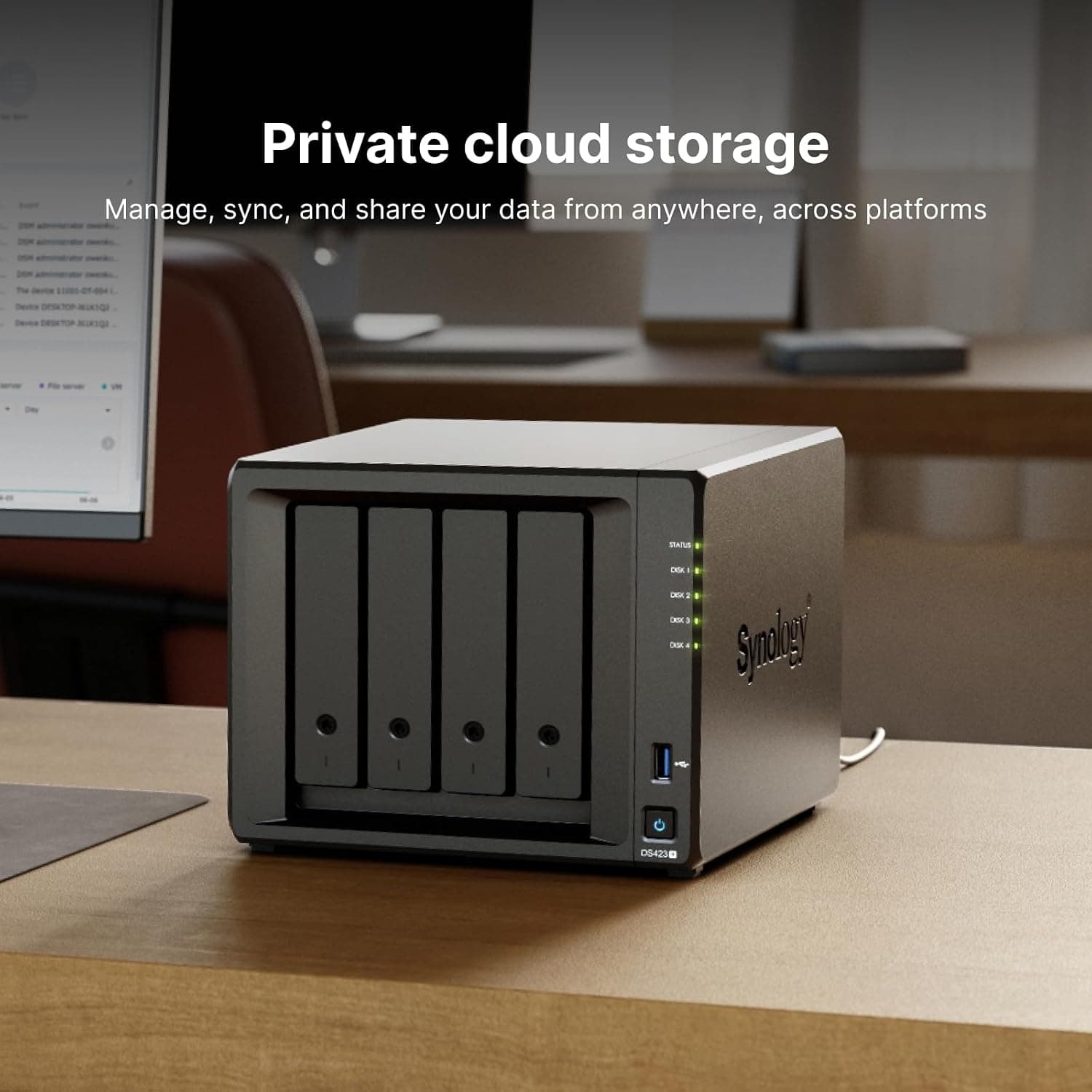
The Synology DS420+ 4Bay NAS is a four-bay desktop NAS that Synology released in 2020. It still works well for anyone who wants one place for photos, documents, and PC backups in a household or a small office.
It is not a good fit if you need 10GbE or 2.5GbE speeds, or if you plan to run several virtual machines.
It uses an Intel Celeron J4025 (2 cores, 2 threads, 2.0 GHz base, up to 2.9 GHz), 2 GB of DDR4 RAM (officially expandable to 6 GB), and two Gigabit Ethernet ports.
Its performance ceiling is clear.
Its strength in this class is two NVMe M.2 slots, separate from the four drive bays, that you can use for SSD caching to speed up random I/O.
That suits a single box handling file sharing, photo management, PC and phone backups, and camera recording.Check the retailer's page for the latest user reviews.
This article explains what the spec numbers mean in daily use, how the DS420+ compares with its successor and with higher-end models, and which pitfalls buyers tend to discover after purchase.
Compatibility Guide
Drives (HDD/SSD)
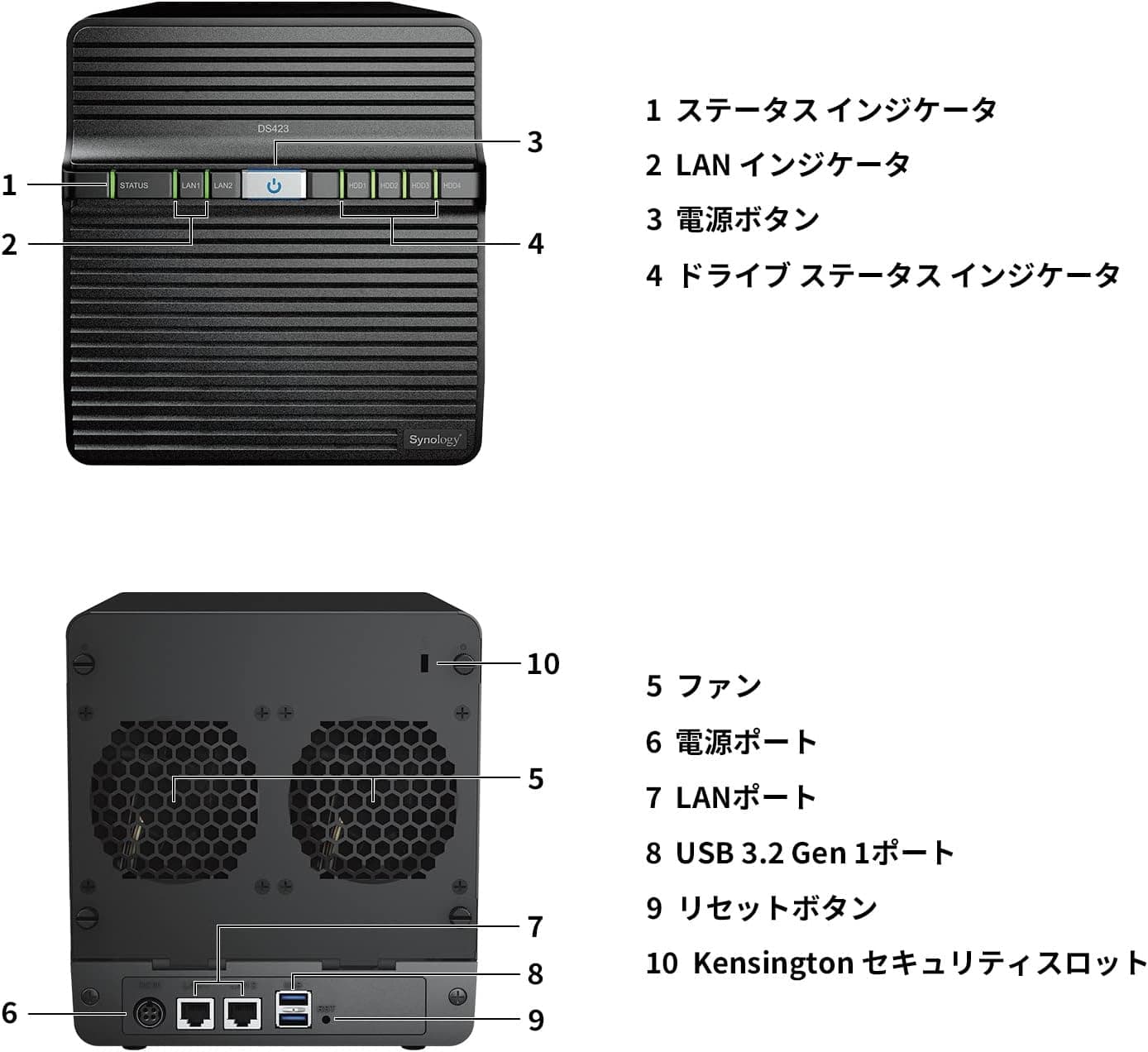
The DS420+ accepts hot-swappable 3.5-inch and 2.5-inch SATA III HDDs and SSDs.
The trays hold 3.5-inch drives without tools, while 2.5-inch drives typically need screws.
Synology publishes a compatibility list of tested drives. Drives that are not on the list may trigger warnings in DSM (Synology's operating system), so check the model number before you buy.
NAS-rated HDDs, built for 24/7 operation and vibration, are the standard choice.
M.2 slots (SSD cache)
The two M.2 slots take NVMe SSDs for caching.
A read-only cache needs one SSD, and a read-write cache needs two. Whether you can use M.2 drives as a regular storage pool depends on the DSM version and on the SSD models Synology supports, so do not assume that adding SSDs adds capacity.
Memory
The NAS ships with 2 GB of DDR4, and the official maximum is 6 GB, reached by adding one genuine Synology 4 GB module. Some users report that third-party memory works, but it is not supported.
Network and USB
The two Gigabit Ethernet ports support link aggregation and failover. Aggregation does not double the speed for a single PC.
It raises the combined bandwidth when several devices connect at once. Some aggregation modes need a switch that supports IEEE 802.3ad (LACP).
The two USB 3.0 (USB 3.2 Gen 1) ports work for external backup drives or a UPS.
File systems and protocols
You can format volumes as Btrfs or ext4. Choose Btrfs if you want snapshots and data-integrity checks.
The NAS works with Windows, macOS, and Linux clients over SMB, AFP, NFS, FTP, and other common protocols.
Expansion limits
The DS420+ has no PCIe slot, so you cannot add a 10GbE card later. It is also not designed to grow beyond four bays.
If you already know you will need many more drives or a 10GbE upgrade, buying a higher-end model from the start usually costs less in the end.
| Check | DS420+ spec | Common pitfall |
|---|---|---|
| Drives | 3.5/2.5-inch SATA III x4 | Drives not on the compatibility list may show warnings |
| M.2 | NVMe x2 (cache) | Adds speed, not capacity |
| Memory | 2 GB DDR4 (max 6 GB) | Third-party modules are unsupported |
| LAN | 1GbE x2 | One client is still capped at 1GbE |
| Expansion | No PCIe slot | No path to 10GbE |
Product Info
| Item | Value |
|---|---|
| Drive bays | 4 (3.5/2.5-inch SATA) |
| Default RAM | 2 GB DDR4 (max 6 GB) |
| CPU | Intel Celeron J4025 (2C/2T, 2.0 GHz / up to 2.9 GHz) |
| M.2 slots | 2 (NVMe SSD cache) |
| Sequential read | 226 MB/s |
| Sequential write | 225 MB/s |
Released in 2020, the Synology DS420+ sits between the entry and mid-range tiers of four-bay NAS units. Synology rates it at 226 MB/s sequential read and 225 MB/s sequential write.
A single Gigabit link delivers roughly 110 MB/s in practice, so these figures are best read as combined throughput over both aggregated ports. When you copy files from one PC, the network limit of about 110 MB/s applies first.
Check the retailer's page for the latest price. Marketplace listings differ in condition (new or used) and in what is included, so check the details before you compare.
The price collected from Amazon did not match this product's typical market range, so it is not shown here. Prices change often, so check the current price on the product page.
Warranty terms can differ between authorized domestic stock and parallel imports, so confirm them on the listing.
Comparison with Alternatives
The alternatives fall into three groups: a same-generation two-bay model, the four-bay successor, and a higher-end four-bay model.
| Model | Bays | Key difference | Best for |
|---|---|---|---|
| DS220+ | 2 | Same-generation dual-core, 2 GB | Smaller data sets where RAID 1 is enough |
| DS420+ | 4 | Dual-core, 1GbE x2, M.2 cache x2 | Four-bay capacity with SHR/RAID 5 redundancy |
| DS425+ | 4 | Quad-core CPU, 2.5GbE | Buyers who want a newer generation and faster than 1GbE |
| DS923+ | 4 | AMD Ryzen R1600, 4 GB, PCIe slot | Planned 10GbE upgrades, containers, or VMs |
The J4025 in the DS420+ has integrated graphics, while the Ryzen R1600 in the DS923+ and DS723+ does not. For video transcoding, the more expensive model is therefore not automatically better.
For running several Docker services in Container Manager or experimenting with VMs, though, the DS923+ gives you more headroom with its larger memory and its expansion slot.
Also ask yourself whether you really need four bays. If your data fits in a few terabytes and will not grow much, a two-bay unit costs less for both the NAS and the drives.
Four bays pay off with SHR or RAID 5, which survive one drive failure while using capacity efficiently. Four 8 TB drives in SHR with one-drive redundancy give roughly three drives' worth of usable space (about 24 TB, before file-system overhead).
SSD Cache and Memory
An SSD cache keeps frequently accessed small files on the SSD so the HDDs are read less often. It helps most with random access: photo-library thumbnails, shared folders full of small files, and app data for containers.
Large sequential video transfers gain little, because the network becomes the bottleneck first.
There are two caveats. First, the cache uses RAM in proportion to its size, so a large cache on 2 GB of memory leaves the system with little headroom.
Upgrade to 6 GB before you set up a cache. Second, if an SSD in a read-write cache fails, data on the volume can be damaged.
Use two high-endurance NVMe SSDs, and consider starting with a read-only cache.
Who Should Buy
Families storing photos and videos
On DSM 7, Synology Photos backs up phones automatically and organizes photos by face and date on the NAS itself. An SSD cache makes thumbnails load faster.
Editing 4K footage directly from the NAS is a poor fit, because 1GbE is the bottleneck.
Small offices that need a file server or backup target
The DS420+ easily handles shared folders for a few PCs and nightly PC backups. Btrfs snapshots let you restore files that were overwritten or deleted by mistake.
Busy offices with many simultaneous users, or teams that need 10GbE, should look at higher-end models such as the DS923+.
Plex or Jellyfin users
The J4025 has integrated graphics, and Synology's specifications list a hardware transcoding feature for this model. Whether that hardware is actually used depends on the app.
Plex, for example, requires a paid Plex Pass for hardware transcoding. If your playback devices can play your files as they are (direct play), the NAS streams reliably without straining the CPU.
Several users transcoding high-bitrate video at the same time is too much for it.
Surveillance recording
Surveillance Station includes two free camera licenses, and each additional camera needs a paid license. Many high-resolution, high-frame-rate cameras recording around the clock will load the CPU heavily, so choose a stronger model for large setups.
Check Synology's specifications for the maximum number of cameras.
Before You Buy
RAID is not a backup. SHR and RAID 5 keep the NAS running when one drive fails.
They do not protect you from accidental deletion, ransomware, a failed enclosure, or a fire. Treat a second copy, made with Hyper Backup to a USB drive or the cloud, as part of the setup.
Btrfs snapshots guard against mistakes, but they live on the same box.
Two aggregated Gigabit ports do not make one PC faster. If you read the 226 MB/s figure and expect copies from your PC to exceed 200 MB/s, you will be disappointed.
One PC will top out near 1GbE speed. If speed matters, the DS425+ with 2.5GbE is the safer choice.
2 GB of RAM runs short quickly once you use photo management, containers, and a cache together. If you plan to grow into those uses, budget for the memory upgrade.
Available apps depend on the DSM version. Synology Moments, which older guides recommend, was replaced by Synology Photos in DSM 7.
Video Station was discontinued in DSM 7.2.2.
Plan video playback around third-party apps such as Plex or Jellyfin. Because this model dates from 2020, also check Synology's product support status to see how long DSM updates will continue.
Check prices and listing details carefully. In the price data collected for this article, the Amazon price was far outside this product's typical range, and the listing label did not match the store region.
Listings sometimes mix in other products or bundles that include HDDs. Confirm from the images, title, and model number whether you are buying a diskless DS420+ or a bundle with drives.
Since a successor is available, new stock varies, and used and imported units appear alongside new ones.
Drives are sold separately. If you budget only for the enclosure, four HDDs will push the total much higher.
You can also start with two drives and add more later to expand an SHR volume.
FAQ
Q. How much memory can I install?
A. The official maximum is 6 GB: the built-in 2 GB plus one genuine Synology 4 GB module.
Q. Do M.2 SSDs add storage capacity? A.
They are mainly for caching. Whether they can serve as a storage pool depends on the DSM version and on the supported SSD models.
To add capacity, add HDDs.
Q. Will aggregating both LAN ports speed up copies from my PC? A.
Not for one PC. A single client stays near 1GbE (about 110 MB/s).
Aggregation raises combined bandwidth for several clients at once.
Q. Can it play 4K video on my TV? A.
Yes, if your TV or media player can play the file directly, through file sharing or Plex direct play. When transcoding is needed, the result depends on app support, such as whether you have a Plex Pass.
Q. DS425+ or DS420+ today? A.
If both are new and similarly priced, the DS425+ with its quad-core CPU and 2.5GbE will last longer.
The DS420+ makes sense when you find one cheaply, used or otherwise, and you know 1GbE is enough for your needs.
Product Disclosure (Amazon)
- Manufacturer: Synology
- Seller: Shop in Field
- Fulfilled by: Shop in Field
- ASIN: B088V71WGH
- Note: This article covers a manufacturer-made product based on Amazon listing details.