Overview
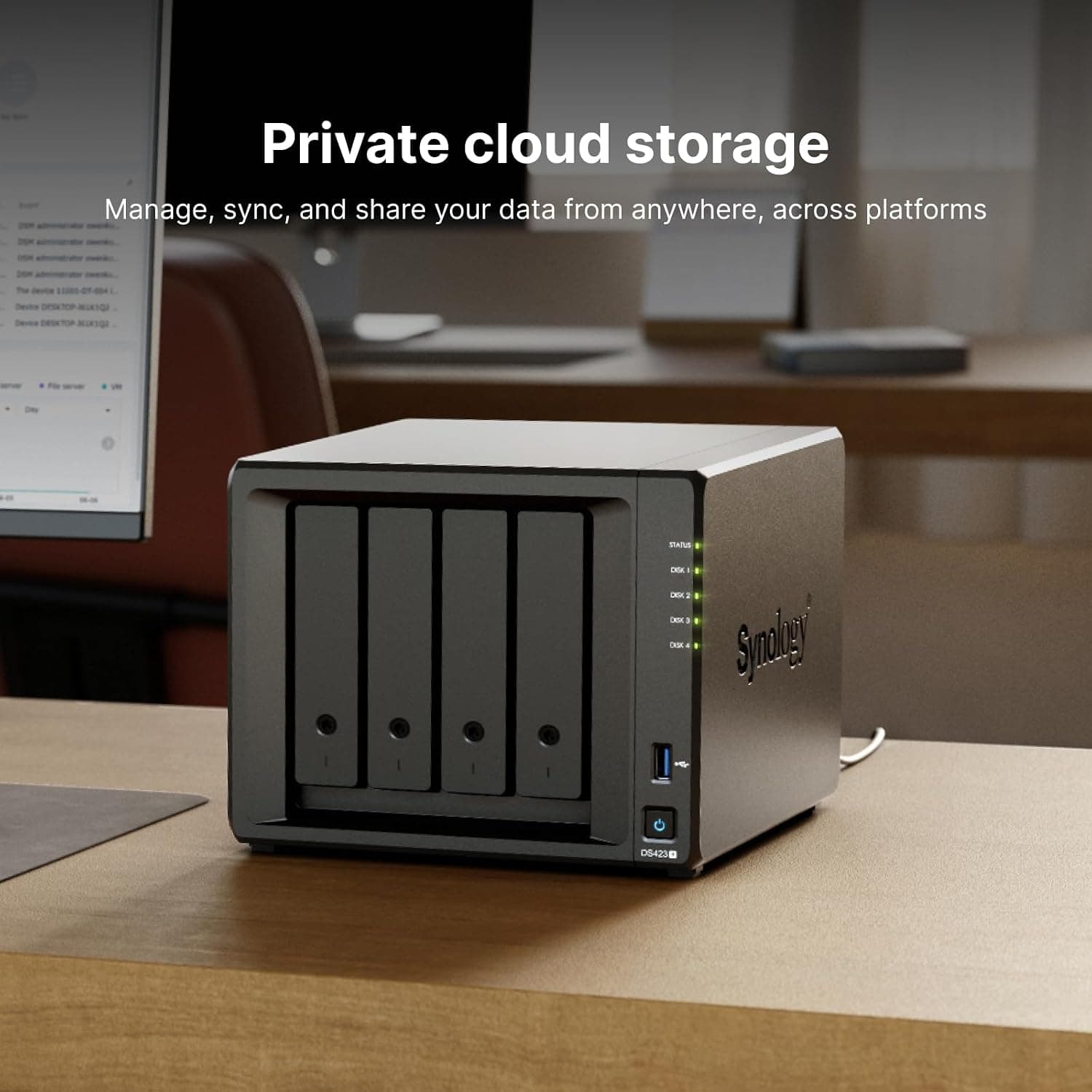
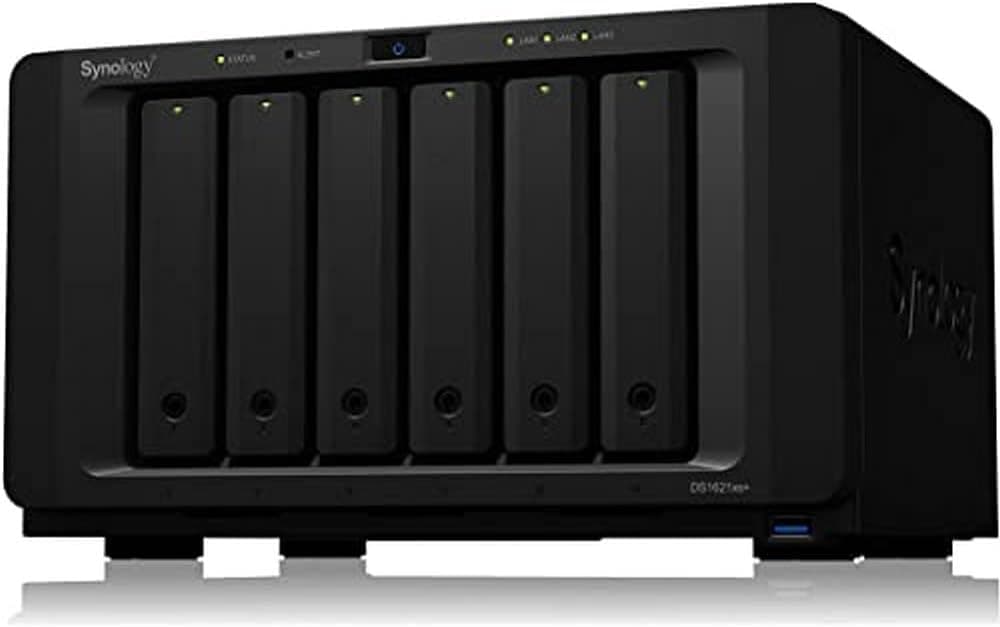
The Synology DiskStation DS423 is a 4-bay NAS kit designed for home users and small offices who want to build their own private cloud. Powered by a Realtek RTD1619B quad-core processor and 2GB of RAM, it offers a balanced mix of performance and affordability. With dual 1GbE LAN ports supporting link aggregation, it can handle simultaneous file access from multiple devices without breaking a sweat. This mid-range NAS runs Synology's DiskStation Manager (DSM), one of the most intuitive and feature-rich NAS operating systems on the market. Whether you need centralized file storage, automated backups, or a media server, the DS423 delivers a reliable and user-friendly experience. The compact chassis fits neatly on a desk or in a network cabinet, making it a practical choice for space-conscious setups.
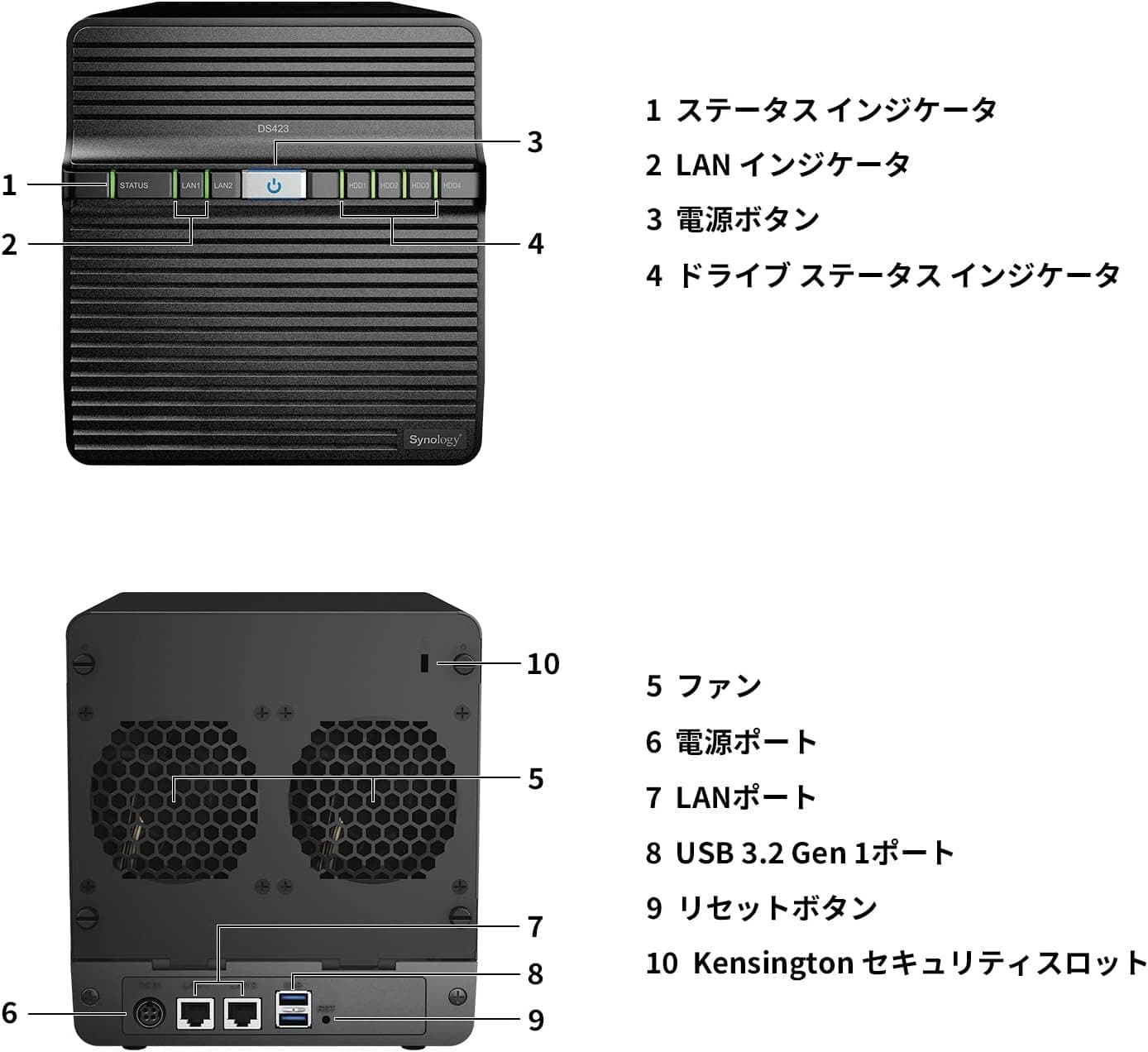
Network: 2× 1GbE RJ-45 ports (link aggregation / failover supported) USB: 2× USB 3.2 Gen 1 ports (1 front, 1 rear) Drive Bays: 4× 3.5-inch SATA HDD or 2.5-inch SATA SSD (drives sold separately) Supported File Systems: Btrfs, ext4 Client OS Support: Windows, macOS, Linux, Android, iOS (via Synology apps) RAID Modes: Basic, JBOD, RAID 0/1/5/6/10, Synology Hybrid RAID (SHR) Maximum raw capacity reaches 72TB when using four 18TB HDDs. The DS423 is compatible with most major HDD brands, but checking Synology's official compatibility list before purchase is strongly recommended.
Launched in early 2023, the DS423 sits comfortably in the mid-range segment of Synology's 4-bay lineup. It bridges the gap between entry-level models (like the DS223j) and higher-end units (such as the DS923+), offering a solid feature set at a reasonable price.Check the retailer's page for the latest price. The package includes the NAS unit, power adapter, two RJ-45 Ethernet cables, quick installation guide, and screws. Synology provides a standard 2-year warranty, with Japanese authorized distributors offering phone support.
Home media hub for photo and video enthusiasts: Use Synology Photos to automatically back up your smartphone camera roll and organize albums. Share galleries with family members via private links. The DS423 can handle 1080p video streaming to multiple clients without issues. Centralized backup target for multiple devices: Set up Time Machine backups for Macs, Windows File History for PCs, and mobile device backups all in one place. The Snapshot Replication feature provides an extra layer of protection against ransomware by keeping point-in-time copies of your data. * Small office file server: Create user accounts with granular permissions, sync files across workstations with Synology Drive, and enable versioning to recover from accidental deletions. Dual LAN ports allow teaming for improved throughput and redundancy. If your workflow involves 4K video transcoding, running multiple VMs, or heavy Docker workloads, consider stepping up to the DS923+ or DS1522+ for their more powerful CPUs and expandable RAM.
Drives are not included: You must purchase compatible 3.5-inch SATA HDDs or 2.5-inch SATA SSDs separately. Always verify drive compatibility on Synology's official list before buying. RAM is not upgradeable: The 2GB memory is soldered onto the motherboard. If you plan to run many Docker containers or virtual machines, look at models with user-replaceable RAM like the DS923+. No 10GbE support: The DS423 is limited to 1GbE networking. For high-speed transfers over 10GbE, you'll need a different NAS or a complete network upgrade. No M.2 SSD cache slots: Unlike the DS923+, this model lacks M.2 slots for SSD caching. If you need accelerated random I/O performance, consider a higher-tier model.
Q: Can the DS423 transcode 4K video in real time? A: No, it does not support real-time 4K transcoding. The integrated GPU is limited, so video playback will be at native resolution. Pre-transcoding files or using direct play is recommended. Q: Can I expand storage via USB external drives? A: Yes, you can connect external USB drives to the front or rear USB 3.2 Gen 1 ports and add them to the storage pool. However, USB-connected drives are slower and less reliable than internal SATA drives, so use them for non-critical data or backups. Q: Can I access the DS423 from outside my home network? A: Absolutely. You can set up Synology QuickConnect for easy remote access without configuring port forwarding, or use DDNS with your own domain. DSM's firewall and auto-block features help keep your data secure when exposed to the internet.
Product Disclosure (Amazon)
- Manufacturer: Synology
- Seller: Amazon.co.jp
- Fulfilled by: Amazon.co.jp
- ASIN: B0BY7LGMNP
- Note: This article covers a manufacturer-made product based on Amazon listing details.