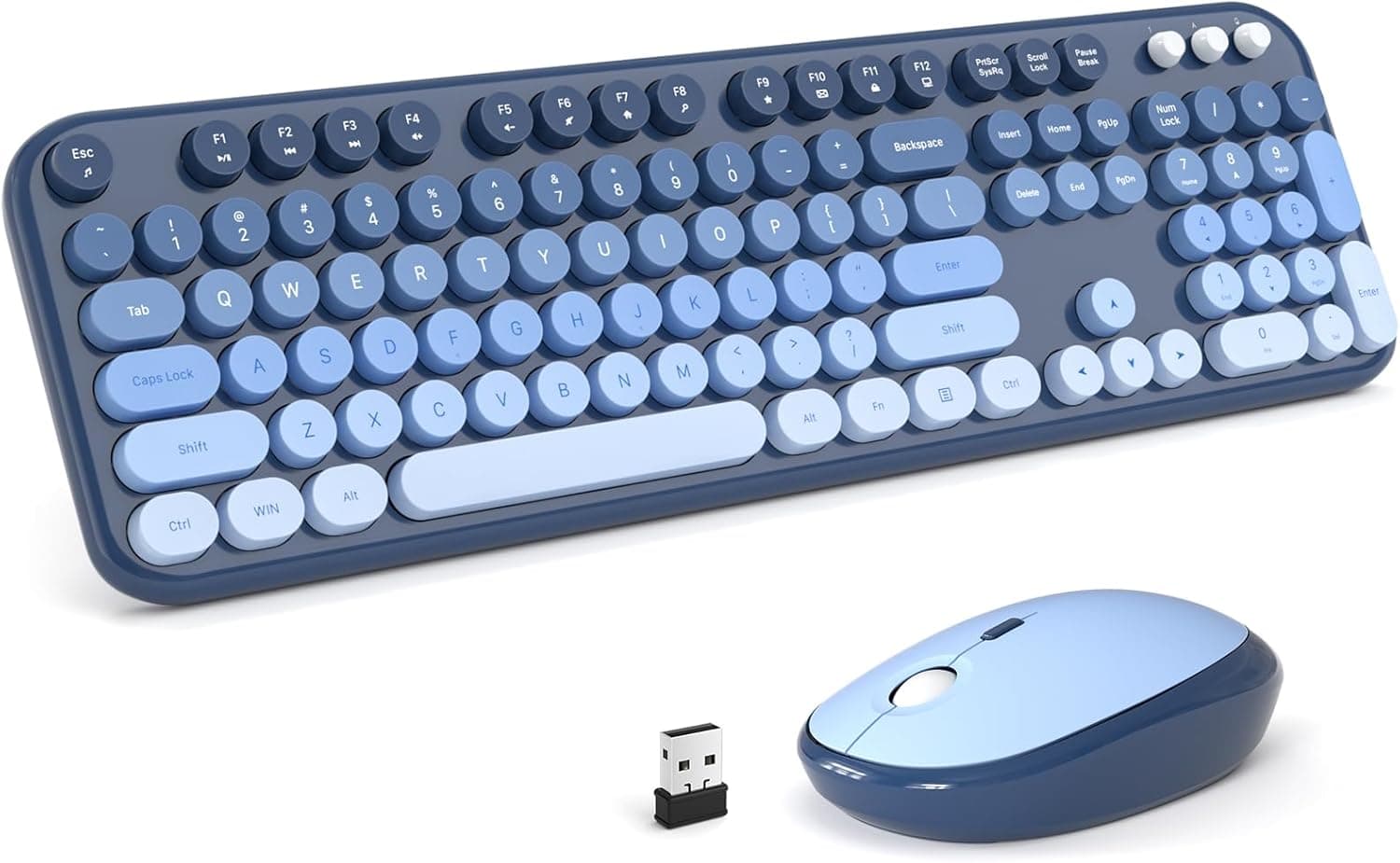
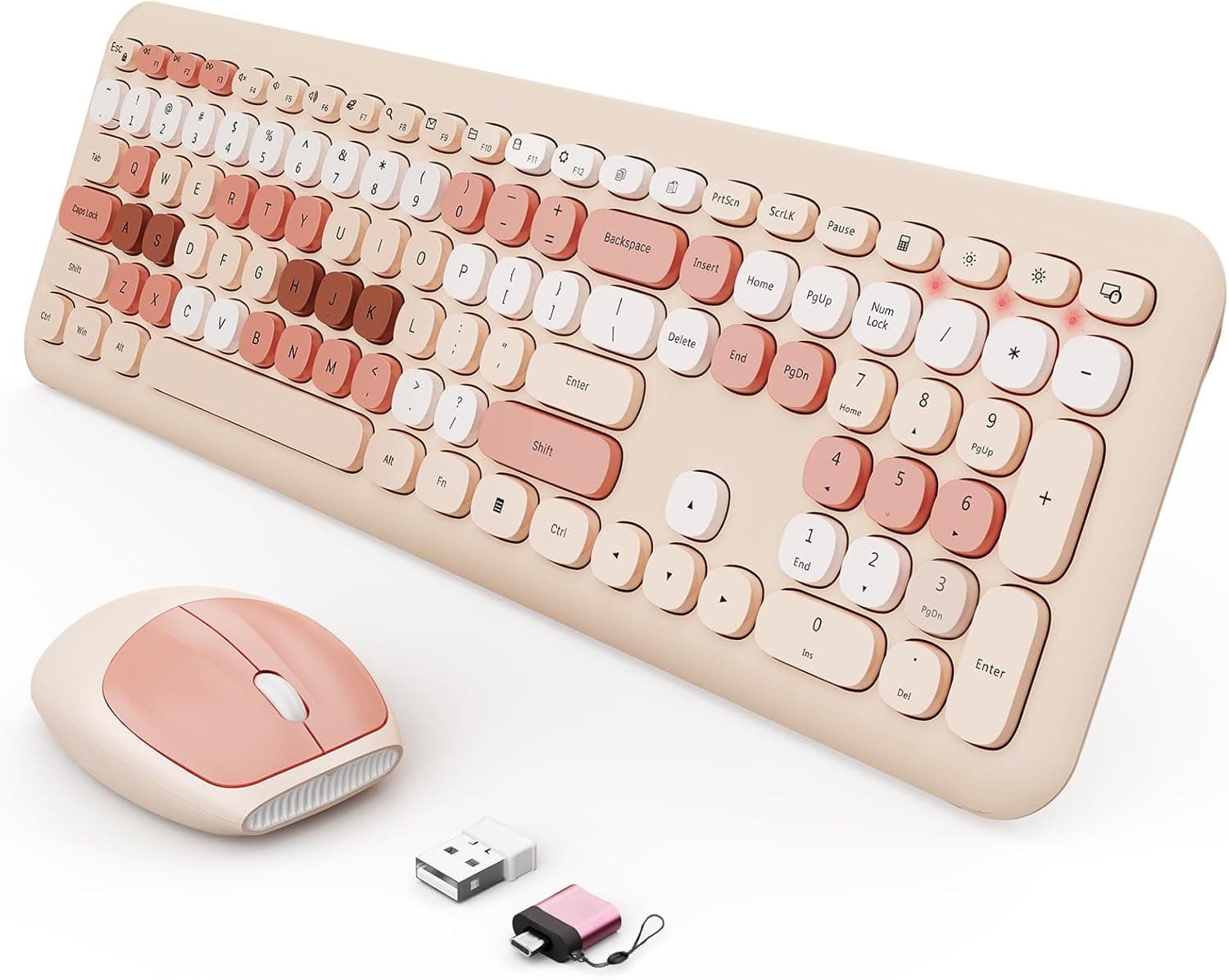
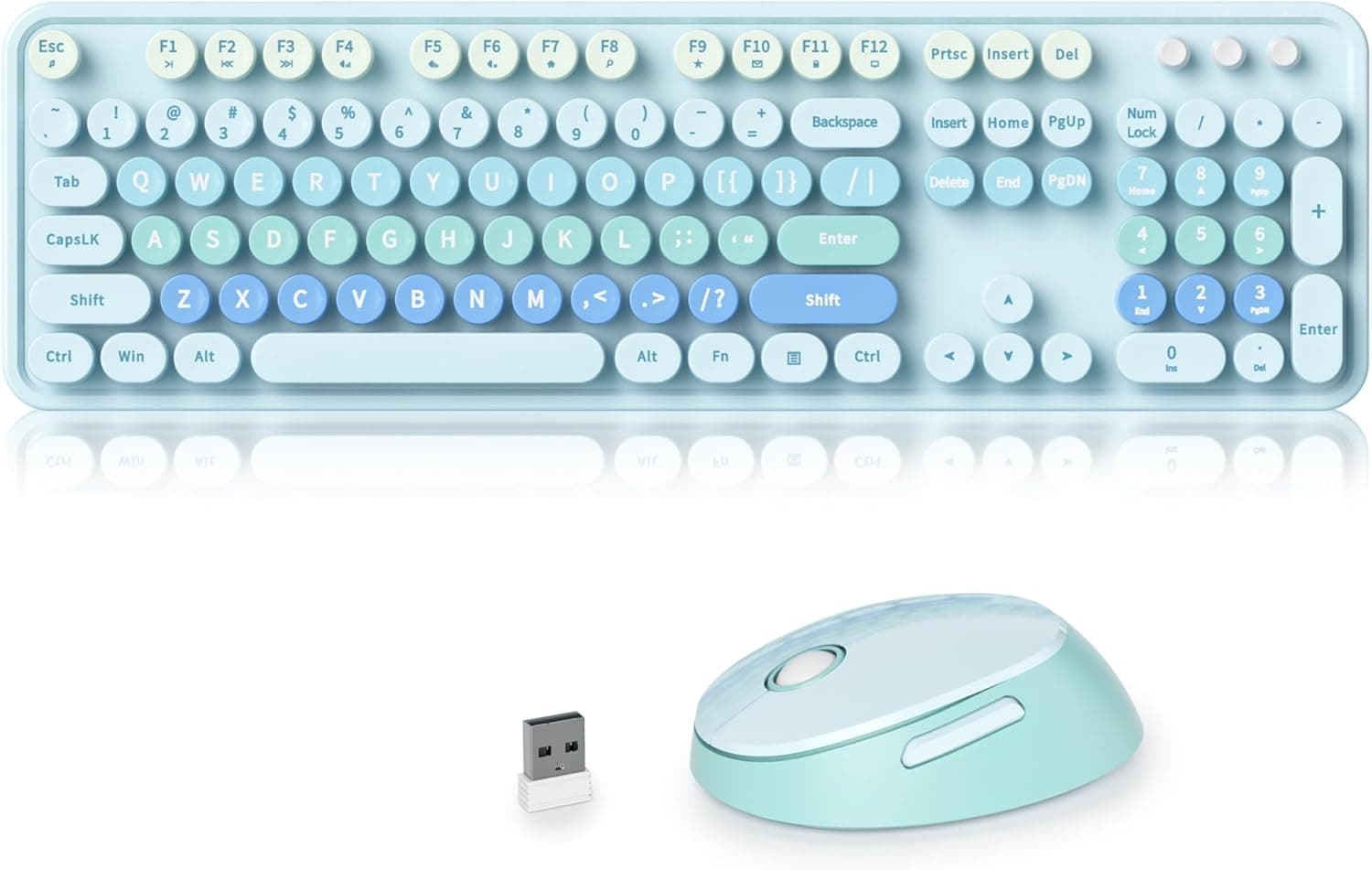
This article takes a close look at the MOFII 104 Round Keycap Retro Typewriter — Wireless keyboard and mouse set with vintage design and OTG support, focusing on what you should check before buying.
Overview
This is a wireless keyboard and mouse set from MOFII with round, typewriter-style keycaps. The short version: it is for people who want a nicer-looking desk more than they want better performance. It works well for everyday tasks like writing documents, browsing and spreadsheets.
If your main use is long writing sessions or gaming, you will probably be happier with something else.
The keyboard is a full-size 104-key layout with a numeric keypad and 13 hotkeys for things like volume and mute. Both devices connect over 2.4GHz wireless through one shared nano receiver.
The included OTG adapter lets you use the set with laptops and tablets that only have USB-C ports. The listed color is Peach Pink, which stands out on a desk full of white or gray gear.
On Amazon.co.jp the set had a 4.4 out of 5 rating from 180 reviews as of September 23, 2026.
That is not a large number of reviews, but the overall reaction is positive. Keep in mind that design-led products like this often get high ratings from buyers who are happy with how they look, so if typing feel matters to you, don't decide on the star rating alone.
Compatibility Guide
| Item | Details |
|---|---|
| Connection | 2.4GHz wireless (dedicated nano receiver + OTG adapter) |
| Supported OS | Windows XP / Vista / 7 / 8 / 10 / 11, Mac OS (some hotkeys not supported) |
| Required port | USB-A, or USB-C via the OTG adapter |
| Wireless range | Up to about 10 m (33 ft) |
| Power | 1x AA for the keyboard, 1x AA for the mouse (2 test batteries included) |
| Power saving | Sleeps after 30 minutes of inactivity; press a key to wake it (the listing says double-click any key); separate power switch |
The keyboard and mouse are both recognized through one receiver, so they take up only one USB port. That helps on thin laptops with few USB-A ports.
On USB-C-only machines you plug the receiver into the OTG adapter first. The adapter and receiver together stick out quite a bit, so be careful not to knock them if you use your laptop on your lap or carry it with them plugged in.
On a Mac you can type and click normally, but the listing clearly says some hotkeys are not supported. The keys are laid out for Windows, so the keys where Windows and Alt would be stand in for Command and Option.
If you are used to macOS shortcuts, expect to fumble a bit at first.
For phones and tablets, the device has to support USB keyboards and mice in the first place. Many recent USB-C Android devices and iPads do, but some models or OS versions may not respond.
Hotkeys can also fail depending on the app and OS. If mobile use is your main reason for buying, look for reviews that confirm the set works with your device first.
The 104-Key Layout
The key count is easy to overlook. 104 keys is the usual count for a US (ANSI) layout. The Japanese JIS layout normally has 108 or 109 keys, including keys like Henkan, Muhenkan and Kana.
If you are used to JIS, symbol keys such as @ and the brackets will be in different places. Also, if Windows treats the keyboard as a Japanese layout, some keys may not type what is printed on them, and you would need to change the hardware keyboard layout setting.
Check the product photos to see the actual key legends.
Product Info
| Item | Details |
|---|---|
| Brand | Mofii |
| Keys | 104 (full size with numeric keypad) |
| Hotkeys | 13 |
| Color | Peach Pink |
| Dimensions (keyboard) | About 440 x 140 x 25 mm (estimated) |
| Weight (keyboard + mouse) | About 800 g (estimated, with batteries) |
| In the box | Wireless keyboard, wireless mouse, nano receiver, OTG adapter, cleaning brush, 2x AA test batteries, manual |
| Model number | Not listed on the retailer page |
| Warranty | Not stated in the listing |
As of September 23, 2026, the price on Amazon.co.jp was ¥13,158.
Prices change with sales and sellers, so check the product page for the current price before buying. For reference, some buyers may find that price high for a typewriter-style membrane keyboard and mouse set.
It is worth comparing similar products from other brands before you decide.
The listing itself marks the dimensions and weight as estimates, not measured values. Even so, a full-size board with a numeric keypad is likely to be in the mid-40 cm range wide.
Once you add room to move the mouse, plan on about 60 cm of desk width. If your desk is shallow or a monitor arm base is in the way, measure the space first.
The cleaning brush looks like a small extra, but it matters here. Round keycaps leave wide gaps between keys, so dust and crumbs get in easily, and a quick brushing now and then keeps the keyboard looking clean.
No warranty period is stated, so ask the seller (K-S2) how they handle defective units.
Typing Feel With Round Keycaps
The round keycaps are the main selling point, but some people like typing on them and some don't. Standard keycaps have a slight dip on top that guides your fingers to the center of each key.
Round keycaps are flatter and leave visible gaps between keys. Until you get used to them, it can be harder to feel where one key ends and the next begins, which can lead to more typos.
According to the original listing, this set uses membrane switches, not mechanical ones. Membrane keys feel soft and don't make a loud clicky sound, so they work well in shared rooms and offices.
On the other hand, if the typewriter styling makes you expect the strong feedback of a real typewriter or a clicky blue-switch mechanical keyboard, you will be disappointed. It may look retro, but it types more like an ordinary slim keyboard.
Recommended Users
- People who want a nicer-looking desk: The Peach Pink color and round keycaps give a desk a softer look. It suits home offices and desks that show up on camera, where looks affect mood or how you come across.
- People who mostly do office work and browsing: The full-size layout with a numeric keypad handles number entry and spreadsheets well, and the 13 hotkeys make volume and media controls quick to reach.
- People with USB-C-only devices: The OTG adapter is in the box, so you don't need to buy a separate one. You can also prop a tablet on a stand and use it like a simple desktop setup.
- People who prefer battery power: You never have to remember to charge it. When the batteries run out, you just swap in new ones, and AA batteries are easy to find.
On the other hand, it is not a good fit for gamers who need fast response or macros, for people who write for hours every day, or for anyone who needs a mouse with many buttons.
Comparison With Alternatives
Comparing it with similar design-focused sets, and with sets built for other purposes, makes it clearer where this one fits.
- iRoboosta's pink typewriter-style keyboard and mouse: Round keycaps, pink, 2.4GHz and a numeric keypad, so it is very close in concept. The choice mostly comes down to the color, the key legends and the price at the time you buy, so it is worth opening both product pages side by side.
- ProtoArc's foldable set: Supports both Bluetooth and 2.4GHz, switches between three devices and charges over USB-C. If you want one keyboard for several devices, it is more practical than the MOFII. It doesn't have the retro look, though.
- Logicool G's G213r and G703h set: A gaming set. It is not meant for the same job as the MOFII, but if you like this look and also want to play games, the Logicool set is the one that fits that use.
Overall, this MOFII set stands out for combining three things: its looks, one receiver for both devices, and an included OTG adapter. It is not a set to choose for its features.
Before You Buy
1. The layout is probably US-style. As noted above, 104 keys is the usual count for a US layout.
If you are used to JIS, symbol key positions and switching to Japanese input will trip you up every day. Check the @ key and the shape of the Enter key in the product photos.
2. Compare prices first. The ¥13,158 price on September 23, 2026 may feel high for a membrane set.
Prices can vary a lot by seller and timing, so compare it with similar typewriter-style products before deciding.
3. The single receiver has a downside. One receiver for both devices is convenient, but if you lose it, neither device works.
Replacement receivers for sets like this are generally hard to buy on their own, so be careful with it when you travel. The set also has no Bluetooth, so it won't work with devices you can't plug a USB receiver into.
4. Some features are limited on Mac and mobile devices. Some hotkeys don't work on a Mac, and on phones and tablets hotkeys may fail depending on the model and app.
Unless typing alone is enough for you, think of this as a set mainly for Windows.
5. The included batteries are for testing. The two AA batteries in the box are there to confirm the set works and may not last long.
It is a good idea to have spare batteries ready when it arrives. The set sleeps after 30 minutes without use, but turning off the power switches during long breaks helps the batteries last longer.
6. The size and weight are estimates. The listing marks both as estimated.
If your desk or keyboard tray is a tight fit, look for reviews with measured dimensions.
FAQ
Q. Does it work with a Mac? A.
Yes, for typing and mouse use. The listing says some hotkeys are not supported, and the keys are labeled for Windows.
Q. Can I use it with an iPad or Android phone? A.
The included OTG adapter lets you plug it into a USB-C port. Whether it works depends on whether your device supports USB keyboards and mice, so look for reports from owners of the same model before buying.
Q. Can I type in Japanese? A.
Yes, if Windows has a Japanese input method installed. With 104 keys, though, the board probably lacks JIS keys like Henkan and Kana, so you would switch input modes with a shortcut such as Alt+`.
Q. Is it rechargeable?
A. No. The keyboard and the mouse each take one AA battery, and two test batteries are included.
Q. Is it loud? A.
The original listing describes it as a membrane keyboard, so it is unlikely to be as loud as a clicky blue-switch mechanical keyboard. Everyone hears noise differently, though, so if sound matters to you, check review videos.
Product Disclosure (Amazon)
- Manufacturer: Mofii
- Seller: K-S2
- Fulfilled by: K-S2
- ASIN: B0FD7PKBKC
- Note: This article covers a manufacturer-made product based on Amazon listing details.