Overview
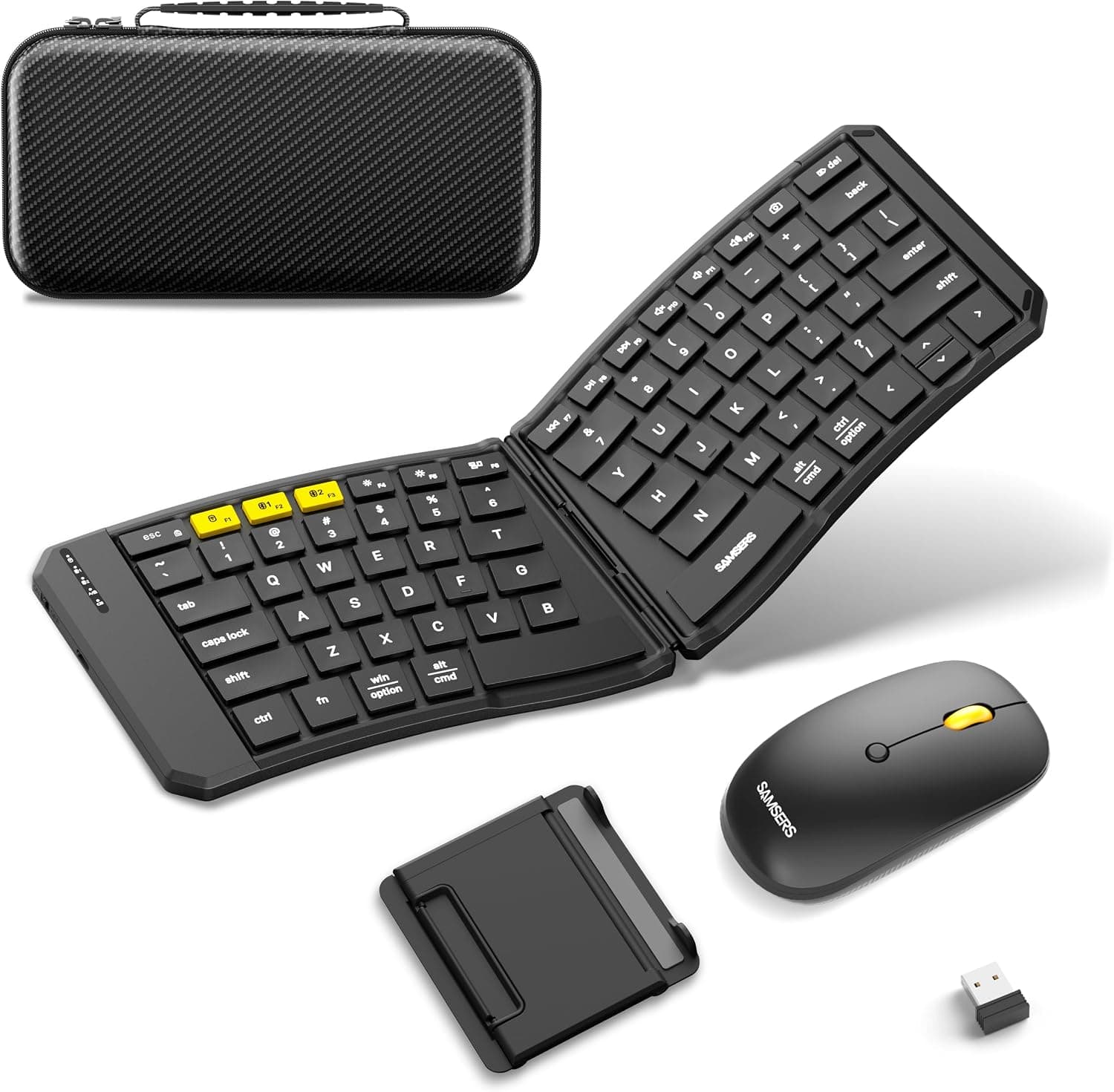
The ProtoArc ワイヤレスキーボードマウスセット折り畳み式 Bluetooth & 2.4G両対応 3台同時接続 USB-C充電式無線静音薄型軽量フルサイズコンパクトWindows is a keyboard-and-mouse set: a 105-key keyboard with a numpad that folds up for travel, plus a quiet mouse.
It is a sensible choice if you want a full-size layout away from your desk, or one keyboard and mouse for a laptop, tablet and phone. If it will never leave your desk, a regular non-folding set does the same job without the extra folding mechanism.
It connects over Bluetooth or a 2.4GHz receiver (included), and remembers up to three devices that you can switch between.
Both pieces charge over USB-C. Standby time is listed as about 150 days for the keyboard and about 200 days for the mouse.
When we checked on October 2, 2026, it was rated 4.2 out of 5 on Amazon Japan from 96 reviews.
Complaints are not piling up, but that is still a small number of reviews, so treat the rating as a rough guide.
Why a Foldable Full-Size Keyboard
Most travel keyboards drop the numpad to save space. This one keeps the full-size layout and folds it instead.
That is the main reason to buy it if you type a lot of numbers (accounting, data entry), or if you are used to full-size keyboards and keep hunting for keys on smaller ones. You can type the same way at home and on the road.
The trade-off is that a folding keyboard has a seam. Keys near the middle sit close to the fold, so some people notice a different feel or a little flex compared with a one-piece keyboard.
It is also less stable on an uneven surface like your lap. Plan to use it on a flat table.
The product name calls it thin and lightweight, so don't expect deep, heavy key travel. Expect something closer to a laptop keyboard and you won't be disappointed when it arrives.
Compatibility Guide
It is listed as working with Windows, macOS, Chrome OS, iPadOS and Android, over either Bluetooth or 2.4GHz.
Each system has a few things to watch for.
| Device | Best connection | Things to watch |
|---|---|---|
| Windows PC | 2.4GHz receiver | The simplest setup. Uses one USB port |
| Mac | Bluetooth or 2.4GHz | Keys are labeled for Windows, so Command and Option may feel swapped |
| iPad | Bluetooth | The mouse pointer needs iPadOS 13.4 or later |
| Android / Chromebook | Bluetooth | Some function keys may not work on every device |
On a Mac, you can swap the modifier keys in System Settings. To use the mouse on an iPad, update iPadOS first.
Our data doesn't say whether the 2.4GHz receiver is USB-A or USB-C.
If your laptop or tablet only has USB-C ports and you want to use 2.4GHz, you may need an adapter.
Check the product photos.
The USB-C port is for charging only. Plugging in a cable does not turn it into a wired keyboard.
Whether you can keep typing wirelessly while it charges is not stated, so check the product page.
To get the most out of three-device switching, decide ahead of time which device uses which connection. For example, put the PC on the 2.4GHz receiver and the tablet and phone on Bluetooth.
That makes it easier to remember which device you are connected to.
Product Info
| Item | Details |
|---|---|
| Key layout | 105 keys (full-size) |
| Connection | Bluetooth + 2.4GHz |
| Devices | Up to 3 |
| Mouse DPI | 1000 / 1600 / 2400 |
| Keyboard standby | About 150 days |
| Mouse standby | About 200 days |
| Charging | USB-C (charging only) |
The mouse has three DPI settings. 1000 suits detailed work on a laptop screen, and 2400 helps you move across a large external monitor quickly.
You can change it to suit your screen and desk surface.
On price: the Amazon Japan price we captured on October 2, 2026 looked high for a folding keyboard-and-mouse set. We can't tell whether the seller priced it high or our data picked up the wrong price, so we don't list a figure here.
Prices change often, so check the current price on the product page and compare sellers.
We could not confirm the release date, warranty length or exact box contents from our data. On Amazon, the item is sold and shipped by a store called スノーウィン rather than by the manufacturer.
Check the seller's terms to find out who handles warranty claims.
How You Might Use It
At a cafe or coworking space with a laptop: Keep it folded in your bag, open it at the table, and connect over 2.4GHz or Bluetooth.
With the laptop raised to eye level and this set in front of you, your neck and shoulders will feel better than typing on the laptop alone.
With a PC and an iPad at home: Connect the PC by 2.4GHz and the iPad by Bluetooth, then use the switch button to go back and forth.
You can write on the PC and answer messages or look things up on the iPad without moving to another keyboard.
In a library or shared office: Both the keyboard and mouse are marketed as quiet, which helps where typing and clicking noise matter. How quiet it feels varies from person to person, so read what reviewers say about the sound.
Comparison with Alternatives
Keyboard-and-mouse sets come in different types for different needs.
| Type | Portability | Numpad | Best for |
|---|---|---|---|
| This set (foldable, full-size) | Excellent | Yes | People who type numbers on the go or use several devices |
| Desk-only full-size wireless set | Poor | Yes | People who stay at one desk and want low cost and stability |
| Foldable split keyboard | Good | Depends on model | People who want less strain on wrists and shoulders |
| Gaming set | Poor | Depends on model | People who need fast response and detailed settings |
This set stands out because it keeps the numpad and still folds, and switches between three devices. If you only need one of those, there are simpler and cheaper options.
A desk-only set is fine if you don't travel, a split keyboard is better for posture, and a gaming set is better if you mostly play games.
Best Use Cases
- Laptop users who work on the go: People who want a full-size layout with a numpad at cafes or on business trips.
- People who use several devices: Control a PC, tablet and phone with one keyboard and mouse. Switching between up to three devices also clears up your desk.
- People in quiet places: Libraries and shared offices where typing and clicking noise matter.
- People who want to charge less often: It charges over USB-C, with listed standby of about 150 days (keyboard) and about 200 days (mouse), so you don't need spare batteries.
It is not a good fit for gamers, fans of mechanical keyboards, or anyone who never moves their keyboard. Products made for those needs will suit them better.
Before You Buy
Check the price on the product page. As noted above, the price we captured looked high for this type of product.
Prices can climb when only one seller has stock, so if you are not in a hurry, watch the price for a while before buying.
Check the key layout in the photos. 105 keys does not match a typical Japanese (JIS) full-size keyboard (about 108 to 109 keys) or a typical US keyboard (about 104 keys).
If the Enter key shape or the Japanese input keys differ from what you are used to, you will make more typos. Check the key labels in the product photos.
Standby time is not usage time. About 150 and 200 days is how long it can sit switched on but unused.
Long daily typing or constant mouse movement will drain it much faster. Charging the night before you head out is a good habit.
The USB-C port won't work for wired use. It only charges, so don't count on plugging in a cable to keep typing when the battery runs out.
The fold changes the feel and stability. Keys near the middle seam feel different from a one-piece keyboard.
Use it on a flat table rather than on your lap.
It is not made for gaming. Its Bluetooth connection isn't built for the fast response that gaming gear offers.
Pick a gaming set for fast-paced games.
FAQ
Q. Does it work with a Mac? A.
Yes, macOS is supported. The keys are labeled for Windows, so Command and Option may feel swapped, but you can switch them in macOS settings.
Q. Can I use the mouse with an iPad? A.
Yes, iPadOS is supported. The mouse pointer needs iPadOS 13.4 or later, so update first and then connect over Bluetooth.
Q. Can I use it wired with a USB-C cable?
A. No. The USB-C port is for charging only and does not carry data.
Q. How long does a charge last? A.
Standby time is listed as about 150 days for the keyboard and about 200 days for the mouse. Actual use time depends heavily on how you use it, so plan to charge regularly.
Q. What's the best way to use three-device switching? A.
Give each device its own connection, such as 2.4GHz for the PC and Bluetooth for the tablet and phone, so you always know which one you are on.
Product Disclosure (Amazon)
- Manufacturer: ProtoArc
- Seller: スノーウィン
- Fulfilled by: スノーウィン
- ASIN: B0D91FYQK5
- Note: This article covers a manufacturer-made product based on Amazon listing details.