Overview
The seenda COE200 is a wireless keyboard and mouse combo that connects either over Bluetooth 5.0 or through a 2.4GHz USB receiver.
On Amazon Japan it is listed as seenda ワイヤレスBluetoothキーボードとマウスのコンボ COE200 人間工学に基づいたワイヤレスキーボードマウスリストレスト付きマルチデバイス接続フルサイズコンピューター. In short, it suits people who want one keyboard and mouse to switch between a Windows PC and a Mac or tablet, and office or home workers who use a numeric keypad.
It is not for gamers or people who care a lot about how the keys feel.
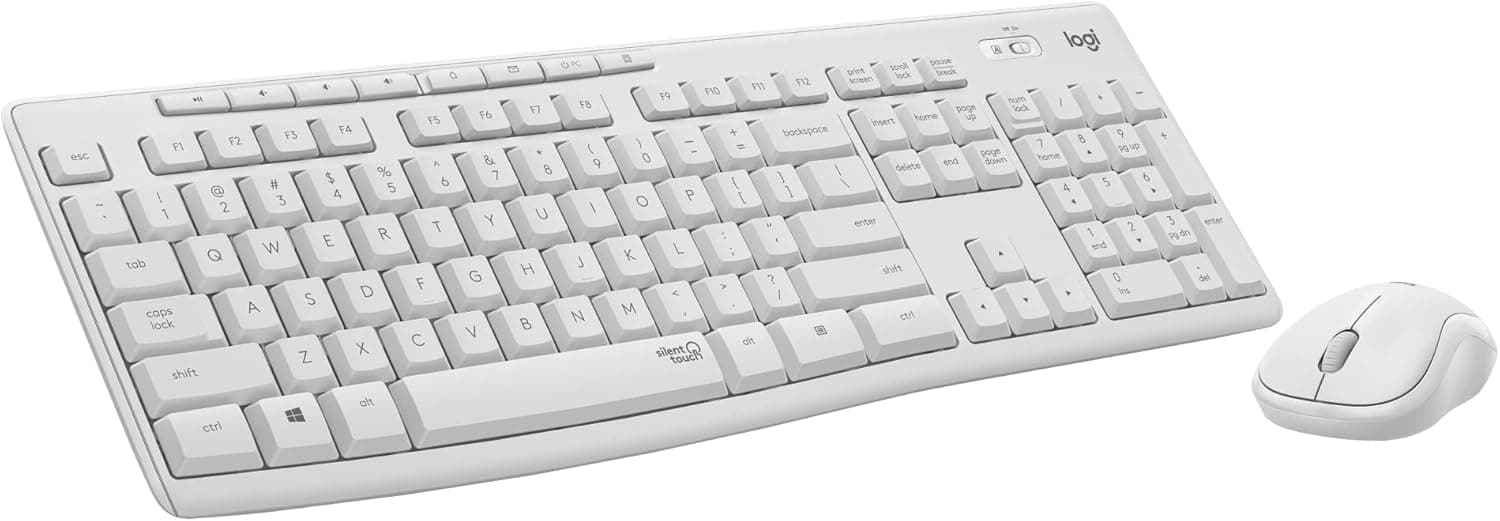
The set has a full-size keyboard with a numeric keypad and a symmetric silent mouse. The keyboard has a built-in wrist rest, and the mouse offers three DPI levels: 1000, 1600 and 2400.
The plain black finish fits in on a home desk or an office desk.
Its main selling point is that a keyboard command switches it between the USB receiver and Bluetooth. For example, a Windows desktop can use the 2.4GHz receiver while a MacBook or tablet uses Bluetooth, so one set covers two devices.
No drivers are needed, so setup is simple even for first-time wireless users.
As of October 2026, the Amazon listing showed 935 reviews with an average of 4.4 out of 5 stars (roughly 88% positive).
Holding the mid-4 range across that many reviews suggests this is not a product that turns out to be unusable when it arrives. That rating most likely reflects value for money, though, so the Before You Buy section below covers where you will have to compromise.
Compatibility Guide
The COE200 has two connection modes, and each mode officially supports different operating systems. Mixing these up is the most common mistake with combos like this.
| Connection | Officially supported OS | What the host needs |
|---|---|---|
| 2.4GHz USB receiver | Windows XP/7/8/10 | A USB-A port |
| Bluetooth 5.0 | Windows XP/7/8/10/11, macOS 10.12+, iPadOS/iOS 13.0+, Android 4.3+ | Bluetooth 4.0 or later |
Windows 11 is not on the receiver's official list. On Windows 11 or macOS, Bluetooth is the officially supported connection.
It is safest to treat the receiver as the option for older desktops, notebooks and shared office PCs that have no Bluetooth.
No Bluetooth adapter comes in the box. To use Bluetooth with a desktop, you need either a motherboard with built-in Bluetooth or a separate USB Bluetooth dongle.
On the other hand, a thin laptop with only USB-C ports cannot take the USB-A receiver directly. You will need to use Bluetooth or buy a USB-C to USB-A adapter.
Wireless range is rated at up to about 10 m (33 ft). That is enough for a normal room, but it assumes nothing is in the way.
A receiver plugged into the back of a metal tower under the desk may lose signal. The 2.4GHz band is also well known for interference from USB 3.0 ports and Wi-Fi.
If input drops out, try a front USB 2.0 port or a short extension cable that brings the receiver closer.
If you use a Mac, check the layout and modifier keys. When a Windows-layout keyboard is connected to a Mac, the Windows and Alt key positions act as Command and Option, so the printed legends may not match what the keys do.
You can swap modifier keys in macOS settings. Always check the product images to see whether the board is a Japanese (JIS) or US layout.
Setting Up Two-Device Switching
Setup is simple, but a few steps tend to trip people up, so here they are in order. For the exact key combination that switches devices, see the included quick start guide.
- Get batteries. The keyboard uses one AAA battery and the mouse uses one AA battery.
Neither is included, so buy them before the set arrives. 2.
Connect the first device with the receiver. Plug the USB receiver into a USB-A port on the Windows PC.
No driver is needed. 3.
Pair the second device over Bluetooth. Put the keyboard and mouse into Bluetooth mode, then pair them from the settings screen on the Mac, iPad or Android device.
- Switch with the keyboard. After that, a keyboard command moves between the two devices without pairing again.
Note that the keyboard and the mouse each keep their own connection. With two-device combos it is common to switch the keyboard while the mouse stays on the first device.
If something stops responding after a switch, check which mode the mouse is in.
Product Info
Here are the specs confirmed by the collected data and the original article.
| Item | Detail |
|---|---|
| Bluetooth version | 5.0 |
| Wireless range | Up to about 10 m (33 ft) |
| Connection | Bluetooth / 2.4GHz USB receiver |
| Switchable devices | 2 (receiver and Bluetooth) |
| Keyboard | Full size with numpad, built-in wrist rest, spill resistant |
| Mouse | Symmetric, silent, 1000/1600/2400 DPI |
| Power | Keyboard 1x AAA, mouse 1x AA (sold separately) |
| Standby | Up to 365 days (manufacturer claim) |
The 365-day figure is standby time, meaning how long the set can sit powered on but unused. It is not how long the batteries last with daily use.
If you type for hours every day, expect to change batteries sooner. The upside of replaceable batteries is that a dead set works again as soon as you swap them, with no waiting for a charge.
As of October 2026, the price on Amazon.co.jp was ¥11,453.
The seller and shipper were both the third-party store ☆ショップANNIE☆. Prices change with sales and when sellers change, so check the current price on the product page before buying.
We could not find an official release date, and the set is sold mainly through online stores in Japan. The box usually contains the keyboard, the mouse, a 2.4GHz USB receiver and a quick start guide, but confirm the contents and warranty on the seller's page.
Compared With Alternatives
Keyboard-and-mouse combos are aimed at very different uses. The table below compares other sets covered on this site, based on what their product names say.
| Product | Features from the product name | How it differs from the COE200 |
|---|---|---|
| COE200 | Bluetooth 5.0 / 2.4GHz, full size with numpad, wrist rest, battery powered | Two-device switching on a fixed office desk |
| ProtoArc foldable combo | Bluetooth and 2.4G, three devices, USB-C charging, foldable, slim | Portable, switches three devices, no disposable batteries |
| Microsoft Ergonomic Desktop | Combo with an ergonomically shaped keyboard | For people who want to change their wrist angle |
| Logicool G G213r + G703h | Gaming keyboard and gaming mouse set | Built for fast response in games |
The COE200 stands out for keeping a full-size layout, numeric keypad and wrist rest on a desk-bound set while still switching between two devices. If you need three or more devices, or want to take your keyboard to a cafe, a foldable three-device set like the ProtoArc fits better.
If wrist strain is the real concern, choose a set whose keyboard shape itself is ergonomic.
Recommended Users
The clearest fit is a home worker who uses both a Windows desktop and a MacBook. With the receiver in the desktop and Bluetooth on the MacBook, both machines share one input set, so there is no need for a second keyboard or extra cables.
It also suits anyone who keeps a work PC and a personal laptop on the same desk.
It also suits people who work in quiet places such as libraries or shared offices. The quiet keys and mouse clicks make it easier to type at night or in a meeting room without bothering others.
Writers and researchers who care about noise will appreciate this.
Heavy number entry is the third case. The numeric keypad speeds up spreadsheets, accounting and form entry, and the wrist rest eases fatigue during long sessions.
It works with both Windows and Mac, so it does not matter which computer you have at home.
It is not for competitive gaming or anything that demands fast response. The membrane-style keys and standard wireless link are not built for the latency needs of shooters or fighting games.
If key feel matters to you or you want gaming gear, look elsewhere.
Before You Buy
Only two devices. You can switch between one receiver connection and one Bluetooth connection, so moving between a desktop, a laptop and an iPad is not possible.
If you need three or more devices, choose a set built for that from the start.
The receiver officially supports only up to Windows 10. Using the receiver with a Windows 11 PC or a Mac is not officially supported.
On newer machines, plan to use Bluetooth. If your desktop has no Bluetooth, budget for an adapter.
Batteries only, no charging. Batteries are not included, and you need two sizes, AAA and AA.
If you use rechargeable cells, you need both sizes. If you want USB-C charging, this set is not for you.
'Ergonomic' mainly means the wrist rest and mouse shape. The listing calls the set ergonomic, but the specs only point to a built-in wrist rest and a symmetric mouse.
Do not expect a split keyboard that changes your wrist angle, and check the shape in the product images. The built-in wrist rest also makes the keyboard deeper, so measure a small desk first.
The price is not low for what you get. ¥11,453 as of October 2026 is on the high side for a battery-powered, two-device combo.
The price may move between sellers and over time, so compare other listings and the alternatives above before you buy.
Check the layout and key legends. Japanese and US layouts differ in where symbols sit and whether there are conversion keys.
On a Mac, the modifier keys also shift, as noted in the Compatibility Guide. Zoom in on the keyboard photos so the layout is not a surprise when it arrives.
FAQ
Q. Does it work with Windows 11? A.
Yes, over Bluetooth, which officially lists Windows 11. The USB receiver is officially listed only for Windows XP/7/8/10, so Bluetooth is the safe choice on Windows 11.
Q. Does it work with a Mac or iPad? A.
Yes, over Bluetooth with macOS 10.12+ and iPadOS/iOS 13.0+.
On a Mac the modifier keys sit in different places than on Windows, so remap them in macOS settings if needed.
Q. Can it switch between three devices?
A. No. It switches between two: the USB receiver connection and the Bluetooth connection.
Q. Are batteries included, and how long do they last? A.
They are not included. The keyboard needs one AAA and the mouse needs one AA.
Standby is rated up to 365 days, but that is idle time, so daily use will run the batteries down sooner.
Q. Can I game on it? A.
Casual games are fine, but the membrane-style keys and standard wireless link are not suited to competitive games where response time matters. If gaming is your main use, choose a gaming set.
Product Disclosure (Amazon)
- Manufacturer: seenda
- Seller: ☆ショップANNIE☆
- Fulfilled by: ☆ショップANNIE☆
- ASIN: B0DJ6TZ79W
- Note: This article covers a manufacturer-made product based on Amazon listing details.