Overview
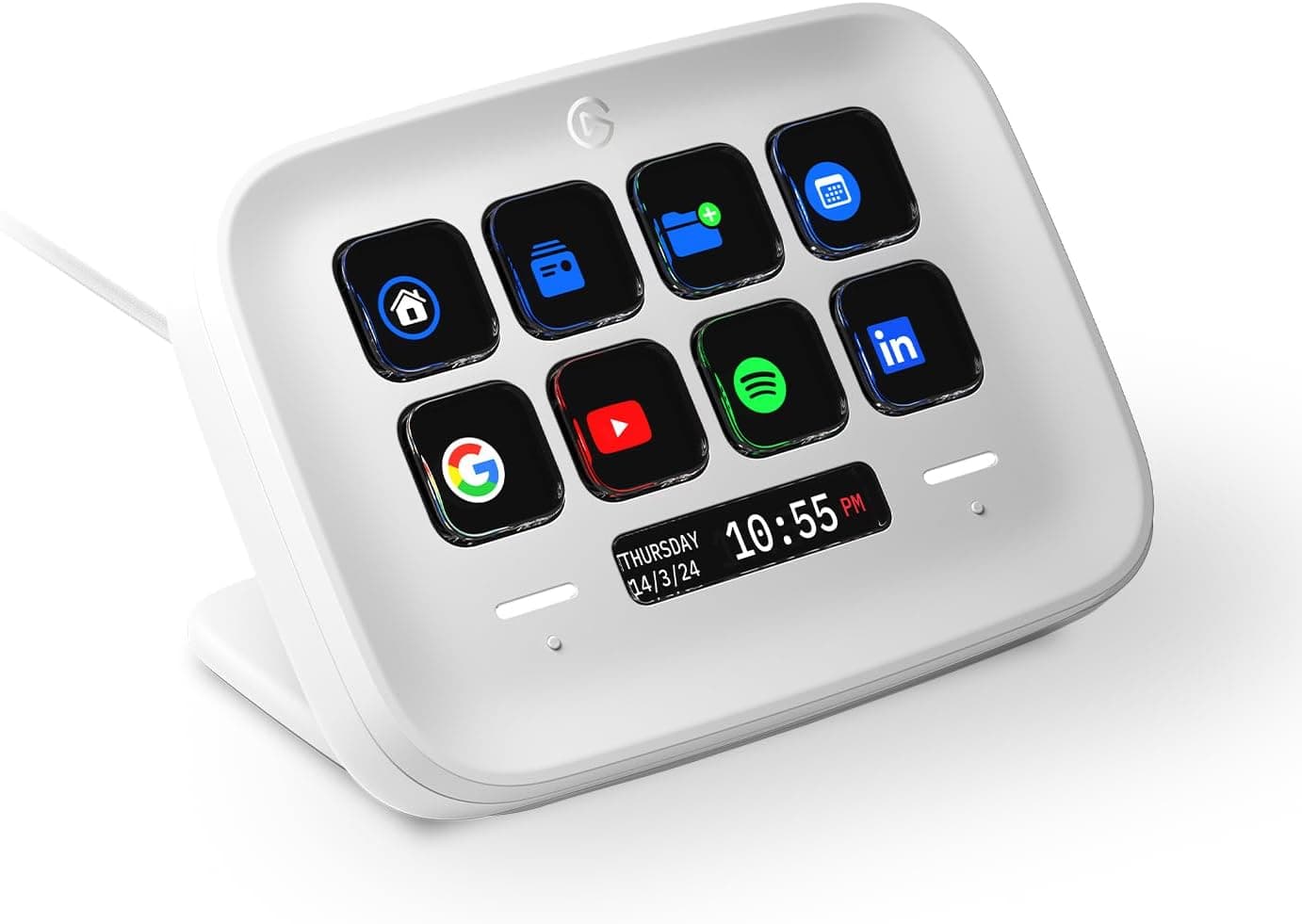
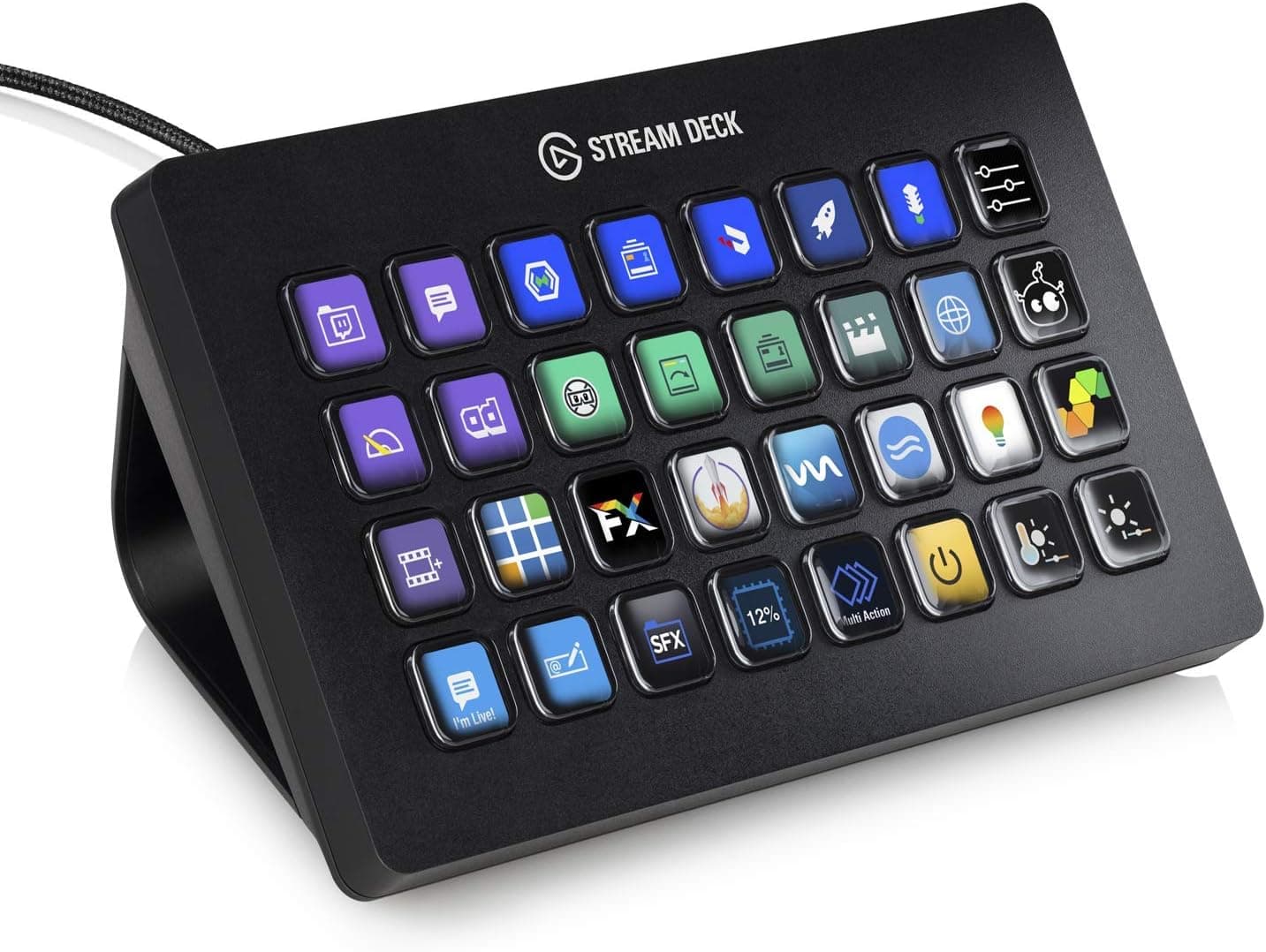
The Elgato Stream Deck XL is a control surface with 32 LCD keys. Each key can be assigned any action, and the assigned icon is displayed on the key itself.
Put plainly, this is not a device for people who cannot remember shortcuts — it is a device for people who cannot afford to stop and think during a live take. Scene switching, mic muting, starting and stopping music: operations where a mistake is visible to the audience are exactly what it is built to absorb.
At roughly 1.2 kg, the unit is heavy for its category.
That weight is deliberate — it keeps the device from sliding when you press a key firmly with one hand. It connects over USB-C and supports Windows 10 and macOS 10.13 or later.
On Amazon.co.jp it holds a 4.8 out of 5 rating across 22 reviews (captured 4 September 2026) — a high score, though from a small sample.
Note that this article is filed under the "capture board" category, but the Stream Deck XL is not a capture device. It has no HDMI input and no hardware encoder, so buying it expecting video capture will miss the mark entirely.
Compatibility Guide
The stated requirements — USB-C, Windows 10 or macOS 10.13+ — are simple.
In practice, connection issues trip people up more often than OS versions do.
| Item | Detail |
|---|---|
| Connection | USB-C (cable included) |
| Supported OS | Windows 10 / macOS 10.13 or later |
| Keys | 32 |
| Weight | approx. 1.2 kg |
| Color | Black |
Keeping 32 LCDs lit draws more power than a typical USB peripheral. Avoid bus-powered hubs — especially hubs shared with other devices — and plug directly into a port on the PC. If keys fail to light or the device drops mid-session, test with a direct connection first.
If you substitute your own cable, make sure it is a data cable, not a charge-only one.
On the software side, the device only works with the Stream Deck application running. Plug it into a machine without the app and you get an unlit panel. Conversely, the same unit works on any PC with the app installed, though profiles are tied to each machine — you will need to export and import settings when moving environments.
Beyond OBS, Twitch, and YouTube, it drives shortcut-based apps like Adobe Premiere Pro and DaVinci Resolve, plus smart lighting such as Philips Hue. Integration depends on plugins, so if you have a specific application in mind, check the official plugin list before buying.
Product Info
The XL is the high-key-count model of the Stream Deck line, introduced in 2019. The listing referenced here sells it as a parallel import at ¥44,730 as captured on 4 September 2026.
Prices move with sales, exchange rates, and stock, so always confirm the current figure on the product page before ordering — the number here is a snapshot, not a standing price.
The parallel-import status matters beyond price. Support channels and warranty handling differ from domestically distributed stock.
Coverage varies by seller; roughly one year of manufacturer warranty is typical, but parallel imports are sometimes covered by the retailer instead. The box contains the unit, a USB-C cable, and a quick start guide.
Ratings stand at 4.8 out of 5 from 22 reviews (captured 4 September 2026).
With a sample that small, read it as "people who bought it are broadly satisfied" rather than a statistically meaningful average.
How It Differs from Other Stream Deck Models
The line spans several key counts: a 6-key mini model, the 15-key standard model, and the 32-key XL.
The deciding question is simple: can you avoid folder nesting? Stream Deck lets you nest folders inside keys, so even 15 keys can technically hold unlimited actions.
But digging two levels deep mid-broadcast costs about as much attention as recalling a keyboard shortcut. If you need more than about 20 actions within reach at all times, take the XL.
If 15 covers it, the standard model is enough.
The XL's drawbacks are equally clear: desk footprint and cost. Thirty-two keys take real width next to a full-size keyboard and mouse.
Measure the space beside your keyboard before ordering.
What Actually Pays Off in Daily Use
The common first mistake is trying to fill all 32 keys. Unused actions create visual noise, and hunting for the right key erases the advantage of a physical control.
A better layout keeps around ten constantly-used actions in fixed positions and pushes the rest into task-specific profiles.
The bigger win is multi-actions. Combining "switch to the starting scene," "play background music," and "post a chat message" onto a single key removes an entire class of startup mistakes.
Editors get the same benefit by folding pre-export routines into one press. Don't stop at replacing shortcuts — collapse whole procedures into one key.
Icons can be replaced with your own images. Default icons make similar functions hard to tell apart at a glance, so color-coding function groups meaningfully reduces mis-presses during live work.
Best Use Cases
- Streamers who can't pause mid-broadcast — scene switches, mic mutes, and sound effects move to physical keys, so you never Alt+Tab hunting for a window on air.
- Anyone juggling more than 20 actions — multiple scenes, audio sources, and overlays outgrow 15 keys quickly, and nesting slows you down. The XL's 32 keys fit this directly.
- Video editors — assign Premiere Pro or DaVinci Resolve shortcuts and handle cutting and marker work one-handed. Over long sessions, saved keystrokes compound.
- People switching between streaming and work setups — lighting, profiles, and app states collapse into a single press, shortening the whole "getting ready to stream" routine.
- Smart home users — Philips Hue and similar lighting control works well, though this is a bonus rather than a reason to buy.
Before You Buy
It is not a capture card. Despite the category label on this site, the Stream Deck XL has no HDMI input and cannot record or pass through video.
If you need camera or console footage on your PC, you need a capture card instead. Don't judge by the category tag.
Can you live with a parallel import? The referenced price is for parallel-import stock.
That can mean no domestic distributor support and returns handled through the retailer. For a product at this price, confirm who backs the warranty (manufacturer or seller) and for how long before ordering.
Amazon listing metadata also changes with the seller and can misrepresent the actual item — verify from the product images and title that you are getting the Elgato 32-key model.
It is software-dependent. The hardware does nothing on its own; the companion app must be installed and running.
On locked-down work machines where software installation is restricted, setup may be impossible. Check first if you plan to use it on a company PC.
When it ends up unused. If you work in one application with a handful of shortcuts, the investment won't pay back.
This device earns its keep when you move between multiple apps and operations quickly. Key count is not the value — having enough real uses to fill them is.
Footprint and weight. The 1.2 kg mass buys stability but works against portability.
If you plan to carry it with a laptop, a smaller model is more realistic.
FAQ
Q. Can it be used as a capture card?
A. No. It has no HDMI input and cannot capture video. You'll need a separate capture card.
Q. Does it work through a USB hub? A.
Sometimes, but lighting 32 LCDs needs power. If keys stay dark or the device disconnects, plug directly into the PC to isolate the problem.
Q. Is macOS support equivalent to Windows? A.
macOS 10.13 and later are supported, but available integrations can differ by OS.
Check plugin availability for your specific software beforehand.
Q. XL or the 15-key standard model? A.
If your always-on actions fit in 15, take the standard model. Past 20, and if you want to avoid folder nesting, the XL fits.
Factor in desk space too.
Q. Is the listed price still current? A.
The ¥44,730 figure is a parallel-import price captured on 4 September 2026. Prices move often — check the product page before buying.
Q. Can settings transfer to another PC? A.
Yes, via profile export and import in the app. Settings are not stored on the device, so the target PC needs the app installed.
Product Disclosure (Amazon)
- Manufacturer: Elgato
- Seller: サブセクション
- Fulfilled by: Amazon
- ASIN: B07STKSHQB
- Note: This article covers a manufacturer-made product based on Amazon listing details.