This article covers Corsair Elgato Stream Deck Mini Live Content Creation Controller.
Overview
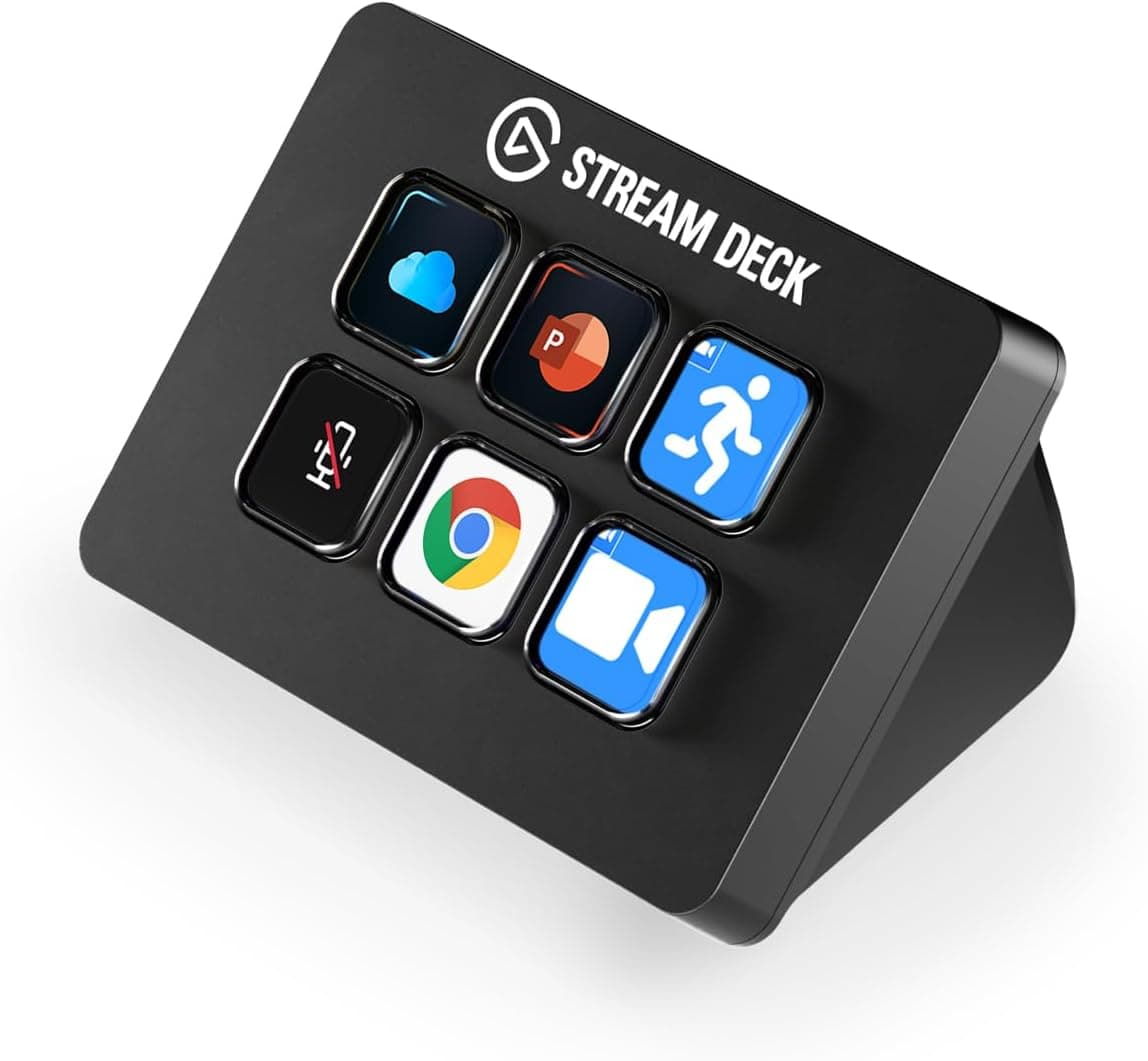
The Elgato Stream Deck Mini is a compact, 6-key LCD controller designed to streamline live streaming, video editing, and everyday productivity workflows. It sits below the original Stream Deck (15 keys) in price and size, making it the most affordable entry point into Elgato's controller ecosystem. You simply plug it into a USB port, install the companion software, and start assigning actions to each key. Each key has a customizable LCD screen that displays your assigned icon or label, so there's no guesswork about what a button does. The software supports drag-and-drop configuration, and the device works out of the box with OBS Studio, Twitch, YouTube, XSplit, and hundreds of other apps via plugins. It's the kind of tool that once you start using, you wonder how you managed without it.
Connectivity & Compatibility
The Stream Deck Mini connects via a fixed 1.5m USB 2.0 cable. It requires a free USB port on Windows 10 (64-bit) or macOS 10.11 or later. No additional drivers are needed — the operating system recognizes it as a keyboard device, and the companion application handles all configuration. Supported platforms include all major streaming software (OBS Studio, Streamlabs Desktop, XSplit Broadcaster), social media services (Twitch, YouTube, Twitter/X), and productivity apps like Adobe Photoshop, Premiere Pro, Spotify, and Google Chrome. Elgato provides a plugin marketplace that expands compatibility further, and many third-party developers have published custom plugins for niche applications.
Product Info
Released in late 2018, the Stream Deck Mini remains a current product with ongoing software support. It typically retails for around $80–$90 USD (approximately ¥10,000 JPY in Japan). Elgato offers a 1-year manufacturer warranty. The box contains only the unit and a quick-start guide — no USB wall adapter is included, though the cable draws power directly from the PC. Market positioning is squarely entry-level within the Stream Deck lineup. Despite its small key count, the folder system effectively unlocks unlimited actions, so it punches above its weight in terms of functionality. It occupies a niche that the more expensive 15-key Stream Deck and 32-key Stream Deck XL don't fully serve: users who want the Stream Deck experience without the higher price tag.
Best Use Cases
First, the Stream Deck Mini is ideal for new live streamers. Setting up scene switching, muting, and social-media interactions takes minutes, and the visual feedback from the LCD keys reduces errors during a live broadcast. Power streamers managing dozens of scenes and sources may find 6 keys too limiting — they should consider the 15-key or 32-key models instead. Second, video editors and graphic designers can map common editing shortcuts (cut, ripple delete, export, color presets) to the keys. In Adobe Premiere Pro or DaVinci Resolve, this speeds up repetitive actions and reduces wrist strain from complex keyboard combinations. Users who only occasionally edit video might be better served by keyboard shortcuts alone. Third, remote workers and productivity enthusiasts can use it as a macro pad for everyday tasks: opening email templates, launching meeting links, toggling mute in Zoom/Teams, or inserting frequently used text snippets. However, if you need a numpad replacement or dozens of dedicated macro keys, a specialist macro keyboard (like the Razer Tartarus Pro or a custom mechanical numpad) may be a better fit. ## Alternatives
The most direct competitor is Elgato's own Stream Deck (15 keys), which costs roughly 50% more but offers 2.5× the key count. If you can stretch the budget, the extra keys reduce the need for folder navigation during intense streaming sessions. Another alternative is the Loupedeck Live, which also features LCD buttons and dials for creative software, but at a significantly higher price point. Software-only solutions like Touch Portal or Stream Deck Mobile (the smartphone app version) are cheaper or free, but they lack tactile feedback, can suffer from touch latency, and require a separate device that needs charging. For users who value physical buttons with reliable haptic response, the Stream Deck Mini remains the strongest entry-level choice.
Things to Consider
The fixed USB cable (1.5m) may be too short for some desk setups — you might need a USB extension cable if your PC is far from your workspace. Also, the device relies entirely on the companion software running in the background; if the software crashes, the keys stop working until it restarts. In practice, this is rare but worth noting for mission-critical live streams. Because the Stream Deck Mini is a mature product, its hardware specifications have not changed since launch. There is no USB-C option, no wireless connectivity, and no backlight beyond the LCD panels. If you need a future-proofed device with USB-C and faster refresh on the
Product Disclosure (Amazon)
- Manufacturer: Elgato
- ASIN: B07DYRS1WH
- Note: This article covers a manufacturer-made product based on Amazon listing details.