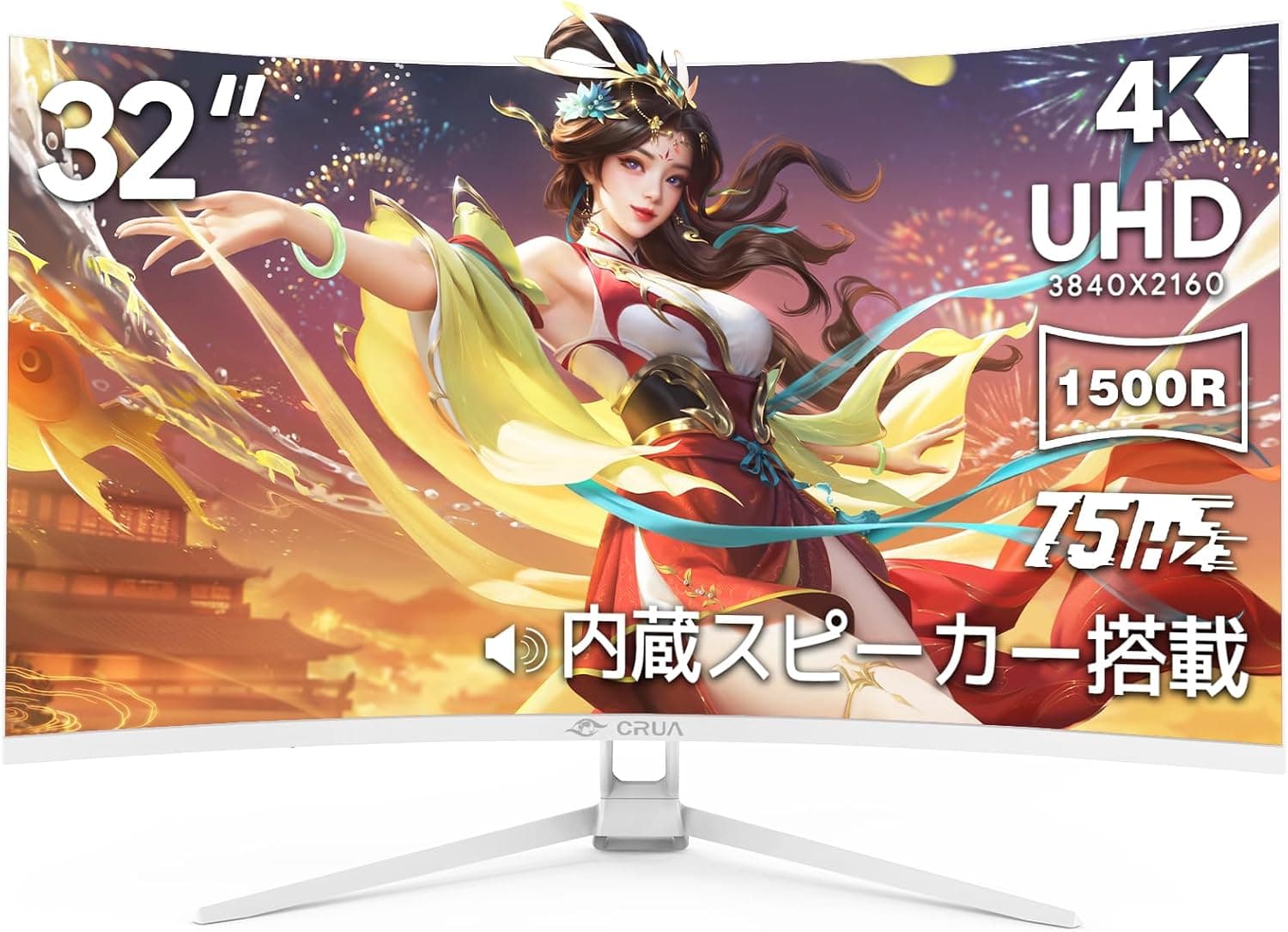
This article takes a close look at the CRUA CR320C — 32-inch 4K Curved VA Monitor with 75Hz and FreeSync. It goes beyond the spec sheet to explain how those numbers translate into daily use, and who should skip it.
Overview
The short answer: the CRUA CR320C is for people who want a large 4K workspace and an immersive curved screen on a modest budget. It pairs a 32-inch 3840×2160 VA panel with a 1500R curve, a 3000:1 contrast ratio, 120% sRGB color gamut, and 1.07 billion displayable colors.
It runs at up to 75Hz with AMD FreeSync and has built-in speakers.
The 75Hz ceiling will disappoint serious competitive FPS players, and the published specs are too thin for anyone whose job depends on color accuracy. As of July 2026, Amazon.co.Check the retailer's page for the latest user reviews.
It is reasonable to assume most satisfied buyers use it for office work, video, and casual gaming. The white chassis also makes it an easy match for a white desk setup.
How 4K, 32 Inches and 1500R Play Out
At 32 inches, 4K works out to roughly 138 ppi. That sits between a 27-inch 4K screen (about 163 ppi) and a 27-inch WQHD screen (about 109 ppi).
Set Windows scaling to around 150% and text looks natural while your workspace equals a 2560×1440 desktop, with noticeably crisper text than a native WQHD monitor. Drop to 125% for even more on-screen information.
1500R describes a curve matching a circle with a 1500mm radius. On a 32-inch screen it pulls the edges toward your eyes and reduces how far your eyes travel.
That suits side-by-side spreadsheets and browsers, but the curvature can distort straight lines in CAD, technical drawings, and photo retouching.
VA panels are known for deep blacks and high contrast. A 3000:1 ratio versus the roughly 1000:1 typical of IPS makes dark movie scenes and night-time game levels look noticeably punchier.
The trade-offs, common to VA panels in general, are color shift at off-angles and dark smearing behind fast-moving objects in dark scenes.
Compatibility Guide
There are four video inputs: two HDMI 2.0 and two DisplayPort 1.4.
You can leave two PCs and two consoles plugged in and switch inputs as needed. HDCP support covers copy-protected streaming.
What you get depends on the connection, though.
| Source | Recommended port | Expected output |
|---|---|---|
| Desktop PC (4K at 75Hz) | DisplayPort 1.4 | 4K up to 75Hz, FreeSync |
| PC with HDMI only | HDMI 2.0 | Around 4K at 60Hz |
| PS5 / Xbox Series X | HDMI 2.0 | 4K at 60Hz max (no 120Hz modes) |
| USB-C-only laptop or Mac | Adapter to DP/HDMI | Depends on the adapter |
- Use DisplayPort for 4K at 75Hz. DP 1.4 has plenty of bandwidth for it. HDMI 2.0 is near its limit at 4K 60Hz, so HDMI will likely top out at 60Hz in 4K. Check the supported timings table in the manual.
- No USB-C input is listed. The video inputs are HDMI and DisplayPort only. USB-C-only laptops and Macs need a USB-C to DisplayPort (or HDMI) adapter or cable.
- The FreeSync range is not in the published data. It should work with AMD Radeon. NVIDIA GeForce cards may run it as G-SYNC Compatible over DisplayPort, but that is not guaranteed. With a 75Hz ceiling, the variable refresh window is narrow, so it helps less when frame rates drop sharply.
- 4K desktop and 4K gaming are different things. Recent integrated graphics can drive a 4K desktop for office work, but 4K 3D gaming needs a capable graphics card. If you render at a lower resolution, in-game upscalers such as DLSS or FSR reduce blur.
- VESA 75×75mm mounting. Arms and wall mounts work, but the weight is not in our data. Compare your arm's load rating with the weight on the product page, and confirm the bracket sits properly on the curved back.
- Audio comes through HDMI/DisplayPort to the built-in speakers, and a 3.5mm jack outputs to headphones or external speakers.
Product Info
| Item | Detail |
|---|---|
| Screen size | 32 inches |
| Resolution | 3840×2160 (4K UHD) |
| Panel | VA / 1500R curve / 16:9 |
| Refresh rate | 75Hz |
| Contrast ratio | 3000:1 |
| Gamut / colors | 120% sRGB / 1.07 billion (10-bit) |
| HDR | Supported |
| Sync | AMD FreeSync |
| Video inputs | HDMI 2.0 ×2, DisplayPort 1.4 ×2 |
| Mount | VESA 75×75mm |
As of July 28, 2026, Amazon JP listed it at ¥35,999. Prices change often with sales and stock, so check the product page before buying.
The seller is shown as PRIMEVIEW, fulfilled by Amazon.
The listing says it ships with items such as a power cable, an HDMI cable, and a quick start guide, and a one-year manufacturer warranty is described as typical. Contents and terms can change over time, so confirm them when you buy.
If no DisplayPort cable is included, you will need one for 4K at 75Hz. Few monitors at this price combine 4K, a curved VA panel, and built-in speakers, which makes it a sensible choice if your goal is a big, affordable 4K screen.
Recommended Users
- Remote and office workers: A 32-inch 4K screen fits Excel, Word, and a video call side by side without feeling cramped, and the 1500R curve keeps edge windows within easy view. It may fall short as a professional color-critical design display.
- Movie and series watchers: The 3000:1 VA panel keeps blacks from looking washed out in dark scenes, and the large screen adds immersion.
- Hobbyist video and photo editors: 120% sRGB and 1.07 billion colors are fine for hobby work. DCI-P3 coverage is not disclosed, so serious color work calls for a higher-end monitor.
- Casual gamers: 75Hz with FreeSync smooths out RPGs, simulators, and racing games. Competitive players who want 144Hz or more will find it lacking.
- Multi-monitor builders: Thin bezels and VESA support make arrays easy, but expect slight color differences between individual units.
Comparison with Alternatives
At this budget, buyers usually compare it with 27-inch 4K flat IPS monitors and 31.5 to 32-inch high-refresh gaming monitors.
| Factor | CRUA CR320C | 27-inch 4K flat IPS | 31.5-inch gaming |
|---|---|---|---|
| Screen size | Large at 32 inches | One size smaller | Similar |
| Text sharpness | About 138 ppi | About 163 ppi, sharper | Depends on resolution |
| Black depth | VA advantage | IPS blacks look lighter | Depends on panel |
| Straight lines | Curve distorts | Flat and accurate | Flat or curved |
| Smoothness | 75Hz | Often around 60Hz | High refresh focus |
If you care most about sharp text, wide viewing angles, and accurate straight lines, a 27-inch 4K flat IPS fits better. If motion smoothness comes first, look at 31.5-inch gaming models.
The CR320C makes the most sense when you want size, 4K, and contrast together.
Before You Buy
75Hz is only a little smoother than 60Hz. Coming from a 144Hz+ monitor, it will feel clearly slower.
As covered in the Compatibility Guide, HDMI will probably limit 4K to 60Hz, which buyers often overlook.
Can you live with VA dark smearing? Fast camera movement in dark games can leave trailing edges.
The overdrive setting in the OSD helps somewhat, but pushing it too far causes bright halos around edges.
Keep HDR expectations modest. HDR is listed as supported, but peak brightness and local dimming are not in our data.
Do not expect the HDR impact of high-brightness, locally dimmed monitors. If HDR makes the image look washed out, turning it off may look better.
Wide gamut is not the same as accuracy. 120% sRGB means sRGB web content and photos can look oversaturated.
Use an sRGB mode if available, or calibrate with a colorimeter. At this price, 10-bit color is often achieved with 8-bit plus FRC (simulated in-between shades), so check the detailed specs if that matters to you.
Built-in speakers are a convenience. Monitor speakers generally lack bass.
They are fine for meetings and quick clips, but headphones or external speakers suit movies and games.
Measure your desk. A 16:9 32-inch panel is about 710 mm wide by calculation, before bezels and stand (check actual dimensions on the product page).
Curved screens also need depth, so a shallow desk can put the screen too close.
Double-check the listing. Amazon titles are long and similar color or model variants may appear.
Confirm from the images and title that you are ordering the white 32-inch 4K curved model, and check the seller's policy on dead or stuck pixels.
FAQ
Q. Can I play PS5 or Xbox in 4K? A.
Expect 4K at 60Hz over HDMI 2.0.
The monitor does not have HDMI 2.1, so 4K 120Hz modes are unavailable.
Q. Does it run at 144Hz?
A. No. The maximum is 75Hz. Use DisplayPort to reliably get 4K at 75Hz.
Q. Can I connect a MacBook? A.
No USB-C video input is listed, so use a USB-C to DisplayPort or HDMI adapter. In macOS, a scaled size equivalent to 2560×1440 balances text size and sharpness well.
Q. Can I use a monitor arm?
A. Yes, it supports VESA 75×75mm. Make sure the arm's load rating exceeds the weight on the product page.
Q. Is it suitable for professional photo or video work? A.
It is fine for hobby or light editing, but without DCI-P3 coverage or factory calibration data, a higher-end monitor is better for client deliverables.
Product Disclosure (Amazon)
- Manufacturer: CRUA
- Seller: PRIMEVIEW
- Fulfilled by: Amazon
- ASIN: B0H726MG6P
- Note: This article covers a manufacturer-made product based on Amazon listing details.