This article takes a close look at the ASUS TUF Gaming VG27VH1B 27” Curved Monitor, focusing on how its spec-sheet numbers translate into real-world use.
Overview
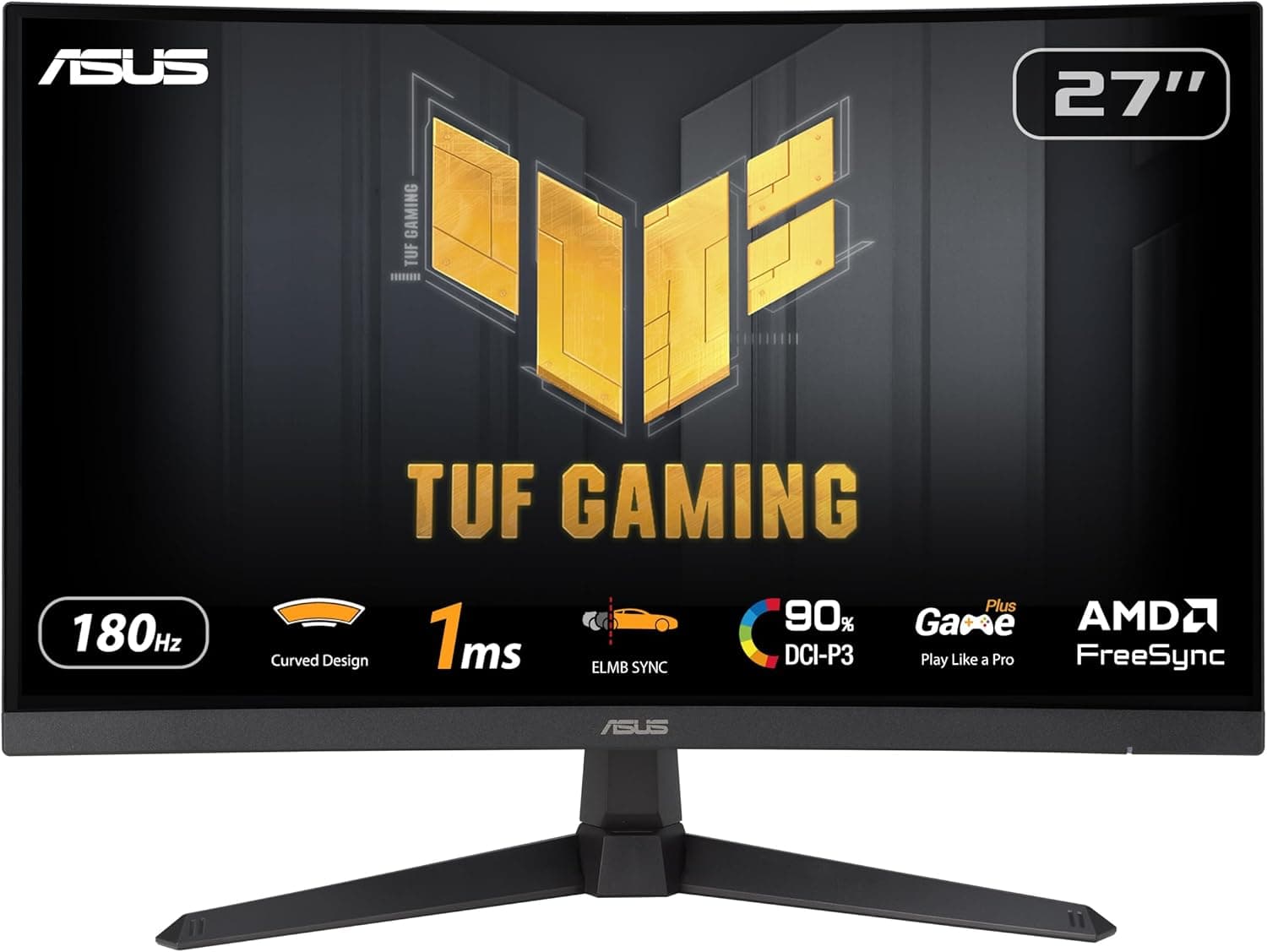
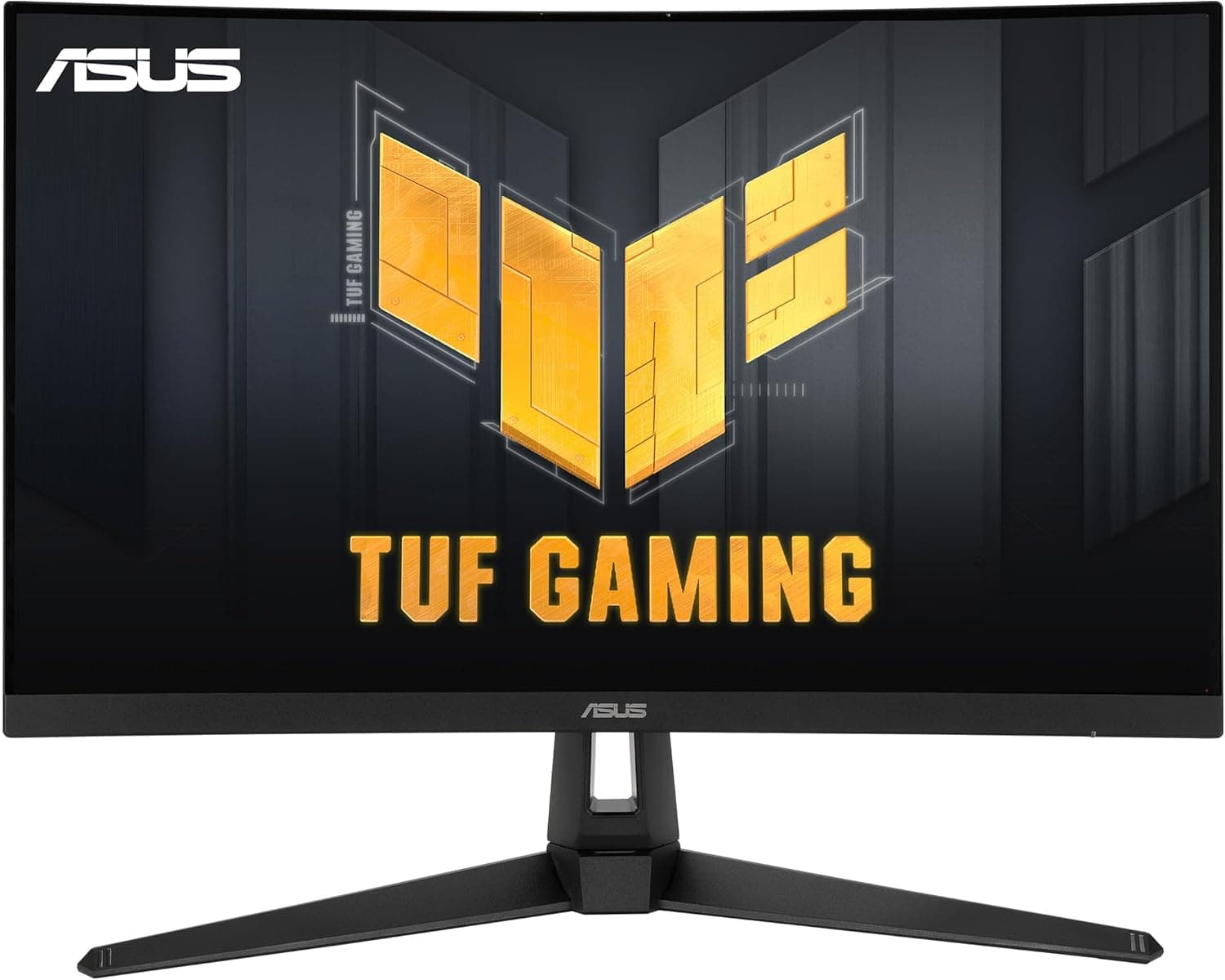
The ASUS TUF Gaming VG27VH1B is a 27-inch VA gaming monitor with a 1500R curve. It runs at 1920×1080 (Full HD), reaches up to 165Hz over HDMI, and is rated at 1ms (MPRT).
The short verdict: it suits Radeon PC and console players who want a large curved 165Hz screen without spending much.
It supports ASUS Extreme Low Motion Blur (ELMB) and AMD FreeSync Premium. Released in 2020, it sits in the entry-to-midrange segment as a low-cost way to get a curved panel and a high refresh rate.
However, its only inputs are HDMI 1.4 and D-Sub (VGA).
There is no DisplayPort. And 1080p on a 27-inch panel works out to roughly 81 PPI.
These two facts decide whether this monitor is right for you, so the rest of this article explains how to judge that.
Key Specs and How to Read Them
| Item | Value | What it means |
|---|---|---|
| Size / curvature | 27 inches / 1500R | The edges wrap into your peripheral vision |
| Resolution | 1920×1080 | About 81 PPI at 27 inches; text looks somewhat soft |
| Panel | VA | Deep blacks, but more prone to dark-scene smearing |
| Refresh rate | 165Hz (HDMI) / 60Hz (VGA) | HDMI is required for 165Hz |
| Response time | 1ms (MPRT) | A perceived-blur metric, not GtG pixel transition time |
| Brightness / contrast | 250 cd/m² / 3000:1 | Modest brightness, high VA-class contrast |
| Viewing angle | 170° / 160° | Fine when viewed head-on |
| Colors | 16.7M | Standard 8-bit class output |
| Sync | FreeSync Premium | Depends on your GPU and connection (see below) |
The 1ms figure is often misunderstood. MPRT measures how blur is perceived, usually achieved with backlight strobing such as ELMB.
It does not mean pixels switch in 1ms. VA panels tend to smear when moving from dark to bright shades, so in dark games it pays to try several overdrive levels in the OSD.
A 3000:1 contrast ratio makes blacks noticeably deeper than the roughly 1000:1 typical of IPS panels, which helps in night scenes and movies. The 250 cd/m² brightness, though, can feel dim in a bright room, and this is not a monitor for HDR-style impact.
Compatibility Guide
HDMI 1.4 and D-Sub only
The monitor has one HDMI 1.4 input and one D-Sub (VGA) input.
165Hz is only available over HDMI; VGA is capped at 60Hz. A 3.5mm audio output lets you send HDMI audio to headphones or external speakers.
Many current graphics cards offer three DisplayPort outputs and only one HDMI. If that single HDMI port is already used by a TV or VR headset, you will run short.
DisplayPort-to-HDMI adapters work, but many top out around 60Hz, so 165Hz depends on the specific adapter. Check your card's free HDMI port before buying.
Adaptive sync on NVIDIA GeForce
FreeSync Premium is most reliably useful with AMD Radeon GPUs. NVIDIA G-SYNC Compatible generally requires DisplayPort, and variable refresh over HDMI 1.4 FreeSync is typically not available on GeForce cards.
GeForce users should plan to run a fixed 165Hz and manage tearing with V-Sync or a frame-rate cap.
Laptops, Macs and consoles
Laptops with HDMI output connect directly. USB-C-only laptops and MacBooks can connect through a USB-C to HDMI adapter or dock, though 165Hz depends on the adapter.
PlayStation 5, Xbox and Nintendo Switch connect over HDMI, but this monitor lacks 4K input and HDMI 2.1 features, so you will be playing at 1080p.
Whether a console enables 120Hz depends on how it detects the display, so treat 60Hz as the baseline.
Mounting and space
The monitor supports VESA 100×100mm mounting for monitor arms. Curved monitors need more depth than flat ones, so allow for the stand and the curve on shallow desks.
If you use an arm, confirm on the product page that the arm's weight rating covers the monitor.
What the Curved VA Panel Is Like in Use
At 27 inches, a 1500R curve is clearly noticeable. Sitting centered, the edges wrap into your vision, which makes racing games, flight sims and open-world titles feel more immersive.
In spreadsheets or design work with long straight lines, though, lines may look bent until you get used to it.
1080p at 27 inches is essentially a scaled-up 24-inch Full HD screen. Game visuals hold up fine, but small text in browsers and editors looks rougher.
Many people find it acceptable at a viewing distance of 600-700 mm, but it is not ideal for reading fine text up close all day.
Check the retailer's page for the latest user reviews. That is a large, well-rated sample, suggesting strong satisfaction for the money.
Keep in mind that most reviews praise it as a curved 165Hz monitor at this price, not in comparison with higher-resolution models.
Comparison with Alternatives
Among 27-inch options, the LG UltraGear 27GN65R-B is a natural comparison. Your choice comes down to flat versus curved and whether DisplayPort matters to you.
If you are on GeForce and want guaranteed adaptive sync, prioritize a model with DisplayPort.
If you value sharper text and connection flexibility over screen size, a 23.8-inch 1080p monitor is worth considering.
For example, Acer's 23.8-inch IPS model includes DisplayPort v1.2, and the smaller screen makes 1080p text look crisper.
If you want even more immersion, a larger option such as LG's 31.5-inch model is another path.
This monitor's strength is the immersion and deep blacks of a curved VA panel at an accessible price. Its weaknesses are limited inputs and low pixel density.
Decide based on which side matters more to you.
Product Info
The ASUS TUF Gaming VG27VH1B was released in 2020. As of August 2026, it was listed at ¥38,221 on Amazon JP.
That listing showed Amazon US as the seller and shipper, so it may be an imported unit. Prices shift with exchange rates and sales, so check the product page for the current price.
The listed accessories are a stand, power cable, HDMI cable, D-Sub cable and manual, but the bundle can vary by region and batch.
Setup Tips After Purchase
- Set 165Hz manually. Windows may default to 60Hz.
Go to Settings, Display, Advanced display and select 165Hz. 2.
Use HDMI, not D-Sub. VGA is limited to 60Hz.
Tune overdrive. VA panels smear in dark scenes, so start from a middle overdrive level and pick the highest setting that does not create bright overshoot halos.
Choose between ELMB and FreeSync. ELMB reduces blur but dims the image.
Check in the OSD whether they can be combined; as a rule of thumb, use ELMB for stable frame rates and FreeSync for fluctuating ones.
Best Use Cases
- Radeon PC users who want high frame rates at 1080p, pairing FreeSync Premium with 165Hz.
- Players of racing, flight and open-world games who value immersion, where the 1500R curve matters most.
- Anyone who enjoys dark movies and games, since a 3000:1 VA panel delivers deeper blacks than typical IPS.
- People upgrading from a 24-inch 1080p screen who want a bigger display without increasing GPU load.
Things to Check Before Buying
Confirm that you can live without DisplayPort. GeForce users who buy on the strength of the FreeSync Premium label typically cannot use variable refresh.
If you rely on G-SYNC Compatible, choose a model with DisplayPort.
Do not expect sharp text. At about 81 PPI, 1080p on 27 inches looks coarse for coding, writing and checking photo detail.
For serious photo or video editing, consider WQHD or higher with published color gamut figures. This model's spec data lists no color gamut or accuracy figures, and color accuracy is not its selling point.
It can feel dim in bright rooms. 250 cd/m² is modest near windows or under strong lighting.
Do not expect 4K or 120Hz console features. With HDMI 1.4, there is no 4K input or HDMI 2.1 support, so it will not unlock the full potential of a PS5 or Xbox Series X.
There is no USB hub or built-in speaker. Use the 3.5mm output with headphones or external speakers.
Check the seller on the product page. At capture time, the Amazon JP listing showed Amazon US as seller and shipper.
Imported units may differ from domestic ones in power plug type and warranty contact. Confirm via the images and title that the model is VG27VH1B, and check the seller and warranty terms before purchasing.
FAQ
Q. Can I use FreeSync with a GeForce card? A.
Because this monitor has no DisplayPort, G-SYNC Compatible typically does not work. For variable refresh, use a Radeon GPU or choose a monitor with DisplayPort.
Q. I cannot get 165Hz. A.
Make sure you are connected over HDMI and have selected 165Hz in Windows display settings. VGA is limited to 60Hz, and older HDMI cables or adapters may also prevent 165Hz.
Q. Does it work with PS5 or Switch? A.
Yes, over HDMI at 1080p. 4K and HDMI 2.1 features are not supported, so treat 60Hz as the baseline.
Q. Can I connect a USB-C-only laptop or MacBook? A.
Yes, through a USB-C to HDMI adapter or dock. Whether 165Hz works depends on the adapter's supported refresh rates.
Q. Can I mount it on a monitor arm? A.
Yes, it supports VESA 100×100mm. Curved monitors are deep, so also check the arm's weight rating and range of motion.
Product Disclosure (Amazon)
- Manufacturer: ASUS
- Seller: Amazon US
- Fulfilled by: Amazon US
- ASIN: B088MKB54B
- Note: This article covers a manufacturer-made product based on Amazon listing details.