Overview
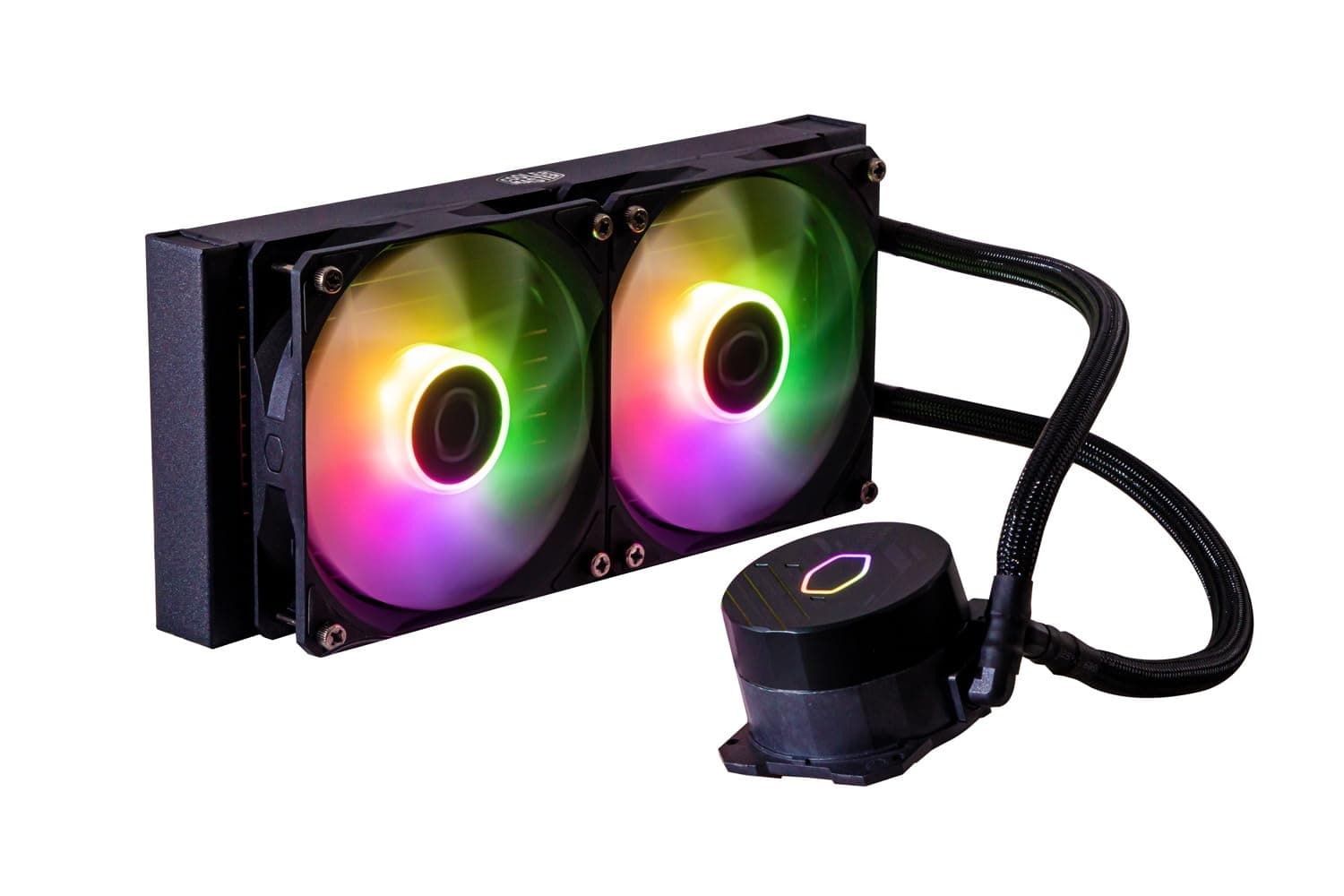
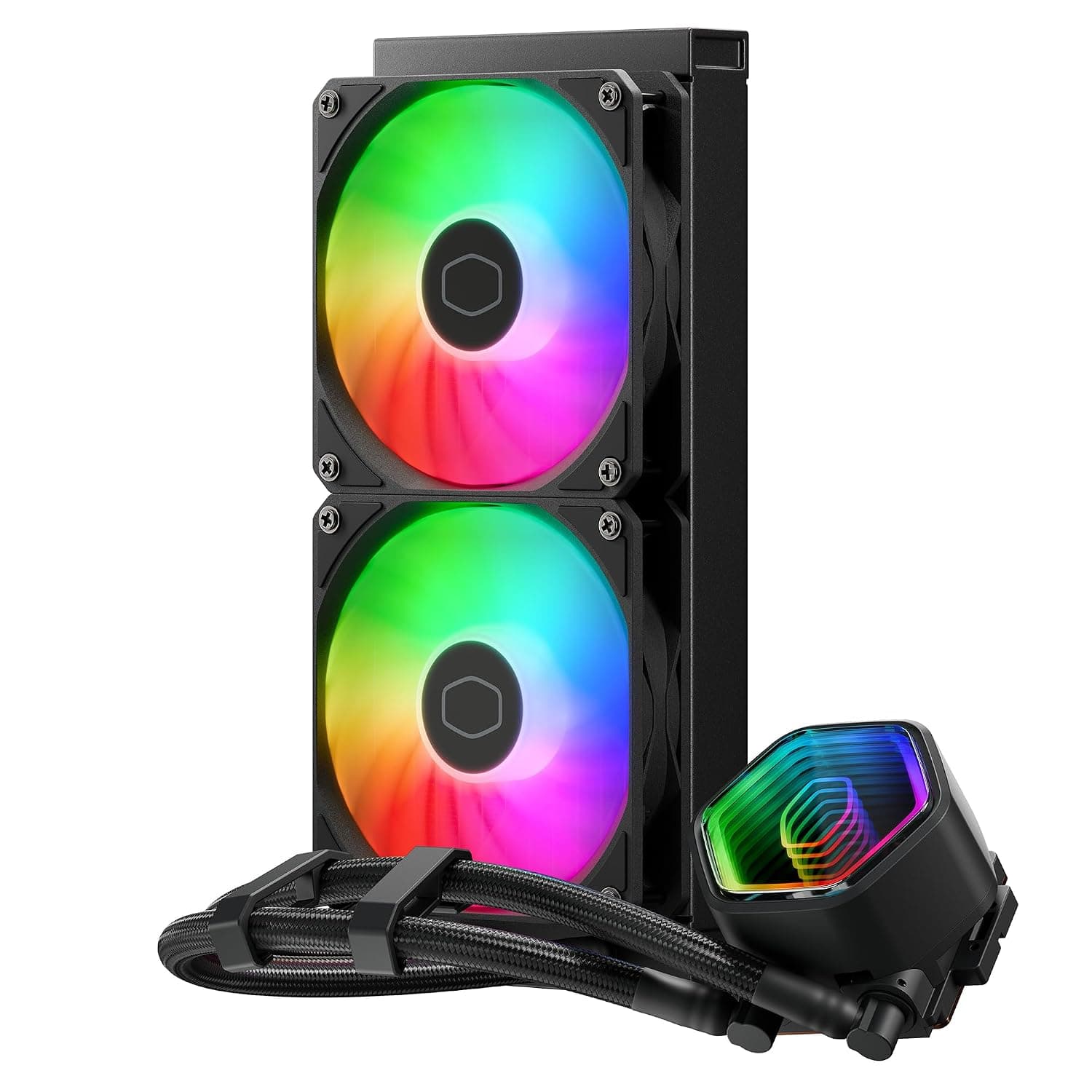
The MASTERLIQUID 240 Core II — High-performance 240mm AIO liquid CPU cooler from Cooler Master (model MLW-D24M-A18PA-R1) pairs a 240mm radiator with two 120mm fans. In short, it is a standard 240mm AIO for people who want to cool a midrange or upper-midrange CPU more compactly and quietly than a big tower air cooler.
It is not built for extreme overclocking or for running a flagship CPU at full load all day. Cooler Master rates it at 260W of cooling capacity.
The fans spin from 650 to 1750 RPM, reaching up to 120 m³/h at a maximum of 30 dBA, which is a balanced set of numbers.
The pump uses a dual-chamber design, and the pump cap has an infinity mirror finish that stands out in a glass-sided case. Supported sockets are Intel LGA1851, 1700, 1200, 1156, 1155, 1151 and 1150, plus AMD AM5 and AM4.
That covers everything from current Core Ultra (LGA1851) and Ryzen (AM5) builds back to older LGA115x systems. The warranty runs 5 years, which is on the long side for an AIO.
This article focuses on what the spec sheet does not tell you: whether it fits your case, how to read the 260W figure, and how to choose between this, an air cooler and a 360mm unit.
Reading the Key Specs
| Item | Value | What it means |
|---|---|---|
| Radiator size | 277 x 119.2 x 27.2 mm | Standard thickness. About 52.2 mm with 25 mm fans attached |
| Pump size | 83 x 76.2 x 52.3 mm | The block on top of the CPU. Little overhang toward RAM |
| Fan size | 120 x 120 x 25 mm (x2) | Common 120 mm, 25 mm thick fans |
| Fan speed | 650 - 1750 RPM ± 10% | Low minimum speed suits quiet idle |
| Max airflow | 120 m³/h | Rated at full speed |
| Max static pressure | 2 mmH2O | Not high for a radiator fan |
| Noise level | 30 dBA | Rated at full speed |
| Fan MTTF | 160,000 hours | Rated fan lifespan |
| Cooling capacity | 260 W | Manufacturer rating |
| Warranty | 5 years | Long for an AIO |
The two numbers worth focusing on are the 260W capacity and the 2 mmH2O static pressure. The cooling capacity is a manufacturer guideline and is not measured the same way as a CPU's TDP.
A practical approach is to check your CPU's maximum power (PL2 on Intel, PPT on AMD) and see how much headroom remains below 260W. Running close to that limit for long periods pins the fans at full speed and erodes the noise advantage.
A static pressure of 2 mmH2O is not the profile of a fan built to force air through a dense radiator at high speed. Behind fine dust filters or a mostly closed front panel, it will struggle to reach its rated performance.
With a mesh front or top, it is better suited to running quietly at low to medium speeds.
Compatibility Guide
Supported Sockets
- Intel: LGA1851 / 1700 / 1200 / 1156 / 1155 / 1151 / 1150
- AMD: AM5 / AM4
LGA1851 shares its cooler mounting-hole spacing with LGA1700, so moving from an LGA1700 build to Core Ultra makes it easy to keep using the same cooler. AMD installs use the standard AM5/AM4 backplate, while Intel installs use the socket-specific mounts in the box.
HEDT sockets such as Threadripper's TRX50 are not on the list, so treat them as unsupported.
Case Mounting Position and Thickness
Case fit is the most common way to get this wrong. The radiator is 277 mm long and needs a mounting spot for two 120 mm fans side by side, usually listed as 240mm radiator support.
Check your case's spec sheet for 240mm support at both the front and the top.
Top mounting needs attention to thickness. The 27.2 mm radiator plus 25 mm fans comes to about 52.2 mm, which can collide with VRM heatsinks along the top of the motherboard or with tall memory.
If your case lists a maximum radiator-plus-fan thickness for the top, make sure it is at least 52 mm. Front mounting reduces the maximum graphics card length by roughly the same thickness, so check the case's GPU length limit with a front radiator if you use a long card.
Tube length is not included in the spec data. If the radiator will sit low on the front or far from the socket in a large case, confirm the length on the product page.
Orientation (Avoiding Trapped Air)
As a general rule with AIOs, the pump should not be the highest point in the loop. Any small amount of air inside collects at the top, and if that is the pump, it can cause noise or lower performance.
Mounting the radiator at the top, or at the front with the tubes facing down, is the safe choice.
Wiring and Fan Control
The cooler connects through a 4-pin fan connector, normally to the motherboard's CPU_FAN header. Follow the included manual to see which header the pump and fans should use.
If your BIOS supports fan curves, you can easily lower idle noise. It is safest not to turn the pump header's speed down too far.
RAM and M.2 Clearance
Only the pump block (83 x 76.2 x 52.3 mm) sits on the CPU, so it does not overhang the memory slots the way a large tower heatsink can.
Builds with tall RAM heat spreaders or an M.2 slot close to the socket are easier to work on than with an air cooler.
Installation Steps
- Check your case specs for 240mm radiator positions, thickness limits and GPU length limits 2.
Attach the fans to the radiator and loosely mount it in the case, deciding the airflow direction first 3. Install the backplate and mounts for your socket (AMD uses the standard backplate) 4.
Check the thermal paste and secure the pump block 5. Connect the pump and fan cables to the motherboard as the manual specifies 6.
On first boot, confirm in the BIOS that the pump speed and CPU temperature are reported
First-time AIO builders should manage fine by following the manual in order. Steps 1 and 5 are where people stumble most often.
Deciding the radiator position before mounting the block avoids rework such as cables that do not reach or twisted tubes.
Product Info
The MASTERLIQUID 240 Core II is part of Cooler Master's Core series and sits in the entry-to-mid tier of the lineup. It brings a dual-chamber pump and an infinity mirror pump cap while keeping the price accessible.
The box includes two 120mm fans, Intel and AMD mounting kits and the screws needed for installation.
As of August 31, 2026, Amazon.co.jp listed it at ¥15,000.
Prices change with sales and stock, so check the product page for the current price before buying.Check the retailer's page for the latest user reviews.
That is not a large sample, so individual reviews can be swayed by early defects or shipping damage.
The warranty is 5 years, and the fans carry a rated MTTF of 160,000 hours. An AIO has more points of failure than an air cooler because of its pump, so a long warranty is a clear plus.
Comparison With Alternatives
| Option | Best for | Difference from this cooler |
|---|---|---|
| MASTERLIQUID 240 Core II (this cooler) | Midrange to upper-midrange CPUs, cases that fit 240mm | Standard 240mm, 260W, 5-year warranty |
| NZXT Kraken Elite 240 | Buyers who want a display on the pump | 2.37-inch LCD, aimed at looks |
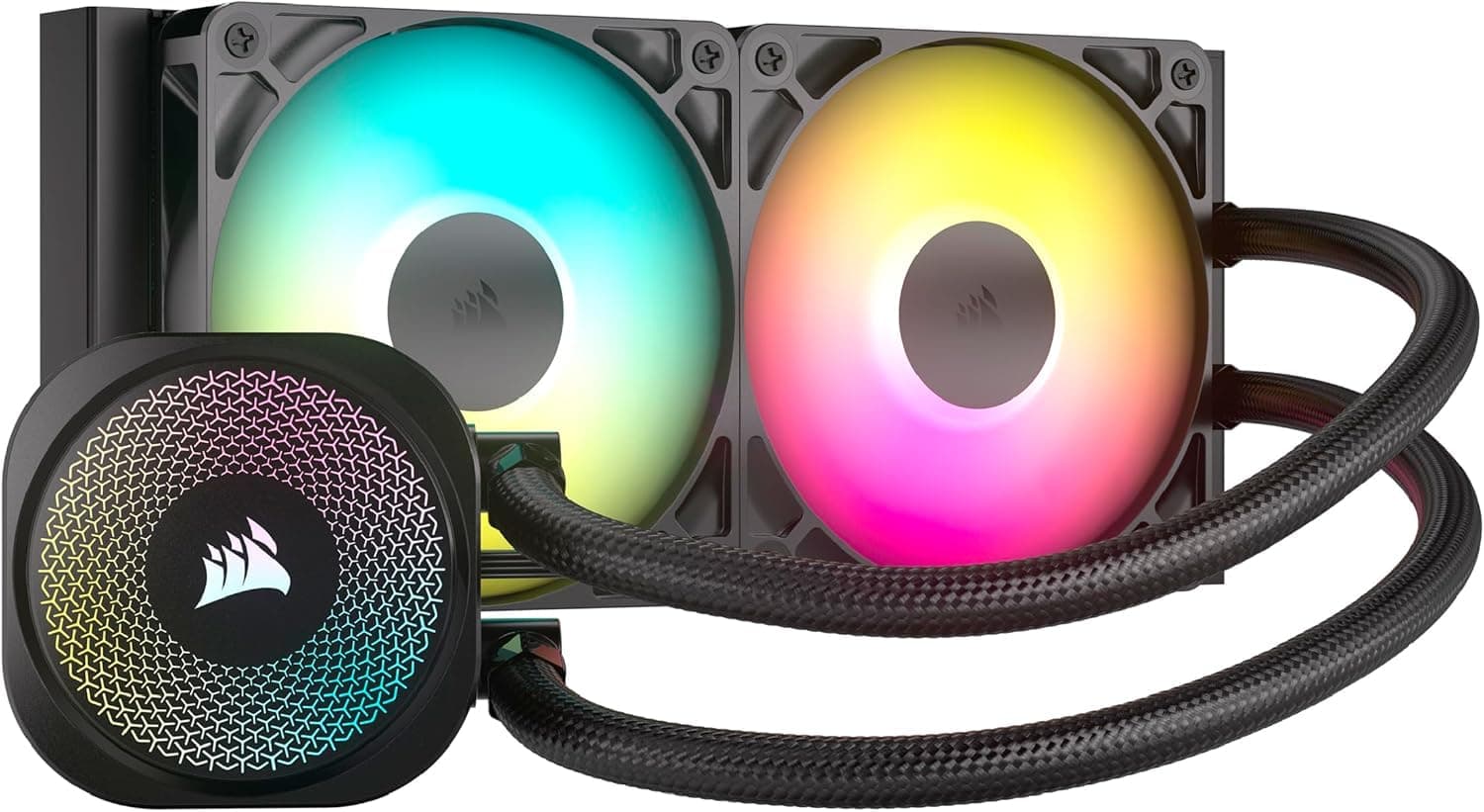
| CORSAIR iCUE H60x RGB ELITE | Small cases that cannot fit 240mm | 120mm class, less cooling headroom |
| CORSAIR H150 RGB | High-power CPUs | 360mm, needs a 360mm mount in the case |
| Thermalright Phantom Spirit 120 SE / PA120 | Buyers who want to avoid pump failure or leaks | Air coolers. No pump noise, but watch height and RAM clearance |
The decision comes down to three things: cooling headroom, case support, and whether you want a pump at all. If 260W covers your CPU and your case fits 240mm, this cooler avoids the need to step up to 360mm.
If you run a high-end CPU under sustained all-core load, a 360mm unit is the realistic choice. If you want to avoid pump noise and long-term upkeep, a large air cooler is.
LCD-equipped models are satisfying to look at but usually depend on dedicated software for setup. This cooler suits people who want some visual flair from the infinity mirror cap while keeping the build simple.
Best Use Cases
First-time AIO buyers. A 240mm radiator keeps case requirements modest, and support for major Intel and AMD sockets makes it an easy first AIO.
The 260W rating usually leaves comfortable headroom for typical midrange CPUs. It is not ideal for anyone who wants total silence, since the pump always makes some sound.
Gamers who want looks and quiet operation. The infinity mirror pump cover adds an accent in a glass-sided case.
Maximum fan noise is rated at 30 dBA, and a tuned BIOS fan curve keeps gaming sessions quiet. Overclockers chasing the limits of their CPU may need a 360mm or higher-tier AIO.
Builders moving to Intel LGA1851 or upgrading from LGA1700. Support for the Core Ultra socket means the same mounts work for new builds and upgrades alike.
If your build does not truly need 360mm, this keeps costs down. Anyone planning a move to HEDT or workstation sockets should note they are not on the list.
Air-cooler users ready to step up. When a big tower cooler crowds the memory, moving heat to a radiator in the case keeps the socket area clean.
In a small ITX case that cannot fit a 240mm radiator, a 120mm AIO or an air cooler is the realistic option.
Before You Buy
260W does not mean it can handle any CPU. If your CPU's maximum power is close to 260W and you run long all-core workloads such as rendering or encoding, the fans will stay near full speed and you will lose headroom on both temperature and noise.
If that is your main workload, a 360mm cooler is less likely to leave you with regrets.
With a pump, it is never fully silent. An air cooler can get close to silent when its fan slows down, but an AIO pump runs constantly.
For a PC that runs 24/7 in a bedroom or a room used for recording, keep in mind that sensitivity to pump noise varies from person to person.
It does not pair well with closed front panels. With a modest 2 mmH2O static pressure, performance drops behind a nearly sealed front panel or a fine filter clogged with dust.
Treat regular filter cleaning as part of keeping it performing well.
Check top thickness and front GPU length in advance. At about 52.2 mm for radiator plus fans, it may hit RAM or VRM heatsinks at the top of some cases, and it reduces GPU length at the front.
Tube length is not in the spec data, so confirm it on the product page.
AIOs are closer to consumables. They are sealed and not designed to be refilled, so coolant loss and pump wear are unavoidable over time.
The 5-year warranty helps, but if you plan to use it for many years, budget for an eventual replacement.
Watch the listing details. In the pricing data used here, the link recorded as an overseas listing actually pointed to the Japanese Amazon page, and the eBay link was a search page rather than a specific listing.
Similar products under the same series name, in different sizes or colors, can also appear side by side. Confirm the product by its images and model number (MLW-D24M-A18PA-R1) before buying.
FAQ
Q. Does it work with AM4 Ryzen CPUs?
A. Yes. AM4 is on the supported list, and AMD installs use the standard AM5/AM4 backplate.
Q. Does it work with LGA1851 Core Ultra CPUs? A.
Yes. LGA1851 shares its mounting-hole spacing with LGA1700, so the same mounts work when upgrading from LGA1700.
Q. Can I mount it at the top of my case? A.
It depends on the case. Radiator plus fans is about 52.2 mm thick, so check the case's top clearance along with your RAM and VRM heatsink height.
If in doubt, mount it at the front.
Q. Is 260W enough for any CPU? A.
No. 260W is the manufacturer's rating and is not measured the same way as CPU TDP.
If your CPU's maximum power (PL2 or PPT) approaches 260W, headroom is thin, so consider a 360mm cooler too.
Q. Should I choose this or a large air cooler? A.
Choose this one if you want space around the socket and no RAM clearance issues. Choose a large air cooler if you want no risk of pump failure or leaks and minimal long-term upkeep.
Product Disclosure (Amazon)
- Manufacturer: Cooler Master
- ASIN: B0DTHZ1P8F
- Note: This article covers a manufacturer-made product based on Amazon listing details.