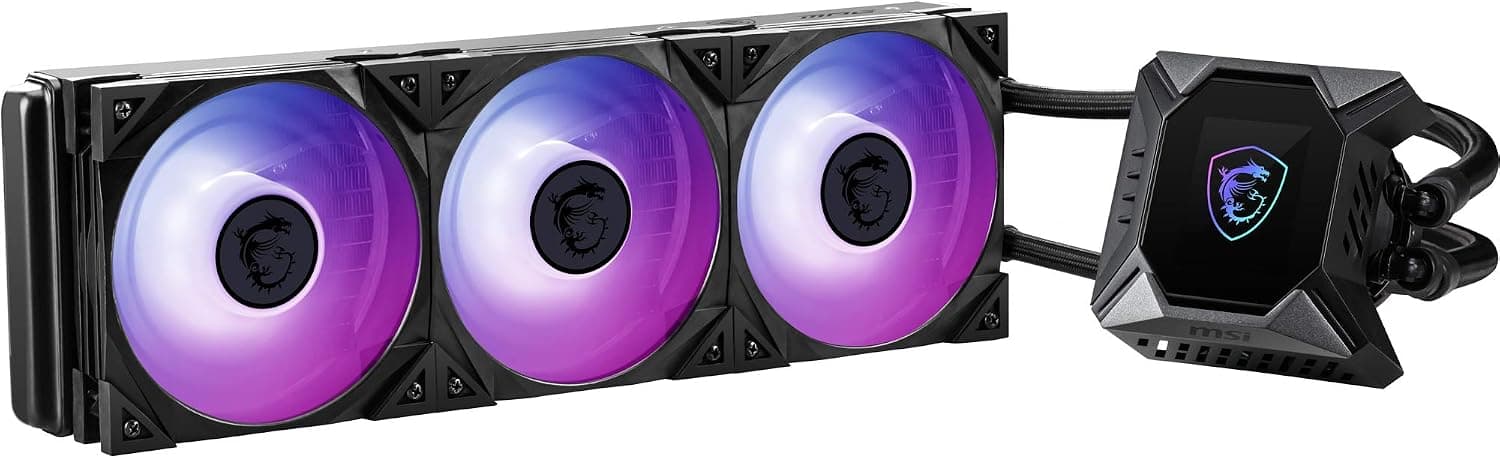
This article covers MSI MPG CORELIQUID K360 簡易水冷CPUクーラー 液晶モニタ搭載 ARGB対応 360mm FN1562.
Overview
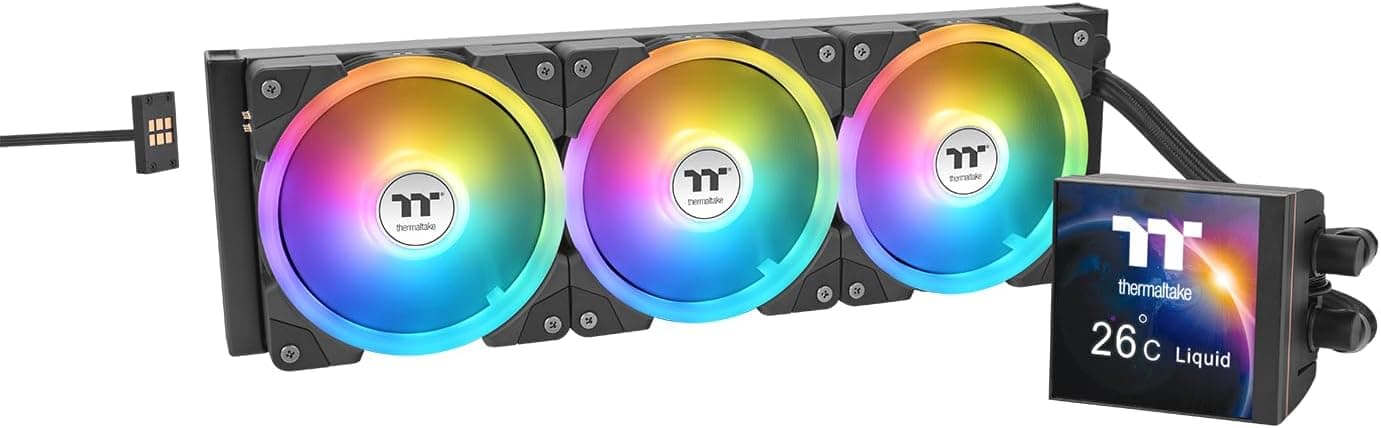
The MSI MPG CORELIQUID K360 is a 360mm all-in-one liquid CPU cooler that stands out with its 2.4-inch LCD display on the water block. This display can show real-time system stats like CPU temperature and fan speed, or display custom images and animations. Under the hood, it uses an Asetek 7th-generation pump, known for reliability and efficiency. Three Torx Fan 4.0 fans with addressable RGB lighting complete the package. Positioned in the mid-high market segment, this cooler is designed for users who need more cooling headroom than a typical air cooler or 240mm AIO can provide. It pairs well with high-end CPUs like Intel Core i9 or AMD Ryzen 9, even under overclocking loads.
Compatibility Guide
Socket support covers Intel LGA1700/1200/115x and AMD AM5/AM4. Because it uses a 360mm radiator, you must verify that your PC case supports 360mm radiator mounting—typically in the front or top panel. Many mid-tower cases accommodate 360mm radiators, but compact cases often do not. Both the fans and pump use 4-pin PWM connectors. The motherboard needs a CPU_FAN header, an AIO_PUMP header, and a 3-pin ARGB header for lighting control. MSI’s Mystic Light software handles RGB customization.
Product Info
Launched in 2021, the MSI MPG CORELIQUID K360 is sold through official MSI distributors. Pricing hovers around ¥22,000 (approx. $150–$170 USD), and the warranty covers three years from purchase. The Asetek Gen7 pump combined with Torx Fan 4.0 delivers cooling capacity suited for CPUs with TDPs up to around 250–280W under continuous load. It sits in the mid-high tier, competing with other premium 360mm AIOs. The built-in LCD gives it a clear visual advantage for PC enthusiasts who value aesthetics.
Best Use Cases
Heavy multitasking and content creation — If you regularly render videos or compile code on a high-core-count CPU, the K360 keeps temperatures manageable. For light office work, a 240mm AIO or high-end air cooler would be more cost-effective. Gaming with high-end CPUs — Gamers using an i7-13700K or Ryzen 9 7900X can expect stable temperatures during long sessions, especially when paired with a well-ventilated case. Visual-focused builds — The customizable 2.4-inch LCD and RGB fans make this cooler a centerpiece for show PCs. However, if you don’t care about displays or RGB, you can find equally capable coolers for less. Users with a 360mm-ready case — This is a strict requirement. If your case only fits 240mm or 280mm radiators, the K360 simply won’t fit.
Things to Consider
First, the radiator dimensions: it measures roughly 394 x 120 x 27 mm. Make sure your case has clearance for length and width, especially if mounting at the top—some tall RAM heat sinks or motherboard VRM heatsinks can interfere. Second, the included Torx fans are rated at 39.9 dBA at full speed, which is audible. While PWM control reduces noise at idle, the fans are not the quietest in their class. If silence is your top priority, consider a model with slower fans or a custom fan curve. Third, the LCD requires MSI Center software to customize. If you prefer a minimalist software setup, this might be a minor inconvenience. The default display shows CPU temperature, which is functional but less flexible. Competitors like the NZXT Kraken X73 and Corsair iCUE H150i ELITE offer similar performance and features. The choice often comes down to ecosystem preference: MSI’s RGB and software integration versus others. ## FAQ
Q: What CPU sockets are supported? A: It supports Intel LGA1700, LGA1200, LGA115x, and AMD AM5, AM4. It does not support socket TR4 or sTRX4 for Threadripper. Q: How can I be sure it fits in my case? A: Check your case specifications for 360mm radiator support. Measure the available space if possible. Also consider that the radiator thickness is 27mm, plus fans (25mm) adds up to about 52mm—make sure there is enough room between the radiator/fan stack and other components. Q: Can I use the LCD without MSI Center? A: The display will show default CPU temperature out of the box, but to customize it (change data readouts, upload images), you need MSI Center installed. It’s available for Windows only.
Product Disclosure (Amazon)
- Manufacturer: MSI
- Seller: Member's MARKET
- Fulfilled by: Amazon
- ASIN: B08ZSB336M
- Note: This article covers a manufacturer-made product based on Amazon listing details.
![MSI MAG Z690M MORTAR WIFI マザーボード Micro-ATX [Intel Z690チップセット搭載] 第12世代CPU(LGA1700)対応 MB5747 シルバー](/_next/image?url=https%3A%2F%2Fm.media-amazon.com%2Fimages%2FI%2F91uOu554V7L._AC_SL1500_.jpg&w=1920&q=75)