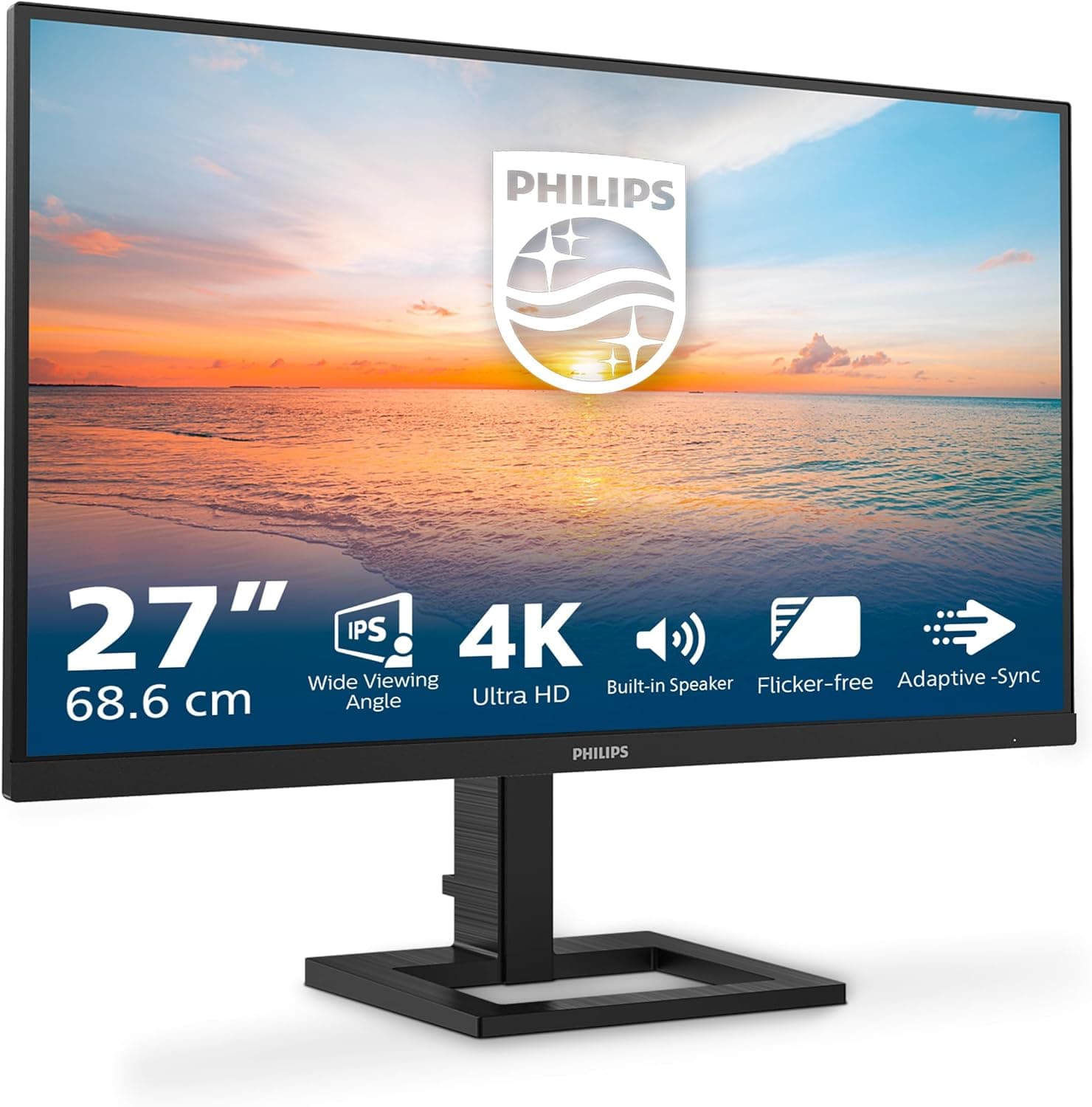
Overview
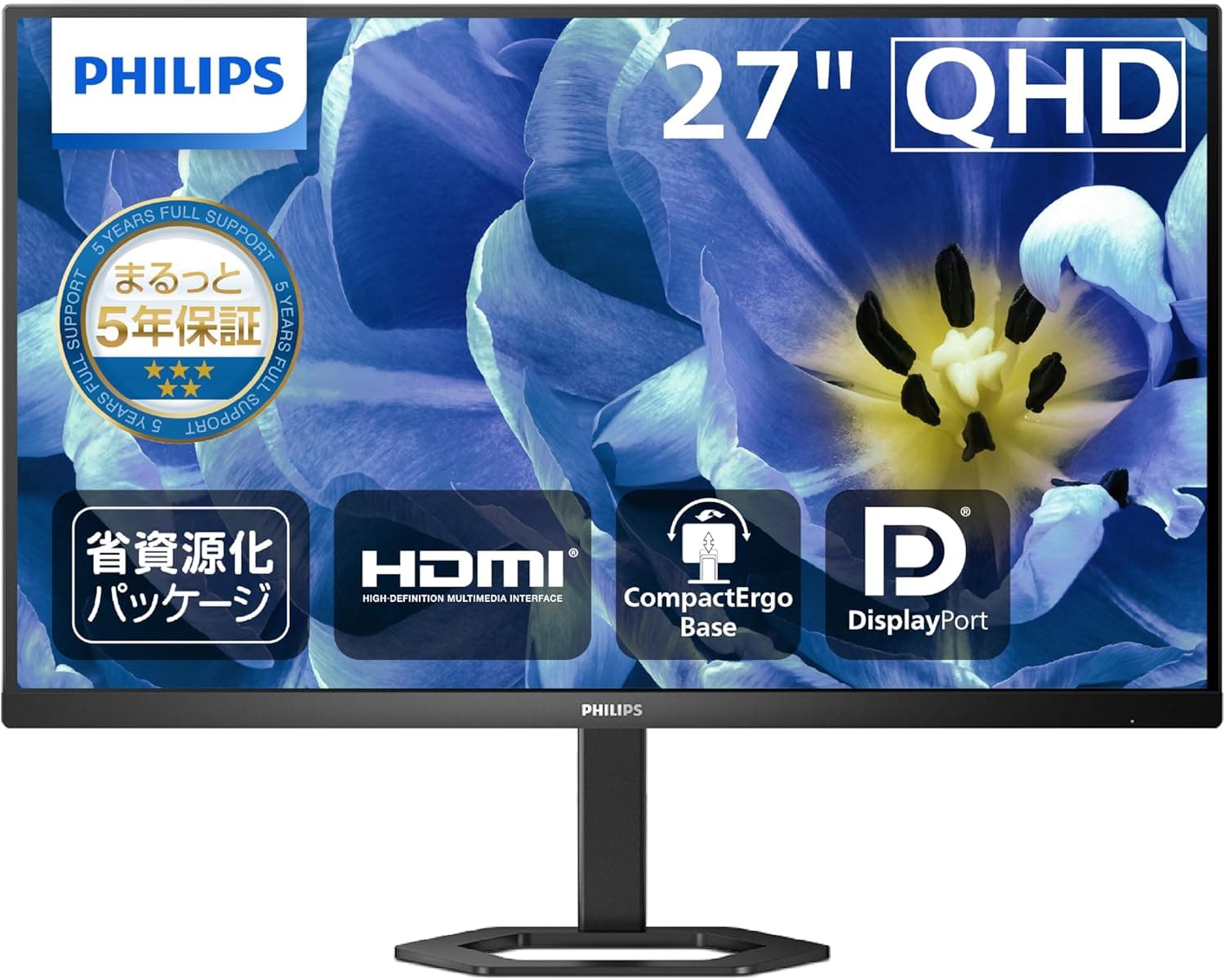
The PHILIPS 27E1N1800AE (full model number 27E1N1800AE/00) is a 27-inch matte IPS monitor running 3840×2160 (4K UHD). The short version: buy it as a work surface for documents, spreadsheets, and side-by-side browser windows, not as a gaming or color-critical display.
It runs at 60Hz, with a 1000:1 typical contrast ratio and a 4ms response time in overdrive — standard numbers for an office-class IPS panel.
The math explains the product. 3840×2160 across 27 inches works out to roughly 163ppi, about 1.8× the density of a 24-inch 1080p screen (~92ppi).
The real benefit is not fitting more on screen — it is rendering the same text far more cleanly, which is what makes long reading and writing sessions less tiring. Viewing angles are 178° horizontal and vertical, so colors hold up when two people share one display.
Check the retailer's page for the latest user reviews.
Compatibility Guide
Video inputs are 2× HDMI and 1× DisplayPort, plus a 3.5mm audio output jack.
The HDMI and DisplayPort versions are not disclosed, and that is exactly where buyers get burned. Driving 3840×2160 at 60Hz requires HDMI 2.0 or newer; on HDMI 1.4-era outputs or cables you still get a 4K picture, but the refresh rate quietly drops to 30Hz.
A sluggish, sticky-feeling mouse cursor at 4K is almost always this problem, not a faulty panel.
| Source | What you need | Common mistake |
|---|---|---|
| Desktop PC (DisplayPort) | A DP cable (sold separately) | Only a power cable and an HDMI cable are included |
| Desktop PC (HDMI) | HDMI 2.0-capable GPU and cable | An older cable caps you at 4K/30Hz |
| Laptop (USB-C) | USB-C to HDMI/DP adapter | No USB-C input, so no single-cable video plus charging |
| Game console | HDMI cable | 60Hz ceiling; 120Hz output cannot be used |
Audio is the most misread part of the spec sheet. There is no built-in speaker, but there is a 3.5mm audio output.
That means audio sent over HDMI or DisplayPort from the PC can be pulled back out at the monitor and fed to powered speakers or headphones — handy if you would rather not run separate audio cabling across the desk.
For mounting, VESA 100×100mm is supported, so monitor arms and wall brackets work. The stand offers up to 130mm of height adjustment, but tilt, swivel, and pivot are listed as unsupported.
You can set the height but not the angle, so on a tall desk or with a low chair you may end up looking up at the panel. If angle adjustment matters to you, budget for an arm from the start.
Product Info
rmation
Published specifications:
| Item | Value |
|---|---|
| Screen size | 27 inches |
| Resolution | 3840×2160 (4K UHD) |
| Panel | IPS LED, matte finish |
| Colors | 1.07 billion (8bit+FRC) |
| Refresh rate | 60Hz |
| Response time | 4ms (overdrive) |
| Contrast ratio | 1000:1 (typical) |
| Viewing angle | 178° / 178° |
| HDR | HDR10 |
| VESA mount | 100×100mm |
| Height adjustment | Yes, up to 130mm |
The 1.07-billion-color figure comes from 8bit+FRC dithering rather than a native 10-bit panel — fine for everyday work, but visible in demanding gradient work.
sRGB coverage is not published at all. As a rule, a display that does not state its gamut coverage should not be trusted for color-managed work.
Captured prices, all point-in-time values that move with sales and exchange rates:
- Amazon (Japan): ¥57,721 as captured 2026-06-09, and ¥56,153 as captured 2026-08-27
- eBay (US): $296.00 as captured 2026-07-13
That is a drop of roughly ¥1,500 over about two and a half months — a gentle slide rather than a collapse, which is typical for a 27-inch 4K IPS panel launched around 2024. Warranty is the standard three years for official Japanese units.
In the box you get a power cable, an HDMI cable, and a quick-start guide; a DisplayPort cable must be purchased separately.
Getting 4K Right on a 27-inch Panel
If text looks too small on day one, nothing is broken — you are almost certainly still at 100% scaling. A 27-inch 4K panel is not designed to be run at 1:1.
- Windows: Settings → System → Display → Scale, and start at 150%. That gives you an effective 2560×1440 workspace with text the same physical size as on a 1440p monitor, just with much smoother edges. Use 125% if you want more room, 175% if you want easier reading.
- macOS: 27-inch 4K is a size where HiDPI scaling behaves well, so a larger-text scaled resolution stays clean.
- HDR: HDR10 input is accepted, but peak brightness and local dimming are not specified. Leaving HDR on all the time can make SDR content look washed out, so switch it on only for HDR material.
- Overdrive: 4ms is the fastest-setting figure. At 60Hz a frame lasts 16.7ms, so pushing overdrive too hard tends to show bright overshoot trails instead of cleaner motion. Default or medium is usually the right call.
How It Compares
| Option | Strong at | Weak at |
|---|---|---|
| This 27-inch 4K 60Hz IPS | Text clarity, window tiling, low glare | Motion smoothness, guaranteed gamut |
| 27-inch 1080p high-refresh | Fast-paced competitive gaming | Coarse text, less workspace |
| 24-inch 1080p | Price, desk footprint, 1:1 use | Screen real estate, sharpness |
| Ultrawide | Side-by-side apps, immersion | Vertical space, desk width |
The split is simple: if 60Hz is enough for what you do, this is a good buy; if you need frame rate, you need a different class of monitor entirely. Combining 4K with a high refresh rate raises both the monitor price and the GPU requirement, and it does not happen at this price point.
Recommended Users
- Remote and office workers: The matte coating plus 4K keeps overhead lights and windows out of the picture while rendering small text cleanly. Two spreadsheets, or a browser and an editor, fit comfortably on one screen.
- People who watch rather than create: Wide 178° viewing angles and HDR10 make streaming and high-resolution photo viewing pleasant, and the unpublished gamut costs you nothing if you are not color matching.
- Monitor-arm users: With VESA 100×100 support, the stand's limited articulation stops mattering. It also pairs well in a dual-display setup.
- Developers and document-heavy users: At 150% scaling you keep a 1440p-equivalent workspace with noticeably smoother glyphs than any 1080p panel can manage.
Before You Buy
1. 60Hz is fixed. This is the compromise that defines the monitor.
If competitive gaming is your main use, cross it off the list — no setting or cable changes this.
2. HDR10 support does not mean HDR impact. Peak brightness and local dimming are unspecified and contrast is 1000:1 typical.
Accepting an HDR signal and delivering HDR-grade highlights are different things.
3. No published color gamut. Without an sRGB coverage figure, this is not the display for print matching or client-facing photo and video work.
Spend the money on a model that states its numbers.
4. No speakers. There is an audio output jack, but you still need something to plug into it. Plan for that before delivery day.
5. The stand moves up and down, and that is roughly it. 130mm of height travel is there; tilt, swivel, and pivot are listed as unsupported.
In some setups an arm becomes effectively mandatory, so measure your desk height and eye line first.
6. Check the seller and the warranty channel. The listing shows a third-party seller and shipper (TAISEI商店).
PHILIPS being the manufacturer is separate from who actually honors the three-year warranty, so read the seller's warranty terms before ordering. Also note that listing metadata — model numbers, compatibility, bundled accessories — is sometimes wrong on retail pages. Confirm from the images and product title that you are looking at this 27-inch 4K model.
7. Every price here is a capture. ¥57,721 (2026-06-09), ¥56,153 (2026-08-27), and $296.00 (2026-07-13) were true at the moment they were recorded.
Articles do not update themselves; check the current price before buying.
FAQ
Q. What do I need for 4K at 60Hz? A.
An HDMI 2.0-capable GPU and cable, or a DisplayPort connection.
HDMI 1.4-era hardware will show 4K but limit you to 30Hz.
Since this monitor's port versions are not disclosed, confirm on the product page if it is critical.
Q. Can I game on it? A.
Yes for games that are fine at 60fps — RPGs, strategy, adventure titles. The 4ms overdrive response does not change the 60Hz ceiling, so competitive shooters are a poor fit, and no variable refresh rate support is listed.
Q. Does it have speakers? A.
No. It does have a 3.5mm audio output, so audio arriving over HDMI or DisplayPort can be routed out to speakers or headphones.
Q. Will the text be too small? A.
At 100% scaling, yes. Use 150% on Windows for a 2560×1440-equivalent workspace.
The gain is smoother text at a normal size, not more items on screen.
Q. Can I connect a laptop with a single USB-C cable? A.
No — there is no USB-C input. A USB-C (DisplayPort Alt Mode) laptop needs an adapter, and the monitor cannot charge the laptop.
Q. Can I use a monitor arm? A.
Yes, VESA 100×100mm is supported. Given that the stand lacks tilt, swivel, and pivot, an arm is arguably the better way to mount it.
Product Disclosure (Amazon)
- Manufacturer: PHILIPS
- Seller: TAISEI商店
- Fulfilled by: TAISEI商店
- ASIN: B0D7HKGVTJ
- Note: This article covers a manufacturer-made product based on Amazon listing details.