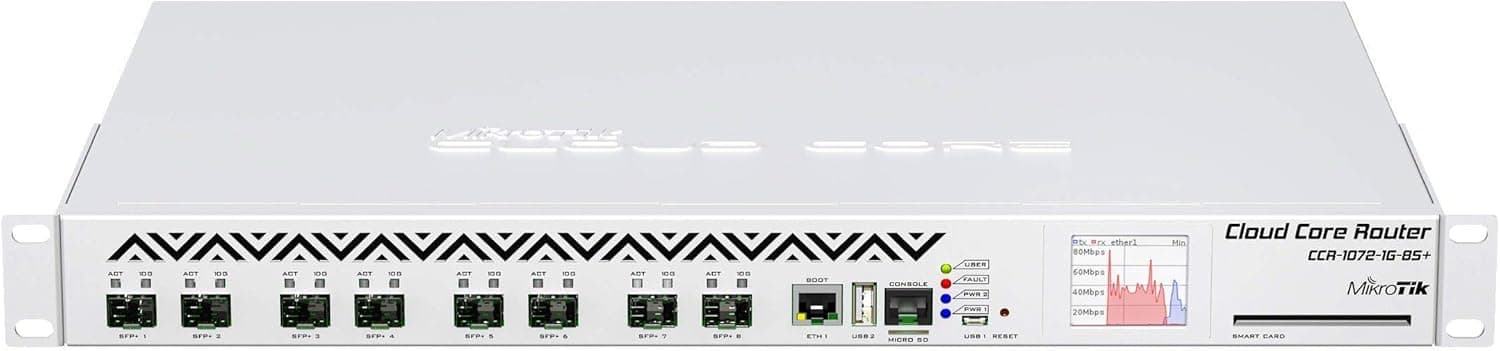
Mikrotik CCR1072 クラウドコアルーター 1072-1G-8S+ 72コア 1.2Ghz 16GB 8xSFP+ OSL6 is a box you judge inside a rack, not on a desk.
This article digs into where its headline numbers actually pay off, and where they will disappoint you.
Overview
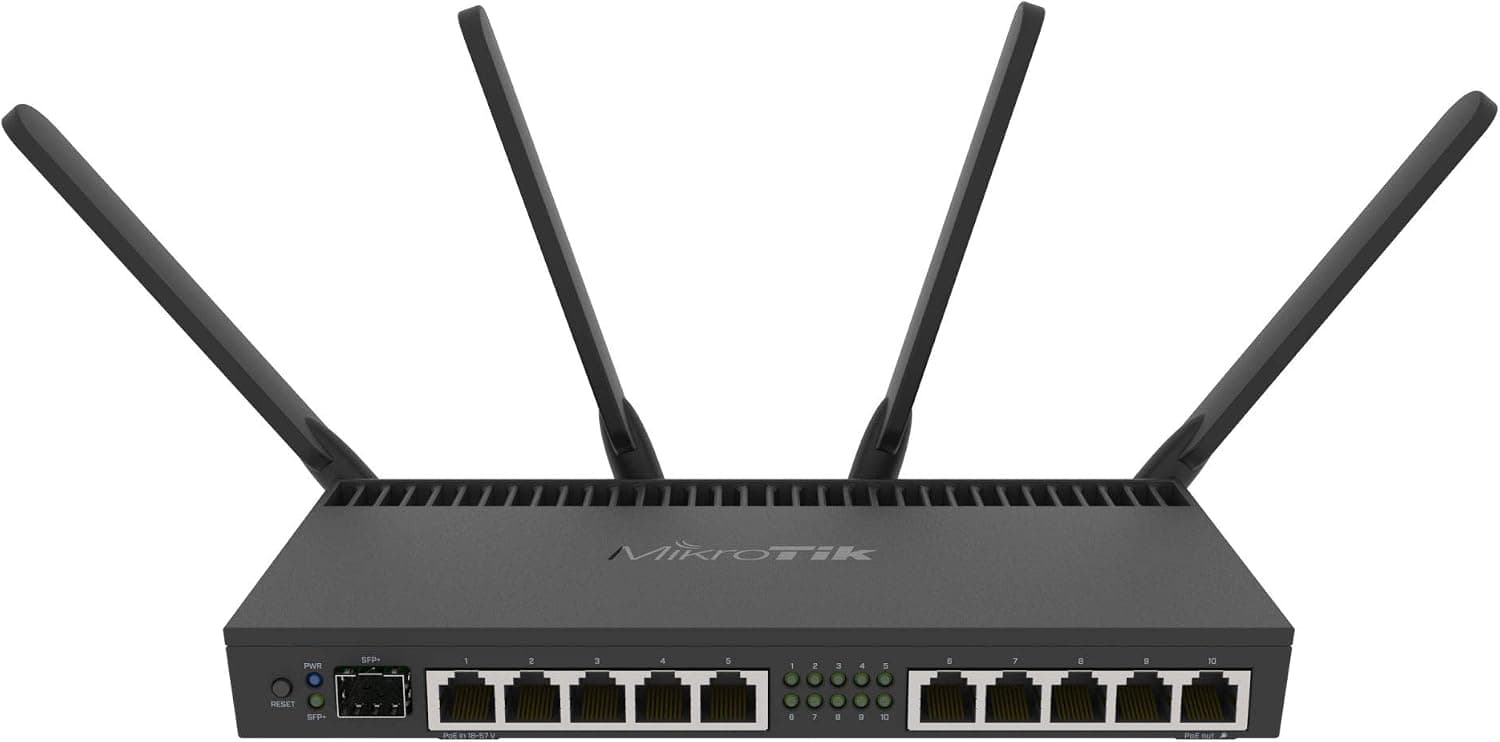
The CCR1072-1G-8S+ pairs a Tilera Tile-Gx72 processor (72 cores at 1.2GHz each) with 16GB of ECC RAM, eight 10G SFP+ cages and a single Gigabit Ethernet port, all in a 1U rackmount chassis.
It ships with RouterOS L6, the top license tier, so BGP full tables, MPLS, VRF, VPN aggregation and fine-grained QoS are all available without feature limits. The short verdict: this is edge hardware for ISPs, data centers and large enterprises, not something to buy because you want "a faster router than a consumer model".
The dual hot-swappable power supplies make the intent obvious — it is meant for links that cannot go down.
Reading the 72-Core, 1.2GHz Spec
Seventy-two cores grabs attention, but each core runs at only 1.2GHz.
RouterOS spreads traffic across cores per connection or flow, so the core count pays off when you have many concurrent sessions — and pays off much less when you want maximum speed from a single large transfer. If you run one-session speed tests over a 10G link and find it slower than expected, that is close to the designed behaviour, not a fault.
The quoted figure of over 120 million packets per second should be read the same way. It reflects near-ideal conditions with minimum-size packets summed across all ports.
Firewall rule counts, NAT session tables, queues and tunnels all move the real number. With high-end gear it is worth separating "conditional maximum" from "throughput under my own configuration".
Compatibility Guide
The port layout is eight 10G SFP+ cages plus one Gigabit Ethernet port, with the SFP+ cages wired directly to the CPU. The first practical consequence is that SFP+ modules are sold separately.
Only the single Gigabit port takes an ordinary RJ45 cable, so the 10G side needs DAC cables, optical transceivers, or 10GBASE-T SFP+ modules that you buy yourself. DACs are the easy choice for short in-rack runs; 10GBASE-T modules draw more power and run hot, so choose them carefully and check compatibility with the far end.
Internally there are two M.2 slots (Key-M, PCIe 2.0 x4, 80mm) and one microSD slot, usable for proxy caching, User Manager, or log retention.
Because the link is PCIe 2.0 x4, a modern NVMe SSD will be capped by the interface generation.
The vendor compatibility notes assume NVMe and mark SATA SSDs as not recommended, which is worth respecting.
The chassis is 1U and a rackmount kit is included. Check rack depth, front-to-back airflow and, above all, noise.
The redundant supplies allow replacement while running, but they only deliver their intended value if each one is fed from a separate power circuit — two cords into the same power strip protects against PSU failure alone. A smart card slot is also present for environments with stricter authentication requirements.
Product Info
rmation
Key specifications:
| Item | Value |
|---|---|
| CPU | Tilera Tile-Gx72 (72 cores, 1.2GHz) |
| Memory | 16GB ECC |
| 10G SFP+ ports | 8 |
| Gigabit Ethernet | 1 |
| RouterOS license | L6 |
| M.2 slots | 2 (Key-M, PCIe 2.0 x4, 80mm) |
| microSD slot | 1 |
| Power | Redundant hot-swappable, 2 units |
| Form factor | 1U rackmount |
As captured on 9 July 2026, an eBay US listing showed $2300.00.
Street pricing for this class swings widely between new, used and grey-import stock, and currency, duties and shipping add to it. Treat the figure above as a snapshot from that date only, and confirm the current price — and whether the unit is new or used — on the product page before ordering.
Ratings, captured on 29 May 2026, stand at 3.7 out of 5 from 13 reviews (roughly 74% positive).
With a sample that small, and with professional gear that attracts low scores from buyers who bought the wrong tool, the review text matters far more than the average. Warranty terms vary by reseller, so confirm whether distributor support is included.
Where It Sits Against Rivals and Successors
Within MikroTik's own range the split is clear. For a branch office or a home lab, a compact unit such as the RB5009UG+S+IN is more realistic on power draw, noise and placement.
This model, by contrast, is built to chew through large numbers of parallel sessions, and on core count alone it still stands out.
That said, Tilera Tile-Gx is no longer a current design, and newer MikroTik CCR models have moved to ARM-based processors. ARM parts offer stronger per-core performance, which favours newer generations for single-flow speed and performance per watt.
If you need long-term serviceability, ask the seller about RouterOS support status and parts availability. A cheap used unit is tempting, but cheap does not automatically beat newer hardware.
Deployment Notes
Start configuration from the Gigabit port — it lets you work before your 10G optics arrive. The basics for RouterOS apply: never expose a default configuration to the internet, change the admin password first, and disable services you do not use.
Firmware and RouterOS versions are usually out of date on arrival, so update and reboot before the unit carries production traffic. Export the configuration before and after changes, and if the box is remote, use safe-mode style rollback so a single bad firewall line does not lock you out.
Locking yourself out is the most common accident with this class of hardware.
Recommended Users
This suits ISPs carrying BGP full tables across several sessions, data centers running multi-gigabit NAT and firewall workloads, and enterprise network teams aggregating site-to-site VPNs. If you can write RouterOS scripts and tune queues yourself, you get a role normally filled by far more expensive commercial routers.
The assumptions are that you can genuinely fill eight 10G SFP+ ports, have rack space with two power feeds, and can tolerate the noise.
It is a poor fit for distributing a single fibre line around a house or for anyone wanting one device to cover everything. There is no wireless and no PoE, so access points and switches are separate purchases.
Before You Buy
The biggest trap is that the unit price is not the running cost. SFP+ modules or DAC cables for eight ports add up quickly, and the switch on the other end needs 10G ports too.
Compare total cost, or you will later discover that only the chassis was cheap.
Second is power and noise. A 1U box with redundant supplies consumes an order of magnitude more than a consumer router, and its fans are audible.
Check the exact figures on the product or vendor specification page, but assume it does not belong in a living room or a quiet office.
Third is generation. As noted, each core runs at 1.2GHz, which does not suit workloads chasing single-flow speed.
Buying on the belief that "72 cores makes everything fast" will disappoint.
Fourth is listing data. Even in the source data for this article, the reference page is Amazon.co.jp while the captured price came from an eBay US listing.
Retail listings sometimes carry metadata — manufacturer, model number, release date, price — that belongs to a different product. When you open the page, verify with the images, the title and the model number 1072-1G-8S+ that you are looking at the right unit.
On used listings, also confirm that both power supplies and the rackmount kit are included.
FAQ
Q. Can I use it on a home fibre line? A.
Technically yes, practically no. There is no wireless, power draw and noise are high, and optics cost extra.
For home use a smaller MikroTik unit wins on both total cost and usability.
Q. Will all eight ports run at 10Gbps? A.
It depends. Traffic with many sessions spreads across the 72 cores and does well; a single flow is bound by one 1.2GHz core.
Firewall rule counts, NAT and queue settings also change real throughput.
Q. Can I fit 1G SFP or 10GBASE-T modules in the SFP+ cages? A.
Check the vendor compatibility list for supported modules. Note that 10GBASE-T SFP+ modules run hot and draw more power, so thermal conditions get tighter the more cages you fill.
Q. What should go in the M.2 slots? A.
Proxy cache, the User Manager database, or log storage. The link is PCIe 2.0 x4, and the vendor notes list SATA SSDs as not recommended.
Q. Do I need to buy a RouterOS license separately? A.
No. L6 is included, and as the top tier it carries no feature restrictions, so additional license purchases are generally unnecessary.