This article covers LG モニター ディスプレイ 27G411B-B 27インチ (the LG 27G411B-B), looking at what its spec numbers actually mean in daily use and where you have to accept compromises.
Overview
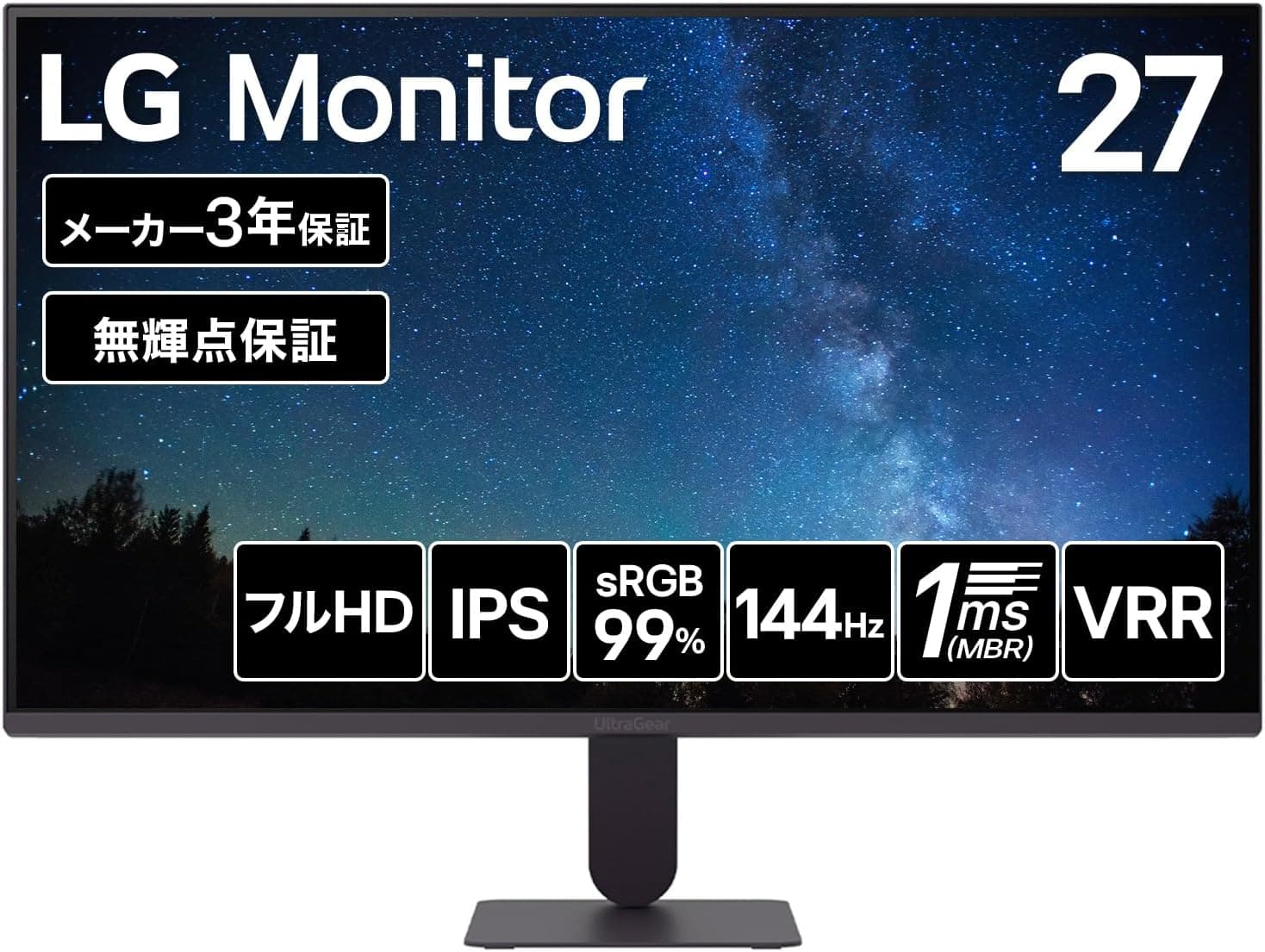
The LG 27G411B-B is an entry-level gaming monitor that pairs a 27-inch IPS panel with Full HD (1920×1080) resolution and a 144Hz refresh rate. Response time is rated 1ms (MBR) / 5ms (GTG standard), color coverage is sRGB 99%, and HDR10 input is supported.
The short verdict: this is aimed at people moving to high refresh rates for the first time, and at people who want one more solid screen for work. It is not trying to be a flagship.
What stands out in this class is the panel type. It is IPS rather than TN or VA, so viewing angles are wide (178°/178° at CR≧10) and colors stay stable when you shift position.
The quoted 1500:1 contrast is also above the ~1000:1 typical of IPS, which helps dark scenes hold together.
Reading the Spec Sheet
| Spec | Value | What it means in practice |
|---|---|---|
| Panel | IPS | Good angle and color stability for the price |
| Resolution | 1920×1080 | About 82ppi at 27 inches; pixels are visible |
| Refresh rate | 144Hz | A clear step up from 60Hz |
| Response | 1ms (MBR) / 5ms (GTG) | Treat 5ms as the everyday figure |
| Brightness | 250 cd/m² | Indoor use; weak in direct sunlight |
| Contrast | 1500:1 | High for an IPS spec |
| Color gamut | sRGB 99% | Enough for web and social work |
| Finish | Anti-glare | Less reflection, slightly milky blacks |
The two response figures matter. The 1ms number applies with MBR (motion blur reduction) enabled, and features of this kind typically trade brightness for reduced smearing and often cannot run alongside variable refresh rate.
Judge the panel as a 5ms GTG display and you will not be disappointed; combined with 144Hz it still feels clearly smoother than a standard 60Hz office monitor.
Be equally honest about HDR10 at 250 cd/m². It means the display accepts and shows the signal, not that highlights will punch.
HDR should not be your reason for buying this model.
Compatibility Guide
Inputs are one HDMI and one DisplayPort 1.4.
As the compatibility note states, DisplayPort is the reliable path to 144Hz. Whatever refresh rate HDMI supports depends on your source device, cable and firmware, so check the spec table on the product page if HDMI will be your main connection.
The bundled cable is HDMI (1.5m), so you will need to buy a DisplayPort cable separately — an easy thing to discover only after unboxing.
Variable refresh rate works through AMD FreeSync and NVIDIA G-Sync Compatible. You must enable it on the GPU side: the G-SYNC setup page in the NVIDIA Control Panel, or the FreeSync toggle in Radeon Software.
Because VRR helps most when frame rates fall short of 144fps, mid-range GPU owners benefit the most.
On GPU requirements: Full HD is far lighter than WQHD or 4K, and recent mid-range cards can realistically target 144fps in competitive titles. Whether heavy modern AAA games hold 144fps depends on the title and settings, so no promises there.
Consoles will drive 1080p fine, but most connect over HDMI, which makes the HDMI refresh-rate ceiling the real constraint. Confirm that first if a console is your primary source.
The rear supports a 100×100mm VESA mount, so monitor arms and stand swaps are straightforward. There are no built-in speakers: use the 3.5mm headphone jack or separate speakers from the PC.
Assuming the monitor produces sound is a common and avoidable mistake for meeting setups.
Product Info
The Amazon JP listing showed ¥19,900 as captured on 11 September 2026. Prices move often and sales change them further, so check the product page for the current figure before buying.
Note that in the source data the international price entry points at the same Japanese listing with the same ¥19,900, so it is not a useful overseas reference, and the eBay entry is only a search link with no captured amount.
The monitor is listed as released in late 2025. Warranty is a 3-year manufacturer warranty covering panel and backlight, plus a zero dead pixel guarantee — genuinely useful at this price, since it lowers the panel-lottery risk.
In the box: power cord, AC-DC adapter and HDMI cable (each 1.5m).
The external power adapter is worth planning for when routing cables.
Owner Feedback
Buyer rating is 4.4 out of 5 stars across 289 reviews as captured in September 2026, roughly an 88% positive score.
That is not a huge sample, but it is enough to read a trend, and 4.4 sits in the "few complaints for the money" zone rather than the near-perfect tier — consistent with the resolution and brightness compromises described below.
The biggest perceived jump comes from moving off 60Hz. Cursor tracking and scrolling change noticeably, so even non-gamers feel it.
If you already own a 144Hz-class display, this model buys you nothing new.
How It Compares
- 24-inch 180Hz models: faster on paper, smaller screen, finer pixel pitch at Full HD.
- 27-inch VA / curved models: better contrast, but IPS handles viewing angles more gracefully.
- 27-inch WQHD models: clearly sharper, at higher GPU load and a higher price tier.
- 27-inch 4K 60Hz models: superb for still detail, but you give up motion smoothness.
The 27G411B-B's position is that it satisfies four things at once — 27 inches, IPS, 144Hz, and roughly ¥20,000. Sharpen any one of those and another model fits better; keep all four and the field narrows quickly.
Best Use Cases
The strongest fit is someone stepping up from a 60Hz display for the first time. If you play shooters or racing games casually and accept Full HD, the value here is high.
Second, remote workers and students building a dual-monitor setup. At 27 inches, Full HD renders text comfortably large at 100% scaling, which avoids scaling headaches and suits anyone who finds small text tiring.
The anti-glare finish helps in rooms with bright lighting or windows.
Third, anyone planning a monitor-arm setup. VESA 100×100mm support and a conventional 27-inch size make it easy to match with generic arms.
sRGB 99% is adequate for light photo work destined for the web.
Before You Buy
Resolution is the main compromise. Full HD at 27 inches works out to about 82ppi, coarser than a 24-inch Full HD panel (roughly 92ppi).
If you read text for hours or pack spreadsheets and code onto the screen, a 27-inch WQHD panel will satisfy you more. If you prefer larger text, the same trait becomes an advantage.
Opinions split sharply here, so see one in person if you can.
250 cd/m² assumes indoor use. Near a sunlit window or under very bright lighting it may feel dim.
Anyone hoping for real HDR impact should look elsewhere; treat HDR10 as signal compatibility only.
Not for color-critical work. sRGB 99% covers web use, but print and video work needing AdobeRGB or DCI-P3, or workflows built on hardware calibration, are out of scope.
No factory calibration data is stated, so assume unit-to-unit variation.
No speakers. Arrange headphones or external speakers if you need audio.
And remember that 144Hz needs a DisplayPort cable, which is not in the box. Most "it's still 60Hz" problems come down to the cable or to the Windows advanced display settings.
Do not expect MBR and VRR together. Features of this type usually run one at a time; check the manual for the exact behavior.
One note on the listing itself: Amazon product pages carry auto-populated fields, and metadata or prices from other products sometimes leak in. Nothing contradicted this product when this article was written, but check the images and title and confirm the model number reads 27G411B-B.
LG sells many 27-inch models whose part numbers differ only slightly while resolution and refresh rate do not.
FAQ
Q. What do I need to reach 144Hz? A.
A DisplayPort connection, a GPU that supports it, and the refresh rate selected in the OS. On Windows, choose 144Hz under System → Display → Advanced display.
Plugging in alone may leave you at 60Hz.
Q. Is the 1ms response always active? A.
No. 1ms applies with MBR enabled; the standard GTG figure is 5ms.
Use 5ms as your baseline, which is fine for casual play.
Q. Does Full HD look coarse at 27 inches? A.
Pixels are larger than on a 24-inch Full HD screen. Video and games hide it well; dense text work is where some people notice.
Sitting slightly farther back helps.
Q. Are there speakers?
A. No. Use the 3.5mm headphone jack or speakers connected to your PC.
Q. Can I use a monitor arm? A.
Yes — the rear supports a 100×100mm VESA mount. Check your arm's size and weight ratings before mounting.
Q. What warranty is included? A.
A 3-year manufacturer warranty covering panel and backlight, plus a zero dead pixel guarantee. Check LG's warranty terms for full conditions.
Product Disclosure (Amazon)
- Manufacturer: LG
- Seller: Amazon.co.jp
- Fulfilled by: Amazon.co.jp
- ASIN: B0GYPTHHD3
- Note: This article covers a manufacturer-made product based on Amazon listing details.