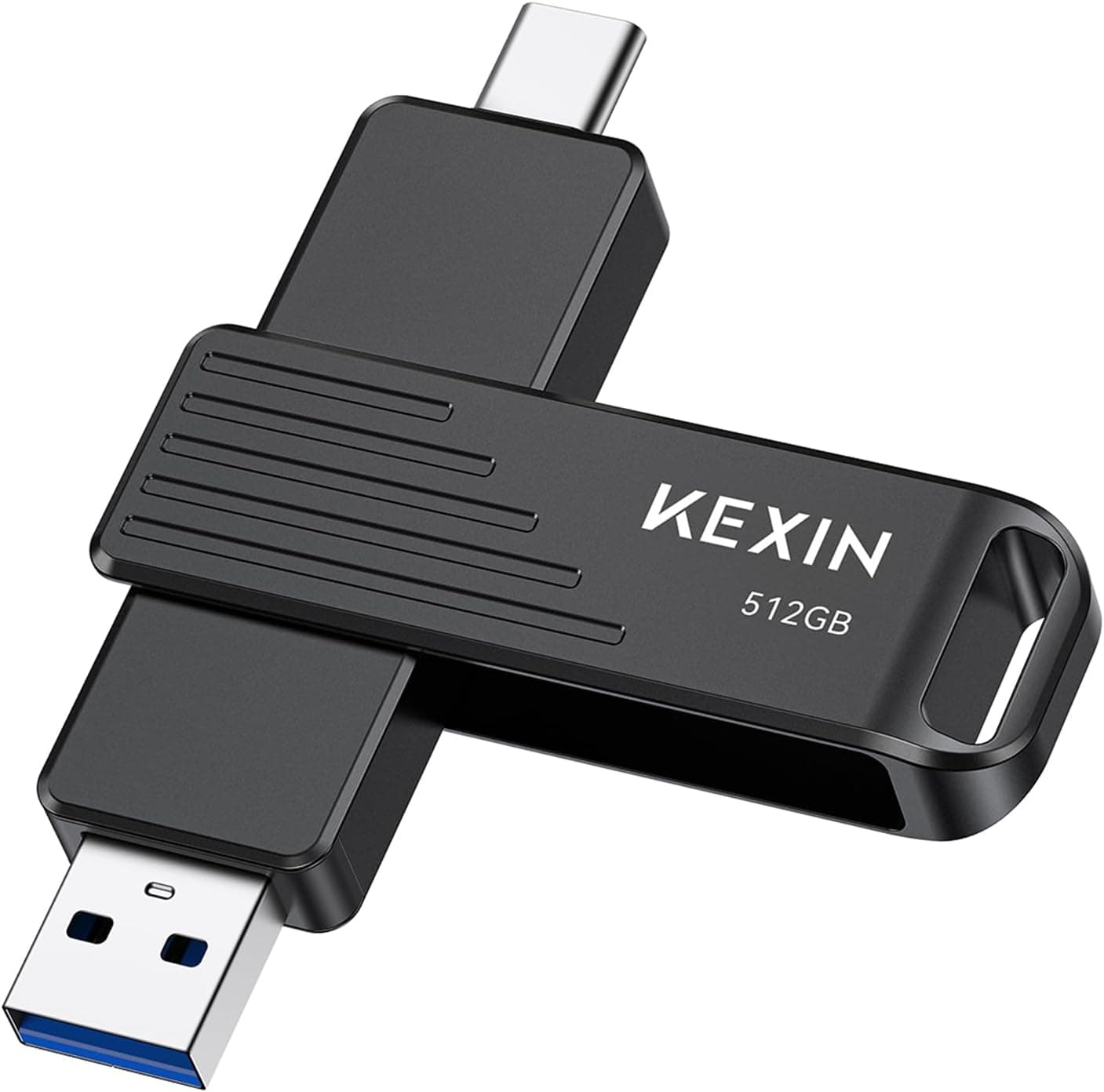
This article covers KEXIN 512GB USB Cフラッシュドライブ 最大1000MB, listed in English as the KEXIN 512GB USB-C Flash Drive — a 512GB pocket drive with both a USB Type-C and a USB Type-A plug built into one body.
Overview
The short version: this is a drive for people who move files between machines and would rather not carry adapters. The USB-C end goes into a recent laptop, tablet, or USB-C iPhone; the USB-A end goes into the aging desktop in the meeting room, a TV, or a car head unit.
Capacity is 512GB, the interface is USB 3.2 Gen 2, and both read and write are rated at up to 1000MB/s.
What it is not is a working drive you leave plugged in, a place to install games, or your only copy of anything. A thumb drive has far less thermal headroom than a portable SSD, so sustained writes typically taper off.
On Amazon.co.jp the listing showed 4.3 out of 5 stars from 673 reviews when the data was captured in June 2026 — roughly an 86% positive score, which is solid for this class of brand.
Compatibility Guide
Both connectors are part of the drive itself, so no adapter or cable is required. The interface is USB 3.2 Gen 2 (10Gbps) and it falls back to USB 3.1, 3.0, and 2.0 ports.
Supported operating systems are listed as Windows, macOS, Linux, and Android. "It plugs in," "it runs fast," and "the host can read it" are three different questions, so here is the practical breakdown.
| Host | Plugs in | What to watch |
|---|---|---|
| USB 3.2 Gen 2 PC | Yes (C or A) | The only case where the rated speed is possible |
| USB 3.0 / 3.2 Gen 1 PC | Yes | A 5Gbps bus caps you at roughly half |
| USB 2.0 port | Yes | About 40MB/s in practice; impractical for 512GB |
| USB-C iPhone | Yes | Base models may be limited to USB 2.0 internally |
| Android phone or tablet | Yes (needs OTG) | Standard on recent devices; a file manager app may help |
| PS5 / Xbox Series X and S | Yes (USB-A end) | Storage works; current-gen titles cannot run from USB |
| TV or car audio | Maybe | File system and capacity limits apply |
iPhones deserve a caveat. A USB-C port does not guarantee USB 3 speed: the base iPhone 15 and 16 are limited to USB 2.0 internally (480Mbps, around 60MB/s in practice), while the Pro models support USB 3 at 10Gbps.
Check Apple's spec page for which iPhone 17 variants do what. Lightning iPhones (14 and earlier) cannot accept this drive at all.
The body measures 82.4 x 19 x 10.6mm and weighs 33g.
At 19mm wide it is chunkier than a typical stick, so on thin laptops with tightly spaced ports it may block the neighbouring port. The 10.6mm thickness also means plugging it straight into a phone in a thick case puts leverage on the connector; a front-panel port or a short extension cable is safer.
Product Info
The specifications are 512GB capacity, USB 3.2 Gen 2 interface, up to 1000MB/s read and write, USB Type-C plus USB-A connectors, 82.4 x 19 x 10.6mm, 33g, a zinc alloy housing, and Windows / Linux / macOS / Android support.
The metal shell is stiffer than plastic, which matters if the drive lives on a keyring, and a 360-degree rotating cap covers whichever connector is not in use. There is a keyring hole, and no driver or app install is needed.
KEXIN does not publish the NAND type or the controller model. Warranty coverage is described only as "24-hour customer service" with no term stated in years, which is weaker than the five-year or lifetime coverage printed on major-brand drives.
Read the seller's return and replacement terms before ordering.
One note on price. The captured price figure is out of line with what a 512GB thumb drive costs, and the ASIN on the pricing record does not match the one in the listing details, so it was most likely scraped from a different product.
This article therefore quotes no figure. Street prices move with sales and capacity variants anyway — check the product page for the current number.
What 1000MB/s Actually Means
USB 3.2 Gen 2 carries 10Gbps, which after protocol overhead lands near 1,000MB/s in practice.
The rating is therefore pinned to the ceiling of the standard, and reaching it requires a Gen 2 host port, plus a Gen 2 cable if you use one. Plug into a Gen 1 port and roughly half is the best you will see.
The other half of the story is sustained writing. Drives like this write into a fast region first and slow down once it is exhausted, so copying a few gigabytes of documents can feel close to the rating while dumping 100GB of footage may fall off near the end.
Read the number as a short burst peak rather than a long-run average and you will not be disappointed.
How It Compares
The obvious alternatives at this capacity are the SanDisk Ultra Dual Drive Luxe and Samsung's Type-C flash drives. Many of those generations are rated near 400MB/s read, so on paper this drive claims more.
What the big brands offer instead is a printed warranty term and a working replacement process. The trade is claimed speed versus support and track record.
Japanese-brand options follow the same pattern: something like IODATA's Type-A and Type-C dual model costs more per gigabyte but comes with domestic support. If the drive will carry work data, or you want to file a claim in your own language, do not choose on the speed figure alone.
Who It's For
- USB-C iPhone owners, especially Pro models — offload photos and video without an adapter, with 512GB to spare for 4K clips. Base models will cap out well below the rating.
- People crossing a USB-C laptop and USB-A office PCs — no dongle hunt when the meeting room machine only has full-size ports.
- Creators moving material in the field — a relay between a card reader and a laptop or tablet. Use it for transport, not as the edit drive.
- Console owners archiving captures — the USB-A end handles screenshots and recordings from a PS5 or Xbox Series X and S.
- Not for you if you live in cloud storage, own a Lightning iPhone, or intend this to be the backup rather than a copy of it.
Before You Buy
Listing metadata can be wrong. On the Amazon listing consulted here, the manufacturer field named a different storage brand rather than KEXIN, and the ASIN did not match the one on the price record.
Sellers often reuse templates, and the registered details drift away from the physical product. Check the photos, the title, and the capacity before ordering — and equally, do not conclude from a mismatched manufacturer field alone that you are looking at another brand.
"Up to 1000MB/s" is a host-dependent number. If your machine has no USB 3.2 Gen 2 port, that speed is simply unavailable.
Most "it feels slow" complaints trace back to the port, not the drive.
Never let a thumb drive be the only copy. Flash sticks can stop enumerating without warning, and recovery is rarely practical.
Keep the data in at least two places.
Verify capacity and speed on arrival. Third-party listings occasionally ship drives whose real capacity is below the label.
Write a large file, read it back, confirm it is intact — or run a capacity verification tool — while you are still inside the return window.
The warranty term is unclear, as noted above. For work data, choosing a drive with a stated term is a reasonable call.
It gets hot. Zinc alloy sheds heat well, which means the shell itself becomes warm to hot after a long transfer.
Give it a moment before pulling it out.
FAQ
Q. Does it work with an iPhone? A.
Yes on USB-C iPhones (15 and later). Base models may be limited to USB 2.0 speeds internally, so the rating will not apply.
Lightning iPhones (14 and earlier) cannot connect at all.
Q. How should I format it? A.
Drives this size usually ship as exFAT, which Windows, macOS, and recent Android all read and write. Keep exFAT if you handle files over 4GB such as 4K video.
Some car stereos and TVs only read FAT32, but FAT32 imposes a 4GB per-file limit.
Q. Can I install PS5 games on it? A.
PS5-native titles cannot be launched from USB storage. You can store and play PS4 titles, park data, and pull off screenshots and clips.
Xbox Series X and S behave the same way — optimised current-gen titles need the proprietary expansion card.
Q. Will I really see 1000MB/s? A.
The practical ceiling of USB 3.2 Gen 2 is around 1,000MB/s, so the rating sits at the edge of the standard.
It requires a Gen 2 host, and sustained writes typically fall off. Treat it as a burst figure.
Q. Can I leave it plugged in as a permanent drive? A.
You can, but it is not advisable. Heat and write endurance both argue against constant use, and a stick protruding from a laptop is easy to snap.
A portable SSD suits that job better.