Overview
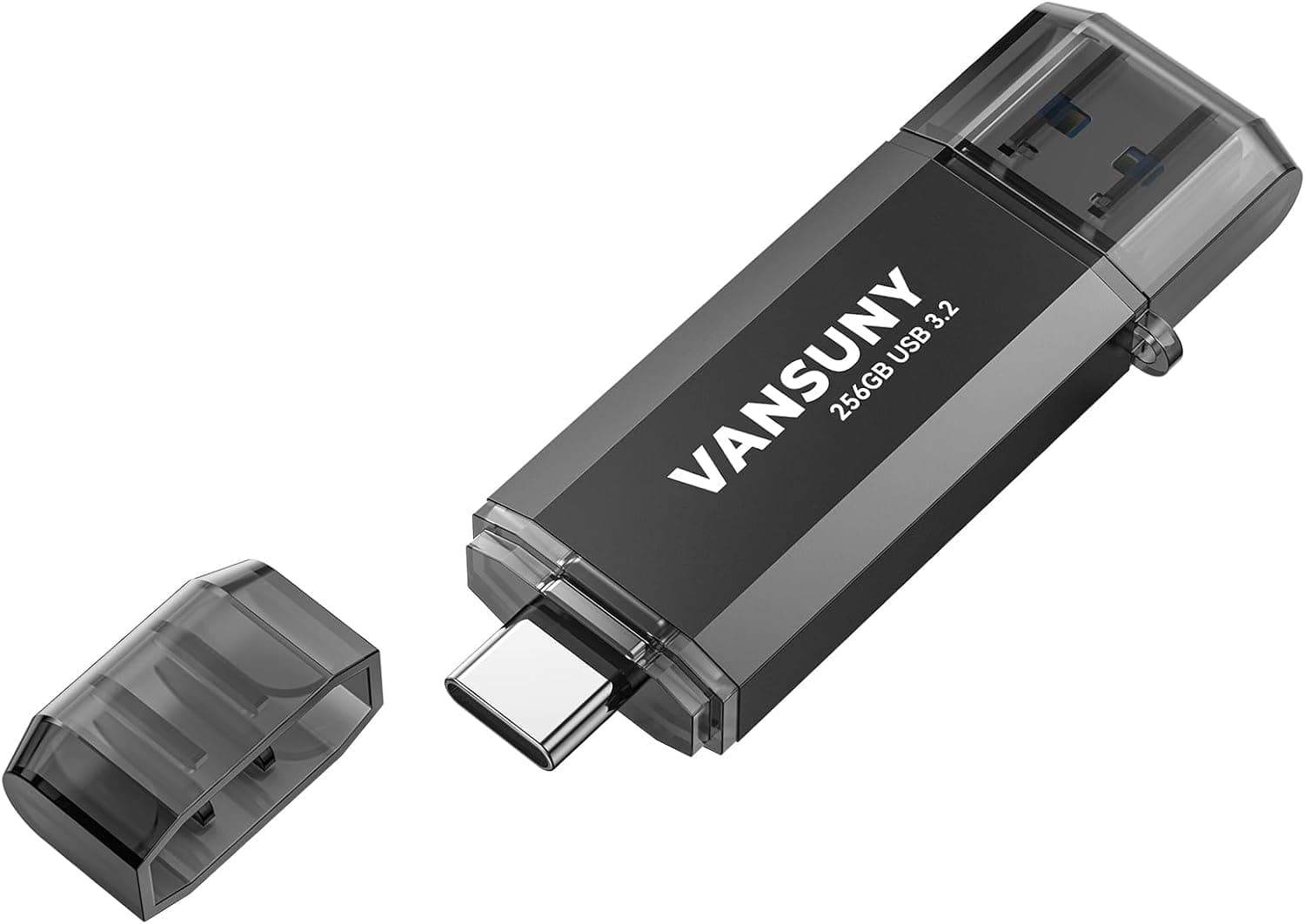
The Vansuny 256GB Type C Flash Drive is a 2-in-1 OTG drive with both a USB-A and a USB-C connector on a single body. Rated specs are 450 MB/s read, 400 MB/s write, USB 3.2 Gen 1 interface, 54 x 19 x 7.6 mm, metal-and-plastic construction, with a keychain loop.
The short version: it suits people who move large files between a phone and a PC every day, and it does not suit anyone looking for a stationary backup drive.
Amazon shows 14 reviews averaging 4.1 out of 5 (roughly 82%).
With a review count in the low double digits, treat this as early-buyer sentiment rather than a track record built on volume.
Where a 2-in-1 Drive Fits
USB drives come in three shapes: USB-A only, USB-C only, and dual-connector. USB-A only is cheapest and most widely available, but needs an adapter for modern phones and thin laptops.
USB-C only leaves you stranded at a car stereo, a TV, or an older office PC. A dual drive exists to eliminate the time you spend hunting for an adapter.
There is a cost to that convenience. Two connectors mean a thicker, heavier body and a higher price than a single-port drive of the same capacity and speed class.
At 7.6 mm thick, this is not a slim drive; it can foul neighbouring ports on a laptop or a hub with tight port spacing.
Compatibility Guide
The supplied compatibility notes state it works with most devices that have a USB-A or USB-C port: OTG-capable Android phones and tablets, Windows PCs, Macs, Linux PCs, car stereos, and smart TVs. Supported operating systems are Windows, macOS, and Linux, with no driver installation required.
Three things trip people up in practice:
- Android OTG support. A USB-C port does not guarantee external storage support. Older or budget handsets sometimes refuse to mount a drive. Confirm your specific model supports USB OTG before buying.
- iPhone and iPad. Recent USB-C iPhones can read external storage through the Files app. Lightning-era iPhones cannot connect directly; for iPhone-first use, an MFi-certified drive is the safer choice.
- File system. The drive ships formatted as exFAT, which handles files larger than 4 GB and therefore suits 4K video. Car stereos, older TVs, and some consoles only read FAT32. Reformatting solves that but reintroduces the 4 GB per-file limit.
Speed compatibility matters too. USB 3.2 Gen 1 is the same 5 Gbps tier as USB 3.0.
Plugged into a USB 2.0 port it still works, but real-world throughput typically falls to roughly 30–40 MB/s — nowhere near 450 MB/s.
Some phone ports are charge-only or limited to USB 2.0 speeds as well.
How to Read the Speed Numbers
450 MB/s read and 400 MB/s write are fast figures for a USB stick, but ratings like these generally describe sustained transfers under best-case conditions. Where they actually matter:
| Task | Do the rated speeds help? |
|---|---|
| Copying one large 4K video file | Yes — sustained transfer |
| Copying a few hundred RAW photos | Somewhat |
| Copying thousands of tiny files | Barely |
| Editing files directly on the drive | Not much — random access |
USB drives also heat up during long writes and can throttle. A metal body helps dissipate heat, but expect some slowdown late in a multi-tens-of-gigabytes transfer.
The host port, cable or hub quality, and the speed of the source drive all cap the result as well.
Product Info
rmation
Key specs: 256 GB capacity, 450 MB/s read, 400 MB/s write, USB 3.2 Gen 1, USB-A plus USB-C connectors, 54 x 19 x 7.6 mm, metal-and-plastic body, and Windows/macOS/Linux support.
A keychain loop is included so the drive can live on your keys or bag.
This article deliberately does not quote a price. The automatically collected pricing data contained a figure (¥276,788) that is orders of magnitude out of line for a 256 GB USB stick, so we treat it as a collection error.
Flash storage pricing moves constantly and sale prices swing widely — check the product page for the current figure. The only durable rule of thumb: a dual-connector drive costs more than a single-port USB-A drive of the same capacity and speed class.
Warranty terms vary by manufacturer and seller. Note that a warranty replaces hardware, never your data, so a backup habit matters more than the number of years quoted.
Best Use Cases
- People who shuttle files between phone and PC daily. No adapter to carry is the core value; pulling footage off a phone and handing it to a PC happens with one object.
- Anyone offloading 4K video or RAW photos in the field. Sustained transfer speed is where this drive earns its keep.
- Anyone who wants a spare drive always on hand. The keychain loop raises the odds it is actually with you.
- Mixed-port households. Car stereos, TVs, and shared office PCs still expect USB-A.
If you live entirely on USB-C, the USB-A end is just extra bulk — a single-port USB-C drive is the cleaner answer. If you value domestic-brand support, dual-connector drives from Japanese makers are worth comparing.
Things to Check Before Buying
1. The listing metadata may be inconsistent. The source Amazon data listed a different brand as the manufacturer for what is a Vansuny product, so that line has been omitted here.
The ASIN in the source URL also does not match the ASIN attached to the pricing data. You will likely encounter the same inconsistency on the product page, so confirm the product from the images and title rather than trusting the registered manufacturer or model fields.
2. The displayed price may be wrong. As noted, the captured price does not match this product class.
If you see an extreme figure, suspect that a different variant — another capacity, colour, or multi-pack — is selected. Verify capacity and quantity before adding to cart.
3. Never make a USB drive your only copy. Connector damage, loss, and flash wear all destroy data.
Keychain carry improves availability at the cost of higher drop, loss, and water-exposure risk. Keep anything important on a PC or in the cloud as well.
4. The review sample is small. 14 reviews at 4.1 stars indicate direction, not durability.
Durability is exactly the attribute that needs long-term, high-volume feedback to assess, so choosing an established brand at a similar price is a perfectly rational call.
5. Rated speed depends on your setup. USB 2.0 ports, charge-only ports, poor hubs, and slow source drives all prevent 450 MB/s.
Slow transfers are not automatically a defective unit — isolate the connection first.
6. Do not assume encryption. Nothing in the provided data mentions built-in encryption.
For work data, plan on using OS-level or file-level encryption yourself.
FAQ
Q. Does it work with an iPhone? A.
Most likely yes on USB-C iPhones via the Files app. Lightning iPhones cannot connect directly; choose an MFi-certified drive for those.
Q. My Android phone does not recognise it. A.
Check that your model supports USB OTG, that a thick case is not preventing full insertion, and that the phone can read exFAT.
Q. Should I keep it formatted as exFAT? A.
Yes for PCs, Macs, and modern phones — exFAT handles files over 4 GB. Reformat to FAT32 only if a car stereo or older TV requires it, accepting the 4 GB per-file limit.
Q. Will I really see 450 MB/s? A.
Rated figures assume best-case sustained transfers on a native USB 3.2 Gen 1 port with large files.
Small-file batches and USB 2.0 connections fall far short.
Q. Is 256 GB overkill? A.
Not for 4K video or RAW photos. For documents and snapshots, a 64 GB drive is cheaper and lighter.
Size for the largest single haul you carry, not for total lifetime use.
Q. How long is the warranty? A.
Terms vary by seller — check the listing. Either way, a warranty will not restore your files, so back up.