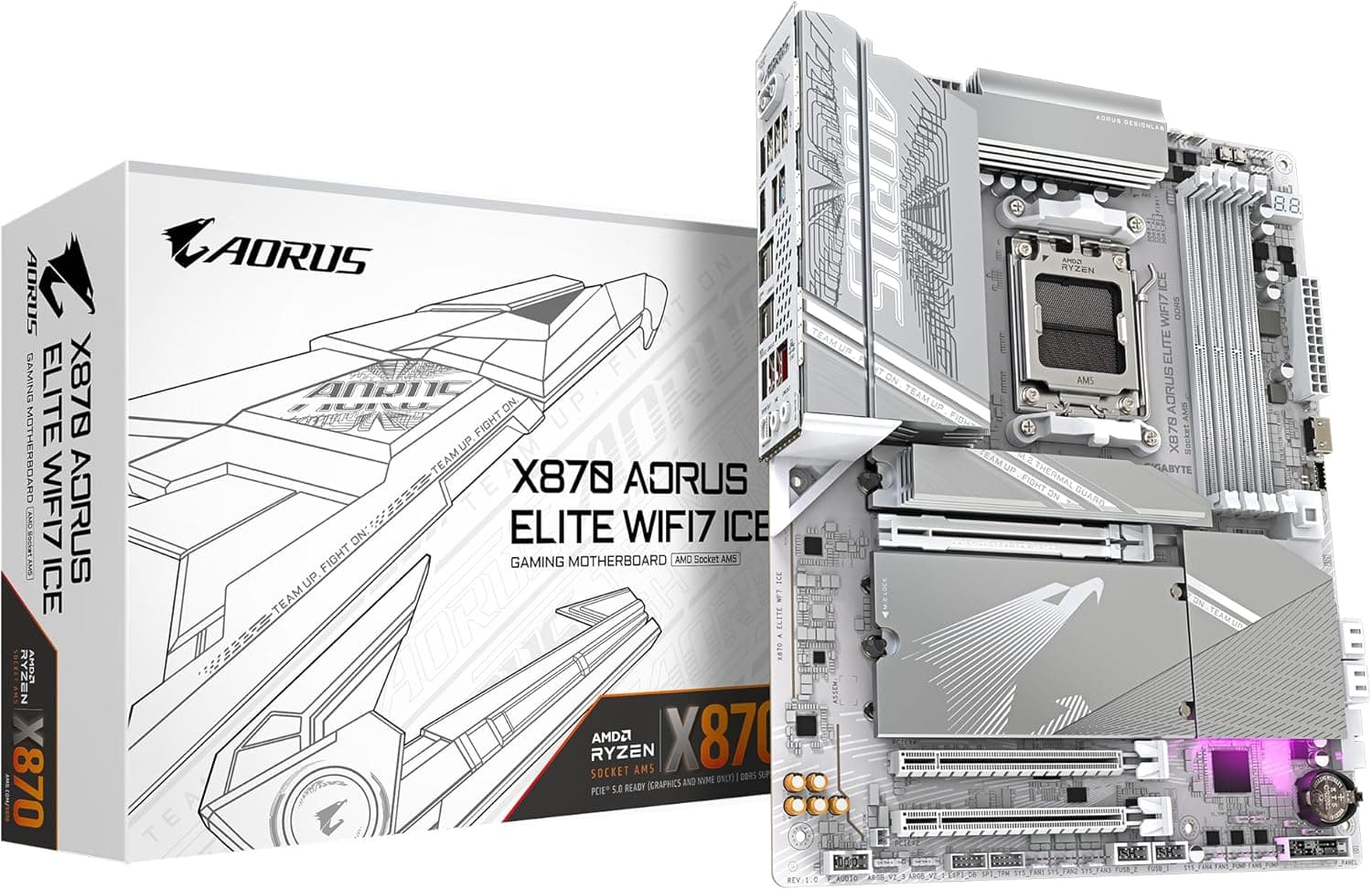
Overview
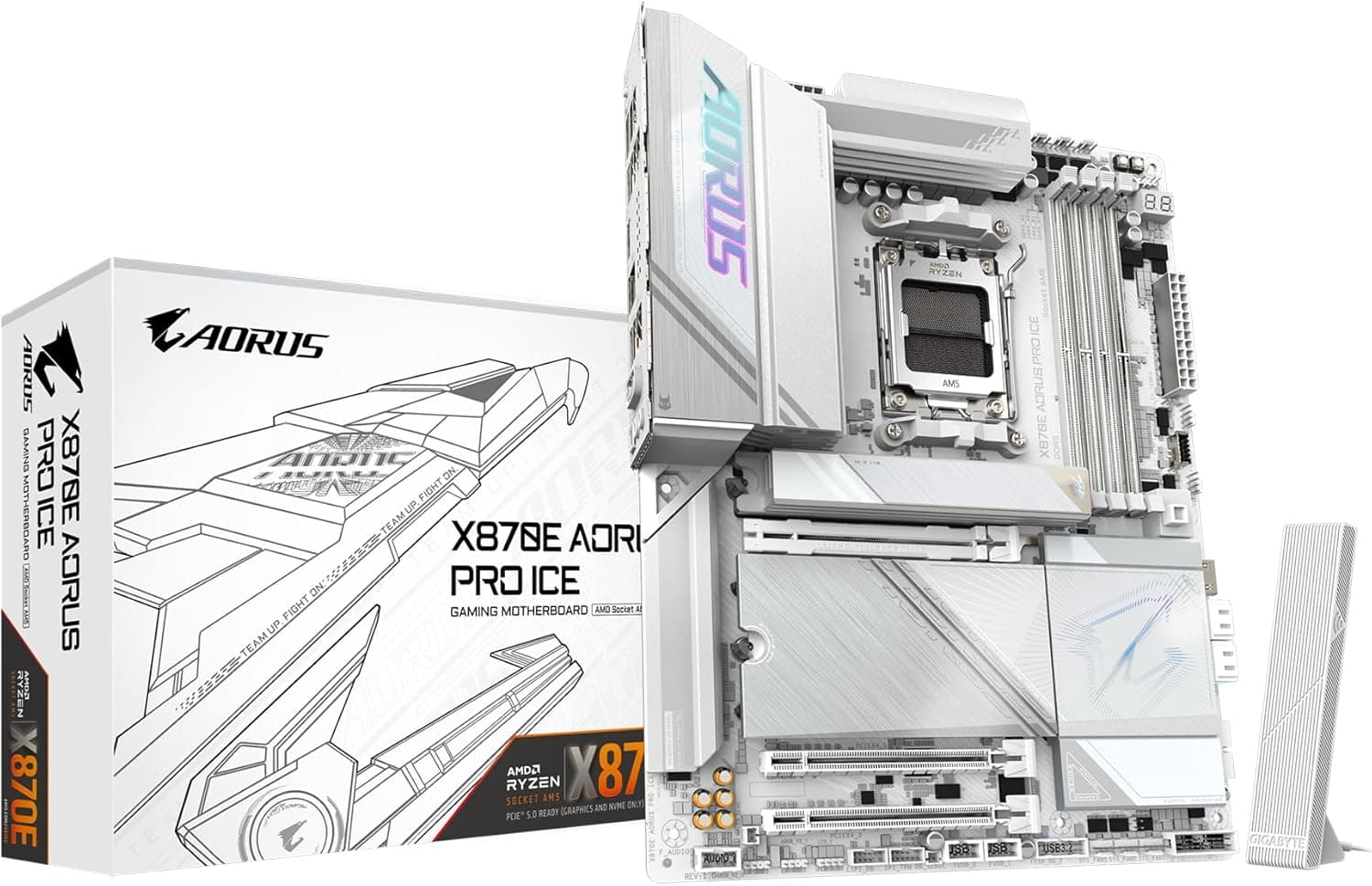
The GIGABYTE X870 AORUS Elite WIFI7 ICE is an ATX motherboard built on AMD's AM5 socket and the X870 chipset, aimed mainly at Ryzen 9000 series processors. As the ICE name suggests, it has a white theme and is meant for builders putting together an all-white system.
It has a 16+2+2 phase VRM (DrMOS), DDR5 support up to 8000MHz(OC), a PCIe Gen5 x16 slot, Gen5-capable M.2 slots, USB4, Wi-Fi 7 and 2.5GbE LAN, so it covers every feature the X870 generation calls for.
In short, it is a sensible pick if you want both the white look and modern I/O like USB4 and Wi-Fi 7. For gaming alone, though, a B650 board delivers almost the same performance, so this board can be poor value if looks and connectivity don't matter to you.
On Amazon.co.Check the retailer's page for the latest user reviews.
Where X870 Fits (vs. B650 and X870E)
AM5 boards fall into A620, B650 (B650E), X670 (X670E), and the X870/X870E chipsets that launched alongside Ryzen 9000. X870 requires USB4 and PCIe 5.0 for both graphics and storage, which is the clearest difference from B650.
Some B650 boards do offer a PCIe 5.0 M.2 slot, but they generally do not have USB4.
The difference from X870E is the chipset count. X870E links two chipsets to get more PCIe lanes and USB ports, while X870 has only one.
Unless you plan to install lots of M.2 drives or several expansion cards, X870 is rarely limiting.
This board fits buyers who don't need X870E's expansion but do want USB4 and Wi-Fi 7.
| Item | B650 class | X870 (this board) | X870E class |
|---|---|---|---|
| Chipsets | 1 | 1 | 2 |
| USB4 | Generally no | Yes | Yes |
| PCIe 5.0 | Varies | GPU and M.2 | GPU and M.2 |
| Best for | Value gaming | Modern I/O and looks | Many drives and cards |
The table shows general trends, so check the manufacturer's spec sheet for any specific board. If you're unsure, two questions make the choice easier: will you use USB4, and how many drives will you install?
Compatibility Guide
The socket is AM5, and the board supports Ryzen 7000, 8000 and 9000 series CPUs. AM4 chips such as the Ryzen 5000 series and earlier will not physically fit, so moving from an older platform means replacing the CPU, motherboard and memory together.
AM5 uses the same cooler mounting-hole spacing as AM4, so most AM4 coolers still work. Check the cooler's compatibility list to confirm how it mounts (for example, whether it uses the stock backplate).
Memory is DDR5 only, with four slots in dual-channel mode and up to 256GB. The 8000MHz maximum is an overclocked figure, and whether your system is stable at that speed depends on your CPU's memory controller and your RAM kit.
AMD EXPO and XMP profiles are supported, so you can load faster-than-stock settings just by enabling them in the BIOS. On AM5, four sticks usually need lower speeds than two to stay stable, so if you need a lot of memory, two high-capacity modules are the faster option.
There is one PCIe Gen5 x16 slot, so even the newest graphics cards have full bandwidth. According to the specs, the board has several Gen5-capable M.2 slots.
However, some X870 boards share PCIe lanes between the USB4 controller and an M.2 slot, so check the lane-sharing table in the manual before you buy to see which slots disable what.
SATA 6Gbps ports are also included, so your existing 2.5-inch SSDs and hard drives will still work.
Power connectors are a 24-pin ATX and an 8+4-pin EPS. If you run a Ryzen 9 under heavy load, connect both EPS cables to be safe.
As an ATX board it fits standard ATX cases, but not micro-ATX-only or Mini-ITX cases. How tall your CPU cooler and how long your graphics card can be depends on the case.
Product Info
The key specs are listed below.
| Item | Detail |
|---|---|
| Chipset | AMD X870 |
| Socket | AM5 |
| Form factor | ATX |
| Memory | DDR5 x4 slots (dual channel), up to 256GB, up to 8000MHz(OC) |
| VRM | 16+2+2 phases (DrMOS) |
| M.2 | Gen5 capable (multiple) |
| Networking | Wi-Fi 7 + 2.5GbE LAN |
| USB | USB4 (Type-C), USB 3.2 Gen2, USB 2.0 |
| Video output | HDMI, USB-C DP |
A 16+2+2 phase VRM can comfortably power demanding CPUs such as the 16-core Ryzen 9 9950X. Many mid-range B650 boards have fewer phases, and the gap matters most in long all-core workloads like encoding and rendering.
If you're gaming on a Ryzen 5 or Ryzen 7, you are unlikely to notice any difference from the VRM size.
The HDMI and USB-C DP outputs only work with a CPU that has integrated graphics. Most Ryzen 7000 and 9000 chips have basic integrated graphics (some F models do not), which helps when troubleshooting a failed graphics card or test-building before you buy a GPU.
As of May 29, 2026, the price on Amazon.co.jp was ¥38,800.
Motherboard prices change a lot with sales and stock levels, so check the product page for the current price. The board was released around September 2024 as part of the X870 generation that launched alongside Ryzen 9000.
Build and Setup Tips
The first time an AM5 system boots, it runs memory training, which can take several minutes before anything appears on screen. This is not a fault.
Don't cut the power just because nothing shows up after a few dozen seconds. Each forced power-off restarts the training and makes the wait longer.
We recommend updating the BIOS to the latest version as soon as the build is done. Because this board came out after the Ryzen 9000 launch, it will usually boot on the factory BIOS.
Still, later BIOS releases are often needed for newer CPUs or to improve memory stability and EXPO behavior. Check GIGABYTE's support page and the manual for how to update.
Cable and fan colors change how a white board looks. Black power or fan cables stand out, so if you want an all-white build, budget for white cables, fans and a white CPU cooler from the start to avoid extra spending after the build.
Who Should Buy
- Builders going for an all-white case and parts. The ICE board is white-themed, so what you see through the glass panel matches.
- Users running long all-core workloads such as encoding or rendering on many-core CPUs like the Ryzen 9 9950X, where the 16+2+2 phase VRM's headroom pays off.
- Anyone whose PC is in a room without an easy Ethernet run. Wi-Fi 7 is built in, so you don't need a separate wireless card.
- Builders who want a PCIe Gen5 and DDR5 platform ready for future GPU and SSD upgrades.
Things to Consider
First, we don't recommend this board if your only goal is better gaming performance. Frame rates depend mostly on the CPU and GPU, and with the same CPU a B650 board performs almost identically.
If USB4, Wi-Fi 7 and the white look don't matter to you, putting that money toward the GPU will likely make you happier.
Second, PCIe Gen5 only helps when your parts support it. Gen4 SSDs and graphics cards work fine but still run at Gen4 speeds.
Many Gen5 SSDs also run hot, so check whether the board's included heatsink is enough or what cooling the SSD maker recommends.
The 8000MHz(OC) figure is the most the board can handle, not a promise that every CPU and RAM kit will reach it. On AM5, around 6000MHz is a widely used speed that tends to work well with the CPU, so treat that as a guide.
Four sticks may need even lower speeds, so the safest plan is to buy the capacity you need as two modules from the start.
White models are usually less widely stocked than the black versions in the same series, so they can cost more or sell out. If color doesn't matter, compare the standard version in the same series too.
To get Wi-Fi 7 speeds, your router must also support Wi-Fi 7. The features available can also depend on OS and driver support, so keep Windows and the wireless driver up to date.
Finally, a note on the listing. In the price data we collected automatically for this article, the overseas field pointed to the same Japanese Amazon page and price, so this article only lists the Japanese Amazon price from when it was collected.
Product listings sometimes contain errors, so check the images and product name before you buy to make sure it really is the GIGABYTE X870 AORUS Elite WIFI7 ICE.
FAQ
Q. Does it work with Ryzen 7000 series CPUs? A.
Yes. It uses the AM5 socket and supports Ryzen 7000, 8000 and 9000 series CPUs.
To be safe, check GIGABYTE's support page to confirm your CPU is on the supported list and which BIOS version it needs.
Q.
A. No. The board is DDR5 only.
Q. What PSU wattage do I need? A.
If you pair a Ryzen 9 with a high-end GPU, check the GPU maker's recommendation as well and pick a PSU with some headroom.
Q. Is it faster for gaming than a B650 board? A.
With the same CPU and GPU, there is almost no difference. The differences are USB4, Wi-Fi 7, VRM headroom and looks.
**Q. Nothing shows on screen at first boot. A. AM5 memory training can take several minutes on the first boot. If there's still no display after waiting, narrow it down step by step: try a single memory stick, then check that the CPU power cables are firmly connected.
Product Disclosure (Amazon)
- Manufacturer: GIGABYTE
- ASIN: B0DFQCTYT6
- Note: This article covers a manufacturer-made product based on Amazon listing details.