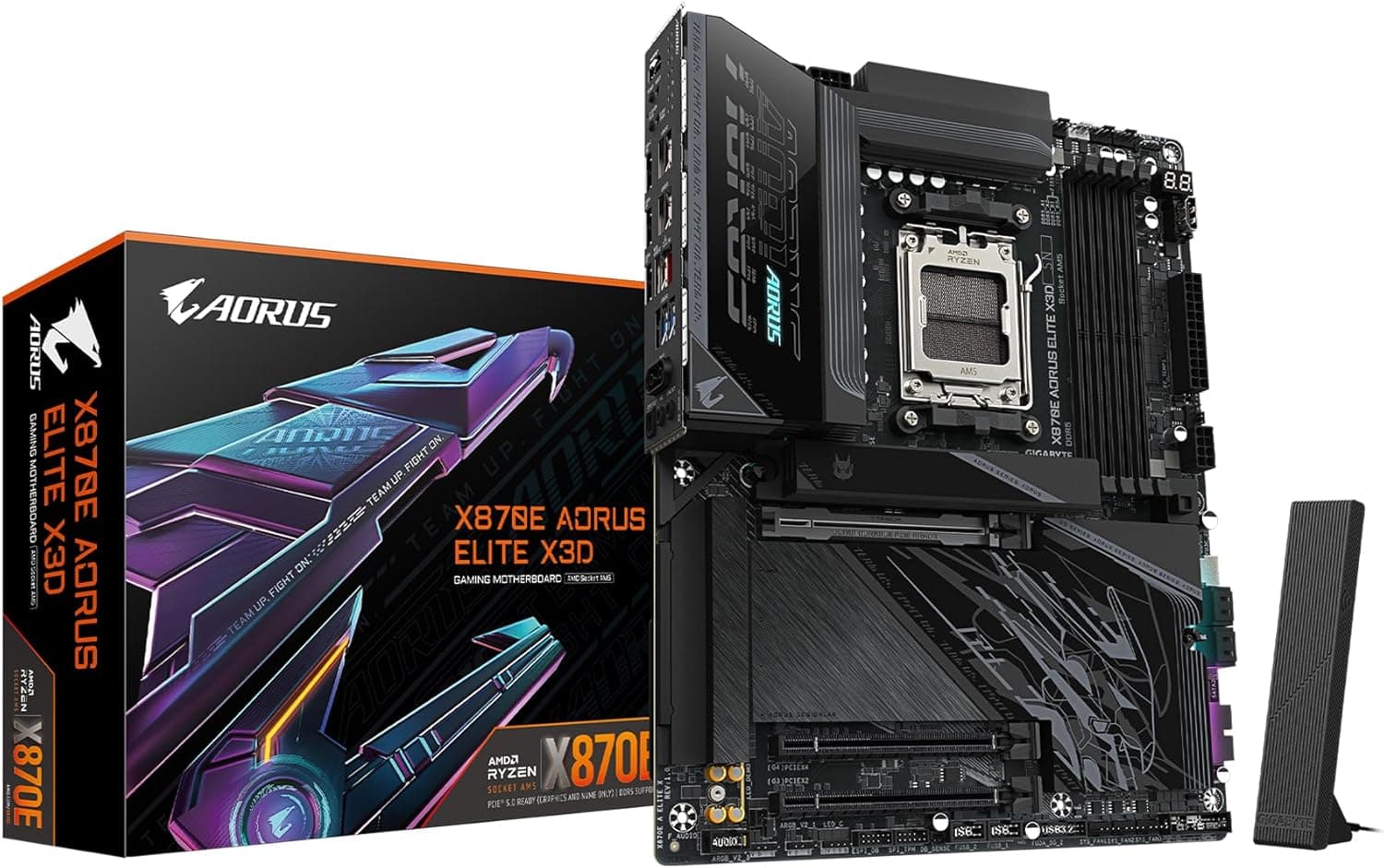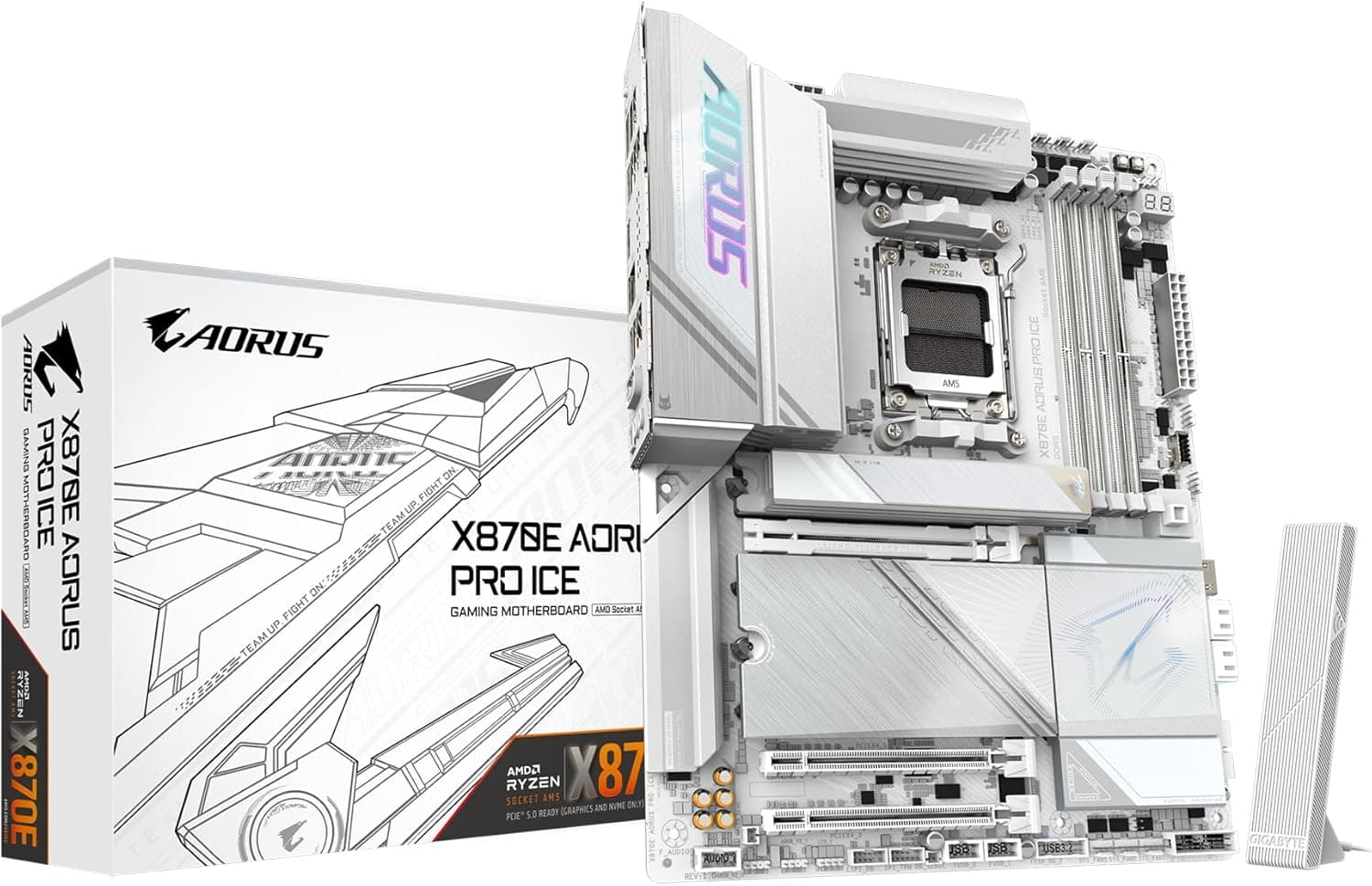
Overview
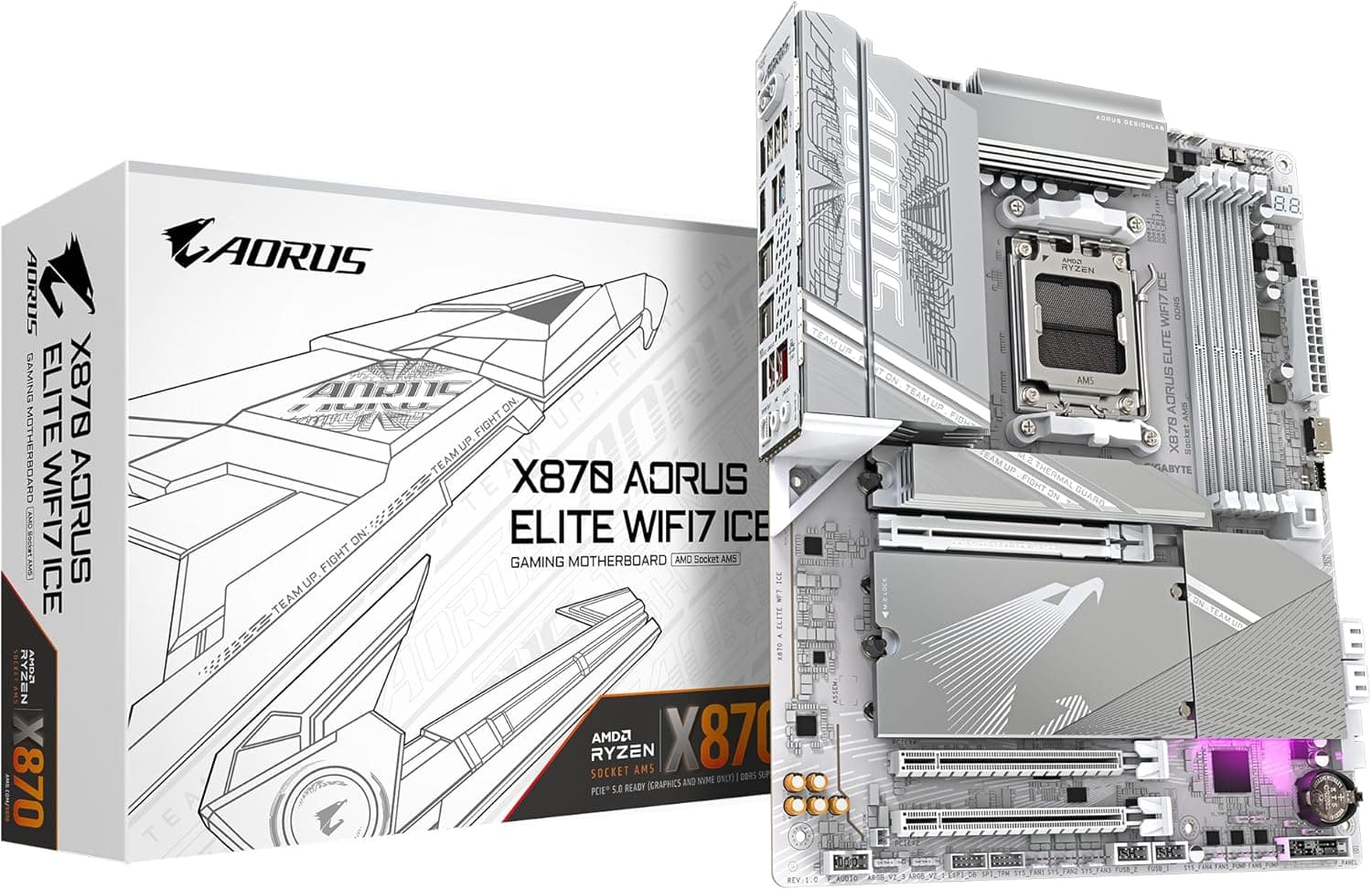
The GIGABYTE X870E AORUS PRO ICE is an ATX motherboard for Socket AM5, built on AMD's X870E chipset. The PCB, heatsinks and I/O shroud are all white, which makes it a natural base for all-white builds with a white case and white graphics card.
It has one PCIe 5.0 x16 slot, three PCIe 5.0 x4 M.2 slots, USB4 Type-C, Wi-Fi 7 and 2.5GbE LAN, so there is plenty of expansion for Ryzen 9000/8000/7000 series CPUs.
The VRM is a 16+2+2 phase design with 80A Smart Power Stages (SPS). That is enough to keep a 16-core chip like the Ryzen 9 9950X under sustained all-core load.
The board sits one step below the flagships, in the upper mid-range, and suits builders who want both looks and connectivity.
Here is the bottom line. It is a sensible pick if you want a white build, plan to run a Ryzen 9, or intend to use several PCIe 5.0 SSDs.
If your build is mostly black, or it is a gaming-only machine with one or two M.2 drives, you are paying for X870E features and white styling you won't use, and a B650-class board is often enough.
On Amazon.co.Check the retailer's page for the latest user reviews.
Compatibility Guide
The four things most likely to trip you up with this board are CPU generation, memory type, M.2 lane sharing and the number of power cables.
The table below covers the essentials.
| Item | Support | What to check |
|---|---|---|
| CPU socket | AMD Socket AM5 | Ryzen 9000/8000/7000 series. AM4 CPUs will not fit |
| Memory | 4x DDR5 UDIMM, up to 256GB | No DDR4 support. The notch is in a different place, so DDR4 will not physically fit |
| Memory speed | DDR5 4400 to 8000+ (OC) | High speeds count as overclocking. Four-stick setups usually run slower |
| Expansion | 1x PCIe 5.0 x16, 1x PCIe 4.0 x4, 1x PCIe 3.0 x4 | Only one slot has full GPU bandwidth |
| M.2 | 3x PCIe 5.0 x4, 1x PCIe 4.0 x4 | Check the manual for lane sharing |
| SATA | 4x 6Gb/s | For HDDs and 2.5-inch SSDs |
| Form factor | ATX (305 x 244mm) | Will not fit microATX-only cases |
| Power | 24-pin ATX, 8-pin EPS (listed as 2 + 1) | Count the CPU cables on your PSU |
| Recommended PSU | 750W (listed value) | 850W+ for a Ryzen 9 with a high-end GPU |
CPU. Ryzen 9000 and 7000 series chips can use every feature on the board, including PCIe 5.0.
Ryzen 8000G APUs also work, but they do not support PCIe 5.0 and provide fewer CPU PCIe lanes.
As a result, the GPU slot or some M.2 slots may run at PCIe 4.0 or be disabled.
If you plan to run an 8000G on its integrated graphics alone, X870E offers little benefit.
Memory. The board is DDR5 only, so coming from DDR4 means buying new RAM.
It supports AMD EXPO and Intel XMP 3.0 profiles.
DDR5-6000 is widely used as the sweet spot for Ryzen. The 8000+ figure is an overclocking ceiling, and whether you reach it depends on your CPU sample and memory kit.
You can install up to 256GB, but four sticks usually need lower clocks than two to stay stable. Decide first whether capacity or speed matters more to you.
M.2 and lane sharing. An AM5 CPU mainly provides PCIe 5.0 lanes as x16 for graphics plus x4 links for M.2.
With three PCIe 5.0 M.2 slots, some lanes are likely shared.
On some X870E boards, filling a particular M.2 slot drops the GPU slot to x8.
Check the bandwidth table in the manual to see which slots share lanes on this board.
Case and PSU. This is a standard ATX board, so any mid-tower or larger that supports ATX should fit it.
Clearance between the top VRM heatsink and roof-mounted fans or AIO radiators varies by case, and so does the room for routing EPS cables behind the tray. Treat the listed 750W as the minimum PSU size.
For a Ryzen 9 paired with a high-end graphics card, 850W or more gives you comfortable headroom.
Product Info
The Amazon listing is titled GIGABYTE X870E AORUS PRO ICE — Premium white ATX motherboard for AMD Ryzen CPUs. It is part of the X870E generation released in late 2024 and is the white variant of the AORUS PRO line.
- Chipset: AMD X870E
- VRM: 16+2+2 phases (80A SPS)
- Memory: 4x DDR5 UDIMM, up to 256GB, DDR5 4400 to 8000+ (OC)
- Expansion: 1x PCIe 5.0 x16, 1x PCIe 4.0 x4, 1x PCIe 3.0 x4
- M.2: 3x PCIe 5.0 x4, 1x PCIe 4.0 x4
- SATA: 4x 6Gb/s
- Audio: Realtek ALC1220 (7.1ch)
- Wired LAN: 2.5GbE (Realtek RTL8125BG)
- Wireless: Wi-Fi 7 (802.11be) + Bluetooth 5.3
- Rear USB: 2x USB4 Type-C (40Gbps)
Check the retailer's page for the latest price.co.jp (as of May 30, 2026) and $319.99 on eBay US (as of July 8, 2026).
Motherboard prices shift a lot with exchange rates and sales, so treat these as snapshots from those dates. Check the product page for the current price before you buy.
Among white X870E boards, this is one of the more affordable options. Flagship X870E boards add heavier VRMs and more accessories at a noticeably higher price.
This model trims extras and decoration while keeping a strong VRM and full connectivity.
On warranty: the original version of this article described a 2-year warranty through GIGABYTE's Japanese authorized distributors. However, the Amazon listing names APEXusa as both seller and shipper.
Grey-import units may not be covered by domestic distributor warranties, so check the seller page for official-import status and warranty terms before you buy.
X870E vs X870 vs B650
AM5 has many chipset options, and whether you really need X870E is a common question. In broad terms, X870E uses two chipset dies, which gives it more USB and PCIe capacity downstream.
X870 uses one die. It keeps the same X870-generation baseline of USB4 and PCIe 5.0 support, with a little less expansion room.
B650-series boards are the previous mainstream tier. PCIe 5.0 support for M.2 and the GPU slot differs between B650 and B650E, and from model to model.
USB4 is generally not included. A B650 option such as the MSI MPG B650 Edge WiFi, another AM5 ATX board, runs the same CPUs for less money.
| Aspect | X870E (this board) | B650 series |
|---|---|---|
| USB4 | Standard (2x 40Gbps) | Generally absent |
| PCIe 5.0 M.2 | 3 slots | Varies (often 0 to 1) |
| Expansion headroom | Large | Standard |
| Best for | White builds, creators, many SSDs | Gaming, budget builds |
The chipset makes almost no difference to gaming frame rates. That means X870E is worth buying if you will use USB4, run several PCIe 5.0 SSDs or want a matching white board.
Otherwise, the cheaper chipsets make more sense.
If you are moving up from AM4 (for example an X570 board like the ASUS ROG Crosshair VIII Hero), you will need a new CPU, memory and motherboard at the same time. Many coolers reuse AM4 mounting hardware, but this varies by model, so check your cooler maker's compatibility list.
Setup Tips and First Boot
Physical assembly is the same as any ATX board. AM5 does have a few behaviors that surprise first-time builders, so here they are in order:
- Check the BIOS version. The factory BIOS may not support newer CPUs, such as later X3D models.
Many higher-end GIGABYTE boards support Q-Flash Plus, which updates the BIOS without a CPU installed. Confirm on the product page whether this board has it.
Install M.2 drives before the GPU. Once a graphics card is in, you can't remove the heatsink on the M.2 slot right next to the GPU slot.
Be patient on first boot. AM5 with DDR5 runs memory training on first boot, and it can take several minutes before anything appears on screen.
This is normal, so don't cut power or reset. 4.
Enable EXPO. By default, memory runs at a low base speed.
Turn on EXPO in the BIOS, and drop one speed step if the system is unstable. 5.
Install drivers. After installing the OS, add the chipset, Wi-Fi 7/Bluetooth, LAN and audio drivers.
Connect the included antenna, because Wi-Fi reception is very weak without it.
Best Use Cases
- All-white builds. With a white PCB and white heatsinks, the board looks cohesive next to white RAM, a white GPU and a white case. It suits glass-panel showcase builds.
- High-end Ryzen CPUs such as the 9950X or 9900X. The 16+2+2 phase, 80A SPS VRM has headroom for sustained all-core work like rendering and video encoding.
- Creators with many fast drives. Three PCIe 5.0 M.2 slots, one PCIe 4.0 M.2 slot and four SATA ports let you keep separate drives for projects, cache and archives. Two 40Gbps USB4 Type-C ports also speed up large transfers to external SSDs.
- Up-to-date networking. Having both Wi-Fi 7 and 2.5GbE covers NAS transfers and future wireless upgrades.
Things to Consider
White is not one shade. Parts labeled white can be pure white, slightly blue or closer to ivory.
Mixing brands for RAM, GPU and case can leave visible differences side by side. If looks matter to you, compare real photos of the parts you plan to pair.
A single black cooler or cable can change the whole look.
Only one x16 GPU slot. The other slots are PCIe 4.0 x4 and PCIe 3.0 x4, so the board is a poor fit for dual-GPU setups or several high-bandwidth add-in cards.
If you need multi-GPU compute or multiple capture cards, look at a workstation platform.
Check bandwidth with every M.2 slot filled. As noted in the compatibility guide, some PCIe 5.0 M.2 slots may share lanes with the GPU slot.
Finding your GPU running at x8 after adding a drive is a common after-purchase surprise. Read the manual before deciding which slot gets which SSD.
PCIe 5.0 SSDs run hot. These drives produce a lot of heat, and some ship with tall heatsinks of their own.
Make sure the drive's heatsink does not stack with the board's heatsink or hit the back of the graphics card.
Poor value for gaming-only builds. The motherboard barely changes gaming fps.
If you won't use USB4 or several PCIe 5.0 SSDs, putting the difference toward the CPU or GPU buys more performance you can actually feel.
Verify the seller and warranty. The Amazon listing names APEXusa as seller and shipper.
Whether a unit is an official domestic import or a grey import can change the warranty contact and coverage period. Parts of the listing data are also inconsistent: an entry labeled Amazon US actually points to the Japanese Amazon page.
When you open the product page, use the images and title to confirm it is the X870E AORUS PRO ICE, and not a similarly named black or different model.
Plan on BIOS updates. AM5 BIOS updates arrive often and add memory compatibility and support for new CPUs over time.
Checking GIGABYTE's official site for the latest BIOS right after your build prevents many problems.
FAQ
Q. Does it support the Ryzen 7 9800X3D? A.
Yes, it is a Socket AM5 Ryzen 9000 series chip. An older factory BIOS may not recognize it, though, so check the BIOS version before you build.
Q. Can I reuse DDR4 memory?
A. No. The board is DDR5 only, and DDR4 will not physically fit.
Q. What PSU wattage do I need? A.
The listed recommendation is 750W. For a Ryzen 9 with a high-end GPU, 850W or more is a sensible target.
Also make sure your PSU has enough 8-pin EPS CPU cables.
Q. How many M.2 SSDs can I install? A.
Up to four, across three PCIe 5.0 x4 slots and one PCIe 4.0 x4 slot.
Some slots may change the GPU slot's bandwidth through lane sharing, so check the manual's bandwidth table.
Q. Can I use integrated graphics? A.
Yes, with a Ryzen that has an iGPU: the 8000G series, or 7000/9000 models without an F suffix. Display goes out through the rear video outputs.
Check the product page for which ports are available.
Product Disclosure (Amazon)
- Manufacturer: GIGABYTE
- Seller: APEXusa
- Fulfilled by: APEXusa
- ASIN: B0DGVBSLLP
- Note: This article covers a manufacturer-made product based on Amazon listing details.