Overview
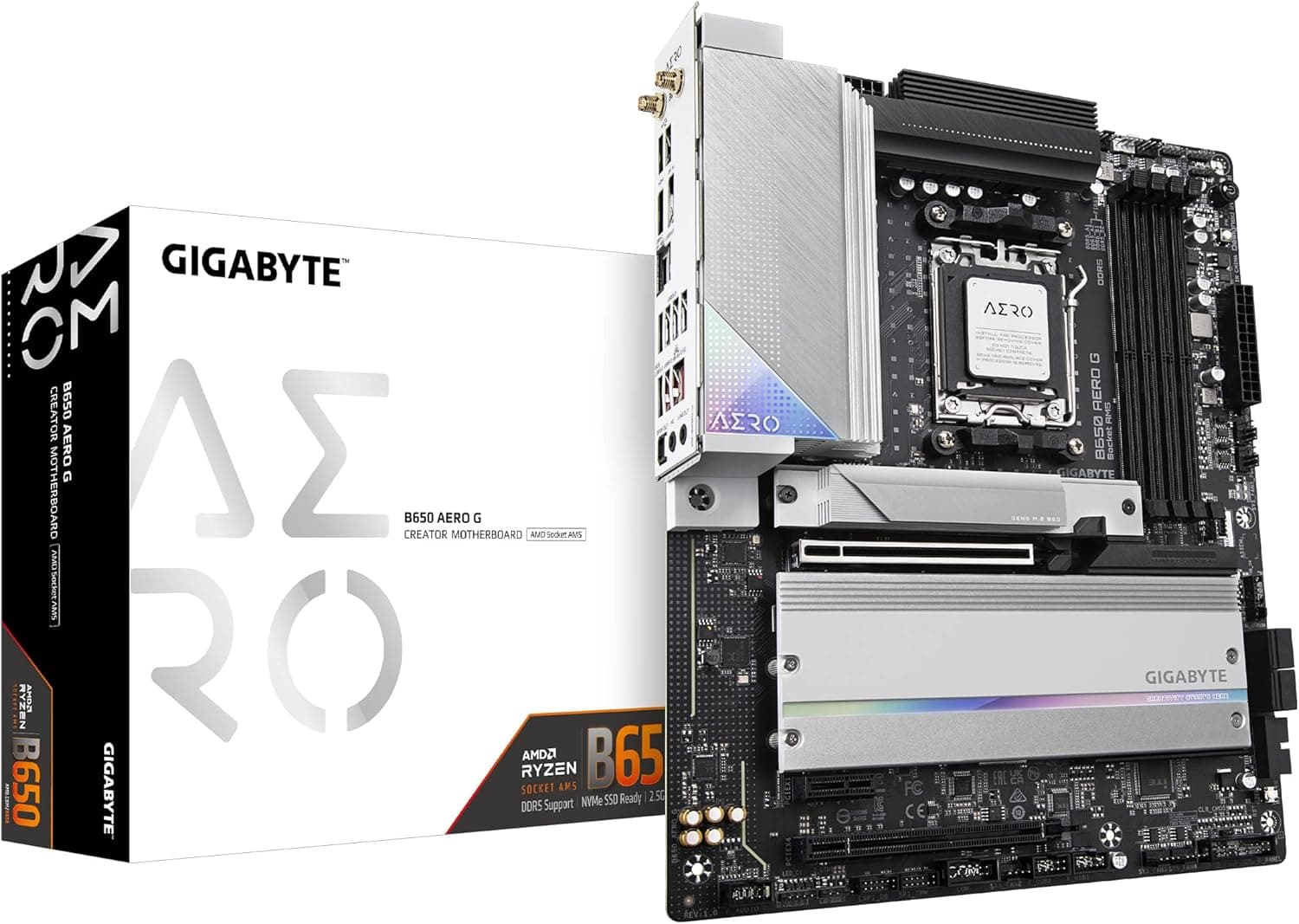
This article covers the GIGABYTE B650 AERO G — ATX motherboard for AMD Ryzen 7000 series. The short version: it is a strong pick for creators who want to feed a pen display with their graphics card's output over a single cable.
That is a feature rarely found in the B650 class. If you are building a pure gaming PC, however, you pay extra for DP In, and a gaming-oriented B650 board is worth comparing first.
The GIGABYTE B650 AERO G is an ATX board built on the AMD B650 chipset with Socket AM5. Power delivery is 16 (SPS) + 2 + 1, 19 phases in total, paired with large VRM heatsinks for stable operation under long, heavy workloads.
It is aimed at running many-core CPUs such as Ryzen 9 through video exports and 3D renders for hours.
Its headline feature is DisplayPort In (pass-through) via a rear USB Type-C port. The GPU's video signal is routed through the board and out of the Type-C port, so a pen display or monitor that accepts video and USB over one USB-C cable gets full discrete-GPU output.
Memory is DDR5 (four slots, up to 192 GB). Storage covers three M.2 slots (one Gen5, two Gen4) and four SATA 3.0 ports.
Networking is Intel 2.5GbE plus AMD Wi-Fi 6E.
Compatibility Guide
| Item | Support | Watch out for |
|---|---|---|
| CPU socket | Socket AM5 | AM4 Ryzen (5000 series and older) will not fit |
| Memory | DDR5 only, 4 slots, up to 192 GB | No DDR4. Rated 5200 MHz; faster is overclocking |
| Form factor | ATX (305 x 244 mm) | Will not fit Micro ATX-only or Mini-ITX-only cases |
| Expansion | PCIe 4.0 x16 x1, PCIe 4.0 x4 x1, PCIe 3.0 x1 x1 | Only one full-length x16 slot |
| Storage | M.2 (1x Gen5, 2x Gen4), SATA 3.0 x4 | Only one M.2 slot runs at PCIe 5.0 |
| Power connectors | 24-pin ATX, 8-pin EPS, 4-pin EPS | A PSU with two CPU power leads is preferable |
| Recommended PSU | 650W | Scale up for your GPU |
CPU: The compatibility data for this article lists AMD Ryzen 7000 series (Ryzen 5 / 7 / 9). Later AM5 processors exist, but whether they work depends on the BIOS version.
Check GIGABYTE's official CPU support list before pairing a newer chip, and confirm on the product page whether the board can update its BIOS without a CPU installed.
Memory: DDR5 only, so DDR4 kits cannot be reused. With DDR5, four sticks generally reach lower speeds than two.
If you are aiming for the full 192 GB, accept that you are trading speed for capacity. AM5 systems also run a lengthy memory training on first boot, and a blank screen for a few minutes is often normal rather than a fault.
Power: Besides the 24-pin ATX, the board has an 8-pin and a 4-pin EPS connector. For sustained all-core loads on a high-TDP Ryzen 9, a PSU that can connect both is the safer choice.
The listed recommendation is 650W, but with a high-end graphics card, follow the GPU maker's PSU guidance.
Physical clearance: Standard ATX dimensions mean mounting holes line up in any ATX case. Watch for tall memory clashing with large air coolers, and for triple-slot GPUs covering the lower x4 or x1 slot.
Lane sharing: B650 boards often share bandwidth between M.2 slots, PCIe slots and SATA ports.
If you plan to fill all three M.2 slots and also use SATA or add-in cards, check the sharing table in the manual.
Product Info
As of May 31, 2026, Amazon.co.jp listed it at ¥39,686 (sold and shipped by a marketplace seller).
Motherboard prices move with sales and stock, so check the current price before buying.Check the retailer's page for the latest user reviews.
That is a modest sample, so treat it as a general signal.
| Item | Detail |
|---|---|
| Chipset | AMD B650 |
| CPU socket | AM5 |
| Form factor | ATX |
| Power phases | 16 (SPS) + 2 + 1 (19 total) |
| Memory | DDR5, 4x DIMM (dual channel), up to 192 GB, rated 5200 MHz (overclockable) |
| PCIe slots | PCIe 4.0 x16 x1, PCIe 4.0 x4 x1, PCIe 3.0 x1 x1 |
| M.2 | 3 (1x Gen5, 2x Gen4) |
| SATA | SATA 3.0 x4 |
Audio is handled by a Realtek ALC1220 codec. The rear I/O has one USB 3.2 Gen 2 Type-C (with DP In), three USB 3.2 Gen 2 Type-A, four USB 3.2 Gen 1 and two USB 2.0 ports.
Nine Type-A ports is enough for a pen display, keyboard, left-hand device, audio interface and external drives at once.
The B650 chipset arrived in late 2022 as AMD's mid-range AM5 chipset, and AERO is GIGABYTE's creator-focused line. The original article mentions a 2-year warranty via official Japanese distributors, but marketplace listings can differ, so confirm the warranty terms on the listing.
How DP In Works
DP In takes the video signal from your graphics card and sends it back out through the board's rear USB Type-C port. Typically you loop the GPU's DisplayPort output into the board's rear DP input with a short cable.
Check the manual for the exact wiring.
This pays off with pen displays or portable monitors that take video, USB and power over one USB-C (DP Alt Mode) cable. Recent graphics cards rarely have a USB-C video output, so you would otherwise need separate HDMI/DP and USB cables or a breakout box.
The GIGABYTE B650 AERO G can reduce that to a single cable.
If your pen display does not support single-cable USB-C, the feature does nothing for you. Power delivery requirements also depend on the display, so check its spec sheet first.
Assuming DP In makes every pen display work over one cable is a common mistake.
Compared With Alternatives
| Aspect | B650 AERO G | Typical gaming B650 | X670E class | A620 class |
|---|---|---|---|---|
| DP In for pen displays | Yes | Generally no | Varies | Generally no |
| CPU overclocking | Yes | Yes | Yes | Generally no |
| PCIe 5.0 | One M.2 | Varies | GPU and M.2 on many boards | Generally none |
| Expansion | Medium to fairly high | Medium | High | Low |
| Price tier | Upper mid-range | Wide range | High | Low |
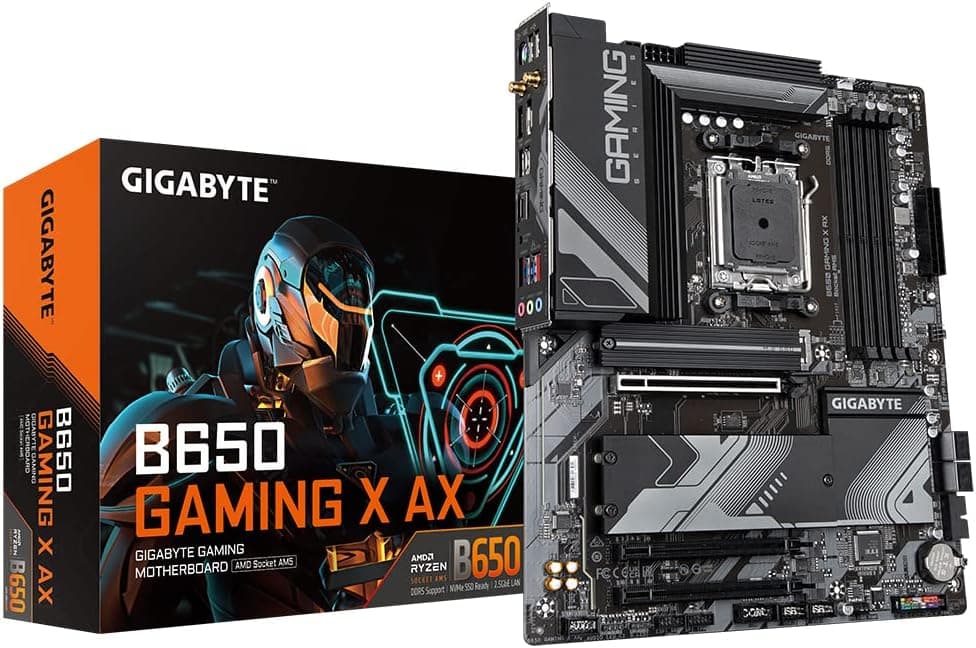
For gaming-first builds, compare against gaming AM5 B650 ATX boards such as the MSI MPG B650 Edge WiFi. Without the need for DP In, the same budget may get you similar VRM and M.2 layouts.
If you want several Gen5 SSDs or a PCIe 5.0 graphics slot, look at X670E instead.
If you want to keep DDR4 or spend much less, AM4 (X570 or A520) is an option, but AM4 cannot take a later AM5 CPU upgrade.
Best Use Cases
- Illustrators and designers with pen displays: With a display that supports single-cable USB-C, DP In tidies the cabling while keeping full GPU performance. This is the main reason to buy this board.
- Video editors and 3D artists running Ryzen 9 for hours: The 19-phase VRM and large heatsinks suit sustained all-core loads such as exports and renders.
- Creators who need lots of RAM: Up to 192 GB supports large projects and heavy multi-layer work.
- Streamers and heavy file movers: Intel 2.5GbE and Wi-Fi 6E help with uploads and NAS transfers.
Things to Consider
Pricey for pure gaming. DP In is a creator feature.
If you do not use a pen display, its premium over other B650 boards is hard to justify, so compare gaming-oriented B650 boards on price, VRM and M.2 layout.
PCIe 5.0 on one M.2 slot only. Per the listed specs, the graphics x16 slot is PCIe 4.0.
That is fine for current GPUs but not for anyone expecting PCIe 5.0 everywhere.
Gen5 SSDs also run hot, so plan for a heatsink and good airflow.
DP In depends on the display. As explained above, single-cable USB-C support on the pen display is required.
This is the most common post-purchase disappointment.
Check the BIOS for newer Ryzen chips. The listed CPU support is Ryzen 7000 series.
For later AM5 CPUs, confirm the support list and required BIOS version first.
Wi-Fi 6E needs a 6E router. Without a 6E router, the connection falls back to the 2.4 GHz and 5 GHz bands.
Check the listing details. The maker's product name is B650 AERO G.
The trailing MB5897 in the title comes from the store listing and may not work as a manufacturer part number. Marketplace listings can change after publication, so confirm the product by its images and title before buying.
FAQ
Q. Can I use a Ryzen 5000 (AM4) CPU?
A. No. The board is AM5 only, and AM4 CPUs do not physically fit.
Q. Can I reuse my DDR4 memory?
A. No. It is DDR5 only, and the key notch is in a different position.
Q. What PSU wattage do I need? A.
The listed recommendation is 650W. With a high-end GPU, follow the GPU maker's guidance and pick a unit with 8-pin plus 4-pin CPU power.
Q. Can I run two Gen5 SSDs?
A. Only one M.2 slot runs at Gen5. Additional drives run at Gen4.
Q. Is it worth it without a pen display? A.
It can be, if the VRM, USB count and 2.5GbE plus Wi-Fi 6E appeal to you.
Still, compare it with gaming B650 boards in the same price range first.
Product Disclosure (Amazon)
- Manufacturer: GIGABYTE
- Seller: ジュリア本店
- Fulfilled by: ジュリア本店
- ASIN: B0BH79FMW3
- Note: This article covers a manufacturer-made product based on Amazon listing details.