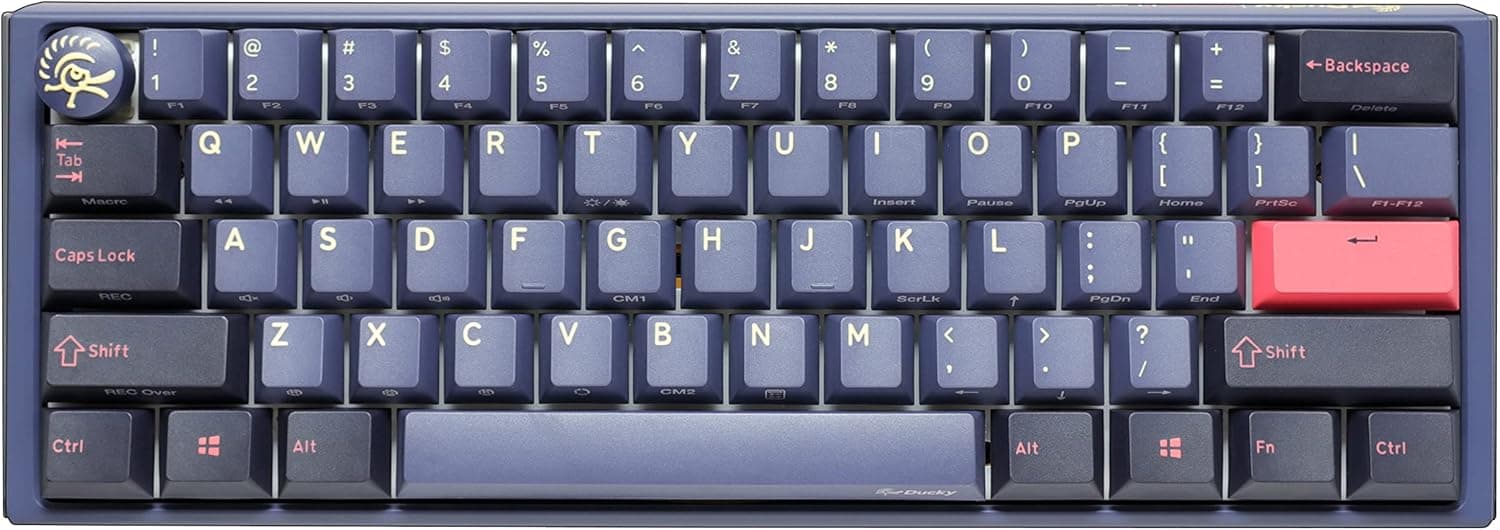
Overview
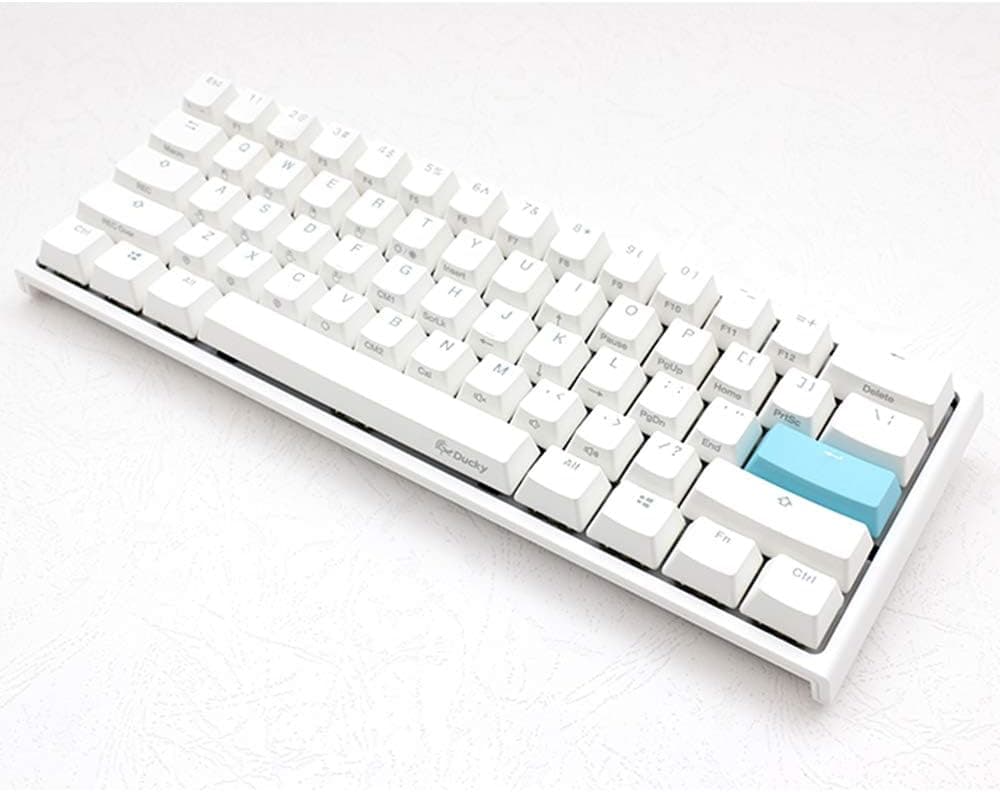
The Ducky One 3 Cosmic Blue Mini is a 61-key, 60% mechanical keyboard from Taiwanese brand Ducky. This variant ships with Cherry MX Brown switches (tactile, non-clicky), a hot-swappable PCB using Kailh sockets, PBT double-shot keycaps, and per-key RGB lighting.
The short verdict: it suits people who prioritise mouse room on the desk and want to swap switches later without soldering.
It is a poor fit if you rely on physical arrow keys and a function row, or if you are moving over from a Japanese JIS layout. A 60% board is not simply "smaller"; it trades away physical keys for a function layer, and your tolerance for that trade decides almost everything about how you will rate this keyboard.
Cosmic Blue is one of Ducky's recurring colourways, pairing a blue base with accent keycaps. The fundamentals underneath the styling — PBT caps, hot-swap sockets, software-free onboard configuration — are solid enough that buying it for the looks is unlikely to end badly.
Compatibility Guide
Connectivity is wired USB-C only. There is no Bluetooth and no 2.4 GHz wireless.
The braided cable is detachable and 1.8 m long, which is enough for most desk routing, though a floor-standing PC with a cable that goes up and then back down can leave you short on slack.
The board is bus-powered over USB-C, so any PC or Mac with a spare USB-A or USB-C port will run it. No drivers are required: Windows, macOS and Linux all recognise it as a standard HID device.
RGB patterns and some layout changes are handled by Fn combinations and onboard DIP switches, so settings persist inside the keyboard with no background software. That matters on locked-down work machines where you cannot install utilities.
Physical dimensions are 31 cm × 11 cm × 4 cm. The 11 cm depth fits most keyboard trays and pull-out sliders.
The 4 cm height is typical for a 60% board, but if you are coming from a low-profile keyboard your wrist angle will change, so plan on using a palm rest. At 31 cm wide, even low-sensitivity FPS players get plenty of lateral mouse room on a standard desk mat.
Hot-swap uses Kailh sockets, so most MX-compatible switches work in either 3-pin or 5-pin form (if a 5-pin switch resists, check the plate cutouts rather than clipping the legs). Optical switches and low-profile switches with proprietary pin layouts are not supported.
Keycaps follow US ANSI, so off-the-shelf ANSI sets generally fit — but 60% boards have an unusual bottom row, so confirm the set includes the required bottom-row widths before buying.
Product Info
Key specifications: Cherry MX Brown switches, 61 keys in a 60% layout, detachable USB-C wired connection, per-key RGB backlighting, PBT double-shot keycaps, Kailh hot-swap sockets, 31 × 11 × 4 cm, a 1.8 m braided cable, and a US ANSI layout.
PBT double-shot caps resist the shine that ABS develops, and because the legends are moulded rather than printed, they cannot wear off. If you keep keyboards for years, that alone justifies part of the price gap over cheaper boards.
Prices, as captured at specific points in time: Amazon.co.jp listed ¥25,143 as of 27 August 2026, while an earlier capture of the same ASIN on 6 June 2026 showed ¥23,876.
On the marketplace side, eBay US showed $129.73 as of 14 July 2026.
A swing of roughly ¥1,200 in two and a half months tells you what you need to know — peripherals in this bracket move with stock levels and sales. Treat every figure here as a snapshot and check the product page for the current price before ordering.
If you consider a grey-import or overseas listing, compare the total including duties, shipping and warranty handling.
The Amazon.co.jp rating is 4.0 out of 5 from 6 reviews (captured 6 June 2026), or 80% positive.
Be honest about that sample size: with only six ratings, a single negative review moves the average substantially, so this score is not a consensus the way a several-thousand-review score would be. Weigh the specifications — hot-swap, keycap material, layout — more heavily than the star rating.
The box typically includes the keyboard, a USB-C cable, a keycap puller, a switch puller and a quick-start guide. The included switch puller is genuinely useful for first-time hot-swap owners: buying one separately costs money, and cheap non-metal pullers tend to shave the switch housing tabs.
How It Actually Feels and Sounds
Cherry MX Brown gives a small tactile bump partway through the travel with no click. It sits between linears, which feel like pressing through nothing, and clickies, which are loud.
That middle ground is why it fails at nothing — and also why it is rarely the best switch for any single purpose. Users who want a pronounced tactile event often find Brown too subtle.
Because the board is hot-swappable, that complaint is fixable without replacing hardware. Want a heavier bump?
Fit a heavier tactile. Want quiet and smooth?
Fit a lubed linear. And with only 61 sockets to fill, a full switch swap costs roughly 40% less than on a 104-key full-size board — an advantage that is easy to overlook.
How It Compares
In the same hot-swap price bracket you will find many 75% boards, which keep arrow keys and a function row while still trimming the width. If your day involves spreadsheets, video scrubbing or heavy cursor movement in a code editor, a 75% board is very likely the better buy.
The 60% advantage is width and portability; functionally, 75% is close to a superset.
The other axis is the wave of gasket-mounted boards from newer brands, which lead on acoustics and often undercut on price. Ducky's appeal is less glamorous: supply consistency, keycap quality, and onboard configuration that needs no resident software.
Choose gasket-mount if sound is your priority; choose Ducky if you want a dependable tool.
Best Use Cases
Low-sensitivity FPS and MOBA players are the clearest fit. Dropping the numpad and function row and staying inside 31 cm converts directly into mouse swing room, and competitive play rarely depends on the function row anyway — you give up little.
It is also a sensible first hot-swap board. No soldering, a puller in the box, and only 61 switches to experiment with keeps the cost of curiosity low.
If custom keyboards interest you but building a kit feels intimidating, a finished board you can still open up is a realistic entry point.
Finally, writers and programmers already fluent in US ANSI who travel with a keyboard will get on well with it. The wear resistance of PBT double-shot caps matters most to people who keep a keyboard for years.
Before You Buy
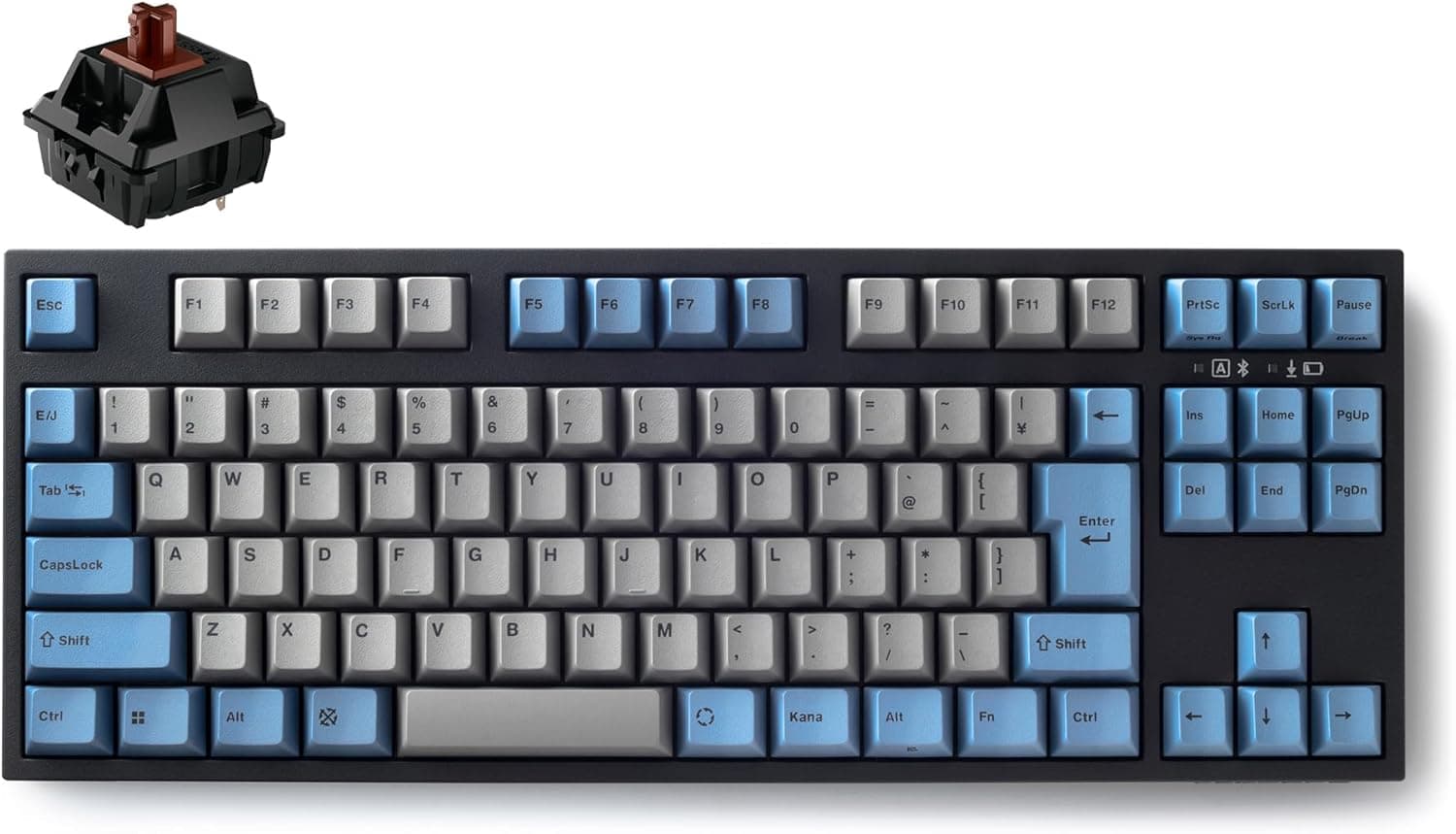
The biggest caveat is the US ANSI layout. Coming from JIS, every symbol position changes — @, colon, brackets — and there are no henkan/muhenkan keys, so you must configure your own IME toggle (Alt+` or similar). Some people adapt in a week or two; others never fully adapt while switching daily between this board and a JIS laptop. If that daily switching describes you, I would not recommend it.
Second, there are no physical arrow keys and no F1–F12. Everything runs through the Fn layer, so Excel's F2, a browser refresh, or an in-game F-key binding all become two-key chords.
In titles that need an instant F4, that is a real handicap. Before buying, spend a day noticing how often you actually press arrows and function keys — it is usually more than you think.
Third, there is no wireless mode at all. The specification is wired USB-C only, so if you were hoping to pair it with a tablet or phone, this is the wrong board.
Price movement is worth planning around too. The captures above differ by roughly ¥1,200 between June and August 2026, so if you are not in a hurry, watching the listing for a few weeks is reasonable.
Finally, a note on listing data. The source listing shows Ducky as the manufacturer with a third-party shop as seller and shipper.
On listings like this, details such as model number, colourway and switch type sometimes disagree between sellers — the same "Cosmic Blue" name can appear with a switch other than Brown. Do not trust the listing metadata alone: check the product images and title yourself for all four attributes — Cosmic Blue, Mini, MX Brown and US layout.
FAQ
Q. Is there a Japanese JIS version? A.
This article covers the US ANSI model. If JIS is a hard requirement, look at a different model.
Typing Japanese on a US layout works fine, but you must set up your own IME toggle key.
Q. Which switches can I fit? A.
The Kailh sockets accept most MX-compatible mechanical switches in 3-pin or 5-pin form. Optical and proprietary-pin switches are not supported.
If a 5-pin switch resists, check the plate cutouts before clipping any legs.
Q. How do arrow keys work? A.
Through the Fn layer, mapped to the right-hand key cluster in the standard 60% fashion. There are no physical arrow keys, so heavy cursor users should consider a 75% board instead.
Q. Do I need to install software? A.
No. RGB patterns and certain layout changes are set on the board itself via Fn combinations and DIP switches, and the settings stay in the keyboard — useful on machines where installs are restricted.
Q. Is the 4.0-star rating trustworthy? A.
It came from 6 reviews as of 6 June 2026. With a sample that small, individual posts dominate the average.
Judge it on the specifications — US ANSI, wired only, Cherry MX Brown — rather than the star count.
Product Disclosure (Amazon)
- Manufacturer: Ducky
- Seller: azkcom (エイゼットケイドットコム)
- Fulfilled by: azkcom (エイゼットケイドットコム)
- ASIN: B0BTDHK4K7
- Note: This article covers a manufacturer-made product based on Amazon listing details.