Overview
The Ducky One 3 Mini Aura 60% メカニカルキーボード is a compact 60% board from the Taiwanese brand Ducky.
It ships with Cherry MX Silent Red linear switches, so office use and late-night gaming won't broadcast your typing to the room. Ducky's QUACK Mechanics design adds two layers of dampening: a silicone plate damper and an EVA foam case damper.
Together they absorb keystroke noise and, just as importantly, kill the hollow case resonance that makes cheap boards sound like a plastic box.
The PCB is hot-swappable via Kailh Yellow sockets, so switches come out with a puller instead of a soldering iron. A 60% footprint paired with real upgradeability is an unusual combination at this price.
What a 60% Layout Actually Costs You
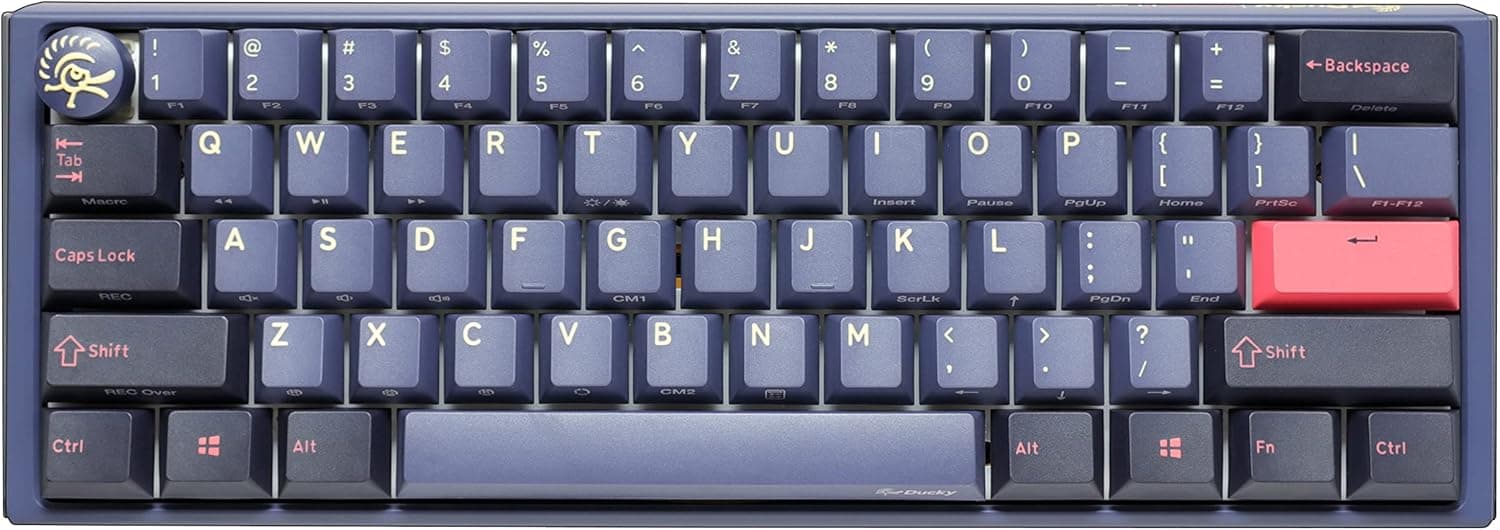
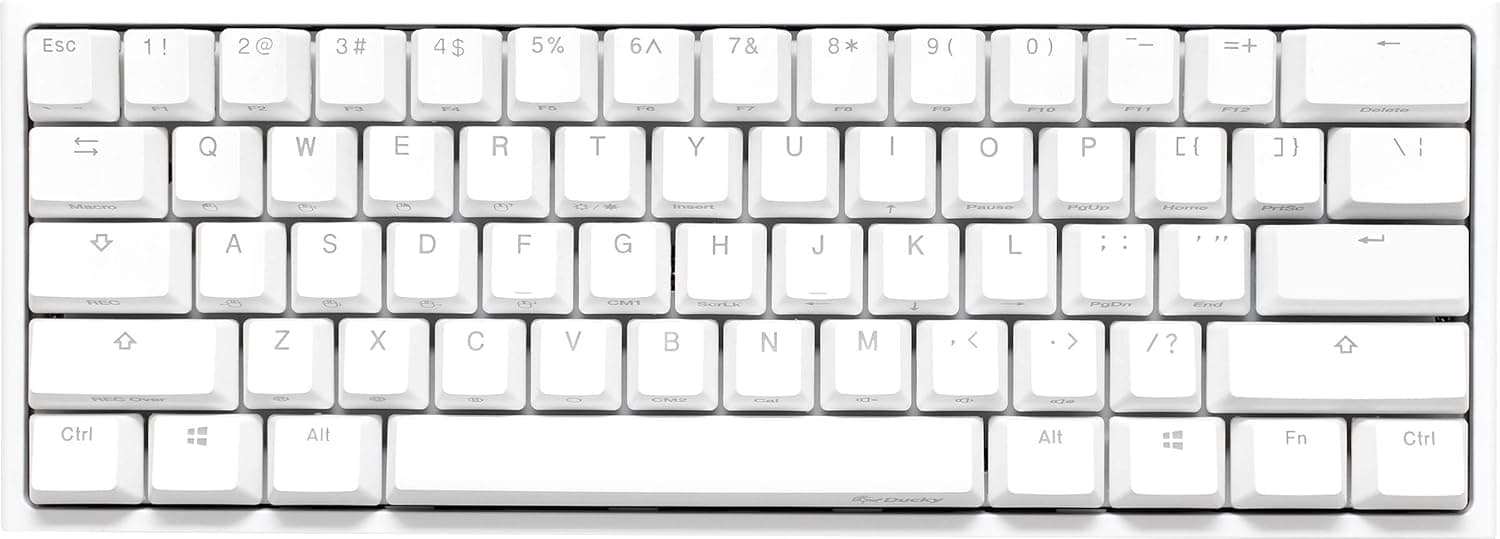
A 60% board strips the numpad, function row, arrow cluster, and navigation block from a full-size 104-key layout, leaving roughly 61 keys — about 40% of the keys are physically gone. Everything removed lives on an Fn layer.
How painful that is depends entirely on your workload. For typing and gaming, most people find the Fn arrow positions become automatic within one to two weeks.
For spreadsheet entry, F2 cell editing, or apps where function keys carry real commands (CAD, video editors, IDE debuggers), the slowdown is permanent, not a learning curve. Be honest about which camp you're in before buying.
What you get in return is desk space. The right side ends well before a TKL does, letting the mouse sit closer to center.
That is the main reason low-sensitivity FPS players run 60% boards: less shoulder rotation over a long session.
Compatibility Guide
Connection is USB-C with a detachable braided cable. Windows, macOS, and Linux all work out of the box with no driver install — the compatibility notes confirm any PC, Mac, or Linux machine with a USB port will do.
| Item | Spec | Practical note |
|---|---|---|
| Board-side port | USB-C, detachable | A frayed cable is a cable replacement, not a keyboard replacement |
| Rollover | Full N-key rollover | Simultaneous inputs register reliably in games |
| Tilt | 3 positions | Flattest setting pairs best with a palm rest |
| BIOS/UEFI | Standard USB HID | Driver-free means pre-boot navigation generally works |
| Hot-swap | Kailh Yellow sockets | MX-compatible 3-pin and 5-pin switches |
The hot-swap boundary matters. Kailh Yellow sockets accept Cherry MX-style stems in both 3-pin (plate-mount) and 5-pin (PCB-mount) form, covering Gateron, Kailh, Cherry, TTC and most mainstream makers across linear, tactile, and clicky.
They do not accept low-profile switches (Kailh Choc) or optical switches (Razer Optical, Gateron optical) — those are mechanically and electrically different. Buy anything labeled MX-compatible and you're safe.
Keycaps follow the same rule: standard MX-compatible sets fit, but confirm the set actually includes the bottom-row and modifier sizes a 60% ANSI layout needs.
Product Info
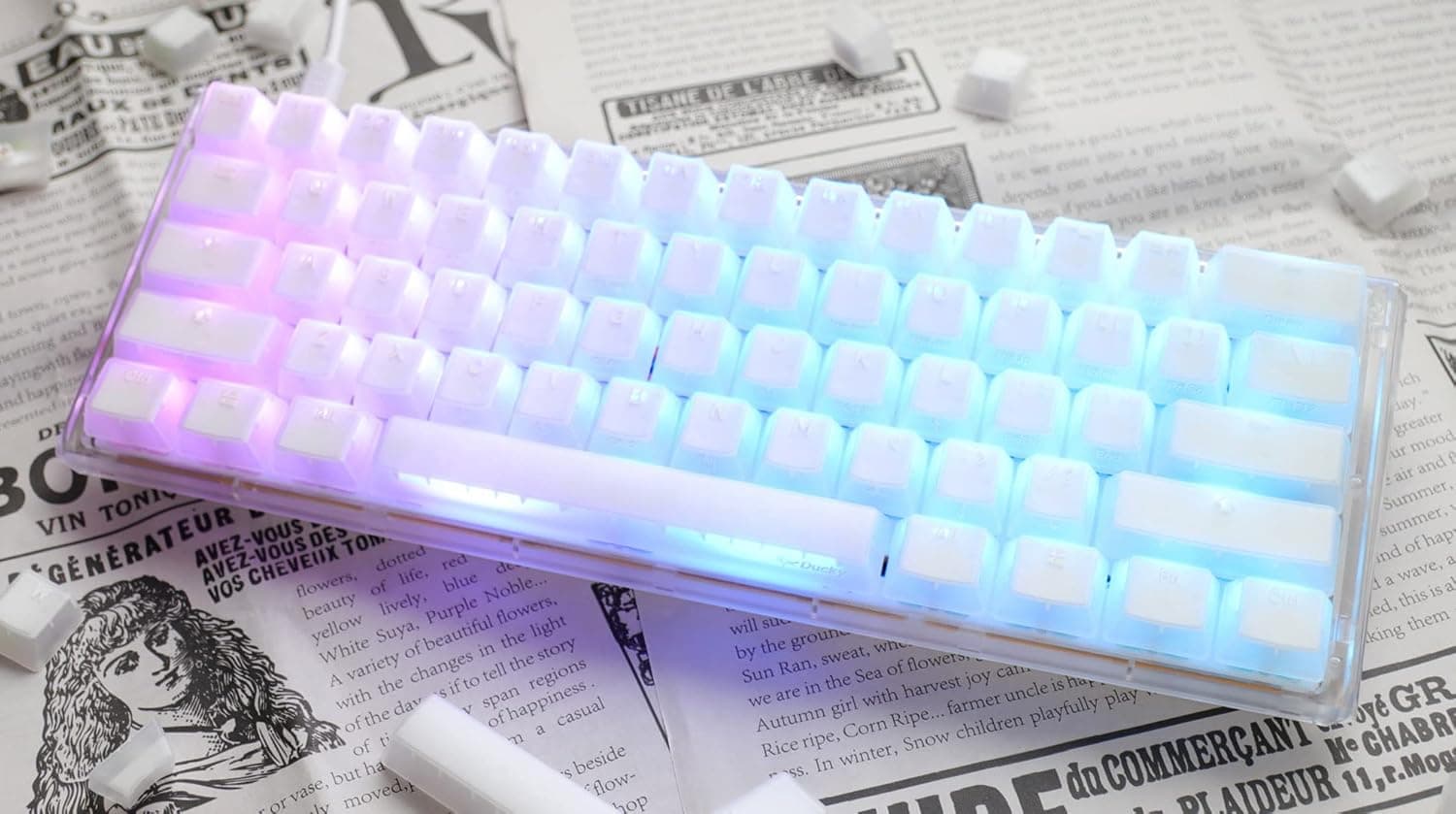
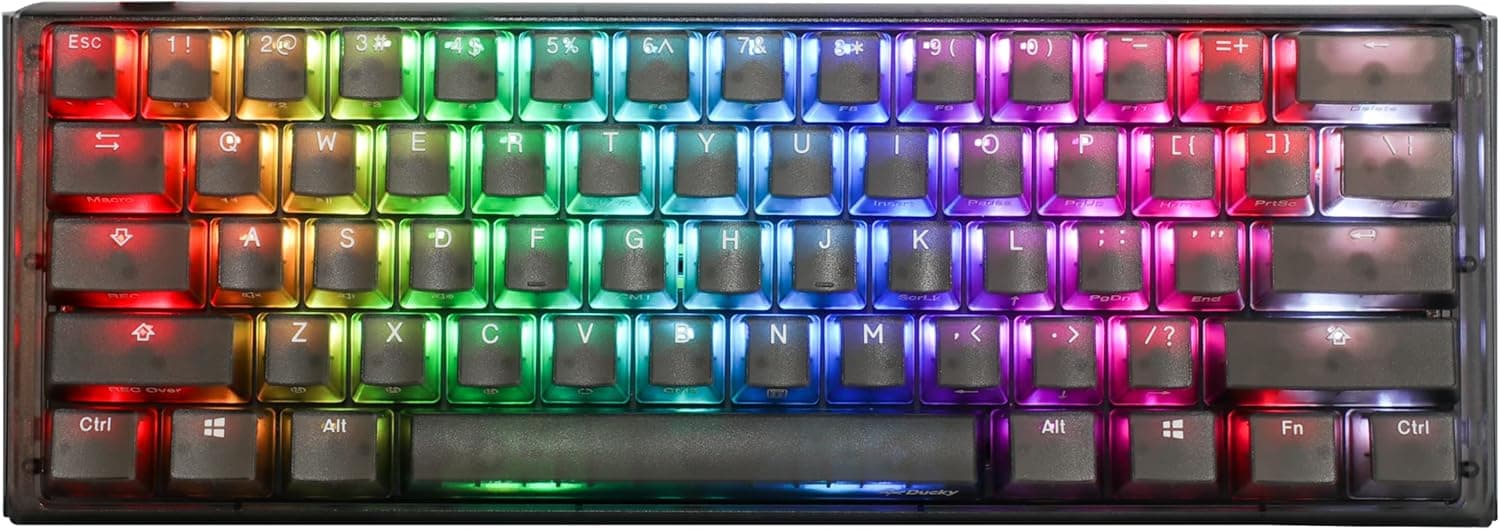
The core spec sheet: 60% US ANSI layout, Cherry MX Silent Red (linear) switches, hot-swap via Kailh Yellow sockets, PBT double-shot pudding keycaps, per-key programmable RGB, silicone plate damper plus EVA foam case damper, three tilt angles, and full N-key rollover over USB-C.
The PBT double-shot detail deserves attention. PBT resists the greasy shine that ABS develops within months, and double-shot molding means the legends are a second piece of plastic rather than printing — they cannot wear off.
Plenty of boards at this price still ship laser-etched ABS, so this quietly saves you a keycap purchase down the line.
Check the retailer's page for the latest price. That clusters around the mid-¥20,000 range, which is reasonable for a board combining 60%, hot-swap, and silent switches.
Keyboard pricing swings with stock and switch variant, so check the product page for the current number.
Check the retailer's page for the latest user reviews. Treat that honestly: a 4.8 across 9 buyers carries nothing like the statistical weight of a 4.8 across thousands.
It reflects early-adopter impressions and says nothing reliable about long-term durability or unit variance.
How It Compares
Enthusiast boards separate along three axes:
- Layout headroom — 65% and 75% boards keep a dedicated arrow cluster. If you want arrows without an Fn chord, you want 65% or larger, full stop.
- Firmware freedom — QMK/VIA boards let you remap, build layers, and script macros through a GUI. The One 3 Mini uses Ducky's onboard configuration: no resident software required, but also no deep remapping. Power remappers should look elsewhere.
- Wireless — this board is wired only. No battery anxiety and no latency questions, but also no cable-free desk and no multi-device switching.
Where it wins is out-of-box completeness. Dampening foam, PBT double-shot caps, and silent switches all included — buying those three separately for a barebones kit is not cheap.
If you want a quiet board without a build project, that's the argument.
Best Use Cases
Quiet gaming and shared spaces. Silent Red stems use internal rubber pads to kill bottom-out and return noise, and the dual-layer dampening handles the rest.
Noticeably quieter than standard MX Red, and far less likely to bleed into a voice-chat mic.
First-time switch tinkerers. Hot-swap means you can try linears, decide you prefer tactiles, and change your mind without a soldering iron.
The included keycap and switch pullers are all the tooling required.
Minimalist desks. A compact footprint brings the mouse closer and keeps elbow angles comfortable on small desks. It travels well, too.
FPS and MOBA players. Linear travel with no tactile bump suits rapid strafing and repeated taps, and NKRO keeps simultaneous inputs intact.
Things to Consider
Calibrate your expectation of "silent." Silent Red is quiet for a mechanical switch, not silent.
The internal pads mute bottom-out and release; spring ping and the sound of your fingers hitting the caps remain. If you need true near-silence, look at electrostatic capacitive or membrane boards, or plan on lubing and swapping keycaps.
The legends do not light up. The pudding keycaps are opaque on top and translucent on the sides, so RGB escapes around the caps as a glow rather than illuminating characters.
If you were buying this to find keys in a dark room, that's a mismatch — it assumes touch typing.
The Fn-layer tax is real. Arrows, function row, Delete, Home, and End are all chords.
Heavy F-key users, spreadsheet workers, and anyone doing numeric entry will be measurably slower. Judge a 60% by whether you truly don't need those keys, not by whether a workaround exists.
Wired only. The cable detaches for travel, but this will never be a cable-free setup.
Hot-swap sockets are consumable. Retention weakens after dozens of swap cycles, and pushing a switch in with a bent pin can destroy a socket.
Straighten pins, pull vertically, and treat swapping as "far easier than soldering" rather than "unlimited."
Check the listing before you buy. Some captured price entries carry mismatched labels (a yen figure under an "Amazon US" label), and the listing shows a third-party seller and fulfiller, which can change who handles warranty claims.
Confirm from the product images and title that you're looking at this exact configuration — 60%, Silent Red — since identical-looking listings often differ only by switch type.
FAQ
Q: Can I use this keyboard with a Mac? A: Yes, over USB-C with no drivers.
The layout is Windows-oriented US ANSI, so the Windows and Alt keys sit opposite Mac's Command and Option. Remap them under System Settings → Keyboard → Modifier Keys for a native feel.
Q: Which switches fit the hot-swap sockets? A: Cherry MX-compatible 3-pin and 5-pin switches from Gateron, Kailh, Cherry, and others.
Low-profile (Choc) and optical switches are not compatible.
Q: How quiet is it really? A: Clearly quieter than standard Cherry MX Red, but not silent — some bottom-out thud and spring ping remain.
Typing with a lighter touch widens the gap considerably.
Q: Is missing arrow keys actually a problem? A: Depends on your work.
Gaming and prose typing adapt in one to two weeks. Spreadsheet and coding workflows heavy on cursor movement and F-keys stay slower permanently.
Q: Can I fit aftermarket keycaps? A: Yes — 60% US ANSI with MX stems takes standard sets.
Just verify the set includes the modifier sizes a 60% bottom row requires.
Q: Do I need to install software? A: No.
Lighting and basic settings are configured onboard, with no background app. The trade-off is no QMK/VIA-style GUI remapping, so complex macro and layer work needs a different board.
Product Disclosure (Amazon)
- Manufacturer: Ducky
- Seller: *Sunflower*
- Fulfilled by: *Sunflower*
- ASIN: B0BSP1Y7L4
- Note: This article covers a manufacturer-made product based on Amazon listing details.