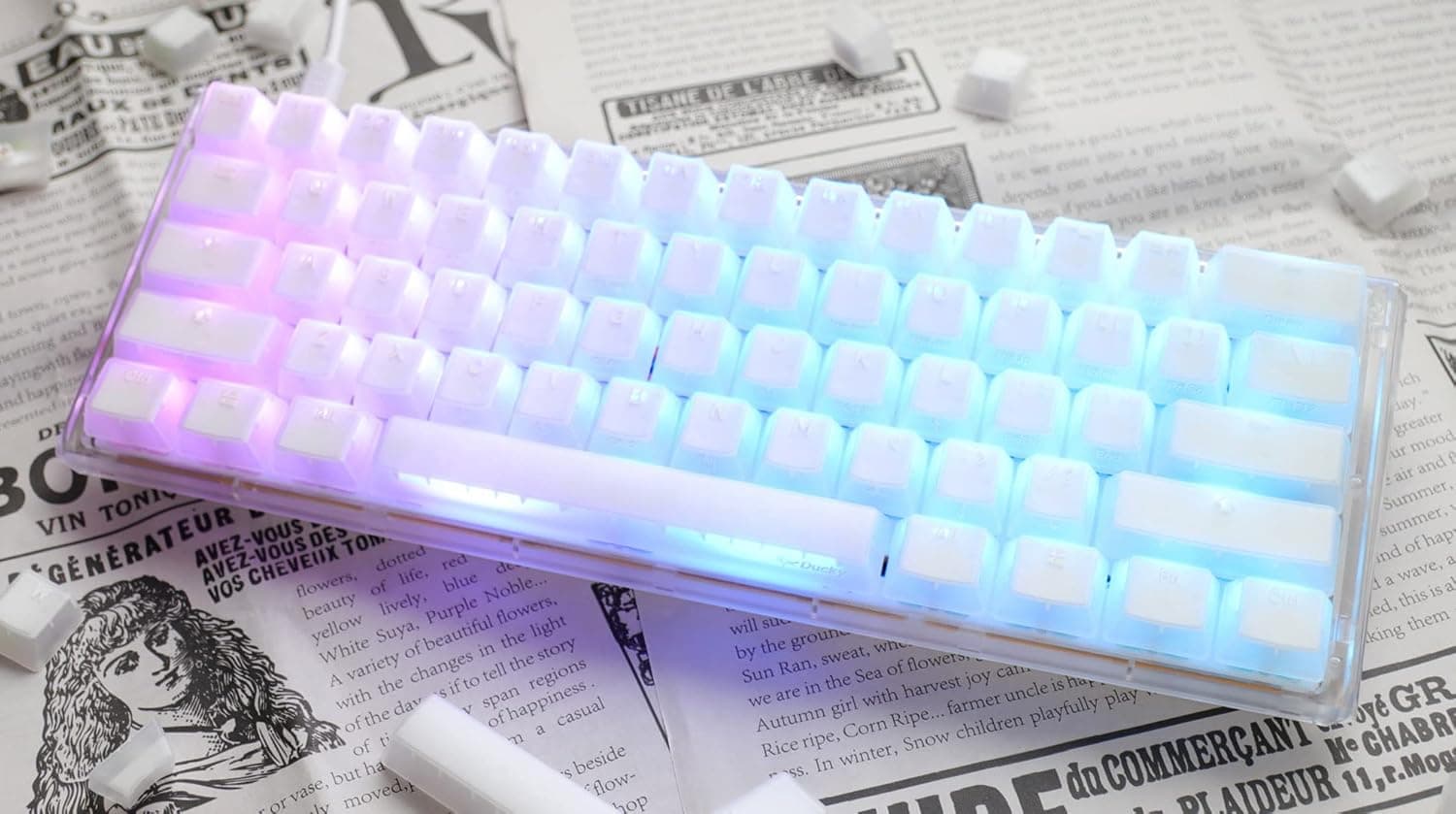
This article covers Ducky One 3 Mini Aura クリアホワイト 60% ホットスワップ RGB LED ダブルショット PBT メカニカル キーボード チェリー MX シルバー ゲーミングキーボード 日本正規代理店保証品 — a board whose value comes down to two questions: can you live with a 60% layout, and how far do you plan to take hot-swapping?
Overview
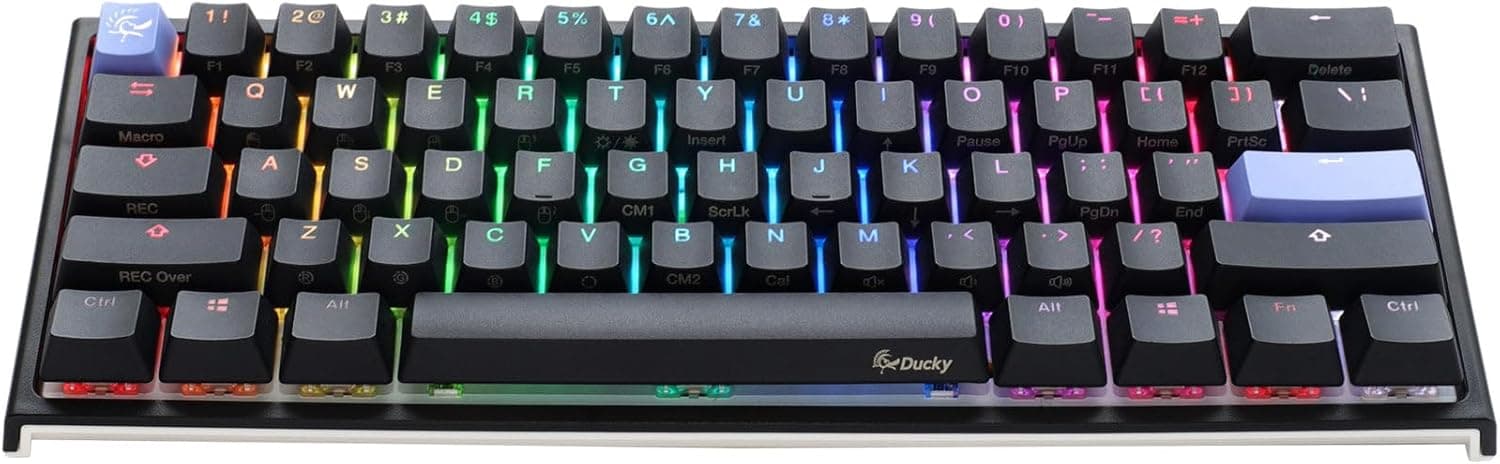
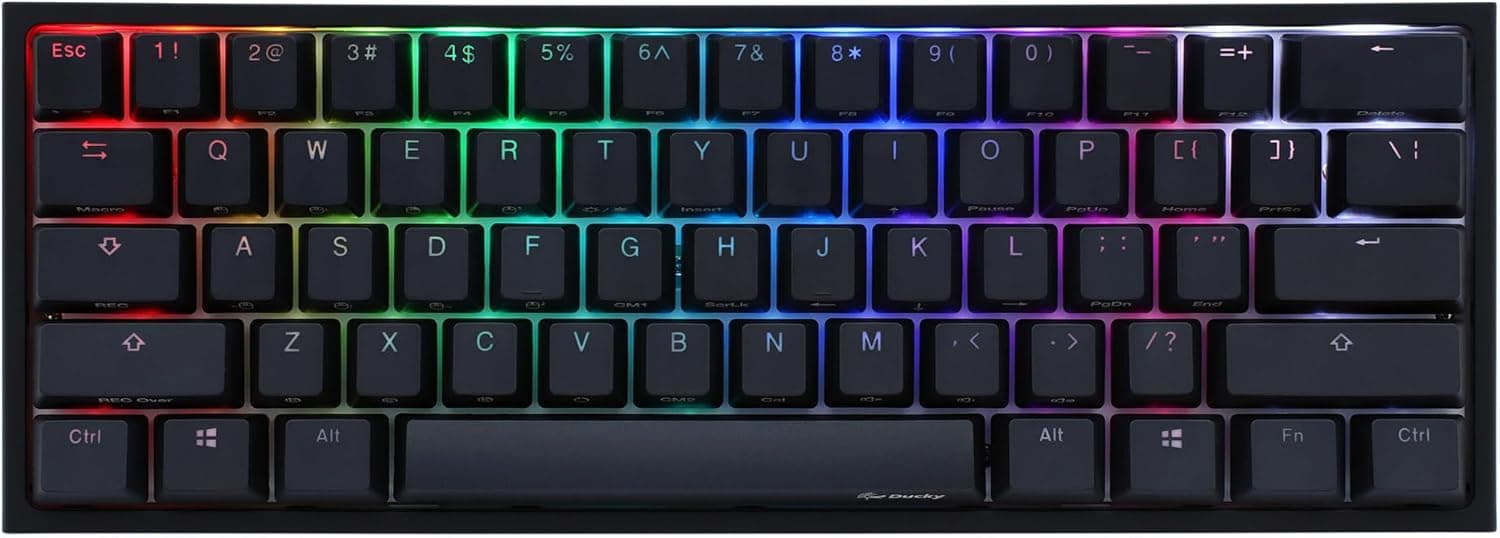
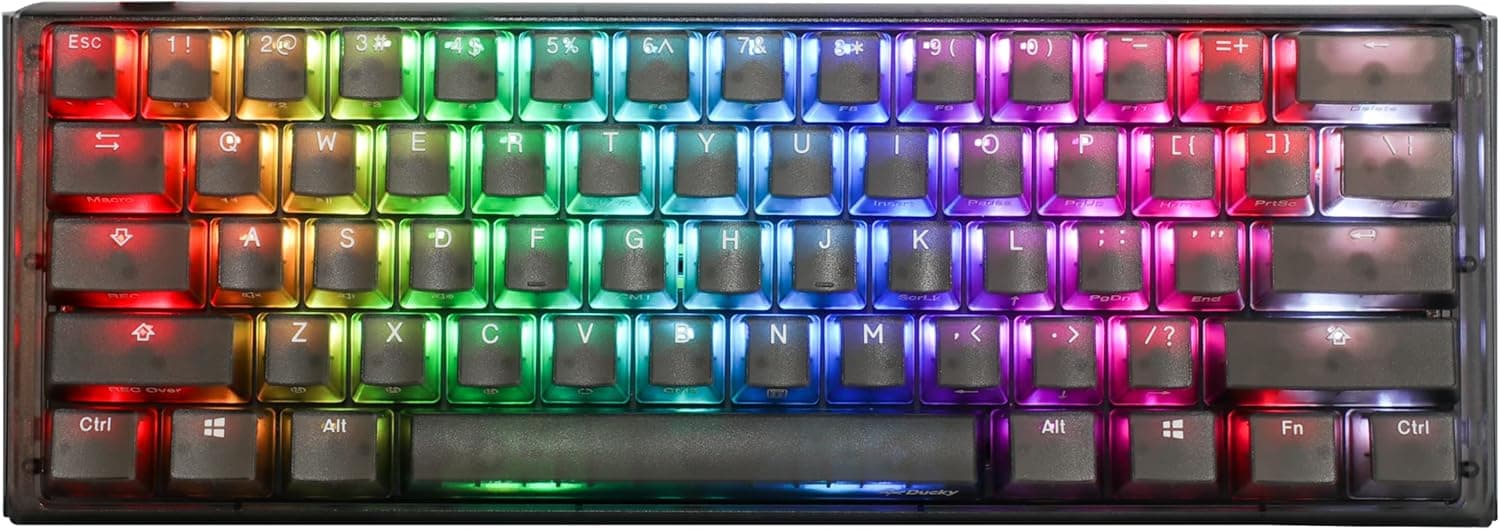
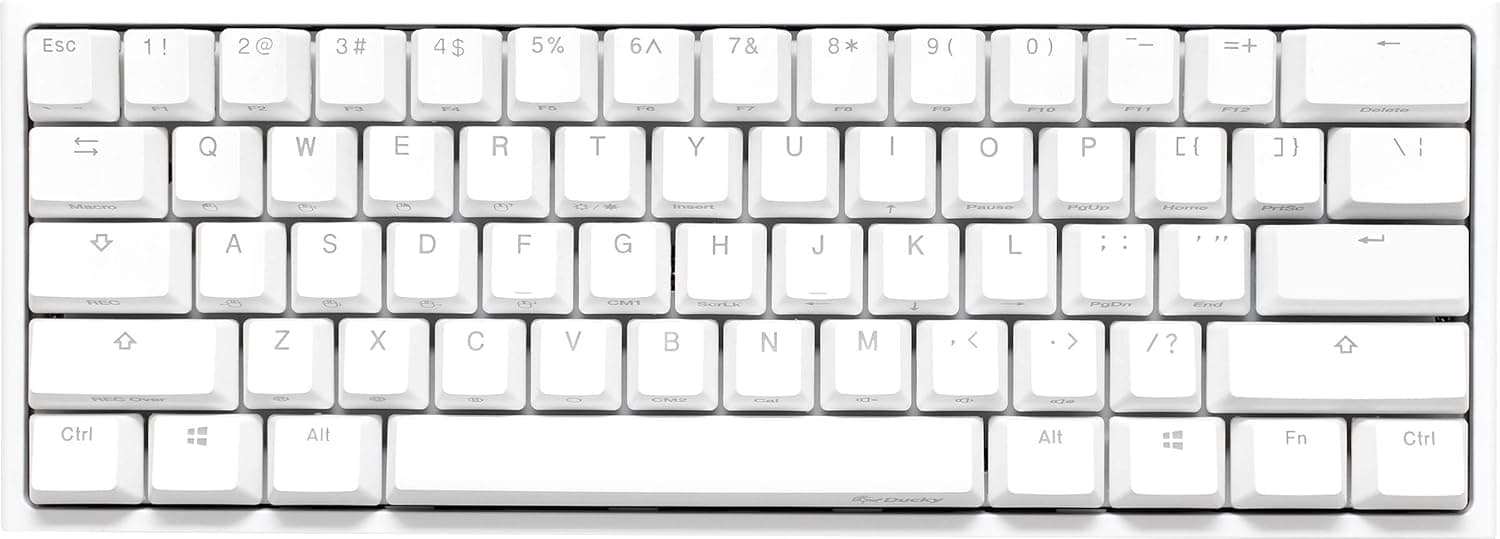
The Ducky One 3 Mini Aura Clear White is a 61-key, 60% mechanical keyboard from Taiwan's Ducky. The spec sheet boils down to five things: hot-swap support via Kailh sockets (Cherry MX compatible, 3-pin), PBT double-shot keycaps in Ducky's AC style with translucent sides, dual-layer internal dampening (silicone plus EVA foam), a detachable USB-C connection, and per-key programmable RGB.
The factory switch is Cherry MX Silver, a linear "speed" switch. Silver is generally specified around a 1.2mm actuation point and roughly 45g force — short, light, and fast.
The flip side is a small margin before bottom-out, so resting fingers can trigger unintended presses.
The clearest fits are FPS/MOBA players who want maximum mouse room, and tinkerers who intend to swap switches until the feel is right. If your day is mostly spreadsheets and documents with constant arrow and function key use, a 65% or TKL board will serve you better.
Connectivity & Compatibility
Windows, macOS and Linux are supported with no driver install. Ducky's design philosophy is onboard configuration — profiles and lighting change through key combinations rather than resident software.
That is a plus if you dislike background utilities, and a learning cost if you wanted a GUI macro editor. Follow the bundled manual for the exact combos.
The first physical compatibility check is switch pin count. The sockets here are specified as Cherry MX compatible 3-pin.
Aftermarket switches come as 3-pin (plate mount) or 5-pin (PCB mount); 5-pin switches need their two plastic alignment legs clipped off. That is routine work in the custom keyboard world, but it stops you cold if you assumed drop-in installation.
| Item | Spec | What it means in practice |
|---|---|---|
| Switch | Cherry MX Silver (linear) | Buy 3-pin switches if you plan to swap |
| Hot-swap | Yes (Kailh sockets, 3-pin) | 5-pin switches require clipping legs |
| Keys / layout | 61 keys / 60% / QWERTY | Arrows, F-row and Delete live on a layer |
| Interface | USB-C (detachable) | Swap in a softer or angled cable freely |
| Keycaps | PBT double-shot (AC style) | Translucent sides won't match other sets |
| Dampening | Dual-layer (silicone + EVA) | Extra foam mods add little on top |
If you plan to change keycaps, verify that your set includes the bottom-row widths a 60% board needs. Bottom-row layouts differ between 60% boards, and a mismatch leaves you with unused or missing keys.
Check the product photos for the bottom row before buying a set. Stabilizers are not hot-swappable, so touching those means disassembly.
The detachable USB-C port matters more than it sounds. A small board gets pushed around by a stiff cable; replacing it with a flexible one noticeably improves how planted the keyboard feels.
Product Info
The configuration is Cherry MX Silver linear switches, 61 keys, PBT double-shot AC-style keycaps, Kailh 3-pin hot-swap sockets, per-key programmable RGB, a detachable USB-C interface, dual-layer silicone and EVA dampening, and a 60% QWERTY layout. It ships through a Japanese authorized distributor, and the bundle includes both a keycap puller and a switch puller, so no extra tools are needed for a swap.
Pricing moved significantly between captures. The listing showed ¥16,980 as captured on 16 June 2026, and ¥22,982 as captured on 26 August 2026 — roughly a ¥6,000 spread on the same page in about two months.
Treat ¥16,980 as a fair number and the upper figure as a reason to wait, then confirm the live price on the product page. Overseas marketplace listings vary per seller and are not a usable reference point.
Reviews stand at 8 with a 5.0 out of 5 average (captured 17 June 2026).
Perfect on paper, but 8 reviews is far too small a sample to infer durability or unit-to-unit consistency. Decide on the specs — 3-pin sockets, dual-layer dampening, onboard configuration — rather than the score.
Compared With Rivals
At this price you also find 65% boards with volume knobs, CNC aluminium gasket-mount cases, and QMK/VIA custom boards. Ducky's pitch is baseline execution rather than feature count: PBT double-shot caps and dampening foam are there out of the box, so the sound is already tidy and foam mods have less headroom to improve.
What you do not get is wireless, a battery, a knob, or GUI remapping through QMK/VIA. If any of those are requirements, buy a wireless 65–75% board or a VIA-compatible custom instead.
If your requirement is "wired is fine, no resident software, just make the caps and case genuinely good," this is a very straightforward pick.
Arrow keys are the real dividing line between 60% and 65%. Gaming alone is fine on a layer; editing text or spreadsheets all day is not.
Count what share of your keyboard time is non-gaming before deciding.
Where The Experience Actually Differs
Cherry MX Silver's light, shallow travel feels fast in games but causes typos for some people, especially anyone who rests fingers on the keys. That is exactly what hot-swap solves here: drop in tactiles or a heavier linear and the same chassis changes character.
On sound, the dual-layer foam suppresses case hollowness, but quiet is not silent. Bottom-out and spring noise remain because this is still a mechanical keyboard.
If you need it inaudible on calls, plan on silent switches from the start.
The AC-style caps scatter RGB attractively through their translucent sides. They are not shine-through legends, though, so the characters do not light up in the dark.
Assume touch typing.
Best Use Cases
The strongest fit is the FPS/MOBA player prioritising mouse room. A 60% board leaves space for a wide sweep, and Silver's shallow actuation suits rapid taps and counter-strafing inputs.
Second, anyone who wants to tune feel by swapping switches. No soldering, and the bundled puller is enough.
Because the base quality is already high, you can buy the platform and decide only the switches — a lower-risk entry than a barebones kit.
Third, people who refuse resident software. Onboard configuration works on locked-down machines, and the Japanese distributor warranty means support in Japanese if a unit arrives faulty.
Poor fits: office users who need arrows and the F-row daily, anyone who requires wireless, anyone who wants GUI macros, and anyone whose top priority is silence.
Notes Before Buying
Start with the price volatility. The same Amazon.co.jp listing recorded ¥16,980 on 16 June 2026 and ¥22,982 on 26 August 2026.
Article prices are point-in-time and do not update. Watching for a few weeks genuinely changes what you pay here.
Discount the 8-review sample. A 5.0 average is nice but tells you nothing about failure rates or long-term wear.
Buy because the spec fits, not because the score is high.
Hot-swap has limits. Sockets are Cherry MX compatible 3-pin; 5-pin switches need clipping.
Sockets also wear with repeated cycles, and inserting a switch at an angle bends pins and damages the socket. Straighten pins and press vertically.
Frequent swapping means accepting socket wear as a consumable.
Do not underestimate the 60% learning curve. Arrows, F1–F12, Delete and PrintScreen all move to a layer.
Games are fine, but Alt+F4, F2 to rename, and F4 in Excel will trip you up. Whether you can shrug that off decides your satisfaction.
Check bottom-row widths before buying keycaps. 60% bottom rows differ between products, and generic sets sometimes leave gaps.
Also, AC-style translucent-sided caps will not visually match typical third-party PBT sets, so partial swaps look inconsistent.
Finally, listing metadata itself is sometimes wrong. Manufacturer, model number and bundled-item fields do get mixed up between products.
Before checkout, confirm from the images and title that you are looking at the 60%, 61-key, Clear White, Cherry MX Silver combination — switch variants share the same photos, so re-check the variation selector.
FAQ
Q. Do I need software? A.
No. It is recognised driver-free on Windows, macOS and Linux, with settings handled onboard.
For deep GUI macro editing, look at a QMK/VIA board instead.
Q. Will my existing switches fit? A.
Cherry MX compatible 3-pin switches drop straight in. 5-pin switches work after clipping the alignment legs.
Check pins are straight before inserting.
Q. Is it quiet enough for an office? A.
The silicone and EVA layers kill case ping, but bottom-out and spring noise remain. Silent switches are the practical fix.
Q. Is the missing arrow cluster a problem? A.
For some people, yes. Gaming-first users adapt quickly; heavy document or spreadsheet users should choose 65% or larger.
Q. What is a reasonable price to pay? A.
Captures ranged from ¥16,980 to ¥22,982 (June and August 2026). Check the live price; at the upper end, waiting for a drop is reasonable.
Product Disclosure (Amazon)
- Manufacturer: Ducky
- ASIN: B0BSP47M6C
- Note: This article covers a manufacturer-made product based on Amazon listing details.