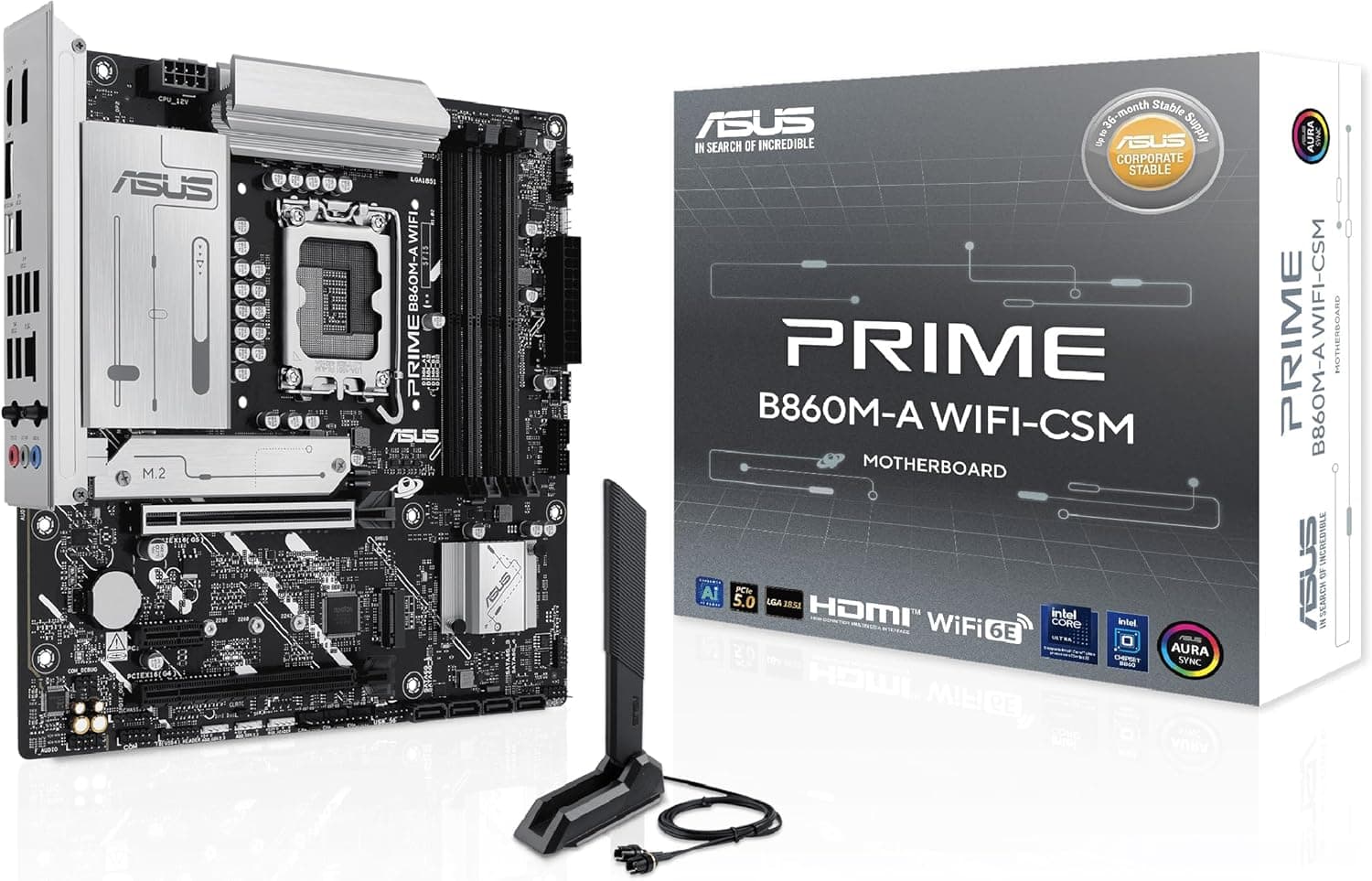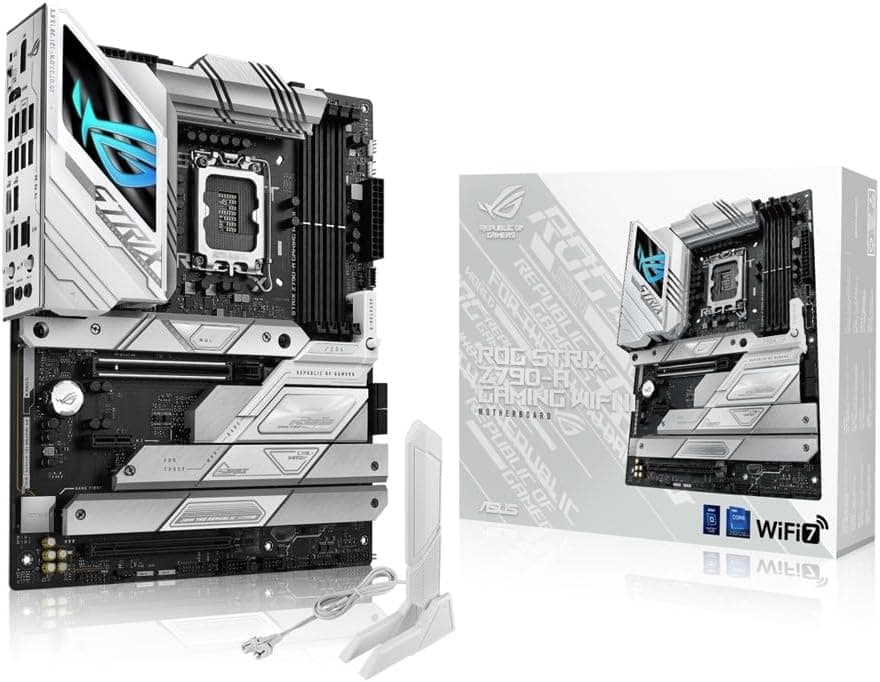
This article covers ASUS ROG STRIX Z790-A GAMING WIFI II intel 第14・13・12世代 CPU対応 LGA1700 Z790 搭載 DDR5 ATX マザーボード, an expansion-focused ATX board for getting the most out of Intel's LGA1700 platform.
Overview
The conclusion first: this board earns its price when you pair a 13th or 14th Gen K-series CPU with overclocked DDR5 and install three or more M.2 SSDs.
If you plan to run a non-K chip at stock with a single SSD, more than half of what the Z790 chipset offers will go unused. Z790 is the only Intel 700-series chipset that unlocks CPU overclocking, and this model combines that with a 16+1+2 power stage design, five M.2 slots, Intel Wi-Fi 7 (802.11be), and 2.5Gb Ethernet.
| Intended use | Fit | Why |
|---|---|---|
| 13th/14th Gen K-series + fast DDR5 | Excellent | CPU OC allowed, 16+1+2 stages, XMP 3.0 |
| Workstation with 3-5 NVMe drives | Excellent | Five M.2 slots (all PCIe 4.0) plus 4 SATA ports |
| Non-K CPU, stock clocks, one SSD | Marginal | A cheaper chipset feels nearly identical |
| Reusing existing DDR4 kits | No | DDR5-only; DDR4 will not physically fit |
| Multi-GPU (SLI/NVLink) | No | Only one PCIe 5.0 x16 slot |
A note on reading that table: the two "excellent" rows are cases where paying for the chipset and the slot count is justified. The weaker rows do not mean the board is slow — they mean you would be buying capability you never touch.
The Amazon.co.jp rating was 86% positive across 22 reviews (4.3 of 5 stars, captured 31 May 2026).
That is a decent score, but 22 samples is a small base, so match the specifications to your build rather than trusting the average.
Compatibility Guide
The LGA1700 socket supports Intel Core 12th Gen (Alder Lake), 13th Gen (Raptor Lake), and 14th Gen (Raptor Lake Refresh) processors. The practical failure point here is BIOS version: if your CPU is newer than the firmware the board shipped with, the symptom is simply no POST and no display.
On top of that, 13th and 14th Gen K-series chips saw reported instability tied to voltage behaviour, and vendors distributed updated BIOS releases including new microcode. Flashing to the latest BIOS before daily use is the safe move.
Some ASUS boards can update firmware without a CPU installed, but confirm whether this specific model has that feature on the product page and in the manual.
Memory is DDR5-only: four DIMM slots, up to 192GB, with XMP 3.0 support.
To be blunt about a common misunderstanding, DDR4 modules have a different notch position and will not fit. Also, populating all four slots generally makes high frequencies harder to sustain than a two-DIMM configuration.
If you want a fast kit, use two higher-capacity modules and check the vendor's qualified vendor list (QVL) first. You will see DDR5-8000-class figures discussed, but results depend heavily on the CPU's memory controller silicon lottery and kit quality, so choose parts that will be stable at rated or XMP speeds.
Expansion consists of one PCIe 5.0 x16 slot and one PCIe 4.0 x16 slot.
Install the graphics card in the PCIe 5.0 slot.
For the second x16-shaped slot, check the manual for its actual lane count — an x16 physical slot wired for x4 is completely normal in this class, and it matters if you plan to add a capture card or 10GbE NIC. Physical clearance matters too: a triple-slot GPU cooler effectively blocks the slot directly beneath it.
Storage covers five M.2 slots (all PCIe 4.0) and four SATA 6Gb/s ports.
Two cautions. First, a PCIe 5.0 SSD will run at PCIe 4.0 speeds here, so do not buy one for its peak bandwidth.
Second, M.2 and SATA lanes are sometimes mutually exclusive on boards like this; if you intend to fill all five M.2 slots while keeping several SATA drives connected, read the shared-lane table in the manual before buying drives.
Power delivery needs the 24-pin ATX connector plus an 8-pin and a 4-pin CPU connector, with roughly 750W as the recommended PSU class. Treat that figure as the CPU-side baseline and add your GPU's draw on top.
Many builds boot with only the 8-pin attached, but for sustained all-core loads on a K-series chip, connect the 4-pin as well — and verify your PSU actually provides two EPS 8-pin (4+4) cables. Overlooking that is one of the most common build mistakes.
The board is standard ATX (roughly 305mm x 244mm) and fits ordinary mid-tower and larger cases. The VRM heatsinks are chunky, so check clearance on both the memory side and the VRM side if you use a tall air cooler.
The Wi-Fi antenna connectors sit on the rear I/O, so a little room behind the case panel makes routing easier.
Product Info
The specification summary: Intel Z790 chipset, LGA1700 socket, ATX form factor, four DIMM slots supporting up to 192GB of DDR5. Storage is five M.2 slots (all PCIe 4.0) plus four SATA 6Gb/s ports.
Networking is Intel 2.5Gb Ethernet for wired and Intel Wi-Fi 7 (802.11be) with Bluetooth v5.4 for wireless.
Rear USB includes USB 3.2 Gen 2x2 Type-C, USB 3.2 Gen 2, and USB 3.2 Gen 1.
The VRM is a 16+1+2 power stage design. The board is known for its white-themed look; if aesthetics drive your choice, confirm the exact finish from the product photos.
On pricing: Amazon.co.jp listed ¥26,800 as of 1 June 2026.
For a Z790 ATX board that also delivers five M.2 slots plus 2.5GbE and Wi-Fi 7, that sits in the upper-middle of the range and reads as reasonable.
On the international side, an eBay US listing showed $149.99 as of 16 July 2026, but eBay mixes used, grey-import, and incomplete-accessory items, so it is not directly comparable to a domestically warrantied unit.
Note also that the collected "Amazon US" entry points back to the same amazon.co.jp listing, so it cannot be treated as a US price — this article therefore cites only the domestic price and the eBay figure as a reference point.
Both are capture-time values and move with sales and exchange rates, so always check the live listing.
Reviews stood at 22 entries with an 86% positive score (4.3 of 5) as of 31 May 2026.
With that few samples, a single negative review still swings the average. When reading them, keep only the ones that state which CPU and which memory kit were used and what actually happened.
Comparison With Alternatives
| Criterion | This board (Z790) | B760 class |
|---|---|---|
| CPU overclocking | Supported | Not supported (memory XMP only) |
| M.2 slots | Five | Typically two to three |
| Memory | DDR5-only | Both DDR4 and DDR5 variants exist |
| Typical price tier | Mid to upper-mid | Entry to mid |
Boiled down, the difference versus a B760 board is CPU overclocking plus the number of slots and ports. With a non-K CPU at stock, the frame-rate gap is tiny, and shifting the savings to the GPU gives you more.
But a workstation that keeps adding SSDs, or a desk full of USB devices, runs out of connectors long before it runs out of performance. If that is your trajectory, buying five M.2 slots up front is cheaper than paying the difference later.
The other axis is platform age. LGA1700 ended with the 14th generation; newer Intel CPUs moved to LGA1851.
So decide first whether you want to lock in a strong build on a mature, well-priced socket, or pay for future upgrade headroom. Bear in mind that no socket guarantees a drop-in upgrade path, so do not over-plan around one.
If you have settled on LGA1700, Z790 is the natural landing spot.
Build And Setup Gotchas
- Flash the BIOS first. One task at build time removes a large share of later instability. Never cut power mid-flash.
- The first boot after enabling memory OC is slow. Memory training can leave the screen blank for tens of seconds to a few minutes. Wait it out before assuming failure; clear CMOS if it truly will not post.
- Remove the M.2 heatsink before fitting drives. Screw-down versus tool-less latch designs differ per board, so check the manual before discarding small parts.
- Wi-Fi 7 needs both ends. Your router must support it too, or you fall back to an older standard. The same applies to 2.5GbE: without a 2.5G switch or router, you are capped at 1Gbps.
- Check the internal header layout for front USB Type-C. If it does not match your case cable, the front ports stay dead after the build is finished.
Best Use Cases
Gamers aiming high. A 13th/14th Gen K-series CPU, a current GPU in the PCIe 5.0 x16 slot, and DDR5 running at XMP — the 16+1+2 stage VRM and large heatsinks exist to keep that combination stable.
With Wi-Fi 7 and 2.5GbE onboard, networking is unlikely to be the bottleneck even in a room you cannot wire.
Video and 3D workstation builders. Five M.2 slots let you split roles from day one: OS, source footage, export scratch, and archive.
Four SATA ports remain for bulk HDD storage. This is the part you cannot add later, which is exactly why slot count is worth paying for.
Builders chasing a white theme. The white-based design pairs cleanly with white cases, coolers, and memory, and the onboard RGB control lets you tune the lighting to match the rest of the build.
Things to Consider
First, match the model name down to the suffix. Motherboards in the same family change specification with version suffixes — this one is the WIFI II revision and is DDR5-only.
Buying a similarly named DDR4 variant or a non-wireless version is the kind of mistake you discover after the parts arrive. Listing metadata (manufacturer, model number, supported generations) is occasionally wrong on retail pages, so do not judge from text alone: confirm the target product from both the images and the title.
If a price or spec looks out of character for the product class, stop and cross-check the official product page.
Second, it is DDR5-only. DDR4 will not fit.
If you want to keep costs down or reuse existing memory, look for a DDR4-capable board instead, and budget for a new DDR5 kit if you stay with this one.
All five M.2 slots are PCIe 4.0. The quantity is generous, but a PCIe 5.0 SSD will be capped at 4.0 speeds.
If raw 5.0 bandwidth is your goal, this is not the board.
Multi-GPU is not in scope. There is a single PCIe 5.0 x16 slot, and SLI/NVLink-style dual-GPU setups are not supported.
If you genuinely need two cards, look at the higher ROG MAXIMUS tier.
Overclocking costs money elsewhere too. A K-series chip run hard needs a stronger cooler and a better PSU, so judging by board price alone leads to thermal disappointment later.
Conversely, if you will never leave stock clocks, the VRM headroom goes unused and spending less on the board to upgrade the GPU is the more rational call.
Finally, on price: every figure here is a capture-time value. ¥26,800 as of 1 June 2026, and $149.99 on eBay US as of 16 July 2026.
Motherboard pricing moves with sales and stock, so treat these as ballpark numbers and verify the current price and warranty terms (authorized distributor stock or not) immediately before you buy.
FAQ
Q. Can I use DDR4 memory? A.
No. This board is DDR5-only, and DDR4 modules have a different notch position, so they will not physically fit.
Q. Will a 14th Gen CPU boot out of the box? A.
It depends on the shipping BIOS. Before buying, check the supported BIOS version and whether the board can update firmware without a CPU installed.
Q. Can I install a PCIe 5.0 SSD?
A. It will fit, but all five M.2 slots are PCIe 4.0, so throughput is capped at 4.0 levels.
Q. How much power supply do I need? A.
Around 750W is the stated baseline. That reflects the CPU side, so add your graphics card's draw.
CPU power uses an 8-pin plus a 4-pin connector, so check your PSU's cable count as well.
Q. What actually separates this from a B760 board? A.
CPU overclocking, five M.2 slots, and more USB and expansion headroom.
With a non-K CPU at stock and a single SSD, moving the price difference to your GPU delivers more.
Q. Does Wi-Fi 7 make my wireless faster by itself? A.
Only if your router supports Wi-Fi 7 too. One-sided support falls back to an earlier standard, and 2.5GbE likewise needs a matching switch or router.
Product Disclosure (Amazon)
- Manufacturer: ASUS
- ASIN: B0CL5LVKD7
- Note: This article covers a manufacturer-made product based on Amazon listing details.
![GIGABYTE Z690 AORUS XTREME Rev. 1.0 マザーボード E-ATX [Intel Z690チップセット搭載] MB5567](/_next/image?url=https%3A%2F%2Fm.media-amazon.com%2Fimages%2FI%2F81clBZAVo5L._AC_SL1500_.jpg&w=1920&q=75)