Overview
The chenyang USB 2.0 Type A - 9ピンマザーボードヘッダー 拡張 HUB コネクタアダプター ポートマルチライヤー is a small passive adapter that splits a single internal USB 2.0 9-pin motherboard header so several low-bandwidth internal devices can share it.
It is not a performance part. It solves exactly one problem — "I am one internal header short" — for a few dollars, and it does nothing for speed: you stay at USB 2.0's 480 Mbps ceiling.
It fits builds where an AIO pump, an RGB controller, a fan hub or a case front-panel USB 2.0 cable all want an internal header and the board only has one.
If your actual goal is faster external SSDs or front-panel USB 3.0, this product is irrelevant to you.
It weighs 0.02 kg, needs no screws, no drivers and no BIOS changes.
Compatibility Guide
All you need is one free USB 2.0 internal header (9-pin, 2.54mm pitch, one keyed blank).
Chipset and CPU socket are irrelevant — AM4, AM5, LGA1700 and LGA1851 boards all use the same physical internal USB 2.0 header.
The OS sees a standard USB hub.
It will not fit a USB 3.0/3.2 Gen1 19-pin (20-pin) header — different shape, different size.
Modern Micro-ATX and Mini-ITX boards often ship with only one internal USB 2.0 header, and trying to run both an AIO pump and an RGB controller off it is the classic reason people buy this adapter.
Conversely, a board with two headers makes it unnecessary.
| Check | Requirement |
|---|---|
| Header type | USB 2.0 9-pin, 2.54mm pitch |
| Free headers | At least one; 19-pin USB 3.0 will not work |
| Devices | Low-bandwidth internal gear (pumps, RGB/fan controllers) |
| Power | Combined draw must stay within the header's budget |
| Clearance | Room near the header for the body plus several cables |
The physical pitfall is placement. Internal USB 2.0 headers usually sit along the bottom or lower-right edge of the board, which is exactly where a PSU shroud or drive cage lives in small cases.
The listed product dimensions of "11 x 11 x 11 cm" almost certainly describe packaging or a placeholder entry rather than the part itself — an adapter of this type is not an 11cm cube. If you are building in a compact case, check the listing photos for the real connector size and cable length.
How to Read the Port Count
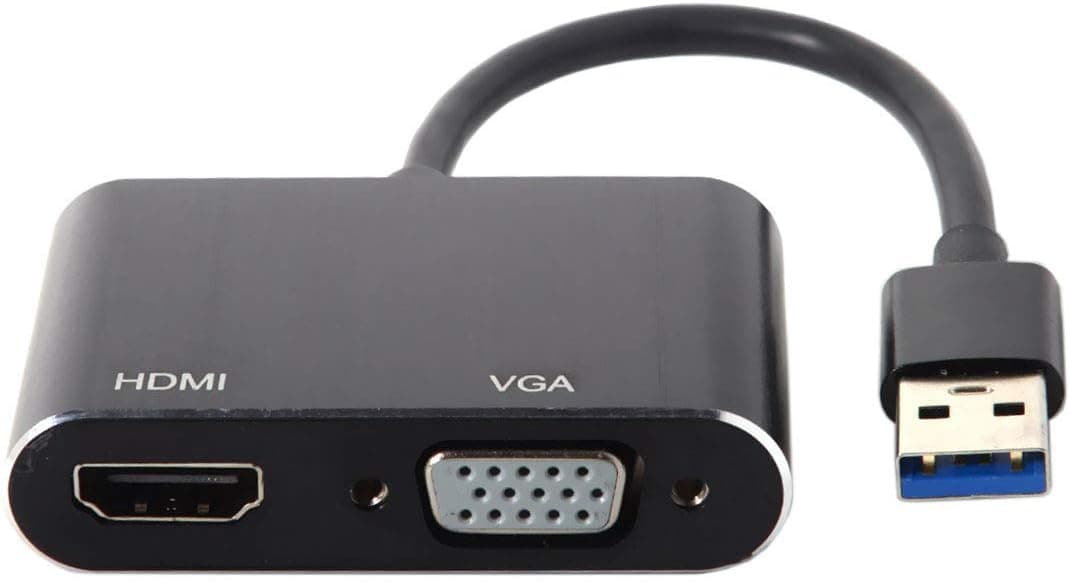
The most misleading number here is "9". The spec line "Number of Expansion Ports: 9" could mean nine resulting ports, or it could simply be describing the 9-pin connector — the listing data does not settle it. Adapters in this class are most commonly 1-to-2 or 1-to-4 splitters.
So before ordering, count the branches in the product photos. Buying while expecting nine outputs and receiving a two-way splitter is the single most common disappointment in this category.
If two branches is all you need, the labelling hardly matters. Decide how many you need first, then verify against the images.
Product Info
The spec sheet lists USB 2.0 support, a 480 Mbps maximum transfer rate, a USB 2.0 9-pin (2.54mm pitch) connector and a 0.02 kg weight.
There is no driver or utility — it is a purely passive cable-and-connector assembly.
Pricing swings noticeably by capture date. On Amazon it was ¥3,218 as captured on 21 June 2026, and ¥1,299 on the same listing as captured on 26 August 2026.
eBay showed $7.99 as captured on 3 August 2026.
All are point-in-time figures and today's price will differ. With a 2x spread inside three months, treat these numbers as a class indicator only and check the listing for what you would actually pay. If it lands at the high end, compare against a board with two internal USB 2.0 headers or a fan hub with built-in header splitting.
Reviews stand at 5 ratings, 4.6 out of 5 (92% positive, captured 21 June 2026).
The score is high but five samples tell you essentially nothing statistically — that is not enough data to judge DOA rates or whether contacts still seat properly after six months. Do not read "highly rated" into it.
Alternatives Compared
| Option | Cost | Best when |
|---|---|---|
| This splitter | Low (¥1,299–¥3,218 at capture) | You just need one more header |
| Fan/RGB hub with internal USB header | Medium | You also lack fan and RGB headers |
| New motherboard | High | You have other complaints (M.2 count, VRM, LAN) |
If headers are your only shortage, this is by far the cheapest fix. If you are also short on fan and ARGB connections, one integrated hub produces cleaner cabling than stacking splitters.
A board swap only makes sense when USB headers are one gripe among several.
Installation Tips
The job takes minutes. Power down, switch off the PSU and unplug it — hot-plugging internal USB headers can kill devices.
Find the 9-pin header silkscreened USB, JUSB or F_USB. The blank pin sets the orientation, so look before you push; bent pins are the one unrecoverable mistake here.
Do not leave the adapter dangling. Tape or zip-tie it to the chassis or a cable tray so vibration and future maintenance do not pop a connector loose.
After powering on, confirm each device appears in Device Manager. If one is missing, connect it alone directly to the header to isolate the fault.
Best Use Cases
- AIO pump plus RGB controller, one header short — the textbook case; both are low-bandwidth and perfectly happy on USB 2.0.
- Micro-ATX / Mini-ITX builders — small boards cut header counts first, which is where this shortage appears.
- Reviving a case's front USB 2.0 ports — useful when the front-panel cable and an internal device are fighting over one header.
- Stopgap users — cheap time-buying until a motherboard upgrade.
Things to Consider
It adds no speed. Multiple devices share one 480 Mbps USB 2.0 link, so per-device bandwidth shrinks as you add branches.
External SSDs or high-resolution USB cameras do not belong on an internal header in the first place.
It adds no power. This is a passive splitter with no auxiliary input; devices divide whatever current the header supplies.
Hang several RGB strips off it and you get unrecognised devices, flicker or random disconnects — symptoms whose cause is hard to trace, so remove the adapter first when isolating a fault.
It becomes a single point of failure. Consolidate pump, fan control and RGB onto one adapter and a single bad contact drops all of them together.
If pump monitoring runs through it, accept that a dropout delays fault detection.
Five reviews is itself a caveat. 4.6 stars looks good, but five people cannot establish long-term reliability, and chenyang sells a wide catalogue of generic adapters with little model-specific longevity data.
Keep this on auxiliary connections, not critical data paths.
Finally, do not take the listing metadata at face value. As written, the product dimensions are implausible, the "9" is ambiguous between ports and pins, and the captured price doubled within three months.
Confirm the actual product and branch count from the listing photos and title before you order.
FAQ
Q. Will it fit a USB 3.0 19-pin header? A.
No. Different connector entirely.
This is USB 2.0 9-pin only, and it will not deliver USB 3.0/3.1/3.2 speeds.
Q. Do I need drivers or BIOS settings?
A. No. It is passive; the OS simply sees standard USB devices.
Q. Does it really give nine ports? A.
The listing does not make clear whether "9" means ports or pins. Comparable products are usually 1-to-2 or 1-to-4.
Decide what you need, then count branches in the photos.
Q. Is it safe for an AIO pump? A.
For control and monitoring over USB, generally yes. But since consolidation creates a single point of failure, connecting the pump directly to the header is safer when possible.
Q. What does it cost? A.
It varies by capture date: ¥3,218 on 21 June 2026, ¥1,299 on 26 August 2026, and $7.99 on eBay on 3 August 2026.
Check the listing for the current price.
Product Disclosure (Amazon)
- Manufacturer: CHENYANG
- Seller: Amazon US
- Fulfilled by: Amazon US
- ASIN: B0BYMZ3KPL
- Note: This article covers a manufacturer-made product based on Amazon listing details.