Overview
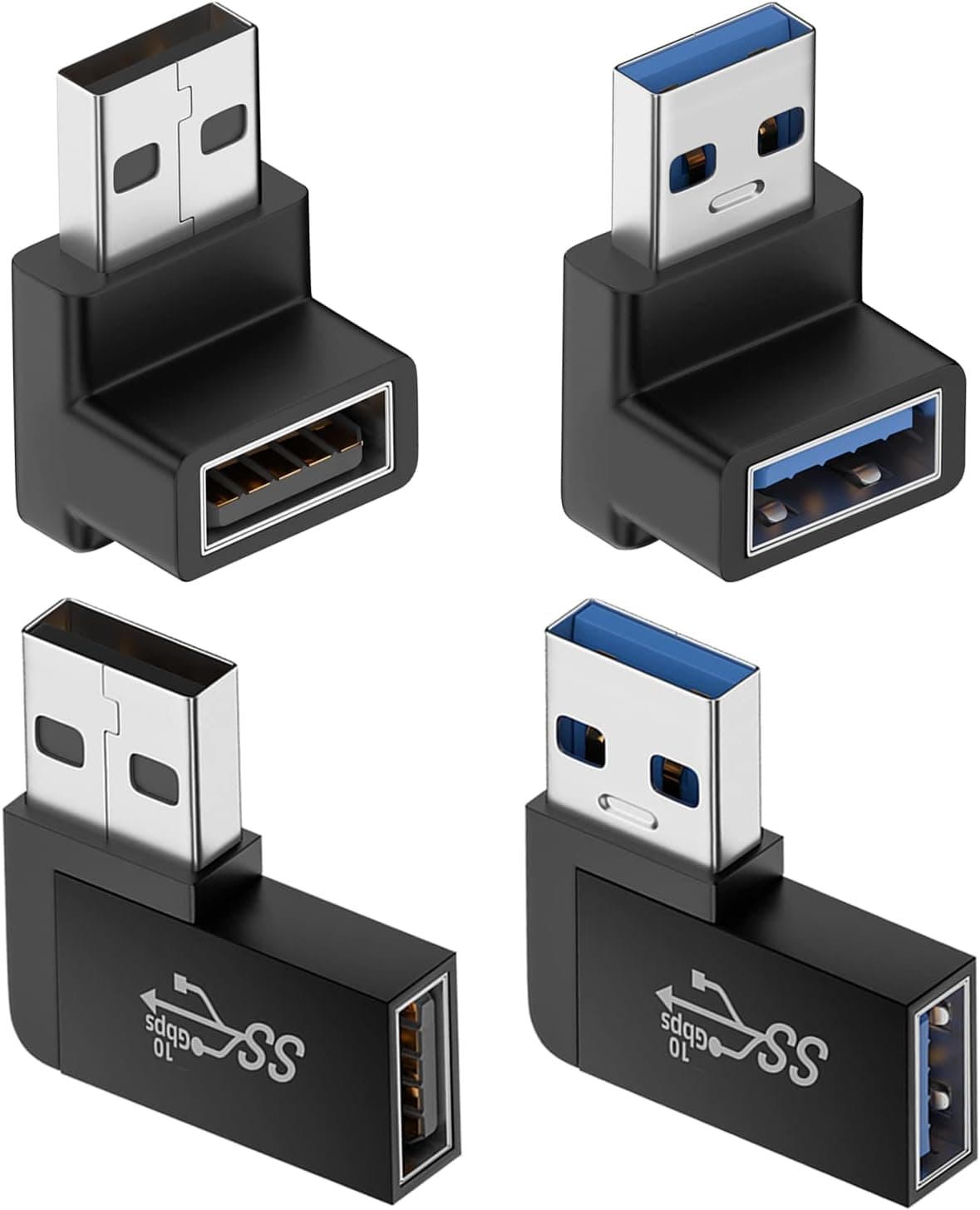
The AreMe 90 Degree USB 3.0 Adapter 2 Pack plugs into a USB-A port and turns the cable 90 degrees.
The pack has one left-angle and one right-angle adapter. It is for places where a straight plug runs into something, such as a PC or TV pushed against a wall, or a laptop on a cramped desk.
It is rated for USB 3.0 (5 Gbps).
Since it is a simple passive adapter with no circuitry, it needs no drivers or setup.
The short verdict: it is a cheap fix if you can check, port by port, which way the cable needs to turn. It is not for USB-C devices, and it is a poor fit for external SSDs that rely on 10 Gbps or faster links.
The sections below cover the mistakes people tend to find only after buying, such as choosing the angle and blocking nearby ports.
What It Solves
The base of a USB plug is longer and stiffer than most people expect. Plugged in straight, the cable sticks out several centimeters before it can bend at all.
Next to a wall, behind a desk, or inside a shelf, that extra length means the cable hits the wall or gets bent sharply.
A 90-degree adapter turns the base of the cable so it runs along the surface of the device. With less sticking out, you can push furniture closer to the wall and stop forcing the cable into a tight bend.
A cable bent sharply at the base all the time is more likely to break, so the adapter also helps your cables last longer.
Compatibility Guide
The connectors are USB-A male to USB-A female. You plug the adapter into the device's USB-A port, then plug your usual USB-A cable or flash drive into the other side.
It physically fits any standard USB-A port, including PCs, laptops, TVs, chargers, power banks, and hubs.
The speed limit is the 5 Gbps of USB 3.0, which is now called USB 3.2 Gen 1.
It is backward compatible with USB 2.0 and USB 1.1.
Putting it between USB 3.2 Gen 2 (10 Gbps) devices or ports goes beyond what the adapter is rated for, so you may not get the full speed.
| Check | This product | Watch out for |
|---|---|---|
| Port type | USB-A only | Does not fit USB-C or Micro-USB |
| Speed | 5 Gbps (USB 3.0) | 10 Gbps devices are out of spec |
| Bend direction | One left, one right | No up/down versions |
| Nearby ports | Bulkier than a plug | Can block nearby ports |
The last two rows are where people get it wrong. These adapters bend left or right, so the direction the cable goes depends on how the port is mounted.
On a horizontal port the cable turns sideways, and on a vertically mounted port it turns up or down. Brands also don't agree on what 'left' means, so look at the product photos to see where the plug end and the socket end sit before choosing which adapter goes where.
The spec data does not list a current rating. If you plan to put it on a charger or power bank for fast charging, check the product page for current limits first.
Product Info
As of October 2026, Amazon.co.jp listed the 2-pack at ¥1,672.
Prices change with sales and stock, so check the product page for the current price before buying. There are also eBay listings, with prices that vary by seller.
Key specs: 5 Gbps (USB 3.0) transfer rate, USB-A male to USB-A female, 90-degree angle in left and right versions, red finish, and 0.01 kg per adapter.
The box contains just the two adapters, and no software is needed. Warranty and return terms vary by seller, so check them on the product page.
As of October 2026, Amazon.co.jp reviews averaged 4.8 out of 5 stars (96% positive), but from only 16 reviews.
That is too few to say much about how consistent the quality is. Treat it as a sign that no major complaints have come up yet, not as proof of durability.
Best Use Cases
- TVs or PCs placed against a wall, where a straight plug on a rear or side port hits the wall
- Laptops with a flash drive or wireless receiver left in a side port, where you want less sticking out
- PCs under a desk or inside a shelf, where cables are bent sharply at the base
- Connecting 5 Gbps USB-A external HDDs or SSDs at full speed with neater routing
- Users who aren't sure which direction they need and want to try both at once
Who Should Skip It
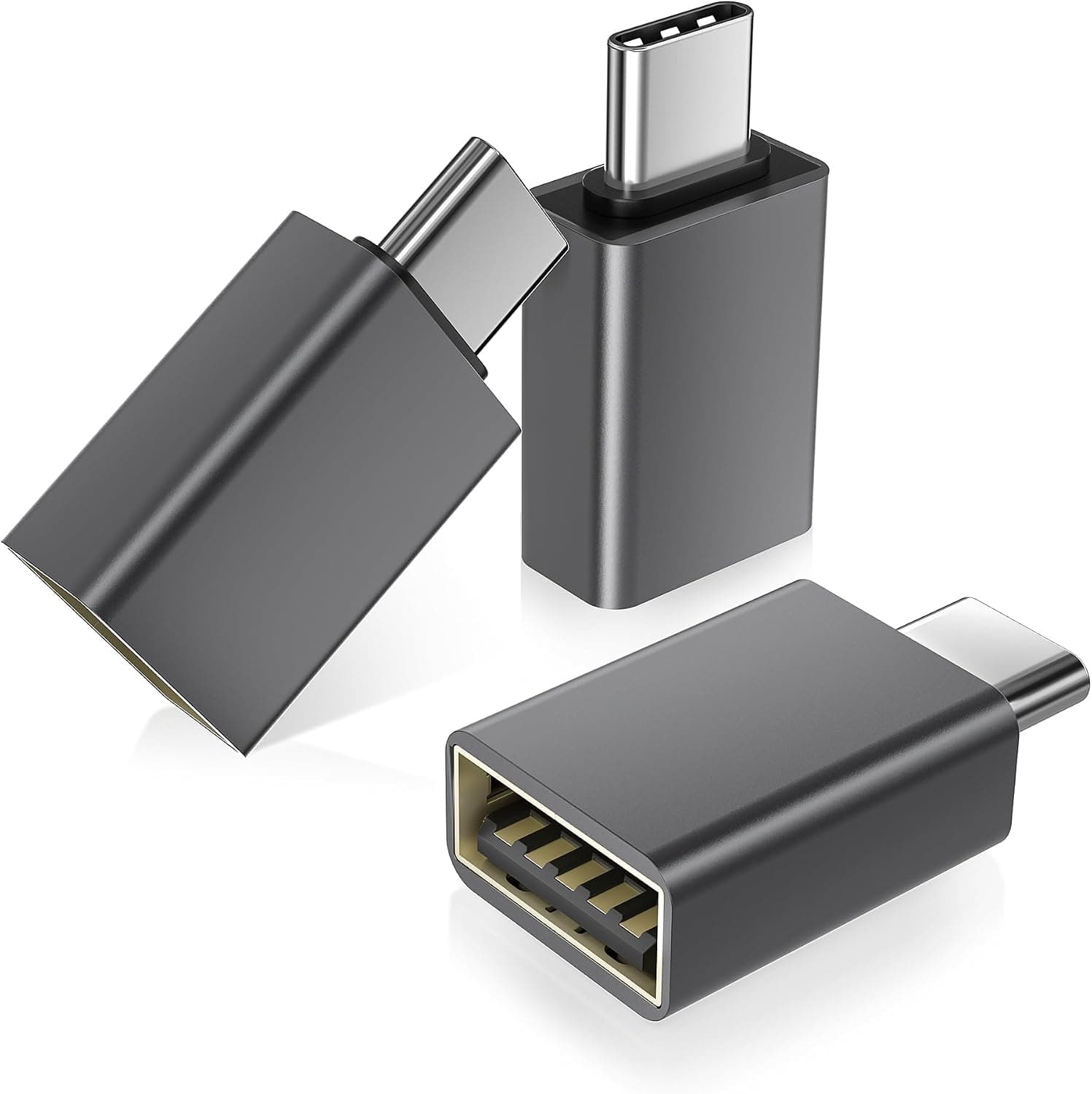
It won't work with laptops or tablets that only have USB-C ports. To connect USB-C devices to USB-A, you need a different kind of adapter.
If you use a fast SSD that depends on USB 3.2 Gen 2 or faster, it is safer not to put a 5 Gbps adapter in the path.
It is also the wrong choice if you need the cable to bend up or down. This set only has left and right versions, so depending on how the port is mounted, it may not turn the way you want.
The red finish will also stand out against black equipment.
Before You Buy
First, check the direction. With one of each, at least one usually fits.
But if two ports both need the cable to go the same way, only one adapter will work. A common case is two ports next to each other where both cables should run toward the same side.
Look at your ports first and count how many of each direction you need.
Second, watch for blocked ports. A 90-degree adapter is wider and thicker than a normal USB plug.
Where USB ports are packed close together, such as a motherboard's rear panel, the adapter can cover the port next to it. If another port sits on the side the cable turns toward, that port is effectively lost.
Third, mind the leverage. When the cable is bent 90 degrees, pulling on it twists the port through the adapter.
If you carry a laptop with the adapter still plugged in, pressure inside a bag can strain the port. Take it out before traveling, and leave some slack in the cable if the device gets moved while plugged in.
Fourth, it adds one more connection point. Even a passive adapter adds a joint that can loosen or misbehave.
If an external drive starts disconnecting, take the adapter out and plug the drive in directly to find which part is causing it.
One more note on the listing. The product block at the end of this article is based on Amazon listing data.
It shows the seller and shipper as 'Amazon US', but the price comes from Amazon.co.jp.
When buying, use the photos and title to confirm it is this product (a red, left-and-right 2-pack).
FAQ
Q. Does it work with USB 2.0 devices? A.
Yes. USB 3.0 is backward compatible, so USB 2.0 mice, keyboards, and flash drives work normally, at the speed of the slower device.
Q. Can I use it with a USB-C phone or laptop?
A. No. It converts USB-A male to USB-A female, so it physically won't fit a USB-C port.
Q. How do I tell the left and right adapters apart? A.
Brands define left and right differently. Use the product photos to see where the plug end and socket end sit, and compare that with how your port is mounted.
Q. Will it slow down transfers? A.
Within USB 3.0 (5 Gbps), it is rated to run at full speed.
Using it with 10 Gbps or faster devices is out of spec.
Q. Are both adapters the same direction? A.
No, you get one left and one right. If you need two in the same direction, buy two packs or look at another product.
Product Disclosure (Amazon)
- Manufacturer: AreMe
- Seller: Amazon US
- Fulfilled by: Amazon US
- ASIN: B0C6Y7S5JV
- Note: This article covers a manufacturer-made product based on Amazon listing details.