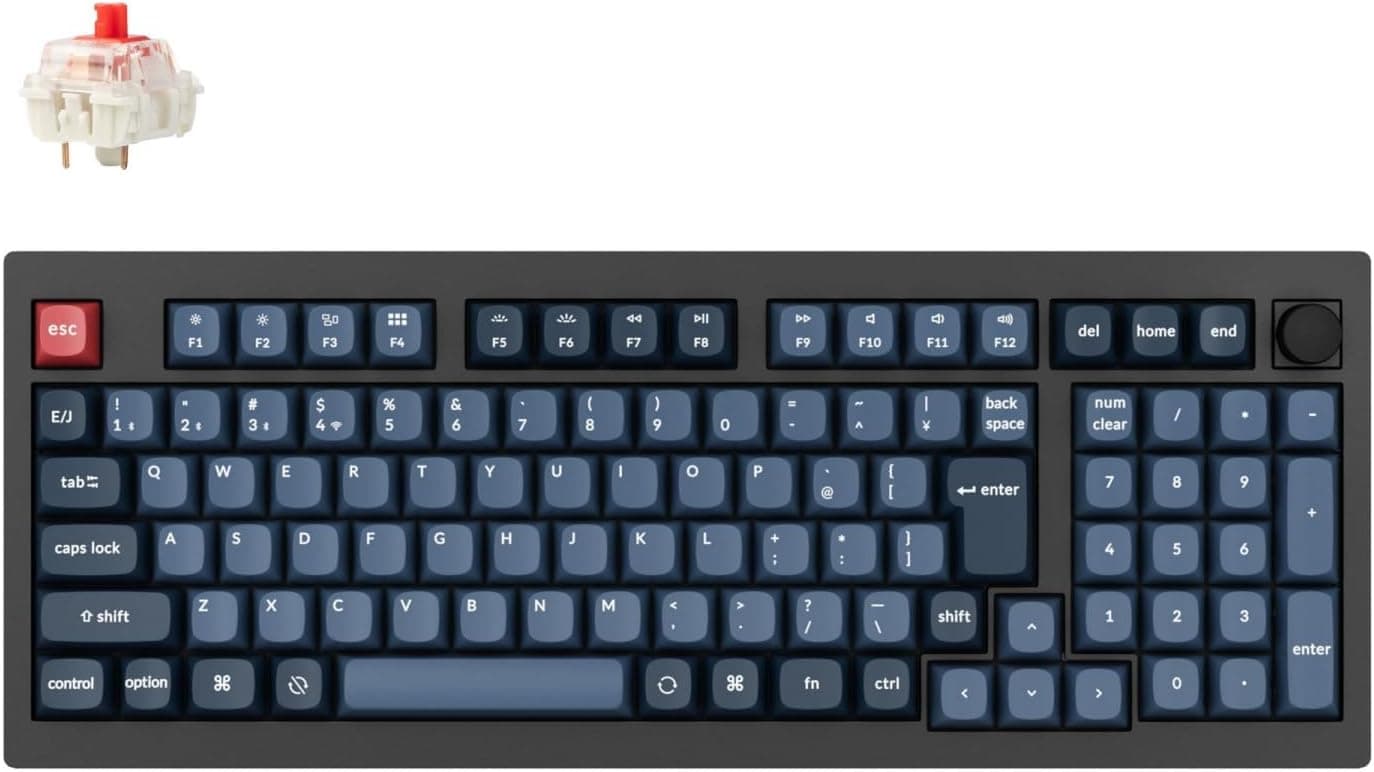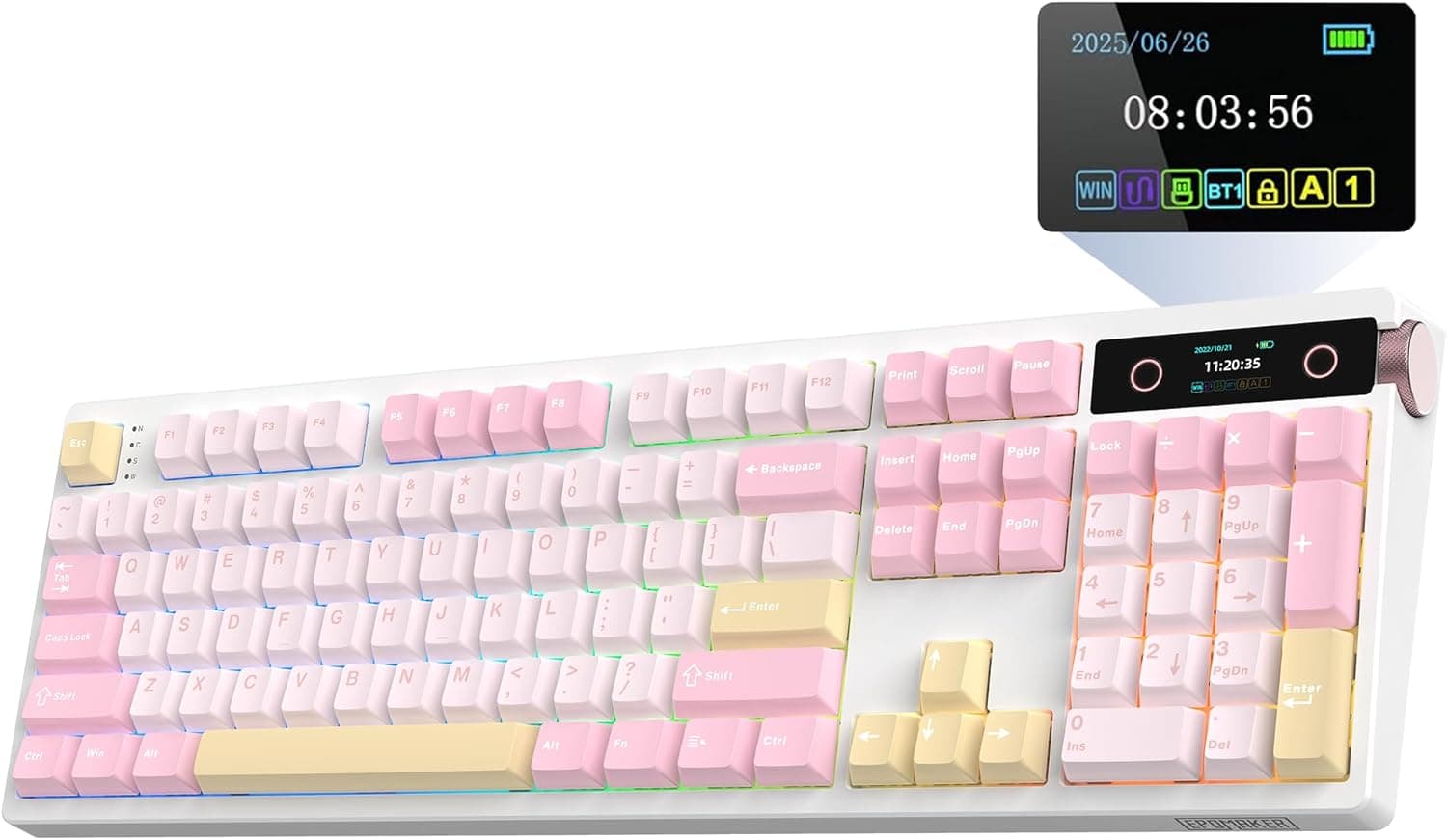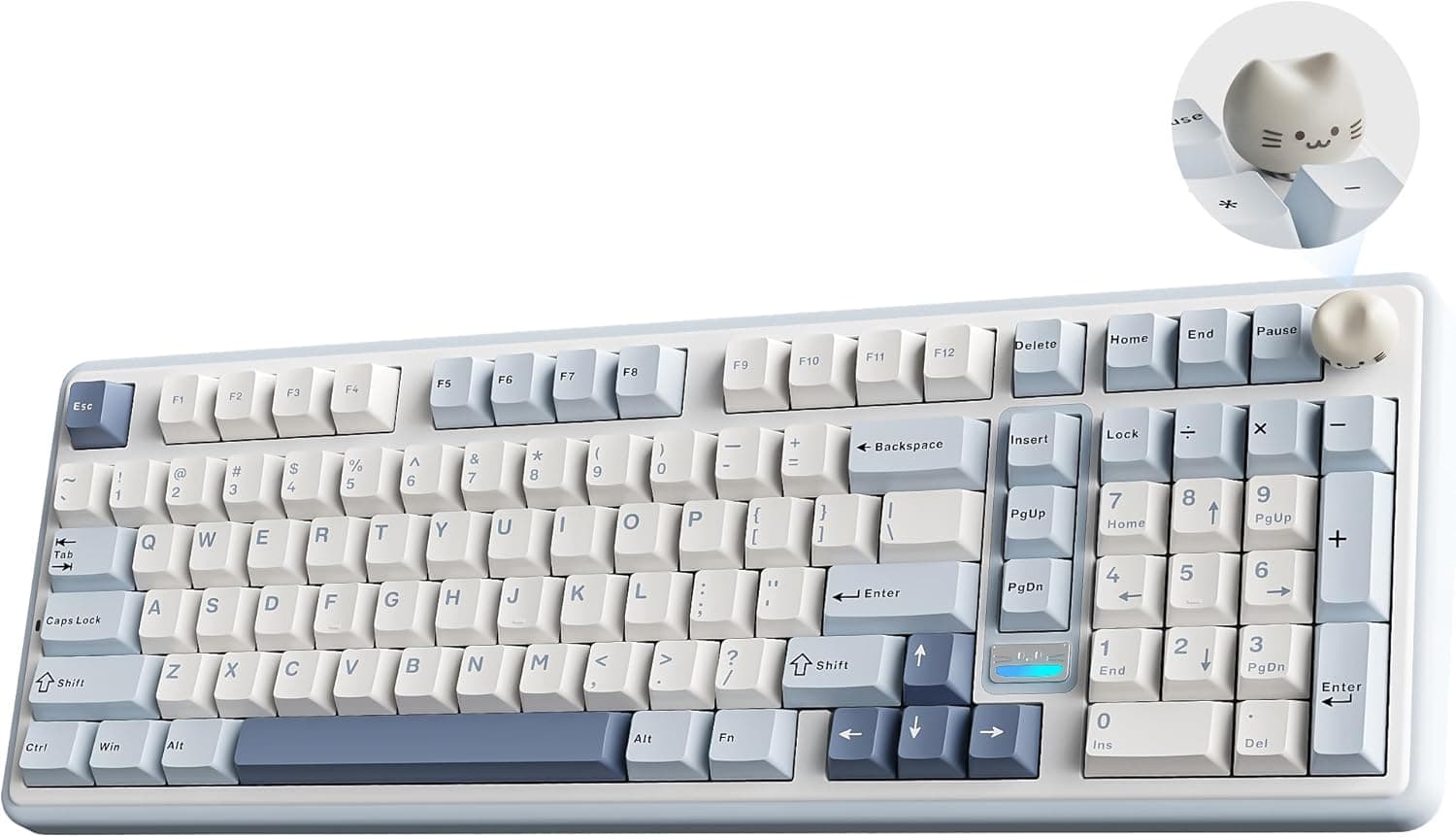
This article looks at the YUNZII B98 PRO QMK from three practical angles: layout, connectivity and customization.
Overview
The YUNZII B98 PRO QMK is a three-mode wireless mechanical keyboard built around a 96% (100-key) layout. The short version: it suits people who refuse to give up a numpad but do not want full-size width on the desk, and people who want a board that works on day one yet can be modified later.
It is a poor match if you chase the lowest possible latency in competitive FPS, or if you need a tactile or clicky feel out of the box.
The hardware highlights are a gasket mount with five layers of dampening foam, hot-swap sockets that accept 3-pin and 5-pin MX switches, PBT double-shot keycaps, south-facing RGB LEDs and an 8000mAh battery. The firmware is QMK/VIA compatible, so keymaps and macros can be rewritten in software rather than lived with.
Check the retailer's page for the latest user reviews. That is a small sample, but a strong score for the price bracket.
A high average tells you defects are rare; it does not tell you the typing feel matches your taste. This article focuses on the second part.
Compatibility Guide
| Item | Support |
|---|---|
| Connection | Bluetooth 5.0 / 2.4GHz wireless / USB-C wired |
| Operating systems | Windows / macOS / Android |
| Switches | MX-compatible 3-pin and 5-pin (hot-swap) |
| Keycaps | Cherry MX stem; PBT double-shot as standard |
| LED orientation | South-facing |
| Firmware | QMK/VIA |
Of the three modes, USB-C wired is the most stable for latency, followed by 2.4GHz, with Bluetooth last.
The 2.4GHz receiver stores in a magnetic bay on the underside, so it is hard to lose in transit.
The product description states pairing with up to five devices, which fits a desktop-plus-laptop-plus-tablet workflow. A two-step flip-out foot lets you change the typing angle.
The compatibility detail people forget is modifier order. Windows and macOS swap the positions of Alt/Option and Win/Command, so you need the OS switch or a layer to line them up.
Because this board supports QMK/VIA, you can fix the default mapping in software instead of retraining your hands. That is the real advantage over non-QMK boards at the same price.
Switch swaps accept both 3-pin and 5-pin designs, so 5-pin switches drop straight in without clipping the plastic legs. Keycaps with a Cherry MX cross stem will physically fit, but the 96% layout deserves a warning: it mixes in odd key widths around the bottom row, the right Shift and the numpad, so a generic full-size or TKL set often leaves gaps.
Buy sets that explicitly state 96% or 1800 layout support.
The south-facing LEDs matter more than they sound. On north-facing boards, Cherry-profile keycaps can foul the LED housing; south-facing placement largely removes that risk.
Wireless devices used in Japan require technical certification. The product information states the board is certified, but certification can vary by batch and sales channel, so confirm it on the listing before buying.
Product Info
| Item | Detail |
|---|---|
| Layout | 96% / 100 keys |
| Connection | Bluetooth 5.0, 2.4GHz, USB-C |
| Battery | 8000mAh |
| Switch | Milk V2 linear (pre-lubed) |
| Hot-swap | 3-pin / 5-pin |
| Keycaps | PBT double-shot |
| Backlight | RGB (south-facing LEDs) |
| Firmware | QMK/VIA |
| Mount | Gasket mount |
Check the retailer's page for the latest price. Both are point-in-time figures that move with sales, exchange rates and stock, so check the listing for the current price.
The pitch is the combination, not any single feature. Gasket mount, five-layer foam, hot-swap, PBT double-shot, QMK/VIA and 8000mAh each exist at this price on their own; getting all of them on a 96% board does not.
In the box are a USB-C cable, keycap puller, switch puller and manual, so you can swap a switch without buying anything extra.
An 8000mAh cell is large for a keyboard. Keep in mind that quoted runtimes are usually measured with the backlight off, since RGB at full brightness changes consumption dramatically, and that a big cell also takes correspondingly longer to refill.
You can type while charging, so plan on an overnight top-up rather than a quick one.
How It Compares
There are more customization-friendly boards near 96% than there used to be. For QMK on a 96% layout, the Keychron V5 8K sits close; for QMK over wireless, the Keychron K13 Max is the obvious alternative.
If display gimmicks and knobs matter to you, TFT-equipped boards such as the Redragon K762 or AJAZZ AK980 V2 are worth a look.
Against those, the YUNZII B98 PRO QMK stands on covering three things at once: a numpad, three-mode wireless with a large battery, and QMK/VIA. It has no information panel and no headline esports polling rate.
That makes it easy to see what you are trading away, which is an advantage if your priorities are already settled.
Typing Experience
Pre-lubed linear switches, a gasket mount and five layers of foam push the sound toward the muted, creamy end. Because the switches ship lubed, there is none of the prep work a build-it-yourself kit demands.
What this construction does not fix is stabilizer rattle on the long keys (space, Enter, right Shift, numpad 0 and +). Foam and housing cannot reach it.
If it bothers you, lubing the stabilizers is the highest-value upgrade available, and a small tube of grease costs very little.
Moving from full-size to 96% is one of the gentler transitions, but the gaps between key clusters are gone, so expect mis-hits around the left numpad column and the Delete/PageUp area for the first week. If you enter numbers all day for work, check the key spacing in listing photos before committing.
Who It's For
- People who need a numpad and play games — full numeric entry with less width, so a spreadsheet and a game can share the same desk with room to swing a mouse.
- First-time keyboard modders — hot-swap plus QMK/VIA means you can start with a finished board and change only what annoys you, using the bundled tools.
- Cable minimalists — three-mode wireless and a large battery remove a cable from the desk, and the payoff grows if you switch between machines.
- Fans of a softer sound — linear switches with heavy dampening suit anyone who dislikes sharp clicky noise, though this is not a silent board.
Before You Buy
The stock switches are linear only. Milk V2 is a smooth pre-lubed linear with no bump.
If you want a tactile cue or an audible click, the stock configuration will not deliver it. Hot-swap lets you change that later, but a full set of 100 switches adds a few thousand yen, and that cost belongs in your budget from the start.
It is not a silent keyboard. The foam tames internal echo, not the bottom-out impact.
If you need a board that stays out of a microphone during calls, plan on silent switches.
Wireless and competitive play require a compromise. For the fastest response, use the cable.
2.4GHz is fine for everyday work and casual gaming, but wired remains the safe choice when frames matter.
Do your VIA configuration over USB. On many wireless boards the configurator only detects the keyboard when it is plugged in, so try a cable first if it does not appear.
Firmware updates are also worth treating with care: a failed flash is tedious to recover from, and staying on a working version is a legitimate choice.
It is not a travel keyboard. A numpad-equipped case with an 8000mAh cell is inevitably heavy.
Treat it as a desk fixture. Note also that devices with built-in lithium batteries generally must travel in carry-on baggage, not checked luggage.
Confirm the key layout and keycap fit first. Boards from this segment are usually US ANSI.
If you need a Japanese layout, check the legends in the listing photos. For replacement keycaps, stick to sets that state 96% or 1800 compatibility.
Listing data does not always match the product. Manufacturer names, model numbers and bundle contents are sometimes carried over from other items.
Here the listing information (YUNZII, ASIN B0GL7Z6Y5L) matches the product, but confirm the item from the images and title when you order. Units bought through overseas marketplaces may also carry different warranty and certification status.
FAQ
Q. Can I remap keys in VIA while connected wirelessly? A.
Do the configuration over USB-C to be safe. The keymap is stored on the board itself, so once saved it applies in wireless mode too.
Q. Can I change the switches myself? A.
Yes. The sockets take 3-pin and 5-pin switches, and the bundled puller is all you need.
No soldering. Check that the pins are straight before pressing each switch home.
Q. Does it work with a Mac? A.
macOS is supported, and modifier order can be handled by the OS switch or by a QMK/VIA keymap. Check the listing for whether Mac-legend keycaps are included.
Q. Can I fit aftermarket keycaps? A.
Cherry MX cross-stem caps fit, but the 96% layout uses some unusual key widths, so choose a set that states 96%/1800 support. South-facing LEDs mean Cherry-profile caps are unlikely to interfere.
Q. How long does the battery last? A.
8000mAh is large for a keyboard, but real runtime depends heavily on RGB brightness and uptime; backlight on versus off differs by an order of magnitude. Quoted figures usually assume the backlight is off, so read the stated test conditions.
Product Disclosure (Amazon)
- Manufacturer: YUNZII
- Seller: YUNZII Keyboard
- Fulfilled by: Amazon
- ASIN: B0GL7Z6Y5L
- Note: This article covers a manufacturer-made product based on Amazon listing details.