Overview
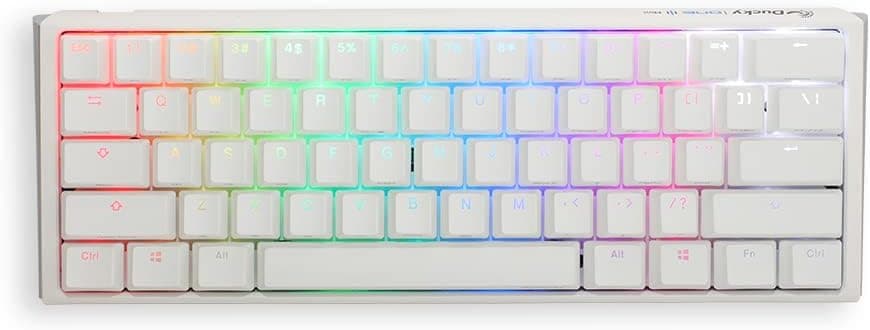
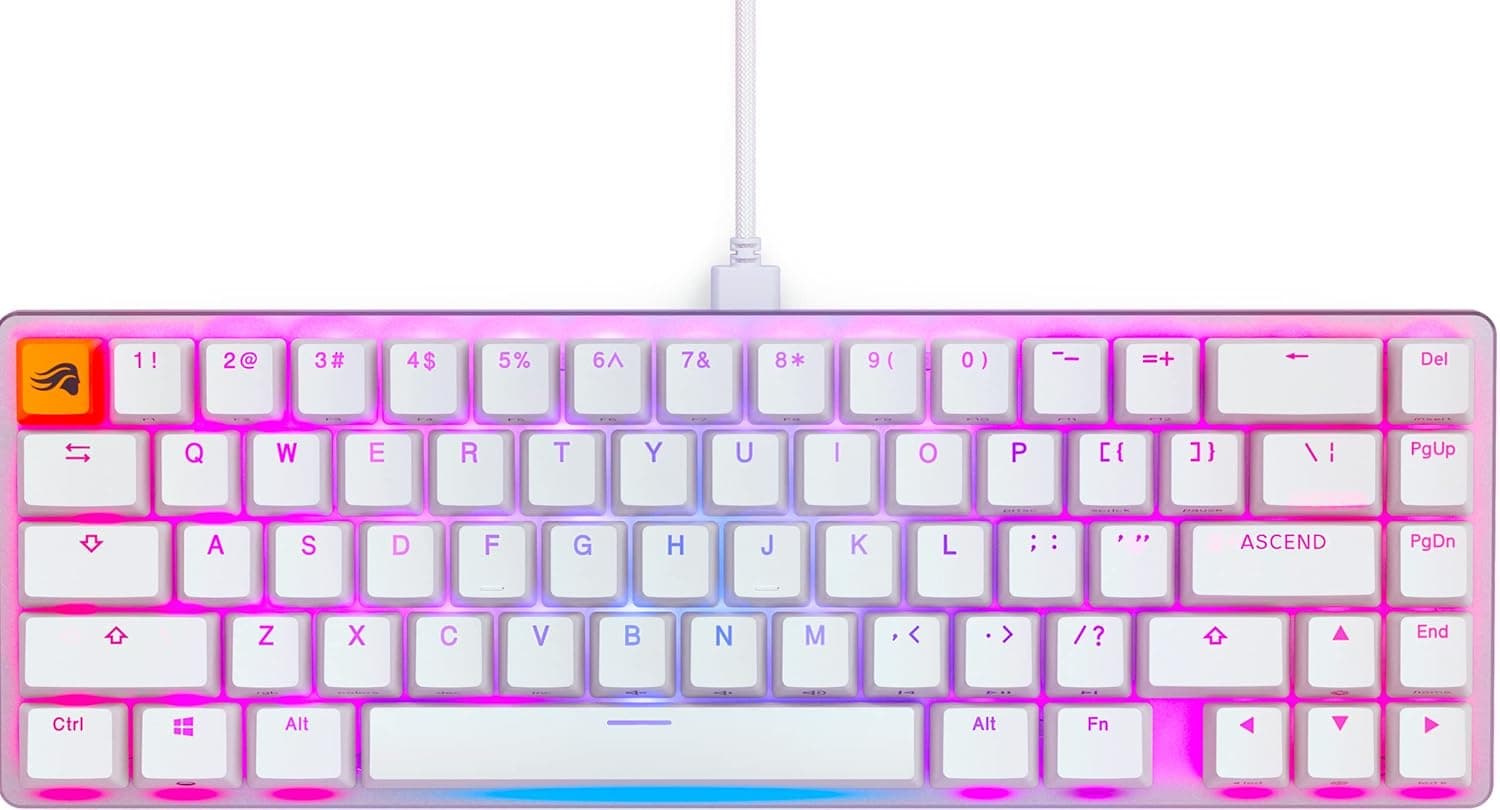
The Glorious GMMK 2 65% (Pre-Built, White; model GLO-GMMK2-65-FOX-W, Japanese SKU KB628) is a 67-key, hot-swappable mechanical keyboard that ships fully assembled with factory-lubed Fox linear switches. No soldering, no switch shopping, no build time — it works out of the box.
The short verdict: this is the best fit for someone who wants a foot in the custom-keyboard door without buying parts piecemeal. Hot-swap sockets mean that once you've lived with linears for a month, you can move to something heavier or tactile by pulling switches, not by buying another board.
It is a poor fit if you need a JIS layout or use a dedicated function row every day.
Amazon.co.jp reviews stood at 76 ratings averaging 4.3/5 (roughly 86% positive) as captured on 3 June 2026.
That's a small sample, but a consistently favorable one.
What a 65% Layout Actually Removes
The single most important thing to understand before buying is what 67 keys leaves out. 65% sits between 60% and tenkeyless:
| Layout | Approx. keys | Arrows | Function row | Numpad |
|---|---|---|---|---|
| Full size | ~104 | Dedicated | Dedicated | Yes |
| TKL | ~87 | Dedicated | Dedicated | No |
| 65% (this board) | 67 | Dedicated | Fn layer | No |
| 60% | ~61 | Fn layer | Fn layer | No |
The defining feature is that the arrow cluster survives. On a 60% board, even arrows live under Fn, which interrupts you constantly while editing text or browsing.
This board keeps them and instead trims the function row, the numpad, and most of the navigation cluster.
How much that costs you depends entirely on your workload. F5 to refresh, F2 to rename, F4 for absolute references in Excel, F1–F12 skill bars in MMOs and MOBAs — all of those become Fn combos.
In shooters that mostly use WASD and the number row, you will barely notice anything is missing.
Compatibility Guide
Connection is a single detachable USB Type-C cable; this is a wired-only board. Windows, macOS, and Linux all recognize it as a standard HID keyboard with no drivers.
That also means it works in BIOS/UEFI and OS installers, which is a real advantage over wireless boards.
Remapping and RGB are handled by Glorious CORE. Software of this kind is typically Windows-centric, so on macOS or Linux you may end up configuring the board on a Windows machine and carrying the settings over.
If the board can store your profile in onboard memory, the configured layout travels with it. Confirm the supported OS list before you buy if Windows isn't available to you.
On the switch side, the sockets accept 3-pin and 5-pin MX-compatible switches, so mainstream Gateron, Kailh, and TTC linears, tactiles, and clickies all drop in. Magnetic (Hall effect) switches, optical switches, and low-profile Choc-style switches will not fit — the mounting and sensing are fundamentally different.
If your goal is rapid trigger via magnetic switches, this is the wrong board.
Keycaps are double-shot PBT with English legends. Note that 65% boards use non-standard widths in the bottom-right corner, so a generic full-size keycap set will leave you with spare caps and missing ones.
Buy a set explicitly listed as 65%-compatible. This trips up more first-time buyers than anything else.
Physically, the footprint is narrower than tenkeyless, which meaningfully expands usable mouse area for low-sensitivity FPS players. With the cable detached, the board alone slips into a laptop sleeve.
Product Info
Key specs: Fox linear (factory lubed) switches, 67 keys in a 65% layout, English/US ANSI, detachable USB Type-C, per-key RGB, double-shot PBT keycaps, 3-pin/5-pin hot-swap, Glorious CORE support. Factory lubing is an unglamorous but genuinely useful detail — it reduces spring ping and housing scratch without you disassembling anything.
Pricing needs a caveat. The Amazon listing showed ¥13,291 as captured on 3 June 2026 and ¥6,900 as captured on 27 August 2026, both against the same ASIN (B096DDZD8J).
The gap most likely reflects a sale or a change of seller. Treat every figure here as a snapshot from its capture date and check the live listing before ordering.
An overseas marketplace (eBay US) recorded $165.70 on 15 July 2026, but that reflects resale and import markup and is not a useful benchmark for buying domestically.
User ratings, again, were 76 reviews averaging 4.3/5 as of 3 June 2026 — a sample small enough that a handful of outliers can move the average.
How It Compares
At this price you will find plenty of 75% and 96% boards from newer brands offering tri-mode wireless, gasket mounts, and control knobs. On a feature checklist they win outright, and if wireless is a hard requirement, this board is simply out of the running.
Three things still argue for it. First, wired reliability: no latency questions, no battery, no pairing failures.
Second, the switches are lubed at the factory, so the typing feel is settled with zero extra spend. Third, Glorious has been distributed long enough that replacement switches and accessories remain easy to source.
If you specifically want a volume knob, a display panel, QMK/VIA firmware flashing, or magnetic switches with rapid trigger, buy a board designed around that feature. This one earns its keep by being straightforward rather than flashy.
Best Use Cases
The strongest fit is a gamer optimizing for mouse room. Going a step smaller than TKL means your wrist stops colliding with the board on wide low-sensitivity swipes.
Second, anyone curious about custom keyboards but unwilling to build from a kit. Swapping switches without a soldering iron is the cheapest realistic way to compare linear, tactile, and clicky feels with your own fingers.
Third, programmers on US ANSI and engineers who move between machines. Driverless and wired, it works the moment you plug it into a loaner or a test bench, and the detachable cable keeps it packable.
Skip it if you need a JIS layout or Japanese conversion keys, lean on F-keys in Excel or video editing, want to cut cables with wireless, or do numeric data entry that demands a numpad. Those are not habits you adapt away from in a week.
Before You Buy
The biggest pitfall is the Fn-layer learning curve. Beyond F1–F12, several of Delete, Insert, Home, End, PageUp, and PageDown become combos.
Expect one to two weeks of hesitation on every shortcut. If your work macros or in-game binds assume F-keys, you may need to change the software side rather than the keyboard.
Second, linear does not mean silent — it means no tactile bump. Factory-lubed Fox switches sound smooth and free of scratch, but bottoming out still makes contact noise.
They are not dampened silent switches. If near-silence on video calls is the goal, plan on swapping in silent switches, which is exactly where hot-swap pays off.
Third, keycap sizing. As noted, the 65% bottom row is non-standard; "I bought a base kit and the Shift didn't fit" is a classic outcome.
Fourth, price volatility. The same product was recorded at ¥13,291 (3 June 2026) and ¥6,900 (27 August 2026).
If you aren't in a hurry, watching the listing for a few weeks is worth it — and don't let the overseas resale figure ($165.70 on 15 July 2026) convince you that any given domestic price is a bargain.
Finally, verify the listing details yourself. Amazon product data is partly auto-populated and can drift out of sync with reality when sellers change, particularly for model numbers, bundled accessories, and layout (US vs JIS).
The GMMK 2 line includes both 65% and 96% sizes plus multiple colors and switch options. Before ordering, confirm from the images and title that you are getting the 65% White model with Fox switches in US ANSI.
FAQ
Q. Which switches can I swap in? A.
Any 3-pin or 5-pin MX-compatible switch — standard Gateron, Kailh, and TTC linears, tactiles, and clickies. Magnetic (Hall effect), optical, and low-profile switches will not fit.
Q. Does it support rapid trigger? A.
No. It uses mechanical hot-swap sockets, not analog magnetic sensing.
If rapid trigger is your goal, buy a dedicated Hall-effect keyboard.
Q. Can I use it wirelessly? A.
No. It is wired USB Type-C only.
The cable detaches for transport, but there is no Bluetooth or 2.4GHz option.
Q. Does it work on macOS? A.
It types fine with no drivers. For remapping and RGB, check the supported operating systems for Glorious CORE before buying; if settings can be saved onboard, you can configure elsewhere and carry the profile.
Q. Can I type Japanese on it? A.
Yes, but you must set the OS input source to US layout and use a shortcut such as Alt+` to toggle IME. There are no dedicated conversion keys.
Q. Can I replace the keycaps? A.
Yes, but choose a set that covers 65% layouts, including the correct bottom-right Shift and Ctrl widths. Generic full-size sets will not map cleanly.
Product Disclosure (Amazon)
- Manufacturer: GLORIOUS
- Seller: Amazon.co.jp
- Fulfilled by: Amazon.co.jp
- ASIN: B096DDZD8J
- Note: This article covers a manufacturer-made product based on Amazon listing details.