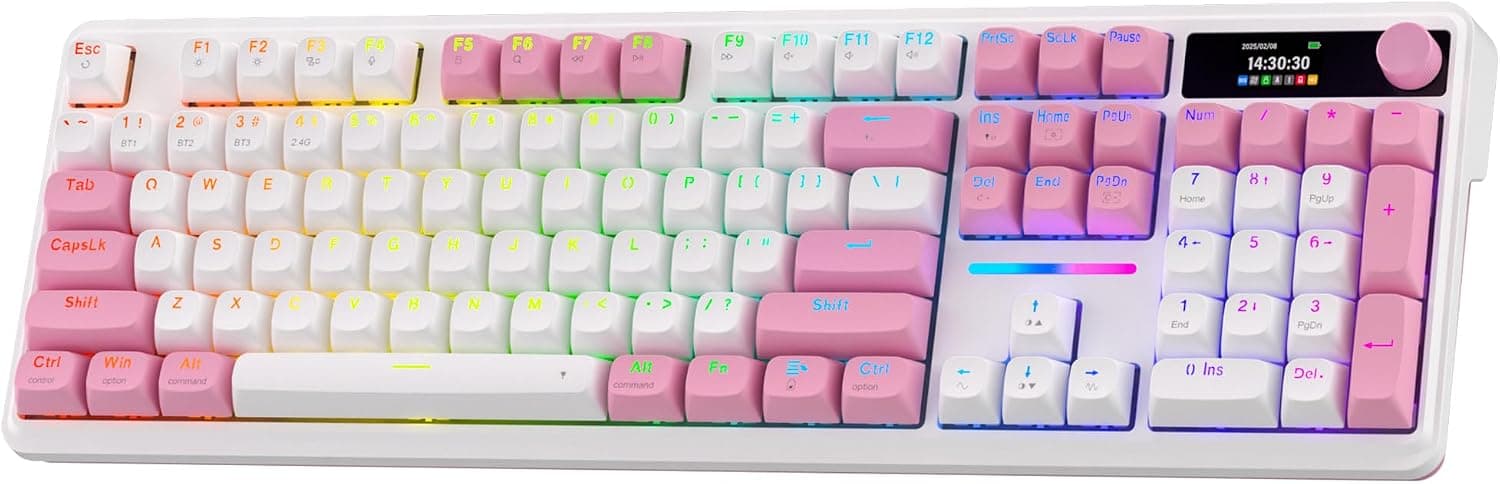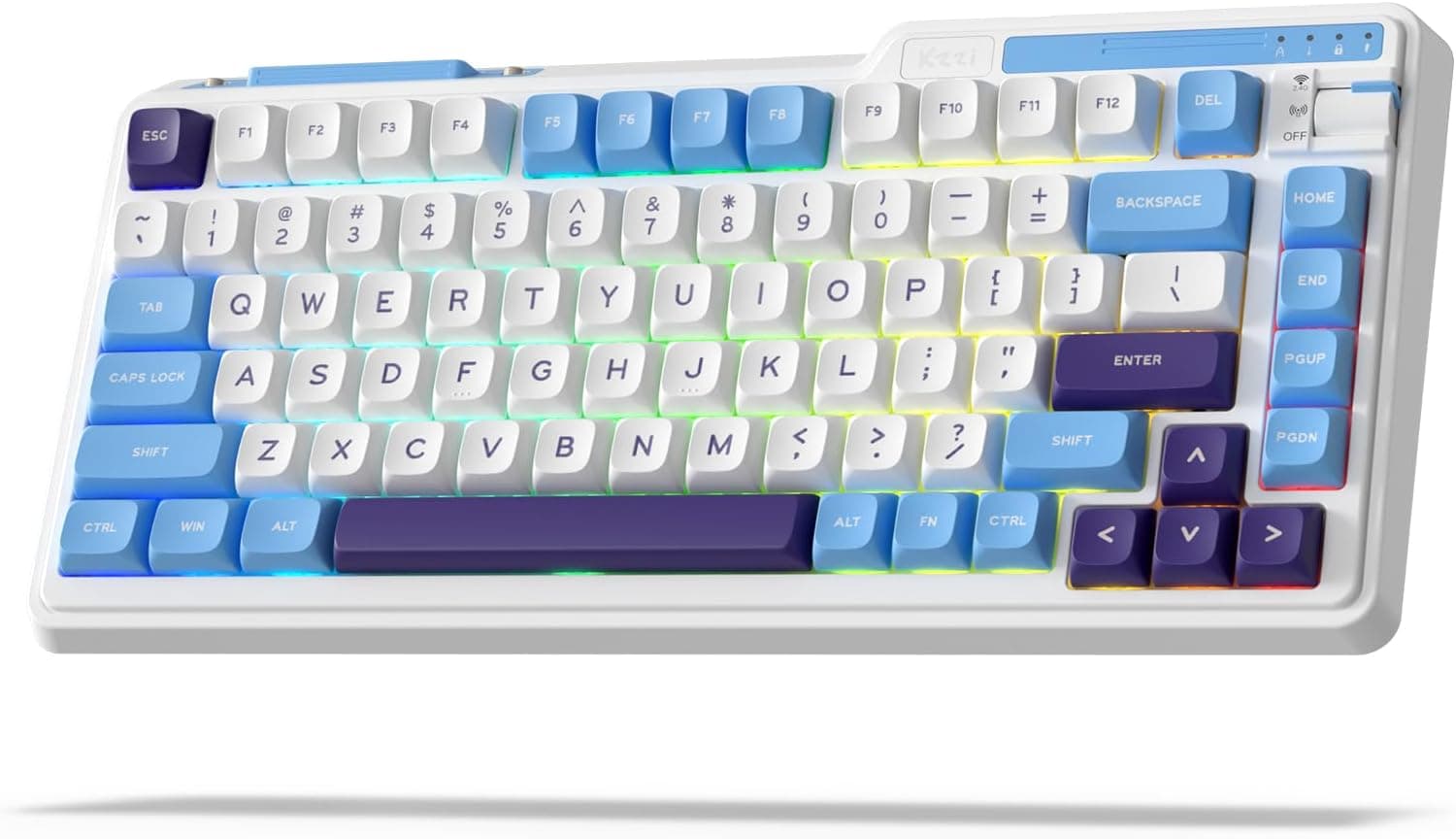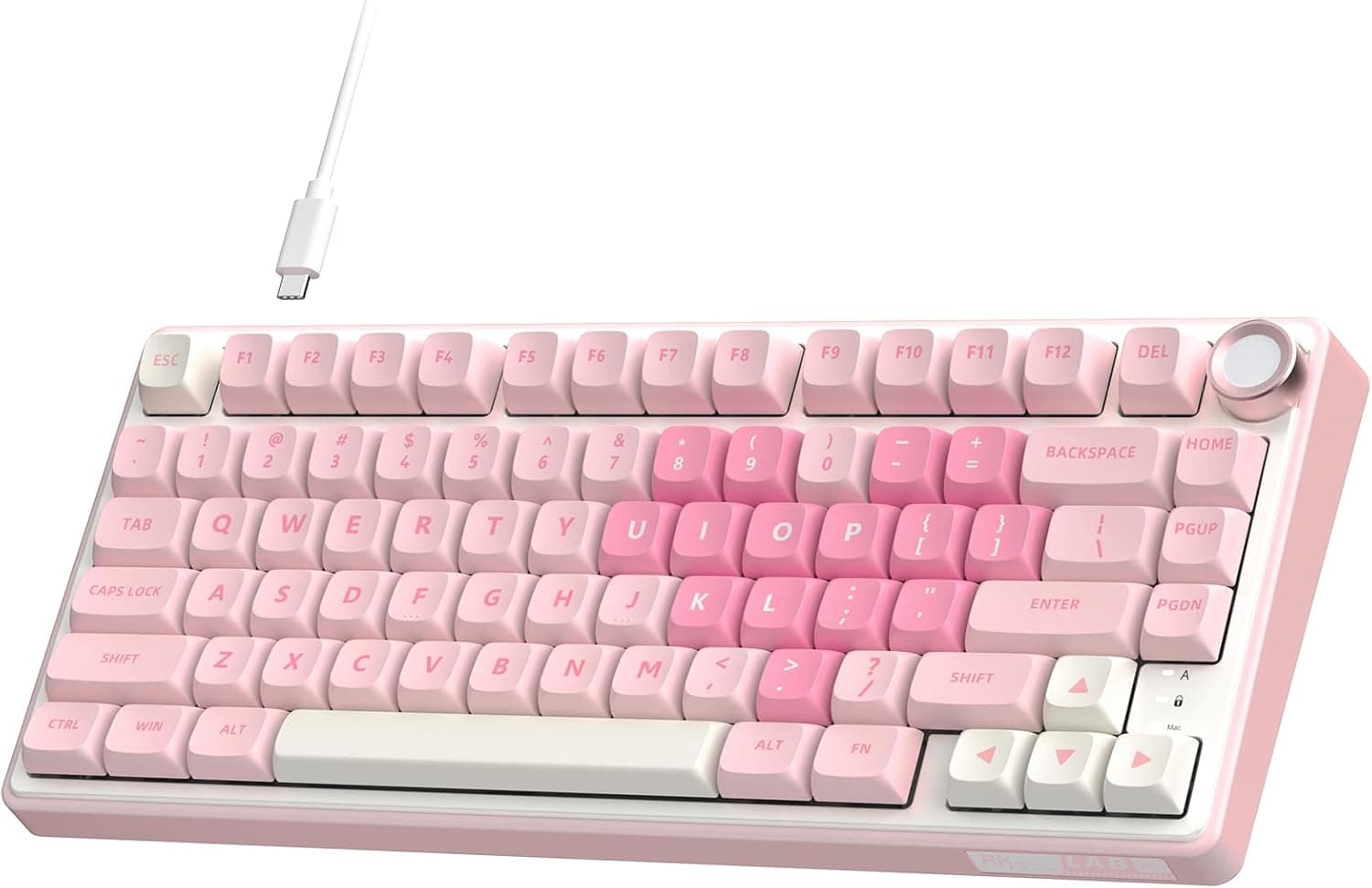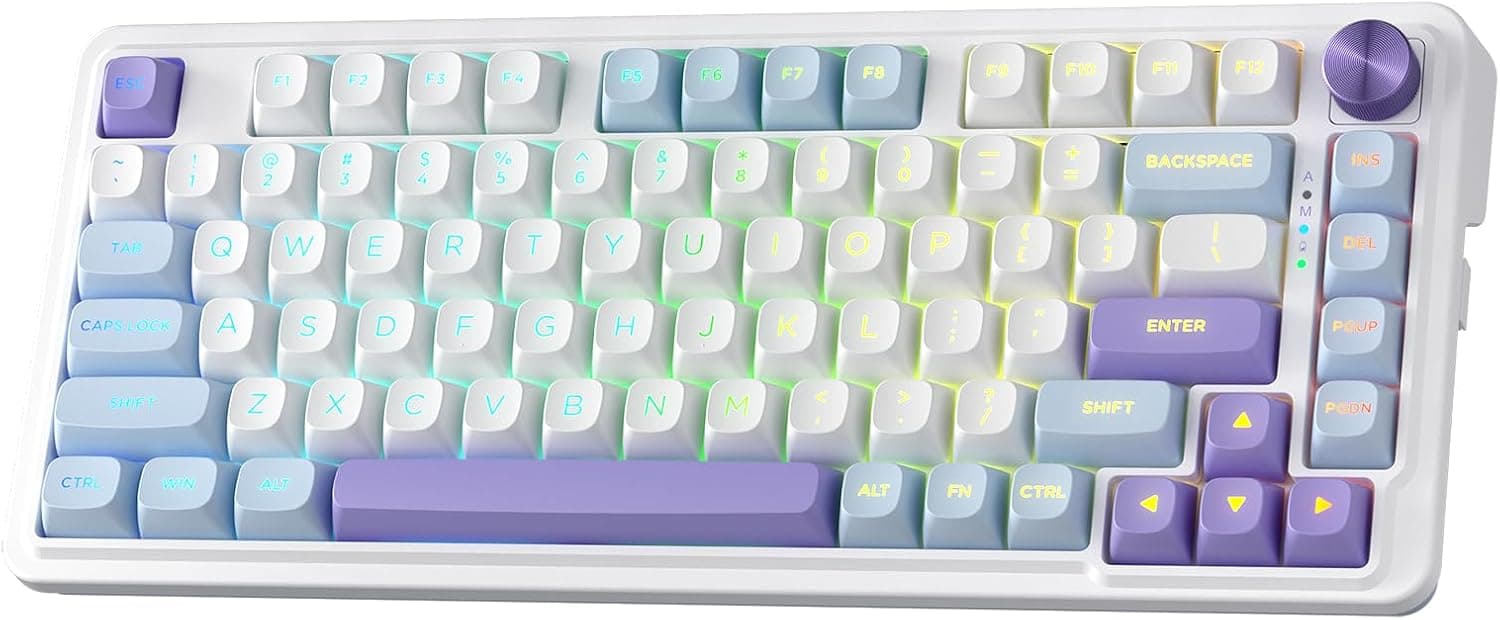
This article covers the Redragon K673 MAX 75% ワイヤレスガスケット RGB ゲーミングキーボード 3モード 81キー PBT コンパクトメカニカルキーボードホットスワップソケット付き専用ノブコントロール 5層ノイズ減衰カスタムリニアスイッチ, using only what the published specs and the Amazon listing actually state — including who should skip it.
Overview
The Redragon K673 MAX is a wireless mechanical keyboard built around an 81-key 75% layout, combining a gasket-mount structure, five layers of noise damping, hot-swap sockets, PBT keycaps and a dedicated control knob in one board. There is no numpad, but the function row and arrow keys remain as physical keys, which makes it a sensible single board for both gaming and text work.
Connectivity covers three modes — USB-C wired, Bluetooth 3.0/5.0 and 2.4GHz wireless — so it works as a desktop board and as a travel board.
The switches are Redragon's custom linear "Mint Mambo", described as factory-lubed. Being linear, there is no tactile bump or audible click partway through the press; the key travels straight to the bottom.
The gasket mount and damping stack exist to pair that straight-down feel with a lower, less hollow sound.
Its market position is entry to mid-range. The value is getting gasket mounting, multi-layer damping and hot-swap — once the vocabulary of custom keyboards — in a finished product.
It is not a board that competes with high-end models on machined aluminium cases or polished configuration software.Check the retailer's page for the latest user reviews.
Quick Verdict by Use Case
| Use case | Fit | Why |
|---|---|---|
| FPS and action games, wired | Good | USB-C wired removes wireless latency variables; linear switches repeat cleanly |
| Shared with a laptop or tablet | Good | Bluetooth 3.0/5.0 plus 2.4GHz cuts cable clutter |
| Quieter long-form typing | Good | Gasket mount plus five damping layers suppress hollow resonance |
| Heavy numeric data entry | Poor | 81 keys, no numpad; you need a separate numeric keypad |
| Heavy macros or remapping | Check first | No published information on configuration software or VIA/QMK support |
The decision really narrows to two questions: do you need a numpad, and do you need remapping software? If either is a requirement, you will be happier with a different layout or with a board that explicitly documents software support.
What a 75% (81-key) Layout Keeps and Drops
A 75% layout removes the entire numpad from a full-size 104-key board and compresses the editing cluster (Insert, Home, Page Up/Down) into a single column. The function row and arrow keys survive as physical keys, so games that lean on F1–F12 and most office work feel unchanged.
Unlike 65% or 60% boards, you never have to hold a layer key to reach the arrows — a meaningful difference for anyone who writes a lot.
What you lose is the numpad, dedicated Pause/Scroll Lock keys, and the gaps between key clusters. Because the keys sit tight together, moving from full-size means a few days of mistakes around Backspace, Delete and right Shift.
That is a transition cost rather than a design flaw, and it mostly disappears within a week — though people who switch between a work board and this one daily will find the habit slower to settle.
If your numpad use is occasional, this board plus an external numeric keypad is the rational combination. Placed to the left of the board, it costs you no mouse room and can be unplugged when unused.
If you type numbers for hours every day, buy full-size from the start.
Connectivity & Compatibility
Choosing between the three modes
USB-C wired is the only mode where neither latency nor radio interference is a variable. If you spend serious time in competitive titles, use wired as the default and switch to wireless only when you want a clear desk.
The 2.4GHz mode uses a dedicated receiver and targets near-wired responsiveness, but signal can weaken through a USB hub or a rear-panel port — if reception feels poor, run the receiver forward on an extension cable.
Bluetooth 3.0/5.0 is stated to pair with up to three devices, letting you move between a PC, tablet and phone.
The exact switching shortcuts and how fast it reconnects from sleep vary a lot between products, so check the bundled manual. Bluetooth is also subject to the host OS sleep settings, and a dropped first keystroke after wake is common across wireless keyboards generally.
Hot-swap sockets and keycaps
The hot-swap sockets take both 3-pin and 5-pin Cherry MX-compatible switches. Five-pin support specifically means you can insert 5-pin switches without clipping their plastic legs, which widens your options.
If the feel or sound is not to your taste, swapping in a silent tactile switch changes the board's character for far less than replacing it.
The keycaps are PBT on standard MX crosspoint stems, so aftermarket sets fit. Be careful with sizing, though: 75% layouts often need widths (1.75u or 1u right Shift, a compressed bottom row) that generic 104-key sets do not include.
If keycap swapping is part of the plan, buy a set that advertises 75%/TKL coverage or ships extra keys.
Operating systems and surroundings
It works with Windows, macOS, and common tablets and phones that have USB-C or Bluetooth. Note that on a Windows-layout board used with a Mac, the Command and Option positions are reversed, so you will rely on either the OS remapping settings or the board's OS-switch shortcut.
2.4GHz receivers are usually USB-A, so a USB-C-only laptop or tablet needs an adapter or hub for that mode.
Sound and Feel
The five layers are PO foam, IXPE switch foam, a PET sound pad, bottom socket foam and a silicone bottom pad. Read by function: IXPE kills ring between the switch and the plate, the PET pad trims hollowness while keeping some brightness in the tone, and the bottom foam and silicone absorb air resonance inside the case.
Gasket mounting suspends the switch plate in compliant material instead of screwing it hard to the case. Bottom-out shock returns less to the fingers, so typing lands on the softer side.
How much softer depends heavily on gasket thickness and plate material, so assume modest flex appropriate to the price rather than assuming "gasket equals soft".
If silence is the priority, set expectations correctly. Linear switches are quiet through the travel, but bottom-out noise and stabiliser rattle on the long keys (space, enter, shift) remain.
Product Info
Published specs: 75% (81 keys); custom linear Mint Mambo switches, factory-lubed; USB-C wired, Bluetooth 3.0/5.0 and 2.4GHz wireless; hot-swap sockets for 3-pin and 5-pin; PBT keycaps; per-key RGB backlighting; a five-layer damping stack; and a dedicated knob for brightness and media control.
RGB is per-key, but the PBT keycaps shape how that reads: PBT generally transmits less light than translucent ABS, so expect light spilling around the keys rather than bright shine-through legends.
Check the retailer's page for the latest price. Prices in this segment move often and sale swings are wide, so always check the current listing.
The rating is healthy, but 154 is not enough for unit-to-unit variance to show up clearly in the score. Wireless keyboards most often draw complaints about connection stability, stabiliser rattle and dead keys, so test every key and all three connection modes on day one, while you are still inside the return window.
The listing describes the package as including a USB-C cable, a 2.4GHz receiver, a keycap/switch puller and a few spare switches.
Bundle contents can change between production batches, so if switch swapping is your reason for buying, confirm the puller is included before ordering.
How It Compares
Four axes cover most of this price band: layout size (75% versus full-size), connectivity (wired only versus tri-mode), whether switches are included (finished board versus barebone kit), and whether configuration software support is documented. The K673 MAX lands on 75%, tri-mode, finished board, software not documented.
Redragon's own K762 goes the other direction — 104 keys with a TFT information display — so anyone who wants a numpad and a screen should look there. Barebone kits assume you buy switches and keycaps yourself, which raises total cost and effort but lets you land on your preferred feel immediately.
A wired-only full-size board spends the same budget on case and layout quality instead of radios, which makes it worth comparing if the board never leaves your desk.
The clear case for this board is wanting tri-mode wireless, a 75% layout and hot-swap all at once. That intersection thins out fast, so if none of the three is negotiable, this is a strong candidate.
Setup Notes
Start wired and verify every key. Step through the board in a text editor or key-test tool, and press the stabilised long keys (space, enter, shift) at both the centre and the ends to compare response and rattle.
Finding a fault here means you start a replacement before sinking time into wireless setup.
Then test the 2.4GHz receiver, and Bluetooth last.
Move the receiver to a front port or an extension cable, and pair more than one device so the switching shortcuts become muscle memory. Running RGB at full brightness constantly will reduce wireless runtime, so if wireless is your primary mode, dim or disable the lighting.
When swapping switches, do a few keys before doing all of them. Changing only WASD or the arrows for a few days tells you whether you actually prefer the new switch.
Sockets are finite wear parts: pull and insert vertically, and never lever the puller at an angle. Damaged sockets cost you the hot-swap advantage entirely.
Best Use Cases
Gamers who never touch a numpad are the natural fit. The 75% footprint leaves mouse room, and linear switches repeat without a bump to fight, which suits FPS and action titles.
Add a requirement for wireless — for travel or a tidy desk — and the field narrows further, which is where this board's price-to-feature ratio starts to matter.
People typing long documents in shared spaces are the second fit. If the noise bar is strict, buy it with a silent switch swap already planned.
It is also a good entry point for anyone curious about custom keyboards. You can try switches without soldering and practise mods like extra foam or stabiliser tuning.
That said, if you already own an aluminium-cased custom board, nothing here will impress you on rigidity or finish — treat it as a secondary or portable board.
Before You Buy
The numpad is the big trap. Nothing gets added to 81 keys later, so decide from what you actually did over the last month rather than from "probably won't need it".
If numeric entry is part of your job, compare total cost including an external keypad and the desk space it occupies.
Second, remapping freedom cannot be verified from the published information. VIA/QMK support, the existence of configuration software, macro recording and polling rate are all absent from the given specs.
If remapping or macros are a precondition for you, confirm them on the product or manufacturer page before buying — assuming your way through this is how people end up with a board they cannot reconfigure.
Battery capacity and runtime are likewise not in the available data. If wireless will be your main mode, runtime with RGB on is decision-relevant information, so check the listing.
While you are there, confirm the receiver's connector shape (usually USB-A) matches the ports on your machine.
On price, this category moves. The "Amazon US" field also carries the same yen figure, so it gives you no usable international price comparison.
Finally, the listing itself. This product is sold and shipped by a marketplace seller (KING TRADING SHOP), which means fulfilment, stock and bundle contents can change over time.
Listing metadata such as model numbers and brand fields does sometimes contain errors, so check the product images, the title and the review dates to confirm you are buying the K673 MAX itself. Return terms also vary by who ships it — easy to overlook.
FAQ
Q. Does it have a numpad? A.
No. It is an 81-key 75% layout: the function row and arrow keys are physical keys, but there is no numpad.
Plan on an external keypad if you enter numbers often.
Q. Is wireless good enough for gaming? A.
If latency is your top priority, use USB-C wired. The 2.4GHz mode targets near-wired response but depends on your radio environment and port placement.
Treat Bluetooth as the multi-device switching mode.
Q. Can I change the switches myself? A.
Yes. The hot-swap sockets accept 3-pin and 5-pin Cherry MX-compatible switches with no soldering.
Pull and insert vertically, and try a few keys before converting the whole board.
Q. Is it quiet? A.
The gasket mount and five damping layers are designed to suppress hollow resonance. Even so, linear switches still produce bottom-out noise, so plan a silent switch swap if you need near-silence.
Q. Does it work with a Mac? A.
Yes, over USB-C or Bluetooth. Because it is a Windows layout, Command and Option are reversed; use the macOS remapping settings or the board's OS-switch shortcut.
Q. Can I replace the keycaps? A.
Yes, they use standard MX crosspoint stems. Note that 75% bottom rows and key widths are unusual, so a 104-key set may leave gaps — choose a set that lists 75%/TKL support.
Product Disclosure (Amazon)
- Manufacturer: Redragon
- Seller: KING TRADING SHOP
- Fulfilled by: KING TRADING SHOP
- ASIN: B0DBHSVZH8
- Note: This article covers a manufacturer-made product based on Amazon listing details.