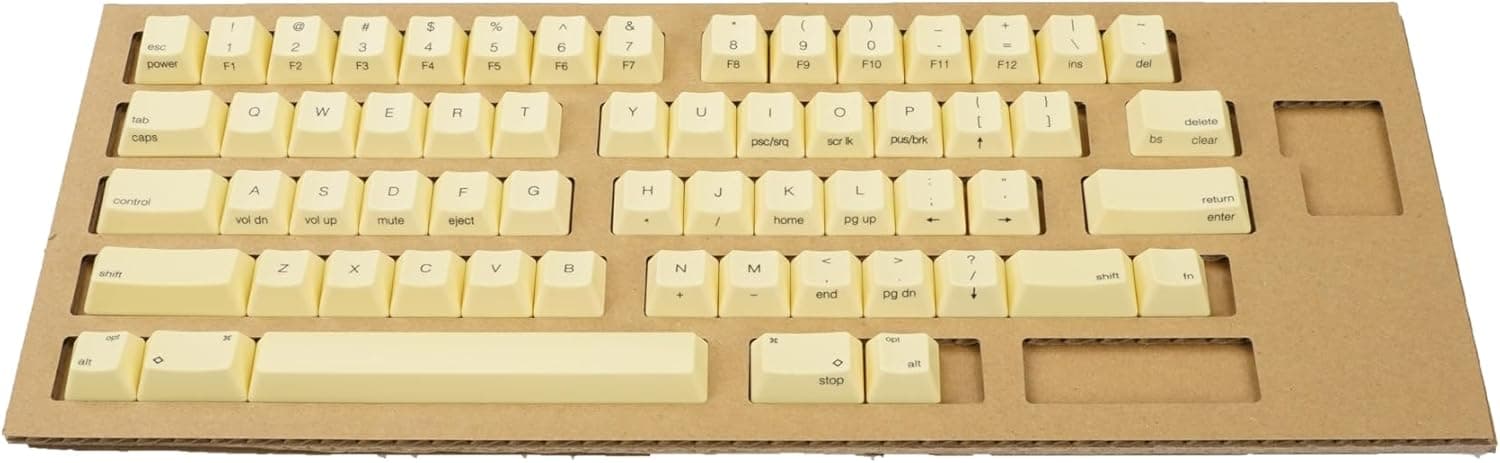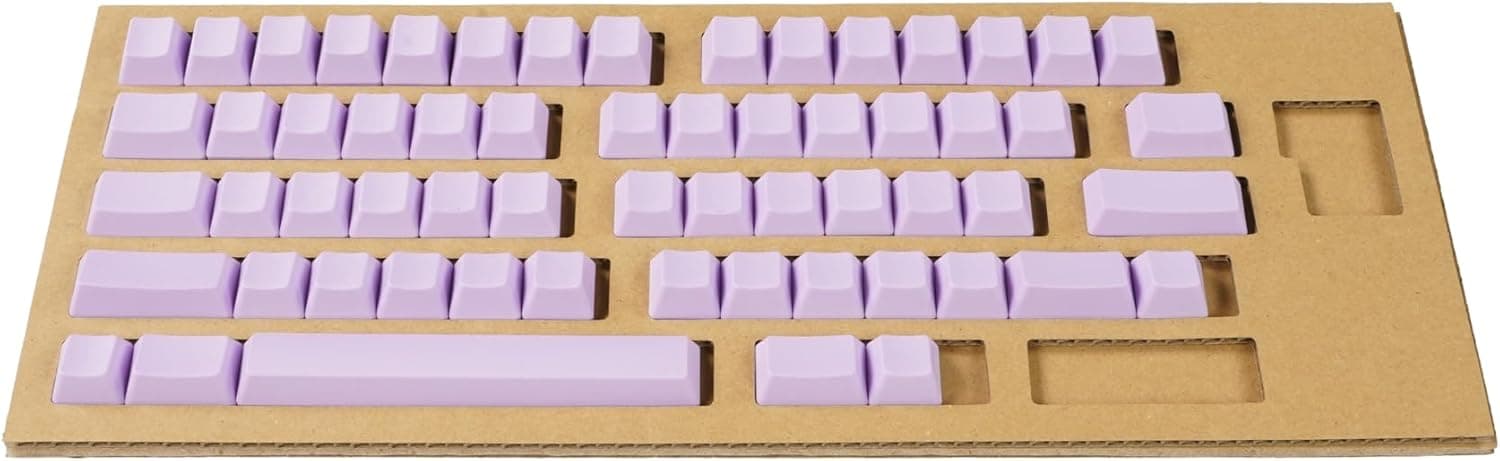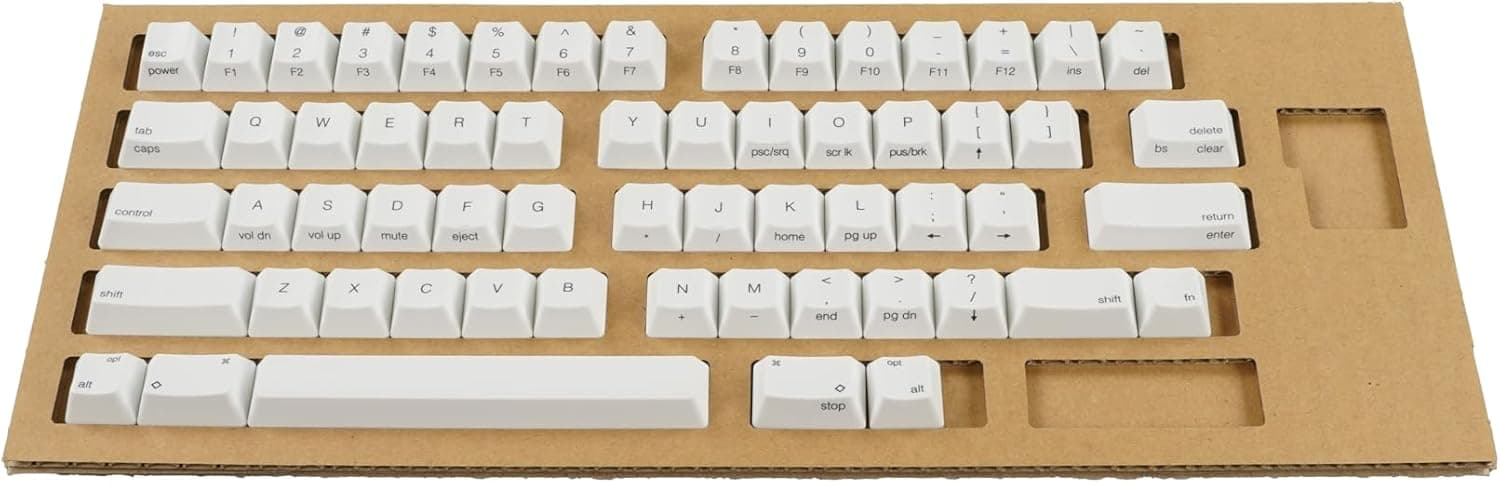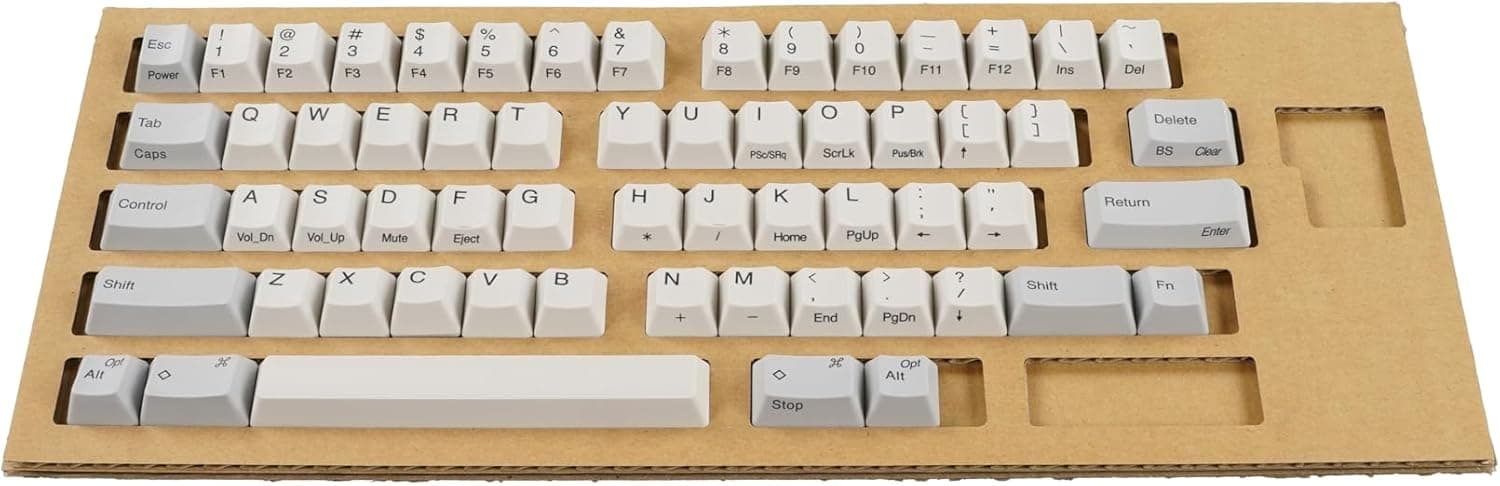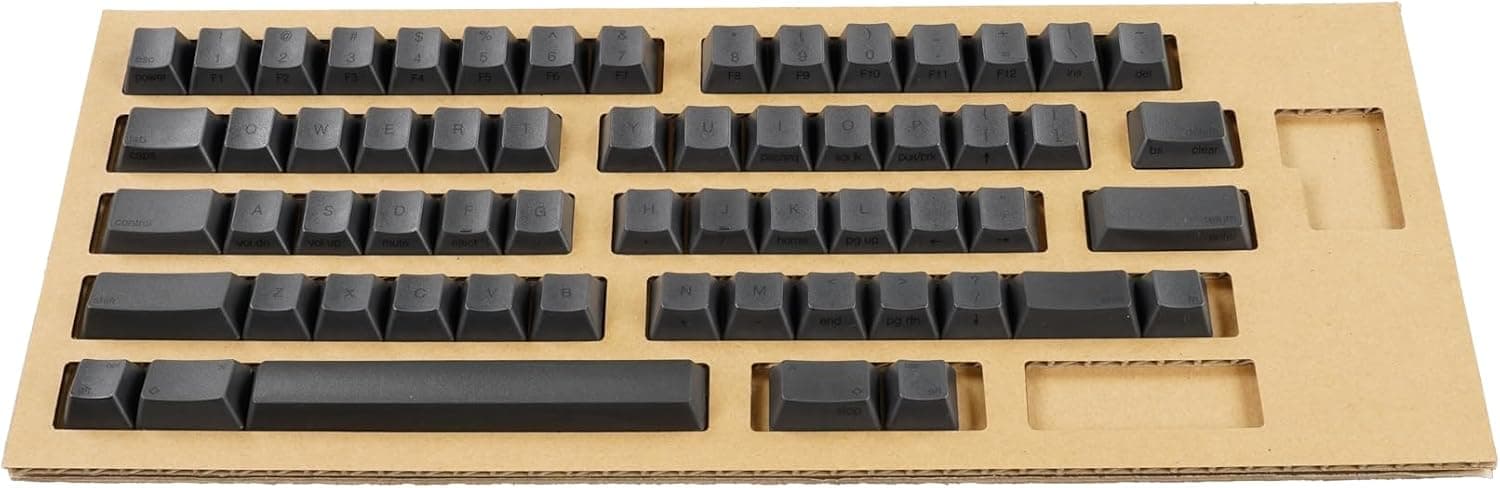
PFU HHKB Professionalシリーズキートップセット英語配列中央印字墨 PD-KB400KTBC is the official full replacement keycap set for English-layout HHKB Professional keyboards. This article covers what fits, what goes wrong during the swap, and who should not buy it.
Overview
The set replaces all 60 keycaps on an English-layout HHKB Professional. It ships with a keycap puller and an instruction manual; legends are center-printed and the color is 墨 (sumi, black).
In short, it is a life-extension part for the stage where the board itself is still fine but the caps have gone shiny or the legends have faded.
HHKB boards are expensive and built to be kept for years. Keycaps are the only part your fingers touch directly, so they wear out long before the switches do.
Being able to reset just that layer for a fixed price is the whole point of PD-KB400KTBC. It is not, however, a product for people who want to change the typing feel or play with colors and materials.
As of the 2026-09-07 data capture, Amazon.co.Check the retailer's page for the latest user reviews.
Compatibility Guide
Only English-layout HHKB Professional models are supported.
- HHKB Professional
- HHKB Professional2 Type-S
- HHKB Professional HYBRID
- HHKB Professional Classic
Japanese-layout (JP) boards are not supported. This is not a legend mismatch — the JP layout has a different key count and different key widths, so the set does not work as a set.
Check the bottom-right cluster and the Enter key shape on your own board to tell which you have.
Other brands are out too. HHKB uses electrostatic capacitive switches whose keycap mount differs from the cross-shaped Cherry MX stem found on most mechanical keyboards.
For the same reason MX caps do not fit an HHKB, these caps do not fit an MX board. Assuming "mechanical keyboard caps are interchangeable" is the single most common buying mistake in this category.
On generations: the list spans the original Professional through HYBRID Type-S and Classic, because HHKB has kept the same core layout and chassis geometry for years. If you own a limited-edition or derivative model that is not on the list, check the compatibility table on the PFU product page before ordering.
Product Info
Key specs: 60 keycaps, English (QWERTY) layout, center-printed legends, black (墨) finish. A keycap puller and a manual are included.
The puller matters more than it sounds — prying caps off with a screwdriver will scratch the cap walls or the housing, guaranteed.
Check the retailer's page for the latest price.co.jp and $53.23 on eBay US.
Domestic and overseas figures sit at the same level, with no suspicious order-of-magnitude gap. Still, genuine accessory pricing moves with stock, sales, and exchange rates, so treat these as a snapshot and confirm the current price on the product page before buying.
At ¥6,600 for 60 caps, that is roughly ¥110 per key — far cheaper than replacing a whole board because the caps got shiny. Third-party caps can cost less, but only the genuine set matches the height, cylindrical profile, and weight balance the board was designed around.
On materials: HHKB's genuine keycaps have long been described as PBT with dye-sublimated legends, a combination that resists shine and legend wear. Confirm the exact specification on the product page rather than assuming.
What the Swap Is Actually Like
The job is not hard. Hook the included puller on opposite corners of a cap and pull straight up, slowly.
Pulling at an angle can lift the slider along with the cap, so keep the force vertical.
Photograph the whole keyboard before you start. The HHKB English layout puts Control left of A and Delete above-right of P, which is not where most keyboards put them.
Reassembling 60 caps from memory is harder than it sounds; one photo solves it.
Larger keys such as the spacebar may involve stabilizers or a different structure depending on the model — read the relevant page of the manual first. Also treat a fully stripped board as a cleaning opportunity: blow out the dust and wipe with a dry soft cloth before fitting the new caps.
Before You Buy
The typing feel will not change. This is the most common disappointment.
Only the appearance and the surface your fingertips touch change; actuation force and switch feel come from the capacitive dome inside the board. If you want a different feel, look at Type-S models or sound dampening instead.
Layout mismatch is the biggest failure mode. English layout only. Verify your board's layout before you open the product page.
Understand the center-printed, black combination. If you currently run a blank (no-legend) HHKB, this set turns it into a printed one, and vice versa.
Match the legend style to what you actually want to look at every day.
Replacement is at your own risk. The manufacturer states that removing and fitting keycaps is the user's responsibility and that caps can get scratched in the process.
It is not covered warranty work. If you are nervous, practice on one rarely used key first.
Verify the listing details yourself. Online marketplace product metadata is partly auto-populated, and manufacturer names or model numbers occasionally do not match the actual item.
Compare the product image and the model number (PD-KB400KTBC) against what you want before ordering — English vs. Japanese layout, 墨 vs.
white, and printed vs. blank are all easy to mix up from the listing text alone.
Not for you if: you want different colors or materials, glossy or metal caps, or a different sound profile. Third-party HHKB-compatible keycaps offer far more variety at a wider range of prices.
The genuine set exists to restore the original state, not to modify it.
Best Use Cases
- Owners several years into an HHKB. Swap when the home-row caps have gone shiny or the E and A legends are fading, and the board looks and feels like new again — for far less than a replacement board.
- People who refuse compatibility risk. Height, profile, and key widths match the original design, so it is a straight drop-in with none of the "some keys don't fit" problems third-party sets can bring.
- Professionals who type for a living. Buying a spare set while it is still readily available is reasonable; genuine parts get harder to source as product generations turn over.
FAQ
Q. Will it fit a Japanese-layout HHKB? A.
No. This set is English-layout only; the key count and widths differ, so it does not work as a set.
Q. Can I use it on a Cherry MX keyboard? A.
No. HHKB's keycap mount differs from the MX cross stem, and the incompatibility runs both ways.
Q. Does it change the sound or feel? A.
Barely. Feel is determined by the switch structure inside the board.
What changes is surface texture and appearance.
Q. Does 60 caps cover the whole board? A.
Yes — it matches the key count of an English-layout HHKB Professional, so you can replace everything, or use only the keys you need and keep the rest as spares.
Q. How much does it cost? A.
¥6,600 on Amazon.co.jp as captured on 2026-09-07.
Stock and sales move the price, so check the listing for the current figure.
Product Disclosure (Amazon)
- Manufacturer: HHKB
- Seller: PFUダイレクト
- Fulfilled by: PFUダイレクト
- ASIN: B0CNG8VTQF
- Note: This article covers a manufacturer-made product based on Amazon listing details.