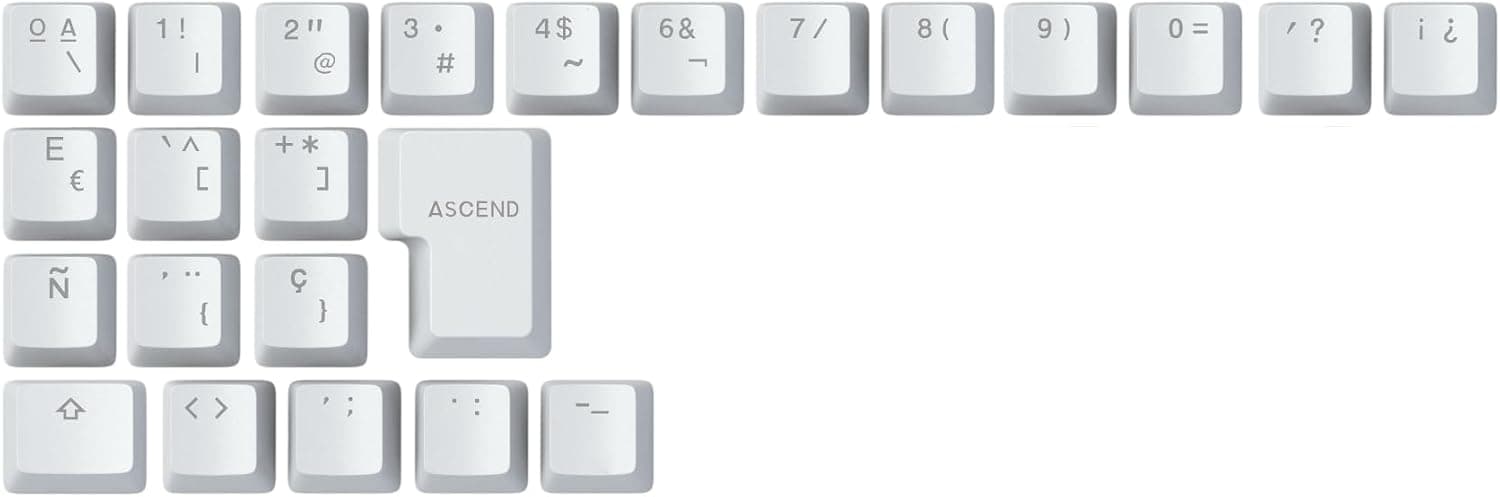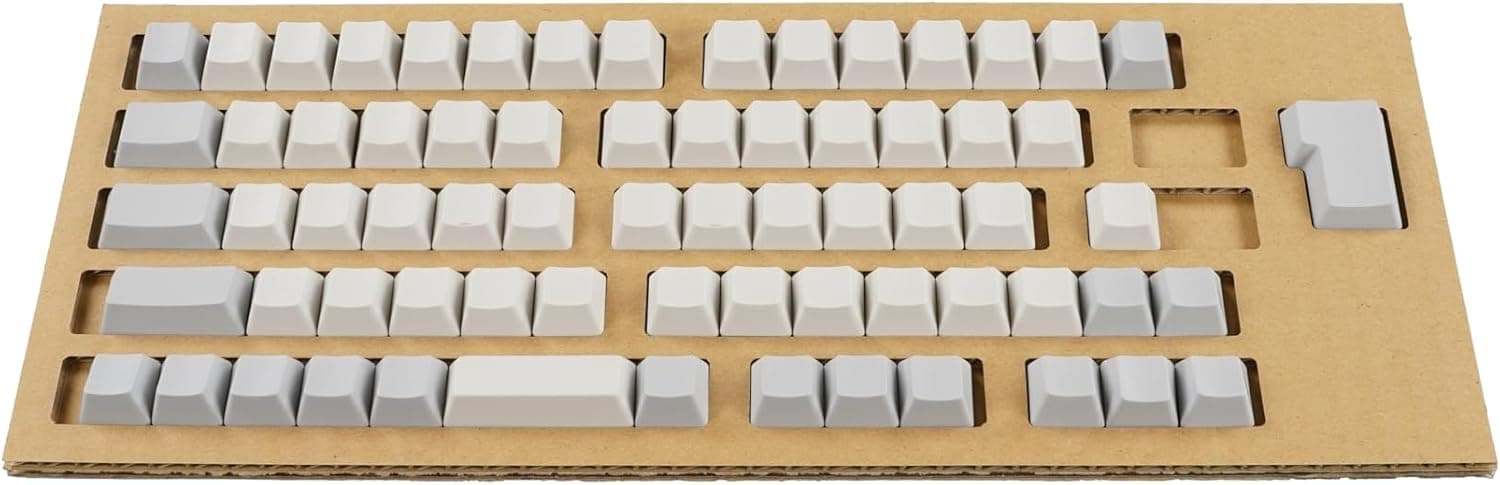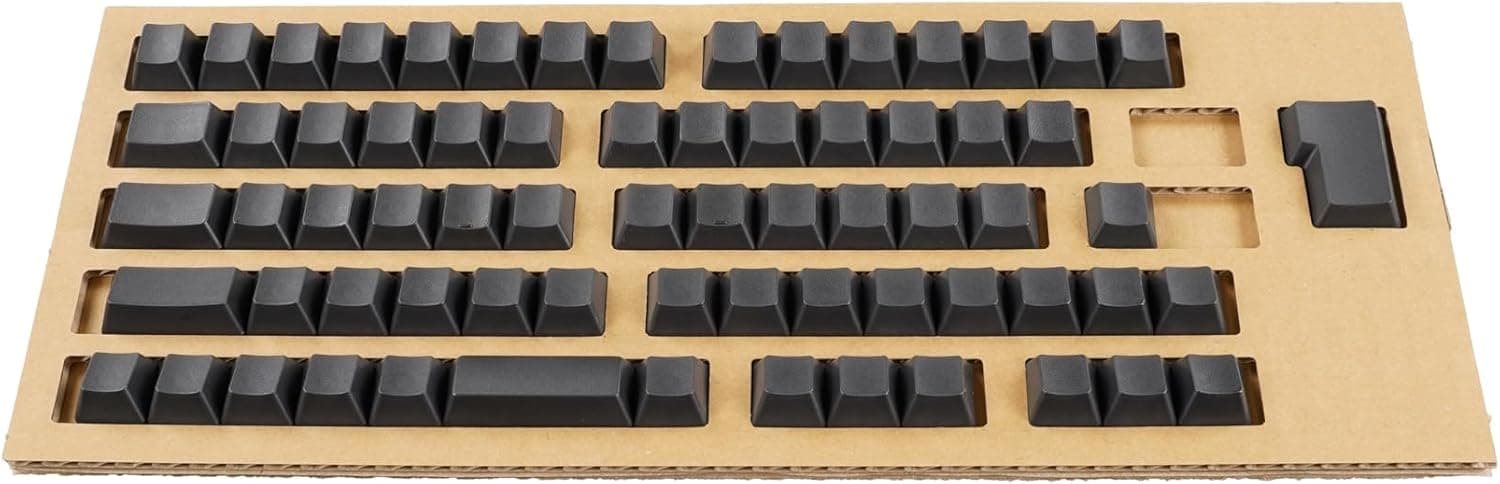
The PFU HHKB Professional Series Keycap Set PD-KB420KTBN is a genuine 69-piece replacement keycap kit for Japanese-layout HHKB models. This article covers how to confirm compatibility, what to watch for during the swap, and who should skip it.
Overview
This is not a performance part. Typing feel and key weight are determined by the electrostatic capacitive switches underneath, so swapping caps changes exactly two things: the legends disappear, and worn caps become new again.
Sumi is a deep, subdued near-black. The caps are completely blank, with no characters or symbols.
For anyone running a heavily remapped keymap, that is the real value: printed legends stop lying about what the keys actually do. The kit also works as a consumable refresh for caps that have gone shiny or grimy after years of use.
On Amazon.co.jp the listing showed 44 reviews at 4.4 stars (88% positive) as captured in June 2026 — a small sample, but a consistent one.
The box contains 69 keycaps, a dedicated keycap puller, and an instruction sheet. 69 matches the full key count of a Japanese-layout HHKB, so every key can be replaced at once.
Compatibility Guide
This set is Japanese-layout only. Check your model number before ordering.
| Status | Model | Fits |
|---|---|---|
| Supported | HHKB Professional JP | Yes |
| Supported | HHKB Professional JP Type-S | Yes |
| Supported | HHKB Professional BT (JP layout) | Yes |
| Supported | HHKB Professional HYBRID (JP layout) | Yes |
| Supported | HHKB Professional HYBRID Type-S (JP layout) | Yes |
| Not supported | Any English/US layout HHKB | No |
| Not supported | Other switch types and third-party boards | No |
Two axes decide fit: layout and stem shape. On layout, the Japanese HHKB has extra conversion keys and different widths around the right shift area, so a JP set leaves mismatched widths on a US board.
US-layout owners need the PD-KB400 series sets instead.
On stem shape, HHKB Professional capacitive switches use their own stem geometry, which is not compatible with the cross-shaped MX stems used by most mechanical keyboards. The reverse is also true: off-the-shelf Cherry-profile PBT sets will not mount on an HHKB.
Do not judge by the HHKB name alone — match the exact model names in the table above, or check the manufacturer compatibility list if you are unsure.
Because keycaps are not electrical parts, connection type is irrelevant. Wired, Bluetooth, or USB-C: if it is Japanese layout and on the list, the set fits.
Installation Notes
No soldering or disassembly is needed; budget 10 to 15 minutes.
Photograph the board first. Once the caps are blank, you cannot visually confirm the original arrangement.
Pull straight up. Hook the included puller on opposite corners and lift vertically.
Angled prying stresses the stem and housing. 3.
Check the wide keys. Space, shift, and enter need careful alignment before you press down.
Seat with fingertip pressure. If you do not feel it drop into place, remove it and re-align rather than forcing it.
Keep the old caps. You will want them if blank does not work out, or if you resell the board.
Going fully blank in one step will slow you down on day one. A gradual approach — blanking only the symbol keys farthest from home row first — is a reasonable alternative.
Product Info
Pricing moved between captures. On Amazon.co.jp the listing showed ¥7,590 as captured on 12 June 2026, and ¥6,600 as captured on 27 August 2026.
Both are point-in-time figures that change with sales and stock. Always check the product page for the current price; the same ASIN swung nearly ¥1,000 in a few months, so waiting out a price dip is realistic if you are not in a hurry.
Key specs: 69 keycaps, Japanese layout, blank (no printing), Sumi black. Compatible with HHKB Professional JP, JP Type-S, BT, HYBRID, and HYBRID Type-S in Japanese layout.
Material and profile match the stock caps, including the cylindrical, stepped-sculpture shaping, so finger travel feels identical after the swap.
The set dates from roughly 2022. Warranty follows PFU standard accessory policy; confirm terms on the official product page.
Distribution is mainly the PFU direct store plus selected electronics retailers, and stock is not always deep. Because every colour and layout combination is a separate part number, an out-of-stock Sumi set means either picking another colour or waiting.
Alternatives
Within the HHKB keycap lineup the choice comes down to layout, colour, and whether you want legends. Want legends in Japanese layout?
Choose a centre-printed set. Want a lighter look?
The Fuji (light purple) variants exist. Blank gives the cleanest look but is the hardest option to live with on a shared machine.
Third-party PBT sets in MDA, SA, or Cherry profiles look cheaper, but as noted they physically will not mount on an HHKB. The cheaper keycaps exist argument simply does not apply here — this is a limited-compatibility proprietary part, which is why it costs what it does.
Best Use Cases
- Heavy remappers. If you have changed the layout via DIP switches or the configuration tool, printed legends are misinformation. Blank caps remove the mismatch and push you toward pure touch typing.
- Owners with worn caps. The switches outlast the caps by a wide margin, so a fresh set restores a near-new look without altering the typing feel.
- Minimal desk setups. Sumi blank is the lowest-visual-noise option in the lineup.
- Confident touch typists. If you can hit symbols and numbers without looking, blank costs you nothing.
Before You Buy
The biggest trap is the JP/US mix-up. This set is Japanese layout only.
HHKB sells visually similar boards in both layouts, so ordering the wrong one is a common and frustrating mistake. Confirm your keyboard model number (PD-KB series) before checkout.
Blank is not for everyone. Symbol keys and Fn combinations — volume, function row, and the conversion keys unique to the Japanese layout — get glanced at more often than most people admit.
If you are not confident there, the centre-printed version is the practical pick. Shared or office machines that guests may touch are another clear case against blank caps.
Typing feel will not change. If you want a different sound or feel, look at a Type-S board or internal dampening instead.
This product solves appearance and legend problems, nothing else.
Removal carries some risk. Use the included puller, lift vertically, and never pry with a screwdriver — you can crack a cap clip or a switch stem.
Work one key at a time.
Treat the prices above as timestamped snapshots. ¥7,590 (June 2026) and ¥6,600 (August 2026) were correct when captured.
If the listing disagrees with this article, the listing is right.
Also note that manufacturer, brand, and part-number fields on marketplace listings are occasionally wrong. Before buying, confirm from the product images and title that you are looking at the Japanese-layout, blank, Sumi variant, and skim the reviews for owners of your exact model.
FAQ
Q. Will it fit a US-layout HHKB?
A. No. It is Japanese layout only; US owners need the PD-KB400 series sets.
Q. Does swapping caps change typing feel or noise?
A. No. That comes from the switches. For quieter typing, consider a Type-S board.
Q. Are 69 caps enough for the whole board?
A. Yes — it covers every key on a Japanese-layout HHKB. Partial swaps are fine too.
Q. Do I need to buy a puller?
A. No, one is included.
Q. Can I go back to printed caps later?
A. Yes, if you keep the originals. Do not throw them out.
Q. Can I use generic mechanical keycap sets? A.
No. HHKB capacitive switches do not use MX cross stems, so standard sets will not mount.
Product Disclosure (Amazon)
- Manufacturer: HHKB
- Seller: PFUダイレクト
- Fulfilled by: PFUダイレクト
- ASIN: B09XZZVPMF
- Note: This article covers a manufacturer-made product based on Amazon listing details.