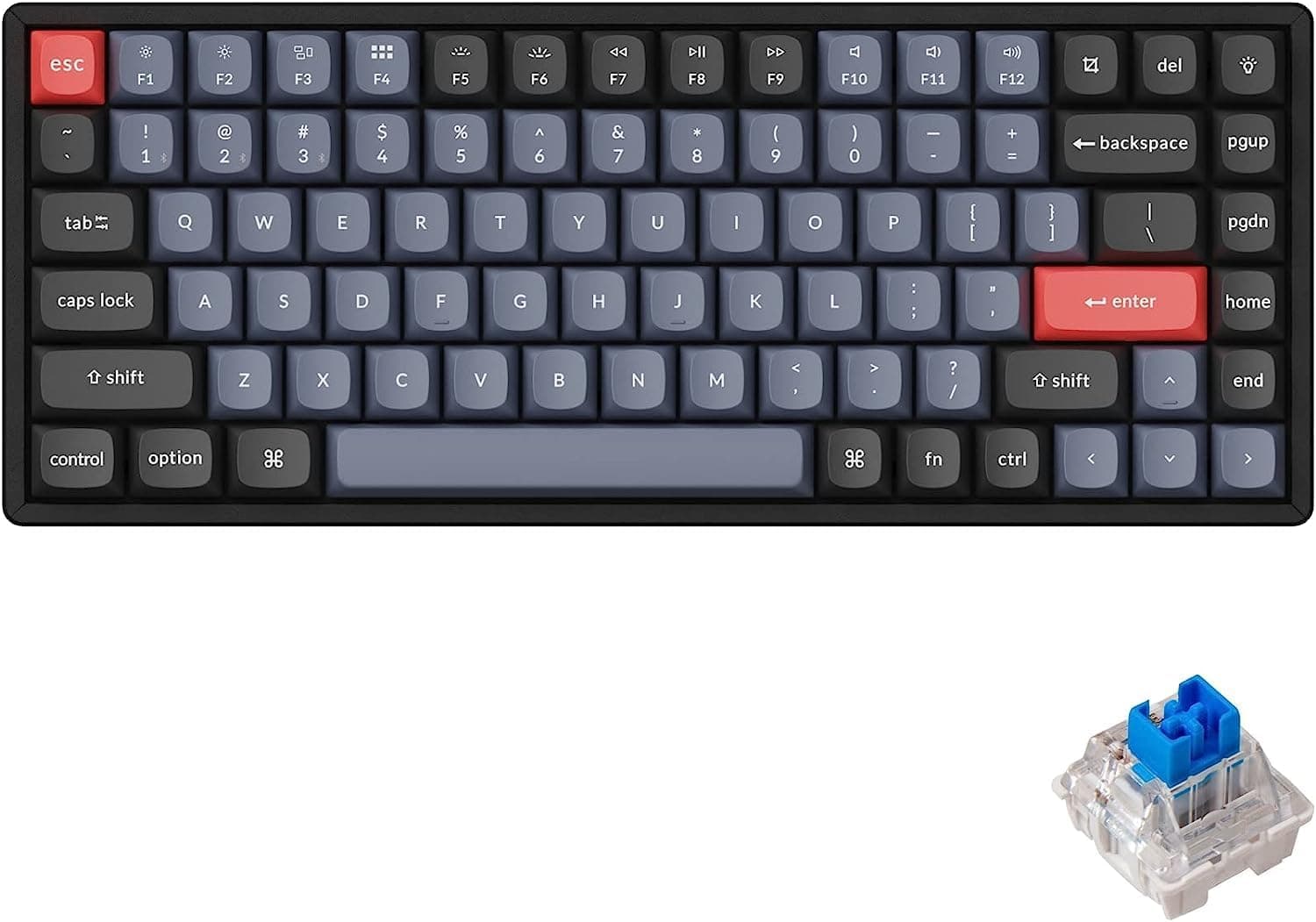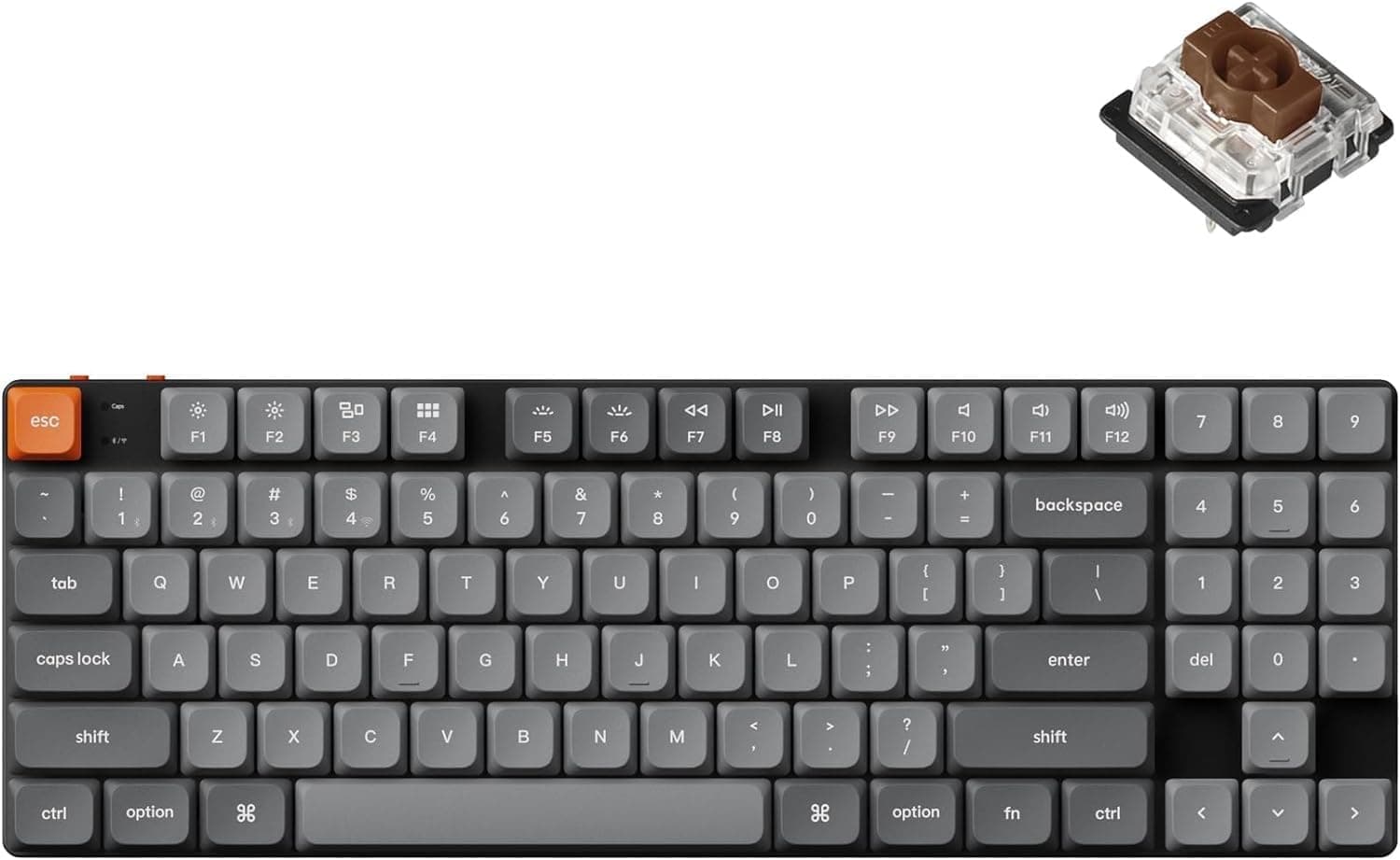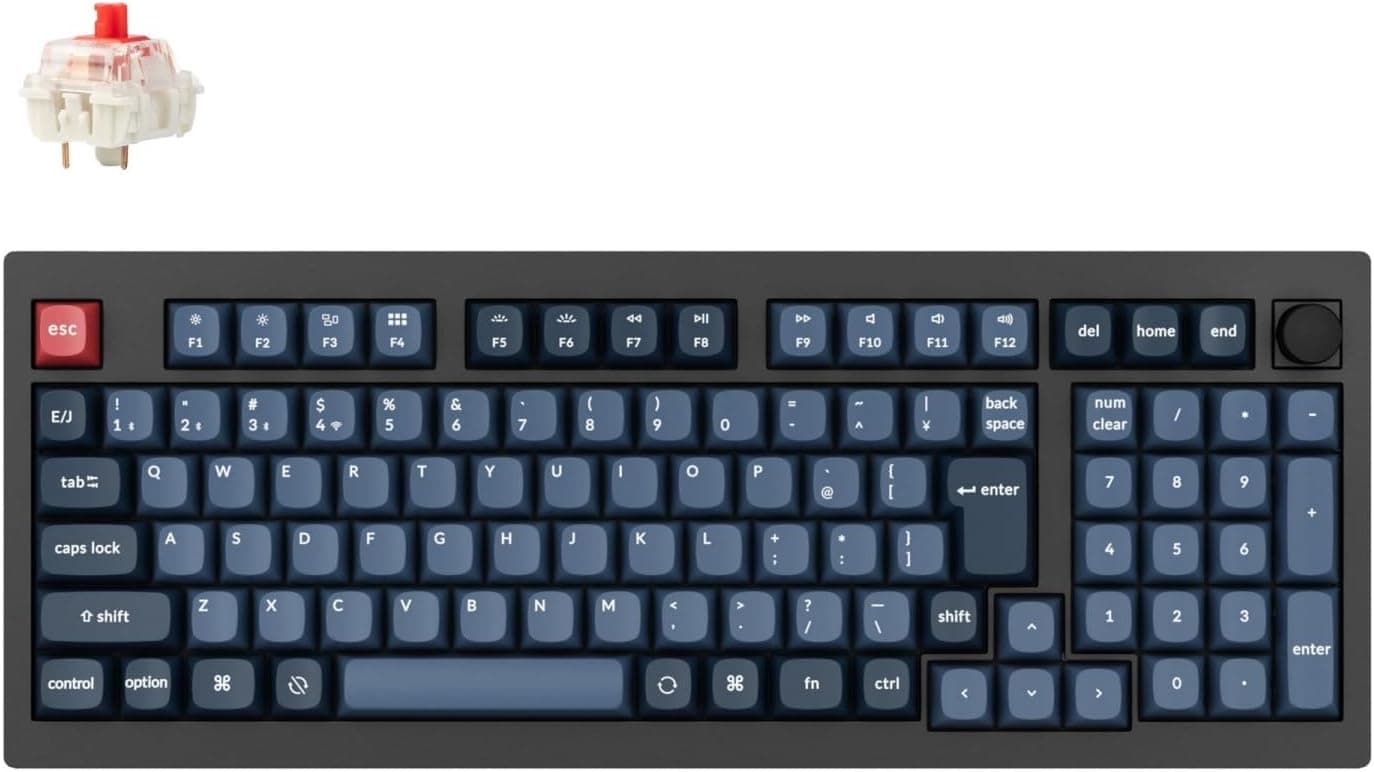
The 「国内正規品」Keychron V5 Max is a 96% wireless mechanical keyboard that keeps a full numpad while trimming the wasted width of a full-size board. This article works through the published specs and listing data to explain who it fits and what you have to accept.
Overview
The short answer: the V5 Max is for people who absolutely need a numpad but refuse to give up the desk space a full-size board demands. The 96% layout squeezes out nearly all the gaps between key clusters, giving you numeric input in a footprint closer to a TKL.
It ships with Gateron Red linear switches, double-shot PBT keycaps in the OSA profile, RGB backlighting, and carries the model number V5M-D1V-JIS.
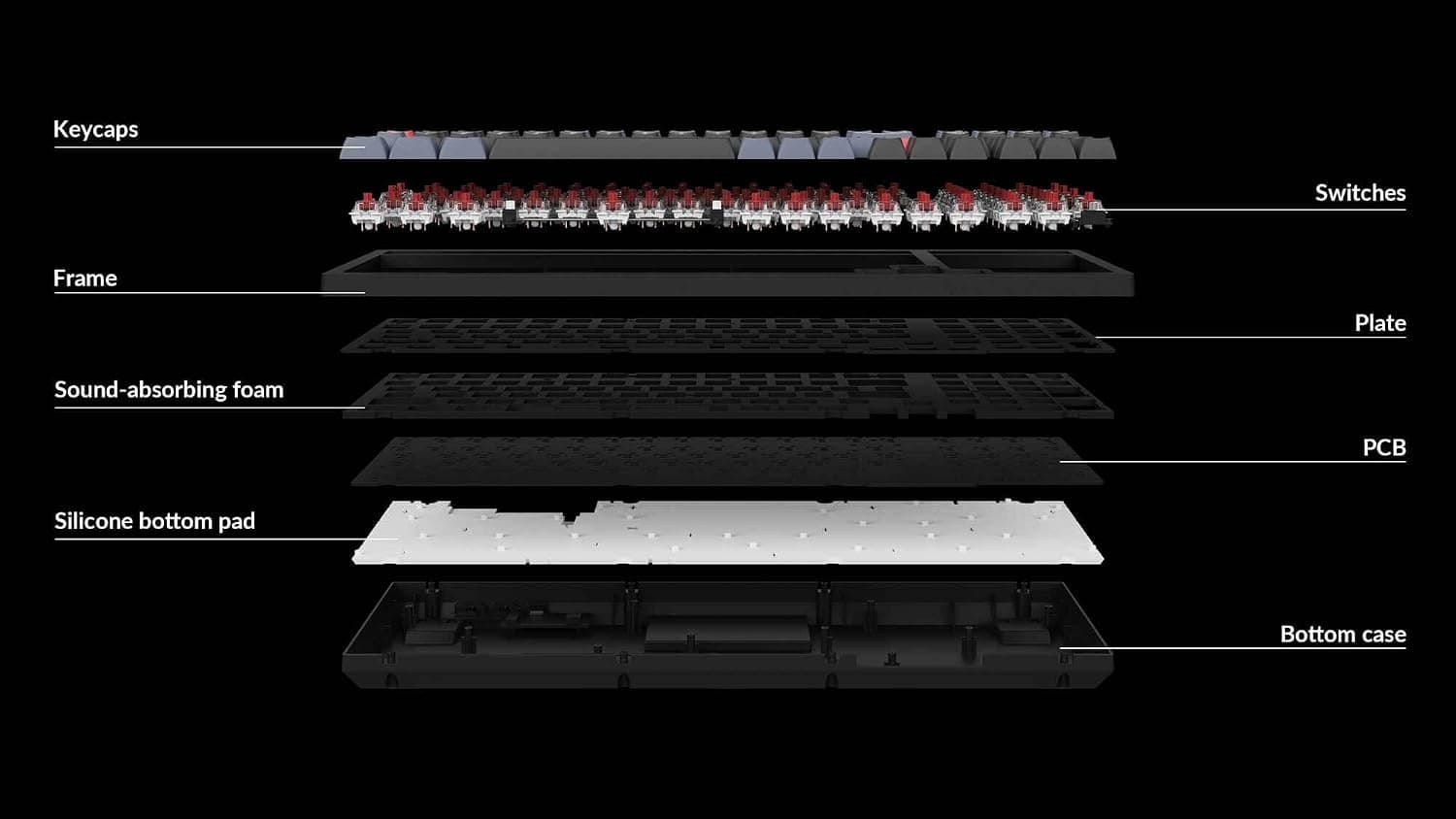
In character it is a typing-first board: a gasket-mounted structure with sound-absorbing foam, wrapped in triple-mode connectivity (2.4GHz / Bluetooth 5.1 / USB-C), hot-swap sockets, and QMK/VIA support.
It carries the "gaming keyboard" name, but the design priorities lean toward people who type all day and game sometimes.
| What you want to know | What this board answers |
|---|---|
| Numpad in a small footprint | 96% layout, narrower than full-size |
| Wireless | 2.4GHz / Bluetooth 5.1, wired also available |
| Responsiveness | 1000Hz polling on 2.4GHz and wired |
| Switch swapping | 3-pin/5-pin MX-compatible hot-swap |
| Remapping | Full remap and macros via QMK/VIA |
| Mac support | macOS/Windows/Linux with a physical OS switch |
The table is the spec-sheet version. Below is what each line actually means in daily use.
Compatibility Guide
The board supports macOS, Windows, and Linux, and a physical OS switch on the side flips the modifier layout automatically. Because Command/Option and Alt/Win sit in different positions, having that switch in hardware matters more in practice than it sounds on paper.
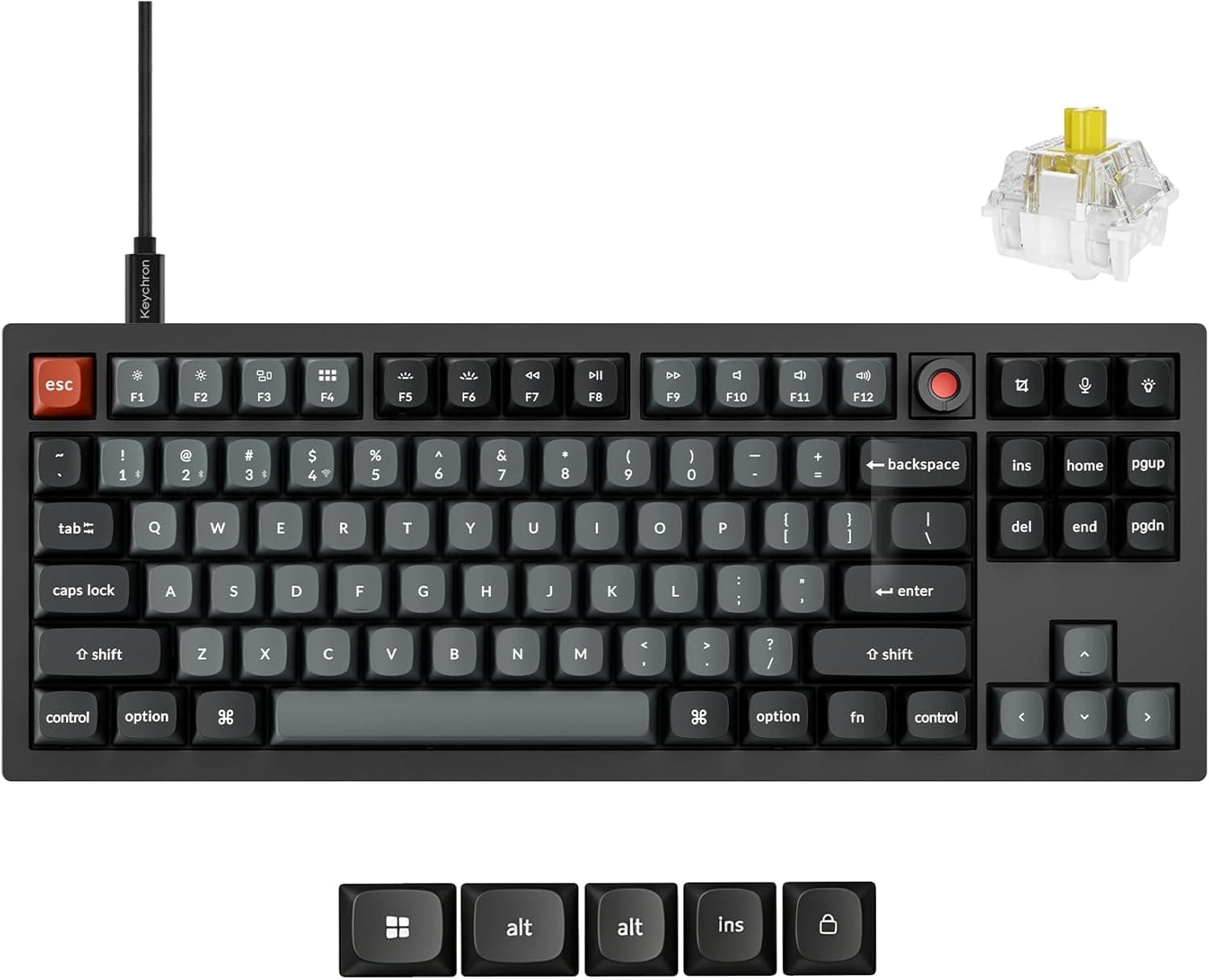
Replacement keycaps for both Mac and Windows are in the box, so the legends can match too.
There are three connection modes: 2.4GHz via the bundled USB dongle, Bluetooth 5.1, and USB-C wired.
The 2.4GHz and wired modes reach a 1000Hz polling rate, so latency-sensitive genres should be fine on those.
Bluetooth polling is not published, so for competitive play choose 2.4GHz or wired.
Bluetooth pairs up to three devices with one-press switching.
One practical catch: 2.4GHz requires the dongle in a host USB port, which is awkward on laptops short on ports — budget for a hub.
Dongles are also hard to replace individually, so keep it in the board's storage slot or the original box when unused.
Hot-swap sockets accept 3-pin and 5-pin MX-compatible switches. Almost any Cherry MX clone drops in, but optical switches and magnetic (Hall effect) switches use different pin arrangements and will not fit.
Confusing those is the single most common hot-swap purchase mistake.
The keycaps use the OSA profile. You can move to Cherry or OEM profile sets, but 96% layouts mix in odd key widths around the bottom row and arrow cluster.
Before buying an aftermarket set, confirm it includes 96%/1800-compatible kits.
Product Info
The spec highlights: 96% layout, Gateron Red linear switches, double-shot PBT keycaps in OSA profile, RGB backlighting, 3-pin/5-pin MX hot-swap, model number V5M-D1V-JIS. The V-series sits mid-range in Keychron's lineup — it lacks the full CNC aluminium body of the Q-series, but shares the gasket mount and sound-dampening foam.
You trade rigidity and heft for a lower price and easier handling.
Pricing varies by capture date. On the Amazon.co.jp listing it was ¥20,900 as captured on 2026-07-21 and ¥16,720 as captured on 2026-08-30.Check the retailer's page for the latest price.
This article will not be updated, so check the current price on the product page before buying — and if you are not in a hurry, waiting for a sale looks worthwhile.
Check the retailer's page for the latest user reviews. The score is high, but six reviews is not enough to judge defect rates or long-term durability.
Read it as "no visible pattern of complaints," nothing stronger, and weight the spec-to-use-case fit more heavily than the star average.
The warranty is one year. The box includes the 2.4GHz dongle, a USB-C cable, a keycap puller, a switch puller, extra Mac/Windows keycaps, and a manual.
Including a switch puller from the start is a sensible touch for a hot-swap board.
Product Disclosure (Amazon)
- Manufacturer: Keychron
- ASIN: B0FQ51MFG2
- Note: This article covers a manufacturer-made product based on Amazon listing details.
What Actually Matters in Daily Use
A gasket mount holds the PCB assembly on compressible material instead of screwing it hard into the case. Bottom-out impact is softer and the higher frequencies of the typing sound are reduced.
For anyone typing for hours, that structural detail is felt more than any single spec line. But softness is a preference, not a universal good — if you like a firm, crisp bottom-out, this mounting style may read as mushy.
QMK/VIA support punches above the price bracket. VIA lets you rewrite the keymap without leaving software resident, and settings are stored on the keyboard itself.
If you want the same layout on a work machine where you cannot install drivers, that portability is a real advantage. The trade-off: VIA is English-only, and layers and macros take a little study.
Best Use Cases
- People who type for hours (developers, writers, data entry) — Light linear switches plus a gasket mount suit long sessions, and the built-in numpad removes the need for a separate pad.
- Anyone who wants a numpad without a full-size footprint — 96% keeps nearly the full key count in a narrower body, leaving room for mouse movement.
- Multi-device users — Three Bluetooth pairings plus the OS switch let one board serve a Windows desktop, a MacBook, and a tablet.
- Custom keyboard beginners — Hot-swap means no soldering, and QMK/VIA means no locked-in layout. A finished product you can gradually modify.
- Typing-first users who also game — 1000Hz over 2.4GHz is plenty; the real appeal here is the feel.
Things to Check Before Buying
Do not expect a quiet board. Gateron Reds are linear, not silent.
The gasket and foam shape the sound, but bottom-out and stabilizer noise remain. If you take video calls or type at night in a shared room, budget for silent linear switches from the outset.
Swapping is easy on a hot-swap board, but the switches cost extra.
The "gaming keyboard" name oversells one thing. Rapid trigger and adjustable actuation — the features competitive players now look for — come from magnetic switch designs and are not part of this mechanical board's spec.
If you are chasing single-millisecond input tuning, you want a different category of product entirely. Buy this one as a well-built, feature-complete typing board.
96% takes adjustment. With the gaps between clusters removed, Delete, Home, Page Up, and the numpad edge sit close together, and you will mis-hit them at first.
Anyone coming from full-size should expect several days to a couple of weeks before touch accuracy returns.
Check the layout before buying keycaps. As noted, 96% includes odd-width keys; a standard TKL set will leave the right side unfilled.
Battery life depends heavily on your settings. RGB at full brightness drains quickly, and 2.4GHz uses more power than Bluetooth.
When reading any published runtime figure, confirm whether it assumes the backlight is off.
**Watch for listing inconsistencies. Amazon product pages also occasionally carry wrong registered details. Before ordering, confirm from the images and title that you are getting the domestic-genuine V5 Max in the 96% layout you want. Keychron ships many variants of the same series — US vs JIS legends, knob vs no knob — and skipping that check is how the wrong layout ends up on your desk.
FAQ
Q. Does every key work on macOS? A.
Yes — macOS, Windows, and Linux are supported, and the side OS switch changes the modifier layout. Mac keycaps are included.
Q. Is latency an issue for gaming? A.
2.4GHz and USB-C wired modes support a 1000Hz polling rate, which is adequate for typical gaming.
Bluetooth prioritises device switching, so use 2.4GHz or wired for competitive play.
Q. Which switches can I install? A.
Any 3-pin or 5-pin MX-compatible mechanical switch. Optical and magnetic (Hall effect) switches use different pins and will not fit.
Q. Is VIA hard to use? A.
No soldering is needed — you pick a key and assign a function. Layers and macros take some learning, and the UI is English-only, but simple remaps work on day one.
Q. When is the best time to buy? A.
This article's data shows ¥20,900 captured 2026-07-21 and ¥16,720 captured 2026-08-30. Prices move, so if you are not in a rush, watch the listing for a few days.
Always confirm the price at the moment you buy.
Q. Can I trust the review score?
A. Judge by layout, switch type, and connectivity fit instead.