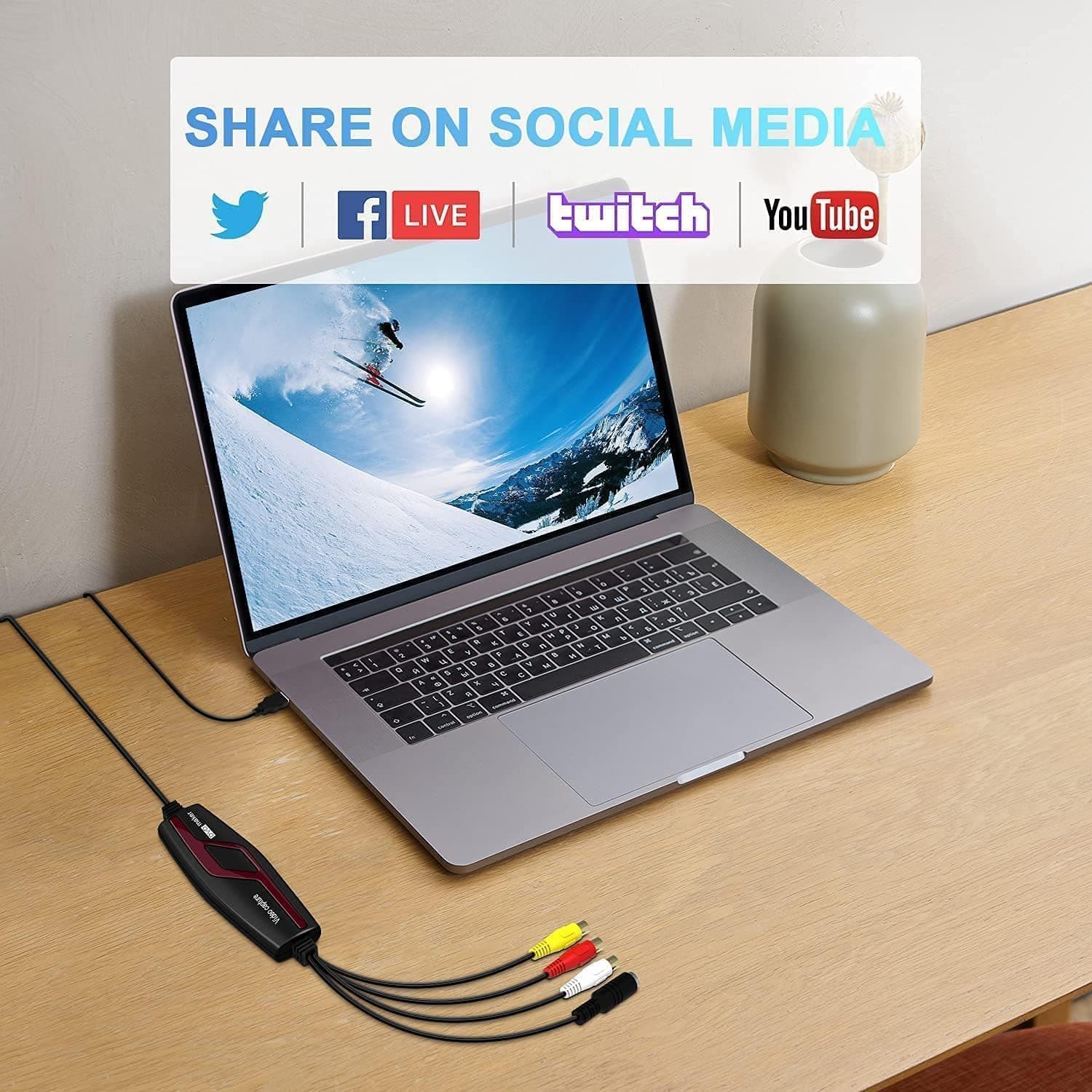
Overview
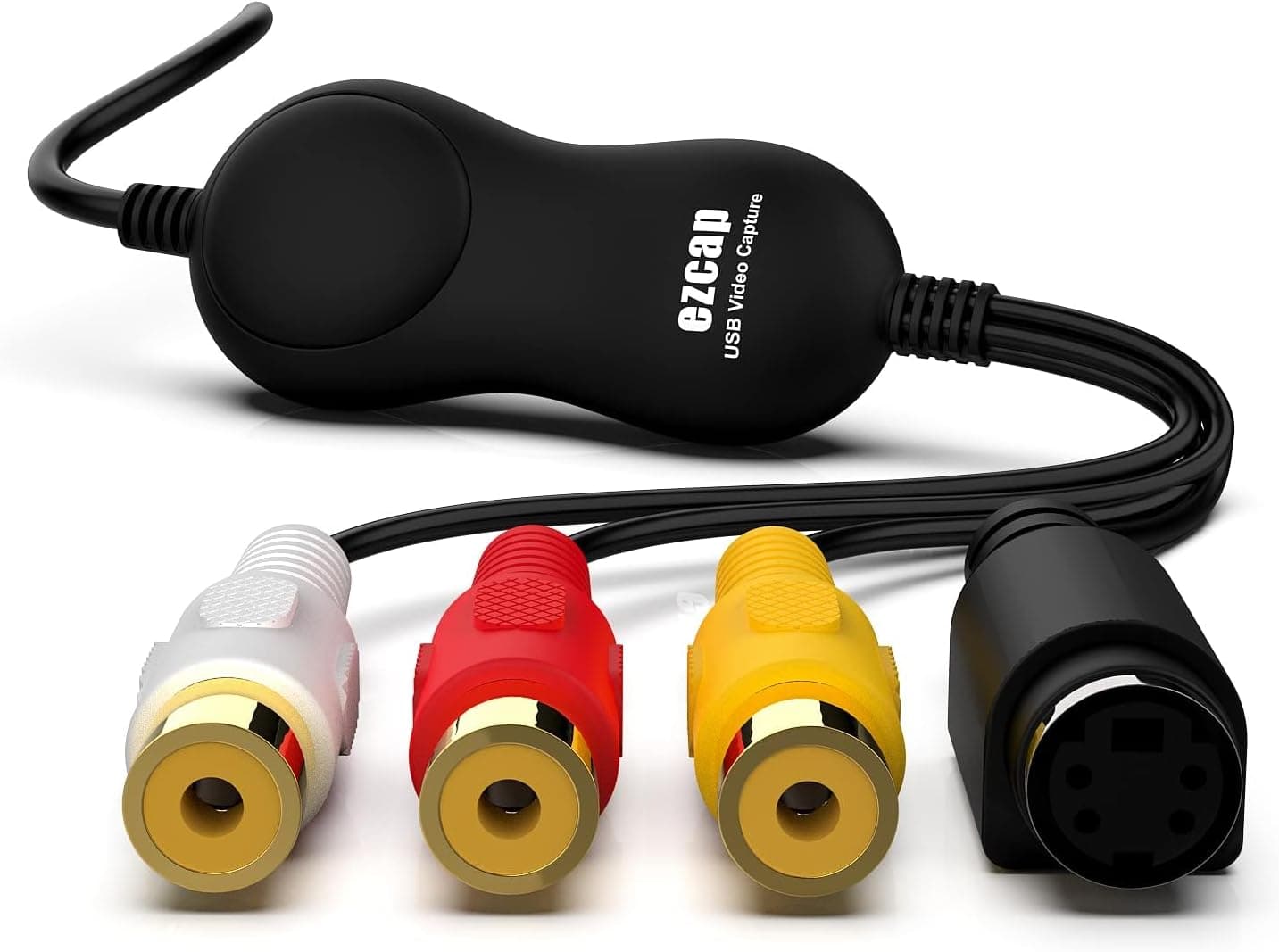
The VIXLW VHS digital converter is a capture device that brings analog video from VHS tapes, Hi8 camcorders and Mini DV players into a PC or Mac over USB. It offers both RCA composite and S-Video inputs and runs on USB bus power, so no adapter is needed.
The short verdict: this is an entry-level tool for people who want to digitize the handful of tapes still sitting at home while a working deck is available. It cannot be used for game consoles or any HDMI source.
The listing name is long — 「VHS - デジタルコンバーター ビデオキャプチャカードデバイス VHS VCR Hi8 Mini DV - Macデジタルコンバーター RCAからUSBビデオコンバーター PC TVテーププレーヤー ビデオカメラ用 PAL」 — but it is a keyword list rather than a model name. What it actually lists is the inputs (RCA, S-Video), the intended sources (VHS, VCR, Hi8, Mini DV, tape players, camcorders), the supported platforms (PC and Mac) and the video standards (PAL, and NTSC per the spec sheet).
The device does exactly one thing: it presents an analog composite or S-Video signal to your computer as a USB video input.
Check the retailer's page for the latest price.Check the retailer's page for the latest user reviews.
For an analog capture dongle at this price, that is a healthy sample size. Bear in mind that marketplace ratings are sometimes pooled across variants on the same page, so treat the figure as a rough signal.
What the 720p Figure Really Means
The spec sheet lists a capture resolution of 720p (HD), but that does not turn a tape into an HD source. Composite output from a VCR or camcorder is standard definition — 480i under NTSC, 576i under PAL — and VHS horizontal resolution is generally cited at around 240 lines.
The 720p number is the size after the standard-definition signal has been stretched; no detail is added along the way.
There are two practical consequences. First, a 1280x720 file does not mean a 1280x720 worth of picture: quality is set by the condition of the tape.
Second, capturing at native size (720x480, for example) and scaling later in your editor sometimes gives a cleaner result than upscaling during capture. If your recording software exposes a resolution setting, test both on a short segment and compare.
One more point: VHS is interlaced. Play a raw capture on a computer and you will see comb-like horizontal artifacts on anything that moves.
Apply a deinterlace filter in your editor before exporting, especially for uploads. Skipping that step is the most common reason a carefully made capture still looks bad.
Compatibility Guide
| Item | Spec | What it means in practice |
|---|---|---|
| Video input | RCA composite, S-Video | Prefer S-Video if your deck has the port |
| Interface | USB 3.0 | Standard definition fits easily on USB 2.0 too |
| Capture resolution | 720p (HD) | Source is 480i / 576i, so this is upscaling |
| Video formats | NTSC, PAL | The standard that must match is your deck's |
| Operating systems | Windows Vista and later, macOS | Recording software not included |
| Power | USB bus power | No adapter, no PSU headroom to plan for |
Start with the trap that catches the most buyers. NTSC and PAL support does not mean the device can play any tape.
The standard has to match on the playback side: an NTSC-only VCR sold in Japan will not correctly play a European PAL tape no matter what this device accepts. If you have overseas tapes, the real task is finding a multi-system deck first.
Next, connection order. If your deck has an S-Video port, use it instead of the yellow composite RCA.
S-Video carries luma and chroma separately, which reduces the color bleed and dot crawl that composite is prone to. Audio is not part of S-Video, so keep the red and white RCA pair connected for sound.
If you do not already own the right cable, budget a small amount for it.
On the USB side, the listed 3.0 interface is more than the job needs; standard-definition capture fits comfortably on a USB 2.0 port.
What actually causes trouble is hubs and front-panel headers, so if the device is not detected or the picture drops out, plug it straight into a rear port. Because it is bus powered, there is no power-supply requirement to calculate.
Official OS support covers Windows Vista and later plus macOS. On a Mac, the device may appear as an input in QuickTime Player's new movie recording, but the usual failure is video without audio because the two are exposed as separate devices.
The reliable route on both platforms is OBS Studio, adding a video capture device and an audio input capture separately. Linux is not officially supported, though UVC-class devices are often picked up by OBS.
Either way, plan on supplying your own recording software.
Product Info
rmation
The essentials: RCA composite and S-Video inputs, a USB 3.0 interface, 720p (HD) capture resolution, NTSC and PAL support, Windows Vista and later plus macOS, and USB bus power with no external supply.
No recommended PSU wattage applies. All your computer needs to provide is one free USB port, which makes a laptop just as valid a host as a desktop.
Prices change often, so check the product page for the current figure before buying. The box normally contains the capture unit, an RCA cable and a short guide, but contents vary by production run — if you need an S-Video cable, confirm whether one is included.
Listing history points to a 2023 release, and warranty terms are not stated, so in practice you rely on the return policy of the seller you buy from.
Neither reflects a region-specific street price for this product, so do not use them for cross-market comparison.
Capture Workflow and Settings
- Connect the deck's video and audio outputs.
With an S-Video port, use S-Video for picture and the red/white RCA pair for sound; otherwise run all three RCA cables. 2.
Plug the device into a rear USB port and wait for the operating system to enumerate it. If nothing appears, try another port, then reboot, in that order.
- In your recording software — OBS Studio or PotPlayer on Windows, OBS Studio or QuickTime Player on a Mac — add both the video device and the audio device, and confirm the audio meter is moving.
Picture without sound is the single most common mistake, so verify it with your eyes. 4.
Record a ten-second test and play the file back to the end. The brightness, contrast, hue and saturation controls can lift a dark transfer, but overshooting clips highlights permanently.
When unsure, capture flat and correct in the editor. 5.
Real captures run in real time. Splitting long tapes into roughly 30-minute chunks limits the damage from audio drift and shrinks the redo window if something goes wrong.
- Deinterlace afterwards and name each file with the tape label and date.
Postpone this and you will not know what is what once a few dozen files pile up.
Storage and Time Estimates
Numbers make planning easier. Taking 720x480 4:2:2 (YUY2) uncompressed works out to roughly 20MB per second, or about 150GB for two hours.
In practice you would record H.264 instead: around 8Mbps gives roughly 7GB for a two-hour tape, so ten tapes land near 70GB.
Lossless compression sits between the two. These are arithmetic estimates and shift with your settings.
Time is the harder constraint. Capture only runs at playback speed, so ten two-hour tapes mean twenty hours of playback before any editing.
A tape recorded in extended-play mode can hold six hours on its own. Add cueing, file naming, deinterlacing and exporting and a factor of about 1.5 on top is realistic.
Past a few dozen tapes, it is worth comparing a transfer service's fee against your own hours.
How It Compares
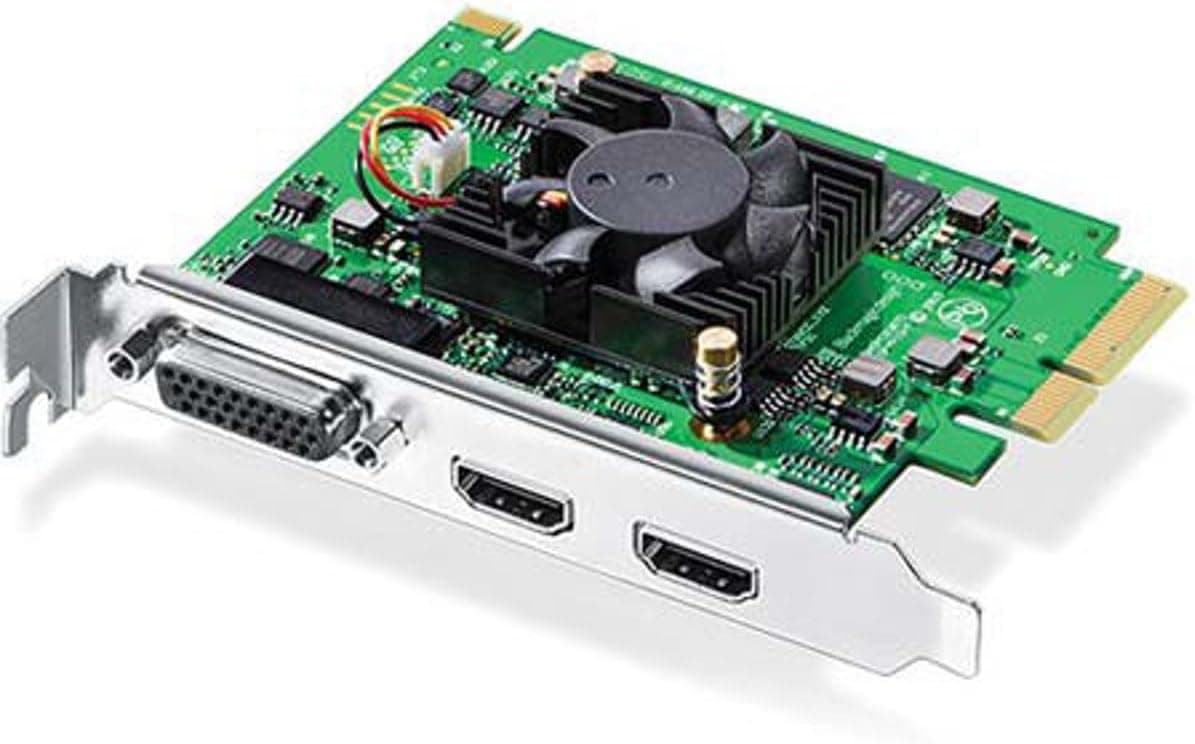
| This device | Blackmagic Intensity Pro 4K | HDMI-only capture | |
|---|---|---|---|
| Connection | USB 3.0 (external) | PCIe (internal) | USB (external) |
| Analog input | RCA / S-Video | Yes | No |
| VHS transfer | Primary use | Possible | Not possible |
| Positioning | Entry level | Editing / professional | Game streaming |
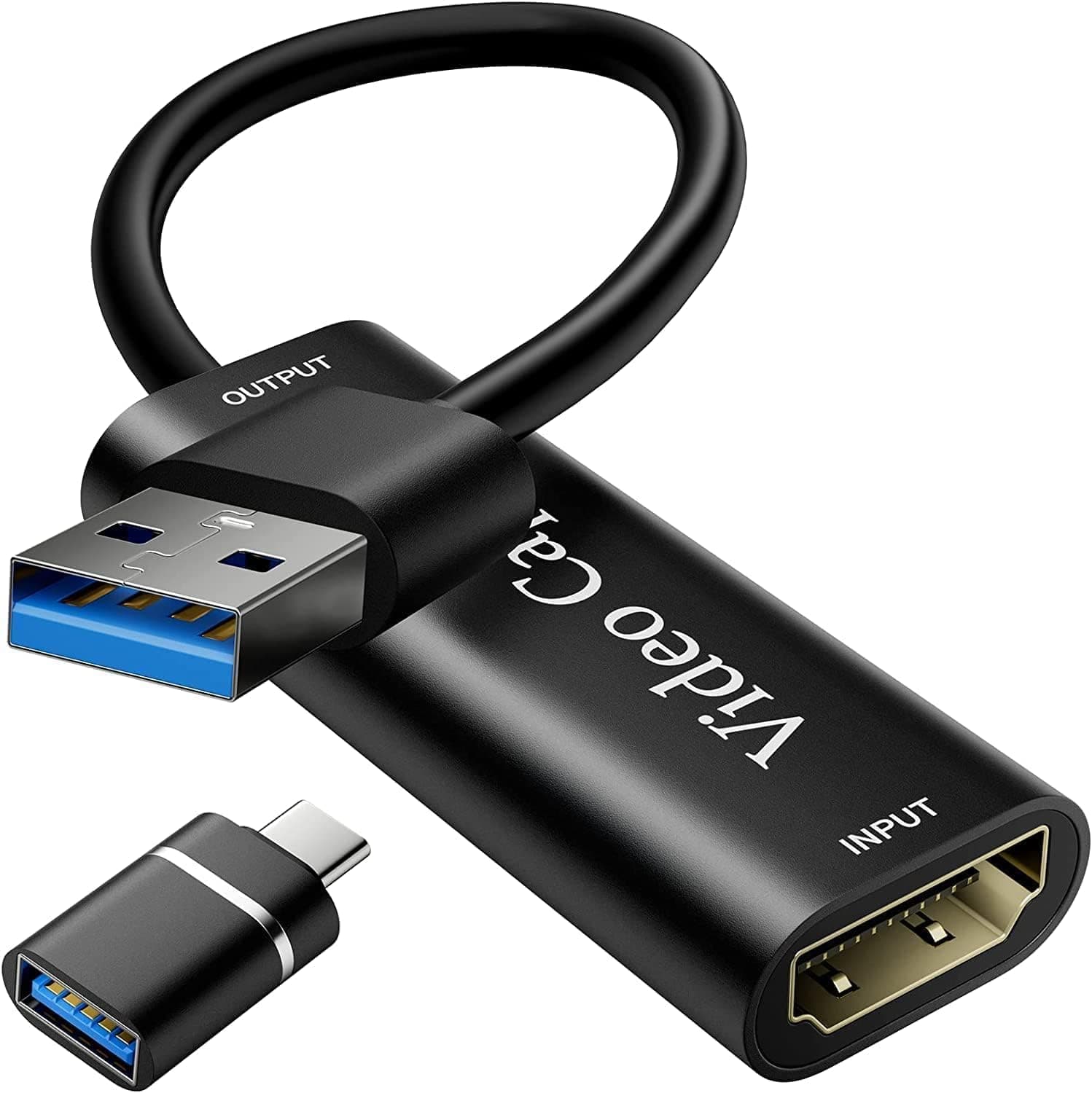
Products sold under the same capture card label split cleanly by input type. A device with only HDMI input cannot be wired to a VCR without a converter in between, and this device has no HDMI input, so it is useless for consoles and modern cameras.
Filtering candidates by whether the ports match your gear is the fastest way to narrow the field.
Stepping up makes sense in two cases: a large tape collection, and footage you intend to grade or edit seriously. Internal cards accept analog input as well and give finer control over levels during capture, but they assume a desktop with a free PCIe slot and sit in a different price class.
For a few tapes a year, this inexpensive dongle is enough.
Recommended Users
- Anyone with family VHS tapes to rescue. Weddings, school events, and home footage that has no replacement are exactly what this price bracket is for, and the only skill required is configuring recording software.
- Budget-first buyers. At ¥6,278 as captured in September 2026, it is cheap enough to buy simply to find out whether your old deck still plays reliably. It suits people converting a few tapes a year.
- Mac owners. Plenty of capture hardware is Windows-only, so macOS support matters here. Newer OS releases are not guaranteed, though, so leave room to fall back on OBS Studio.
- Owners of decks with S-Video out. The S-Video input lets you capture a cleaner signal than composite-only hardware allows. Check your deck's ports before ordering.
Before You Buy
There is no HDMI input. This is the biggest misunderstanding.
The device is analog only: no consoles, no recent camcorders, no HDMI sources of any kind. If recording gameplay is the goal, buy an HDMI capture device instead.
No recording software is bundled. Nothing ships on disc; you install something like OBS Studio and configure it yourself.
Adding video and audio as two separate devices is the first hurdle for newcomers. On the upside, free software covers the whole job at no extra cost.
The playback deck is the real bottleneck. New VHS decks are effectively unavailable, and surviving units have aged rubber parts.
Mold on the tape, noise bars during playback, and tape-eating transports are problems this device cannot fix. Stable transfers from damaged tapes really want a deck with time base correction, which costs several times what this dongle does.
Test one tape first and confirm the picture is steady before committing to the rest.
Audio drift on long sessions. Inexpensive USB capture hardware is widely reported to let audio slip against video over long continuous recordings.
Capture in roughly 30-minute segments and nudge the audio back in your editor if needed. Discovering drift at the end of a two-hour single take costs you the whole two hours.
Copy protection and rights. Commercially released VHS titles may carry copy-control signals, and cheap capture hardware can flicker or refuse to record them.
Setting the technical side aside, duplicating commercial releases beyond personal-use limits raises legal issues. Keep the scope to footage you or your family shot.
Drivers and OS versions. Automatic driver detection sometimes fails, requiring a manual install.
Support is stated as Windows Vista and later plus macOS, but OS updates can change driver behavior. Skim recent reviews for your OS version before buying.
Listing data can be inconsistent. On this product, the overseas price field points to the same domestic listing and the marketplace field is a generic keyword search.
Manufacturer, model and price fields on retail pages are linked automatically and occasionally pull in the wrong record. Confirm the product from the image and title, and treat the price shown on the page at purchase time as the only current one.
FAQ
Q: What software should I use? A: OBS Studio or PotPlayer on Windows, OBS Studio or QuickTime Player on a Mac.
All are free. Nothing is bundled, so install it before you connect anything.
Q: Does the 720p spec mean VHS becomes HD? A: No.
Composite output from a VCR is standard definition, 480i under NTSC, with horizontal resolution generally cited near 240 lines. The 720p figure describes the upscaled output size; quality still follows the tape.
Q: Can it capture PAL tapes recorded in Europe? A: The device handles the PAL format, but your playback deck also has to.
An NTSC-only domestic VCR will not play a PAL tape properly, so source a multi-system deck first.
Q: Composite or S-Video? A: S-Video whenever the deck offers it, since separating luma and chroma reduces color bleed.
Audio is not carried on S-Video, so keep the red/white RCA pair connected.
Q: Will it work on Windows 11 or the newest macOS? A: Official support covers Windows Vista and later plus macOS, and users report success on newer releases, but driver compatibility can change with OS updates.
Check recent, dated reviews close to your setup.
Q: How much space does one two-hour tape need? A: About 7GB at roughly 8Mbps in H.264.
Uncompressed runs near 20MB per second, or about 150GB for two hours. Measure your first tape, then plan the rest.
Product Disclosure (Amazon)
- Manufacturer: VIXLW
- Seller: KKストア本店 EC事業部
- Fulfilled by: KKストア本店 EC事業部
- ASIN: B0C5R8CTKT
- Note: This article covers a manufacturer-made product based on Amazon listing details.