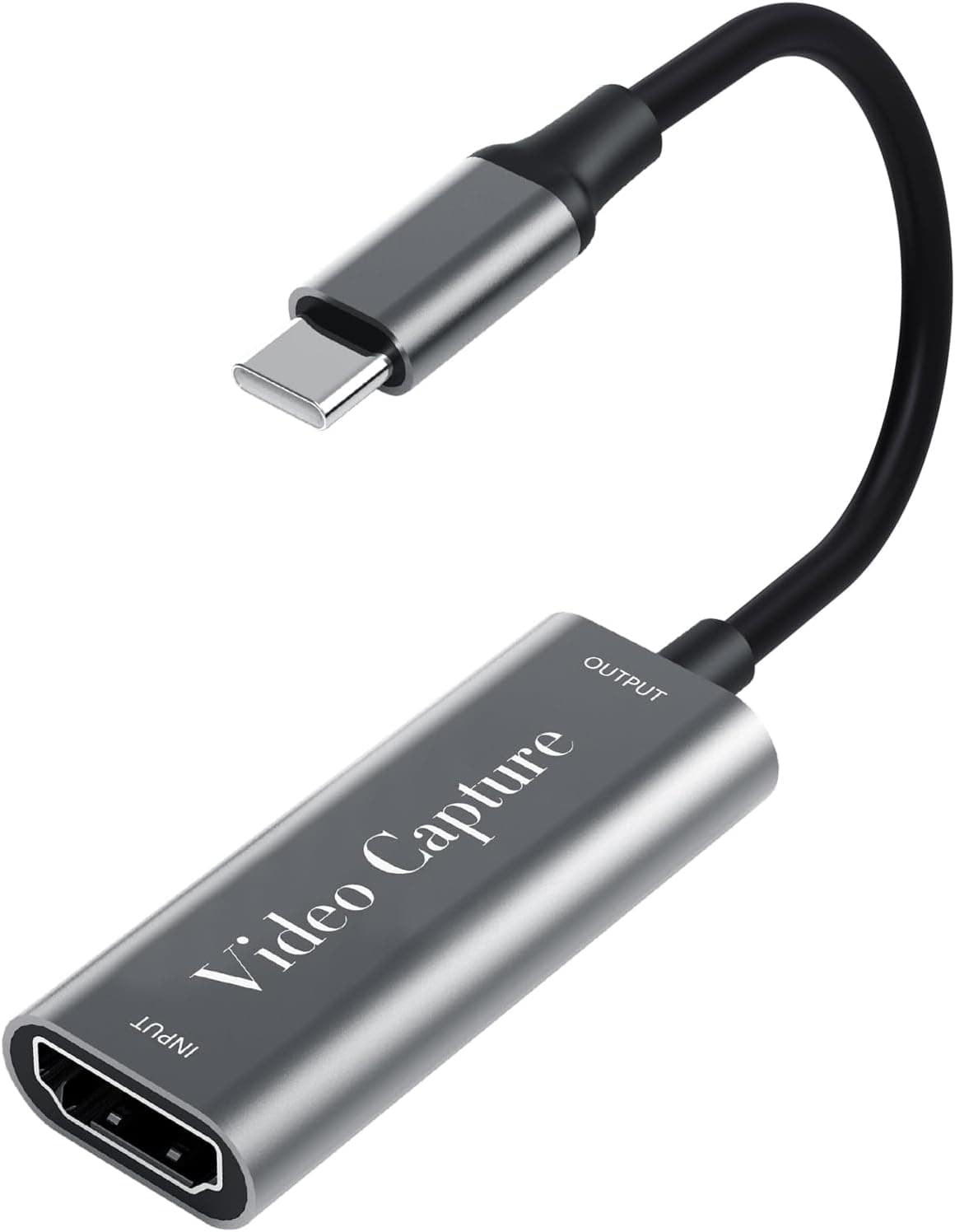
This article covers USB-C キャプチャーボード fuyi【2026 Type-C, 4K Pass-through / 1080p60 Recording】 — what the numbers on the spec sheet actually mean in a real streaming setup, and where you will have to compromise.
Overview
The short version: the Fuyi USB-C HDMI Video Capture Card is a bare-minimum kit for someone who thinks 1080p60 is good enough and just wants to start streaming. It takes one HDMI input, passes the signal through to a monitor, and delivers the same video to a PC over USB-C at up to 1080p@60Hz.
As captured on 19 September 2026, the Amazon.co.Check the retailer's page for the latest price.
Prices move constantly, so check the product page for the current figure before buying.
The cases where it does not fit are equally clear. If you need 4K60 recording, an onboard mic mix, or iPhone/iPad support, a higher tier device will cost you less in the end.
The reasons are spelled out under Before You Buy.
Reading the Spec Sheet
| Item | Value | What it actually means |
|---|---|---|
| Max pass-through resolution | 4K | Ceiling for the signal returned to your monitor — a separate path from what the PC gets |
| Max recording resolution | 1080p@60Hz | Ceiling for what reaches your stream or recording. No 4K capture |
| Input | HDMI | One HDMI source at a time |
| Output | USB-C | A single USB-C cable to the PC. No external power needed |
| Body | Aluminum alloy | Helps heat dissipation on long sessions; the shell does get warm |
| Warranty | 12 months | Covers more than just dead-on-arrival units |
The first two rows are what people misread. 4K applies only to the signal passed through to your monitor; your viewers still get 1080p@60Hz at best.
You can leave a PS5 in 4K output and play that way, but the stream is 1080p. Whether that trade — 4K on your desk, 1080p on the stream — is acceptable is the whole buying decision.
Compatibility Guide
On the input side, almost any HDMI source works: Switch, PS5, PS4, Xbox consoles, plus smartphones, cameras and DVD players. There is only one HDMI input, so switching between several devices means adding an HDMI selector or splitter.
The PC side uses a single USB-C cable, which is included, and the unit is bus-powered, so no AC adapter is required. The port you plug into matters, though.
For stable 1080p60, use a USB 3.0 or newer port directly.
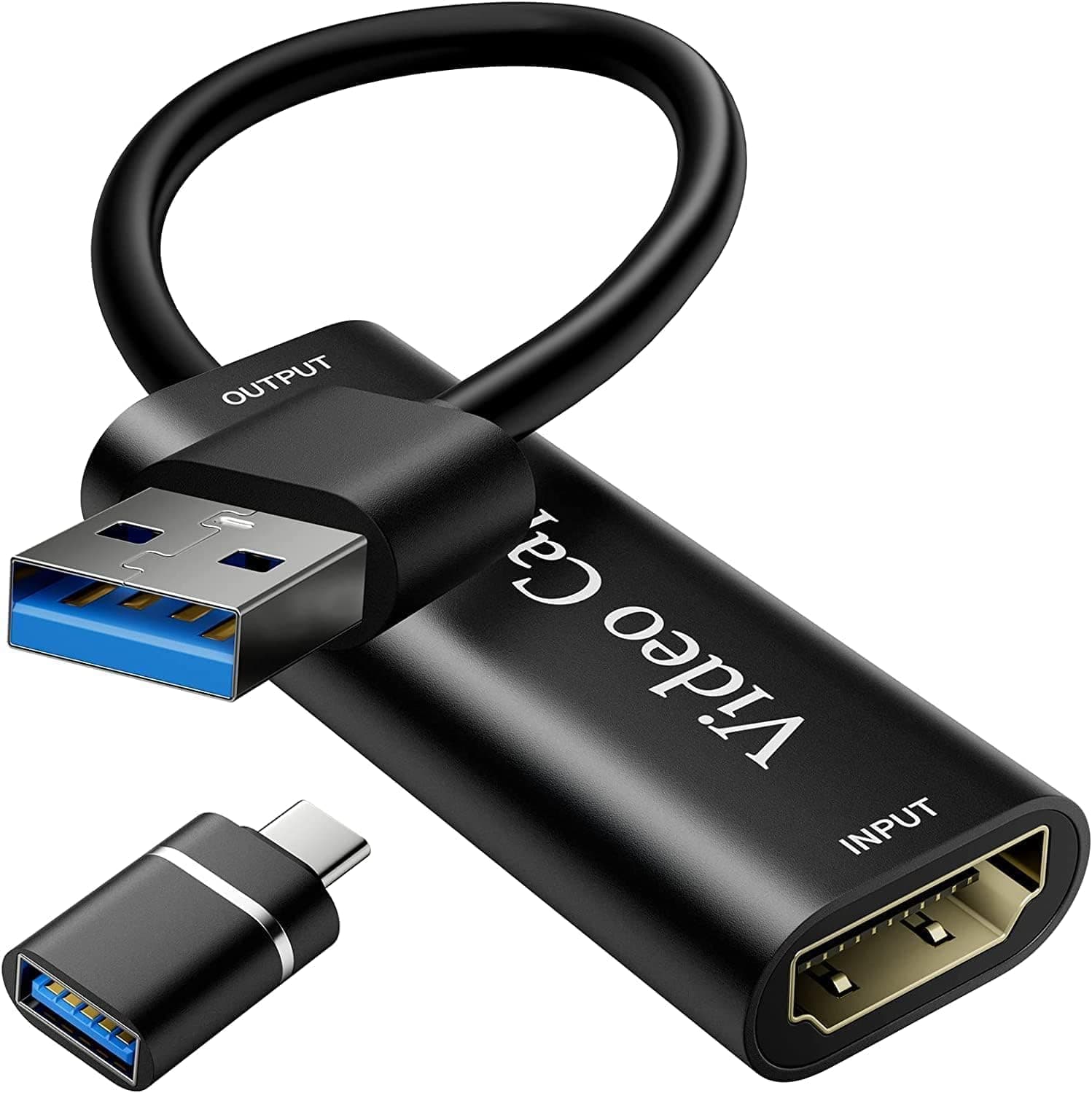
Hubs and extension cables invite dropped frames and detection failures because of shared bandwidth. If your machine only has USB-A, you will need an adapter, so check the connector shape in the product images first.
The listed operating systems are Windows 7/8/10, macOS and Android. Note what is missing: Windows 11 is not stated.
UVC-class devices are generally recognised by the OS driver stack, but that cannot be asserted for this specific unit. If Windows 11 is your target, confirm on the seller page or at least know the return policy.
On the software side it is described as working with OBS Studio, Streamlabs, PotPlayer and XSplit; in OBS you simply add a Video Capture Device source.
iOS is not supported, so iPhone and iPad are out. Android works over a direct USB-C connection, but the phone must support USB host mode and UVC, and this varies widely by model — do not assume your handset will work.
One more thing trips up nearly every first-time buyer: HDCP. A PS5 shows a black screen unless HDCP is disabled (Settings → System → HDMI).
Streaming apps and Blu-ray playback keep protection on regardless, so those simply cannot be captured. Switch gameplay normally carries no HDCP and appears straight away.
Check this before concluding the unit is faulty.
Setup Steps
Connect the console HDMI output to the capture card HDMI input.
Run the pass-through output to your gaming monitor.
This is the screen you actually play on. 3.
Plug the USB-C directly into a USB 3.0 or newer port on the PC.
In OBS Studio, add a Video Capture Device source and set Resolution/FPS to Custom, 1920x1080 at 60fps.
HDMI audio arrives embedded with the video, so decide how to route it in the device properties.
Add your own microphone separately as a PC audio input.
When nothing shows up, work through it in this order: HDCP setting, then a different USB port, then the OBS resolution/FPS setting, then the cable. That covers the large majority of problems.
Product Info
rmation
As captured on 19 September 2026, the Amazon.co.
The warranty runs 12 months, the shell is aluminum alloy, and a Japanese manual is included. Note that the entry labelled Amazon US in the source data also points at the Japanese listing in yen, not a US price, and the eBay figure was never captured, so neither is usable for overseas comparison.
Check the retailer's page for the latest user reviews. The number looks good, but 15 is a small sample — one more negative review moves the average visibly.
A low count is natural for a 2026 product, yet it tells you nothing about long-term durability. Units at this price show real batch variation, so confirm the warranty terms and the return window before ordering.
How It Compares
Branded 1080p60 units such as the NZXT Signal HD60 cost an order of magnitude more. That premium does not buy image quality so much as driver reliability, a support channel, and the sheer volume of other people who have documented the same symptoms online.
If you are not confident troubleshooting alone, the premium is real value.
Models with onboard mic input and headphone output (typically the 4K60 pass-through, 1080p60 capture tier) let you mix party chat and your own voice without a PC in the chain. For console-only streamers, that one feature justifies the upgrade.
This unit has no such jacks, so all mixing happens in software on the PC.
Capturing a Switch 2 or a tablet while charging it belongs to dedicated PD-passthrough hardware; there is no mention of PD delivery in this unit's specifications, so do not plan around it. At the other end, PCIe cards are built for multi-channel recording and strict frame sync in production environments — a different purpose entirely.
Who It Is For
- First-time capture card buyers: at ¥1,980 as captured, it is a cheap way to test whether streaming sticks for you. If it does not, you lose little; if it does, you learn exactly what to upgrade to.
- Intermediate users wanting a spare or travel rig: no power brick, one cable, and a small aluminum body that fits in a laptop bag — good for event recording or capturing at a friend's place.
- Android capture: video can be taken straight into a phone over USB-C, subject to handset support.
- Turning a camera into a webcam: any mirrorless or camcorder with clean HDMI output can serve as a meeting or stream source. Just confirm your camera can output HDMI without overlays.
Before You Buy
There is no 4K recording. 4K exists only on the pass-through path; what reaches the PC tops out at 1080p@60Hz.
Buying on the phrase 4K support alone and realising this later is the single most common mistake.
The phrase 4K pass-through itself is ambiguous. Some products return 4K to the monitor through an HDMI output; others merely accept a 4K input and downscale it to 1080p for capture.
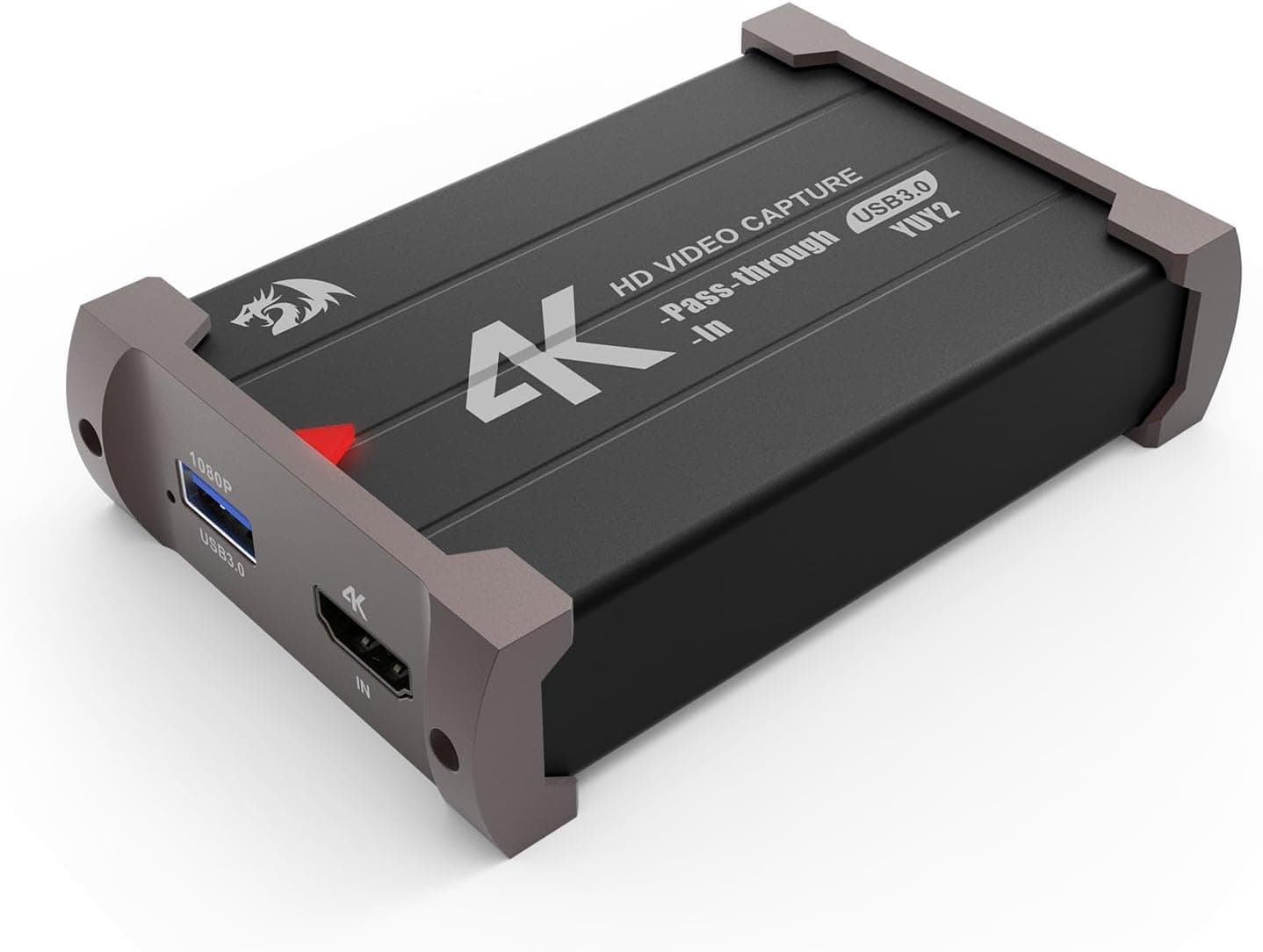
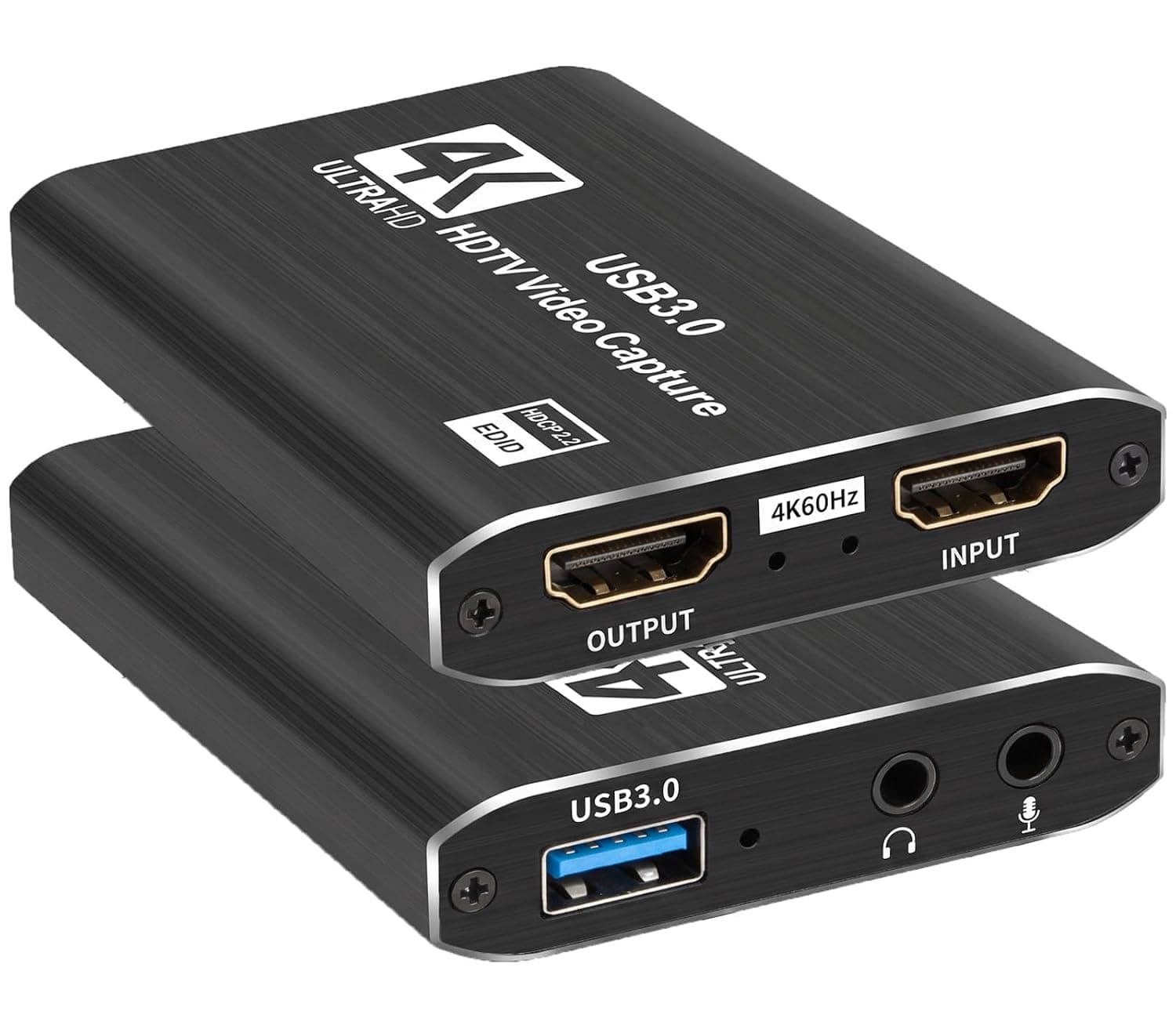
Check the product images for the connector layout — specifically whether a pass-through HDMI output exists.
PS5 requires HDCP to be disabled. This is copy protection, not a flaw in this unit, and it applies to every capture card.
Streaming app screens remain uncapturable even with it off.
The preview is delayed. Pass-through is effectively lag-free, but the USB feed to the PC is not.
Playing a rhythm game or an FPS while watching the OBS preview will not work — watch the pass-through monitor instead.
No microphone jack. If you want to combine headset audio without a PC, look elsewhere.
No iOS, and Windows 11 is not listed. iPhone and iPad are unsupported. If Windows 11 is required, verify on the seller page first.
Listing metadata is sometimes wrong. Manufacturer, model number and compatibility fields are collected automatically, and data from a different product does occasionally leak in.
In this article's source data the manufacturer reads Fuyi, matching the subject, but confirm the product by image and title before ordering. The price is likewise a point-in-time capture and shifts with sales and exchange rates.
FAQ
**Q. My PS5 screen is black. A. Almost always HDCP. Disable it under Settings → System → HDMI. Streaming apps and Blu-ray still cannot be captured.
Q. Can it record in 4K?
A. No. Recording and streaming top out at 1080p@60Hz; 4K applies only to the pass-through output.
Q. Does it work on Windows 11? A.
The stated operating systems are Windows 7/8/10, macOS and Android — Windows 11 is not listed. UVC devices usually work with built-in drivers, but that cannot be guaranteed here, so check with the seller.
Q. How much latency is there? A.
Essentially none on the pass-through output, so playing off that monitor is fine. The PC-side preview lags; do not play while watching it.
Q. Can I use it with an iPhone or iPad?
A. No, iOS is not supported. Choose a product designed for tablet capture instead.
Q. Is everything included? A.
A USB-C cable and a Japanese manual are included. The HDMI cables for the console and the pass-through monitor are not — use your own or buy them separately.
Product Disclosure (Amazon)
- Manufacturer: Fuyi
- Seller: Xu-TECH
- Fulfilled by: Amazon
- ASIN: B0FRZYP364
- Note: This article covers a manufacturer-made product based on Amazon listing details.