Overview
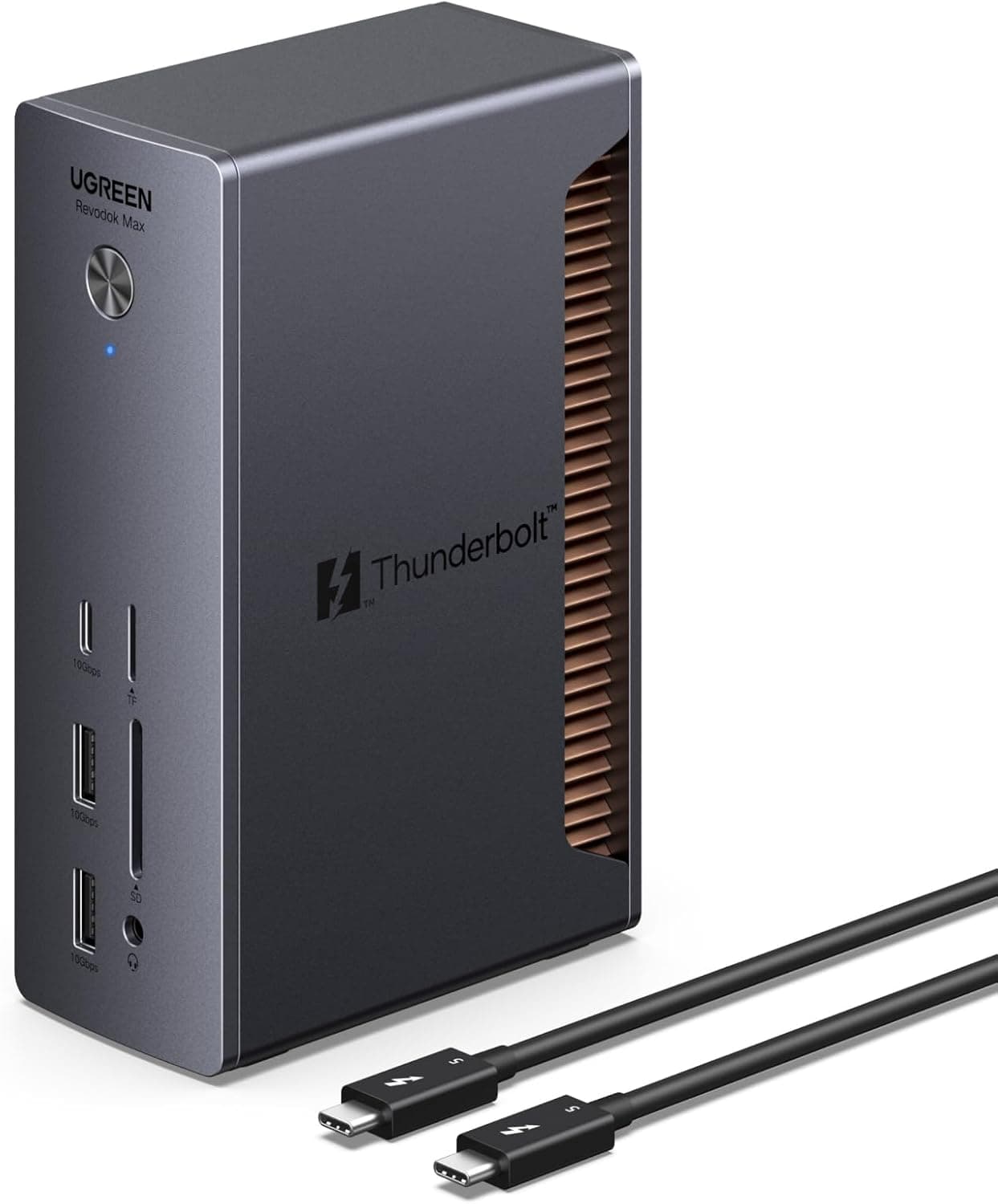
The UGREEN Revodok 13-in-1 Thunderbolt 5 Docking Station is a desktop dock built around the full bandwidth of the Thunderbolt 5 generation. It offers up to 120Gbps of data bandwidth, single 8K@60Hz or dual 6K@60Hz video output, and up to 140W of host charging — close to the ceiling of what current docks provide.
The short verdict: this is for people who want a true single-cable desk and genuinely use 6K-class displays or fast external Thunderbolt storage. If two 4K panels cover your needs, most of what you pay for here will sit idle.
The port layout centers on four downstream Thunderbolt 5 ports, plus one USB-C 3.2 (10Gbps, 20W PD out), two USB-A 3.2 (10Gbps), two USB-A 3.0 (5Gbps), an SD/TF 4.0 reader (up to 312MB/s), 2.5Gbps Ethernet, and a 3.5mm audio jack — 13 ports total.
A 180W GaN adapter and a 1.2m Thunderbolt 5 cable are included, with a 24-month warranty.
What Thunderbolt 5 Actually Changes
The headline 120Gbps figure is easy to misread as "three times Thunderbolt 4." In practice, Thunderbolt 5 runs at 80Gbps bidirectionally and can shift to an asymmetric mode that pushes up to 120Gbps toward displays while the return path drops to 40Gbps.
So 120Gbps is a display-direction ceiling, not a sustained storage figure. Misunderstanding this is the usual source of "it isn't as fast as I expected."
The real benefit is headroom. Where a 40Gbps Thunderbolt 4 link could be saturated by a single demanding display, this dock can carry two 6K panels and a fast NVMe enclosure without one starving the other.
Avoiding that contention is the point of the product.
| Item | Value | Why it matters |
|---|---|---|
| Max data bandwidth | 120 Gbps | Dual 6K plus fast storage at once |
| Video output | 8K@60Hz / 2× 6K@60Hz | High-resolution desks |
| Host charging | 140W | Keeps charging under heavy load |
| Ethernet | 2.5 Gbps | NAS and large file transfers |
| SD/TF 4.0 | Up to 312MB/s | Faster camera ingest |
| Downstream TB5 | 4 ports | Direct SSDs and displays |
These are manufacturer specifications, and they do not all peak simultaneously. Choosing single 8K output, for example, leaves less bandwidth for everything else.
Decide your priority before you buy.
Compatibility Guide
Supported hosts are MacBooks (macOS 15.0+) and Windows PCs (Windows 11+) with a Thunderbolt 5, Thunderbolt 4, or USB-C port.
Three caveats matter.
First, full functionality requires a Thunderbolt 5 host. On a Thunderbolt 4 machine the dock works, but bandwidth and display output are capped by the host — plugging it into a Thunderbolt 4 laptop will not produce 8K.
Check your laptop's spec page by model number; the lightning icon next to a port does not indicate the generation.
Second, a plain USB-C host is heavily limited. On a USB-C port without USB4 support, video typically falls back to DisplayPort Alt Mode limits and data to around 10Gbps.
Bought as "a nicer USB-C hub," this dock will not feel like its price.
Third, it is self-powered only (180W DC input). The bundled GaN adapter is mandatory and bus-powered operation is not possible, which effectively rules out casual portability.
For travel, a bus-powered unit such as the CalDigit Thunderbolt 3 mini Dock is a better fit.
On macOS, note that some Apple Silicon MacBook Air generations limit how many external displays they can drive. The dock supporting dual 6K does not override the host's limit — verify your machine first.
The same applies on Windows, where the integrated GPU's output cap becomes the bottleneck.
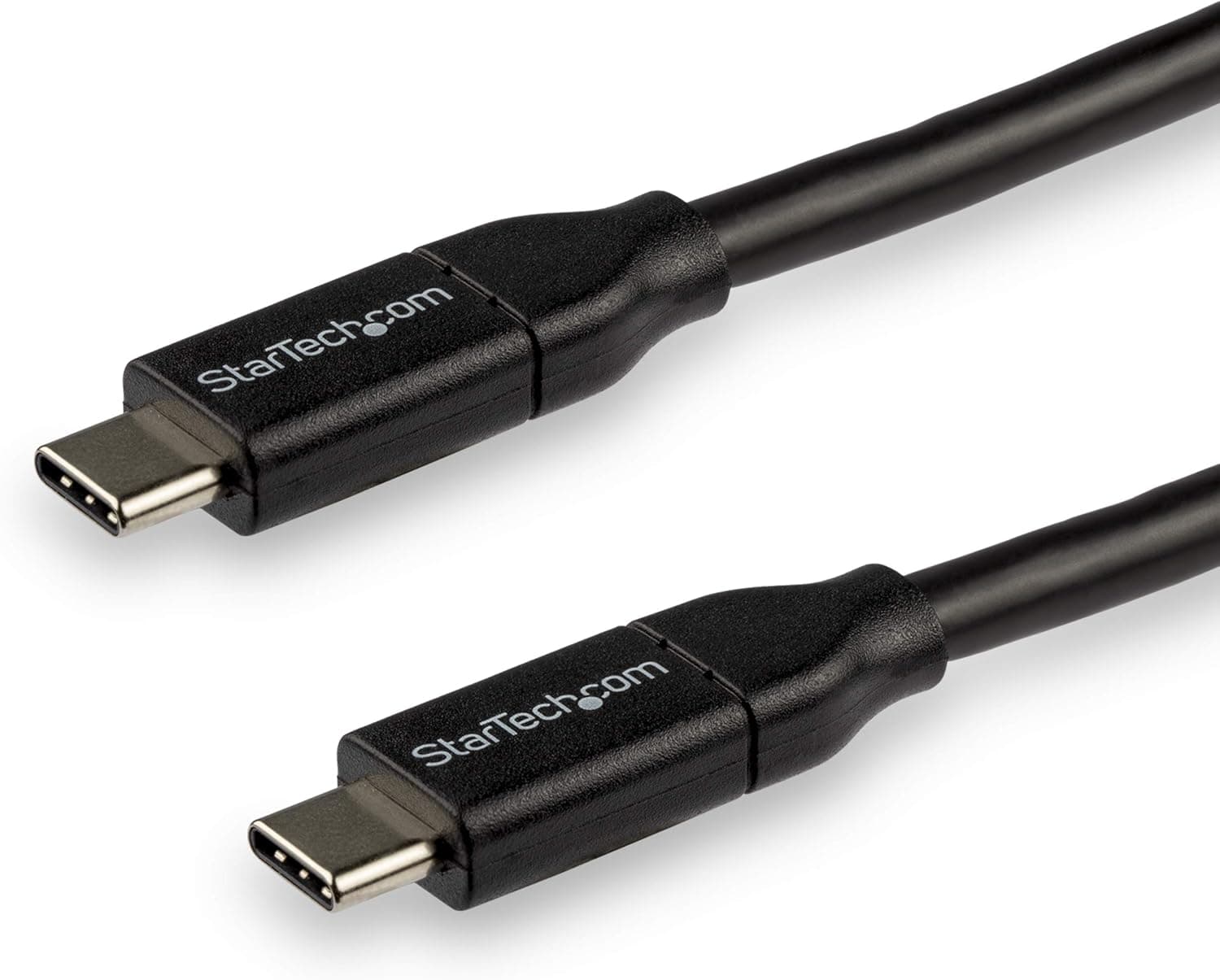
One more practical point: the included cable is 1.2m Thunderbolt 5.
Substituting a generic USB-C cable will quietly cut bandwidth. If you need a different length, buy a certified Thunderbolt 5 cable — many apparent dock faults are actually cable faults.
Product Info
Key specifications: 13 total ports, 4 Thunderbolt 5 ports, 120Gbps maximum data rate, 8K@60Hz single (6K@60Hz dual) video output, 140W host charging, 2.5Gbps Ethernet, SD card slot up to 312MB/s, a 180W included charger, and a 24-month warranty.
Cooling uses a dual-layer aluminum heatsink with thermal grease, which is a sensible choice for an always-on desktop unit — heat is a common cause of link instability in docks.
Pricing varies by capture date. On Amazon.co.jp it was recorded at ¥45,990 as of June 2026 and ¥36,990 as of August 2026; the eBay listing showed $439.99 as of July 2026.
A ¥9,000 swing in two months tells you what to expect from this category. All figures are capture-time values — check the product page for the current price.
On reception, the Amazon rating stands at 3.8 out of 5 from 84 reviews (76% positive, as of June 2026) — respectable rather than glowing.
More on that below.
How It Compares
Single-cable docks differ in what they optimize for. Thunderbolt 4 units in the 12-to-13-port class, such as the Anker 778 Thunderbolt (12-in-1), are entirely adequate up to dual 4K and usually cost less.
UGREEN's own 14-in-1 (dual DP plus HDMI, three displays) targets buyers who care about screen count more than bandwidth. Business-oriented Thunderbolt 3 models like the Kensington SD5200T sell on long warranties and deployment stability.
This dock earns its premium in three cases: you run two 6K-class displays, you push Thunderbolt SSDs at full speed through the dock, or your laptop genuinely needs 140W. If none apply, a Thunderbolt 4 or USB-C dock is the better value.
Comparing on port count alone hides where the price difference actually goes.
Best Use Cases
- Video editors, photographers, and designers — dual 6K plus SD 4.0 ingest at up to 312MB/s, with a directly attached Thunderbolt SSD as scratch space that doesn't fight the displays for bandwidth.
- Owners of Thunderbolt 5 MacBook Pro or Windows laptops — the dock only pays off on a TB5 host, and 140W keeps the battery from draining during GPU-heavy work.
- Remote workers with a fixed desk — 2.5GbE, external storage, SD cards, and USB devices stay connected; you dock and undock with one cable, and the power brick is irrelevant when the unit never moves.
- NAS users on 2.5GbE — most laptops offer only 1GbE or Wi-Fi, so the faster wired port is a real gain.
Before You Buy
Buying this for a Thunderbolt 4 or slower host defeats the purpose. Future-proofing is a legitimate strategy, but you would be paying a premium for capability you cannot use today.
Unless your next laptop is confirmed Thunderbolt 5, a Thunderbolt 4 dock is enough.
Take the 3.8-out-of-5 rating (84 reviews, as of June 2026) seriously. The sample is small and the underlying complaints are not visible in our data, but docks typically lose stars over heat, failure to re-enumerate after sleep, host-specific quirks, and firmware update requirements.
Check for vendor firmware and drivers early, and exercise your full intended setup — display count, charging, Ethernet, storage — while you can still return the unit. A 24-month warranty helps, but being able to reproduce a fault on demand is what makes support go smoothly.
There is no bus-powered mode. The 180W DC input is required, so this is not a travel dock.
If portability matters, shop that category directly.
Confirm your host's external display limit. MacBook Air configurations in particular may not drive two panels regardless of what the dock supports — no dock fixes that.
Prices move fast. Our own data spans ¥45,990 (June 2026) to ¥36,990 (August 2026). Waiting for a sale is a defensible choice.
Finally, listing metadata on retail pages — manufacturer, model number, supported standards — is sometimes wrong or attached to the wrong variant. We found no contradiction in the data behind this article, but please confirm the product image, title, and port list match what is described here.
Where a series ships Thunderbolt 4 and USB-C versions alongside the TB5 model, picking the wrong variant is easy.
FAQ
Q. Will it work with a Thunderbolt 4 PC? A.
Yes, but bandwidth and video output are capped by the host, so you will not see 120Gbps or 8K@60Hz. On a TB4-only desk, a cheaper TB4 dock closes most of the gap.
Q. Can I run 8K and dual 6K at the same time? A.
No. The specification is single 8K@60Hz or dual 6K@60Hz, and your host GPU may lower that further.
Q. Which laptops actually benefit from 140W? A.
Machines with a high-power CPU/dGPU whose stock adapter exceeds 100W. For a 65W ultrabook, the charging headroom is wasted.
Q. Do third-party cables deliver full speed? A.
Certified Thunderbolt 5 cables should; ordinary USB-C cables will not. When troubleshooting, revert to the bundled cable first.
Q. Is it safe to leave powered on continuously? A.
The dual-layer aluminum heatsink is designed for sustained operation, but leave airflow around it and avoid stacking it under other gear. Heat is a common trigger for dock instability.
Product Disclosure (Amazon)
- Manufacturer: Ugreen Group Limited
- Brand: UGREEN
- ASIN: B0DCNZNCFH
- Note: This article covers a manufacturer-made product based on Amazon listing details.