This article covers Kensington SD5900T DisplayLink ドッキングステーション Thunderbolt 4.
Overview
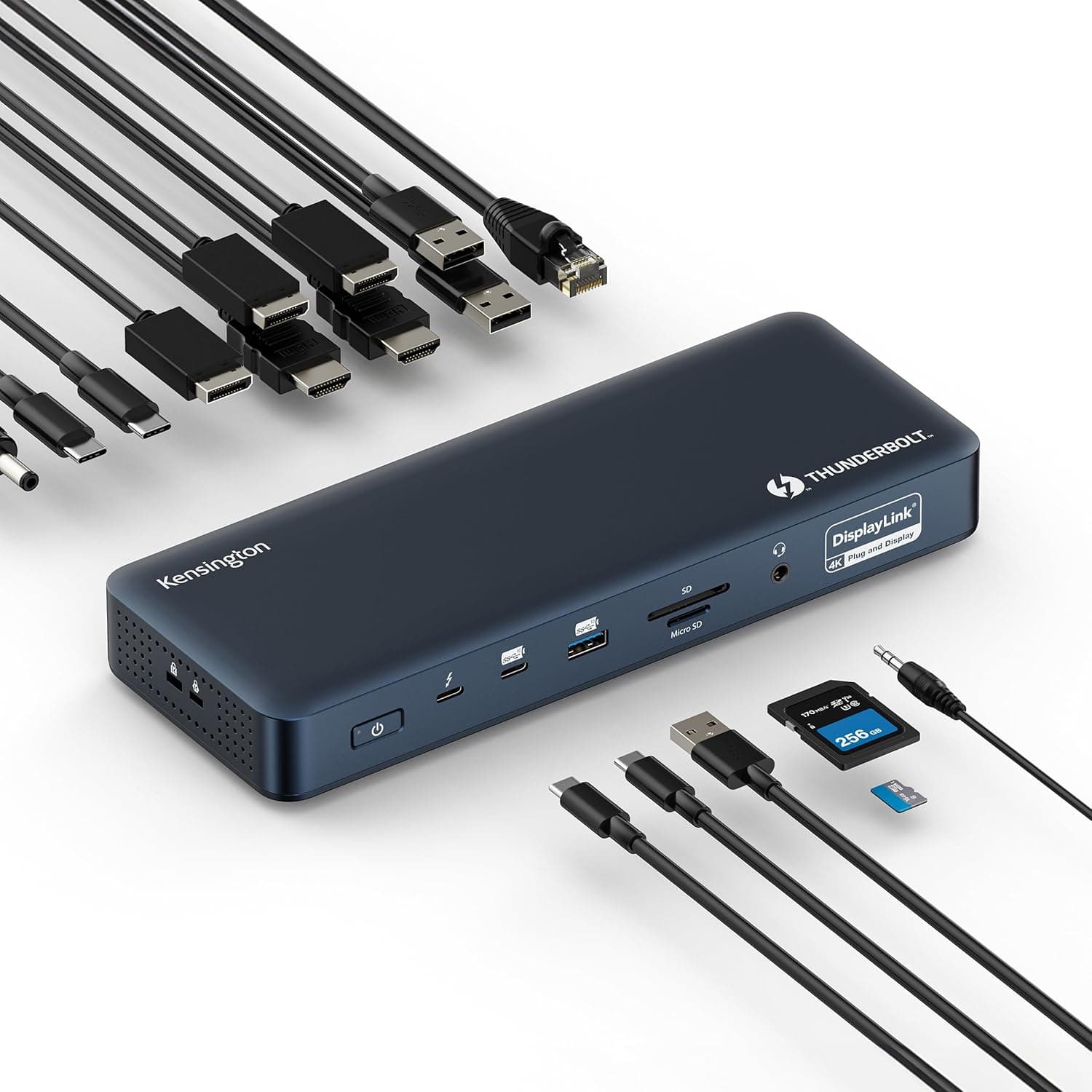
The Kensington SD5900T is a hybrid Thunderbolt 4 docking station that combines high-speed Thunderbolt connectivity with DisplayLink multi-monitor technology. It supports up to four 4K displays at 60Hz when used with MacBook Pro or Air models equipped with M1/M2/M3/M4 Pro or Max chips—ideal for creative professionals and power users who need expansive screen real estate. With 100W pass-through charging and off-host power delivery, it can charge your laptop and connected accessories even when the host is disconnected. The dock features 16 ports in a compact, environmentally friendly chassis made from recycled aluminum.
Connectivity & Compatibility
Upstream port: Thunderbolt 4 (40Gbps) with Intel VT-d DMA protection and USB4 compatibility. Downstream Thunderbolt 4 ports: Two ports supporting daisy-chaining (40Gbps, 5V/3A each). USB ports: 1x USB-C 3.2 Gen2 (10Gbps), 2x USB-A 3.2 Gen2 (10Gbps), 1x USB-A 3.2 Gen1 (5Gbps). Video outputs: 2x HDMI 2.0, 2x DisplayPort 1.4, 2x Thunderbolt 4 (DisplayPort Alt Mode). Supports quad 4K @60Hz (M1 Pro/Max and newer) or triple 4K @60Hz on base M1/M2 chips. Networking: 2.5 Gigabit Ethernet port for reliable wired connectivity. Storage: SD and microSD card slots (UHS-I). Audio: 3.5mm combo audio jack. Host compatibility: MacBook Pro/Air (M1–M4 Pro/Max) via Thunderbolt 4; Windows laptops with Thunderbolt 4 or USB-C (DisplayLink support required). On base M1/M2 MacBooks, maximum external displays is three 4K.
Product Info
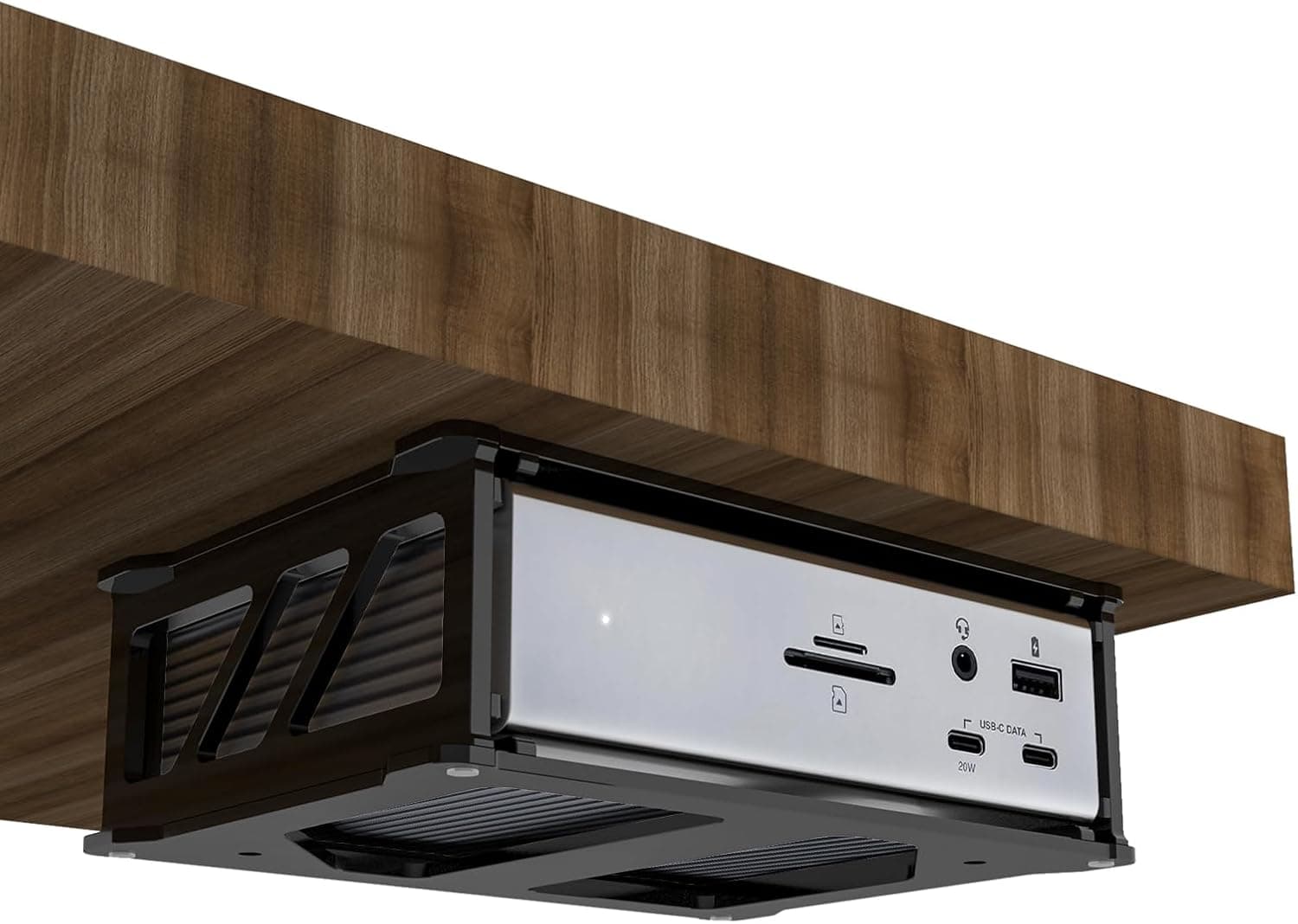
The Kensington SD5900T launched in late 2024 with a retail price around $300–$350, placing it in the high-end dock category. The chassis is made from post-consumer recycled (PCR) aluminum, and the packaging is FSC-certified. It ships with a Thunderbolt 4 cable (approx. 0.8m), power adapter, and quick-start guide. Kensington backs it with a 3-year warranty and lifetime technical support. Optional VESA-mountable bracket (K34050WW) allows zero-footprint desk mounting.
Best Use Cases
Video editors and creative pros: Users running M4 Pro/Max MacBook Pros who need multiple 4K monitors for timeline editing, color grading, and preview. Thunderbolt native mode minimizes latency. Data analysts and traders: Multi-monitor setups for data visualization, plus 2.5GbE for fast network transfers and SD card slots for quick data ingestion. MacBook users with desk setups: Those who keep their laptop in clamshell mode and want a single-cable solution with 100W charging and off-host device power. Windows DisplayLink users: Laptops without Thunderbolt can still drive multiple displays via USB-C DisplayLink, though performance may not match Thunderbolt-native connections.
Product Disclosure (Amazon)
- Manufacturer: Kensington
- Seller: Amazon US
- Fulfilled by: Amazon US
- ASIN: B0DJGGKG72
- Note: This article covers a manufacturer-made product based on Amazon listing details.