Overview
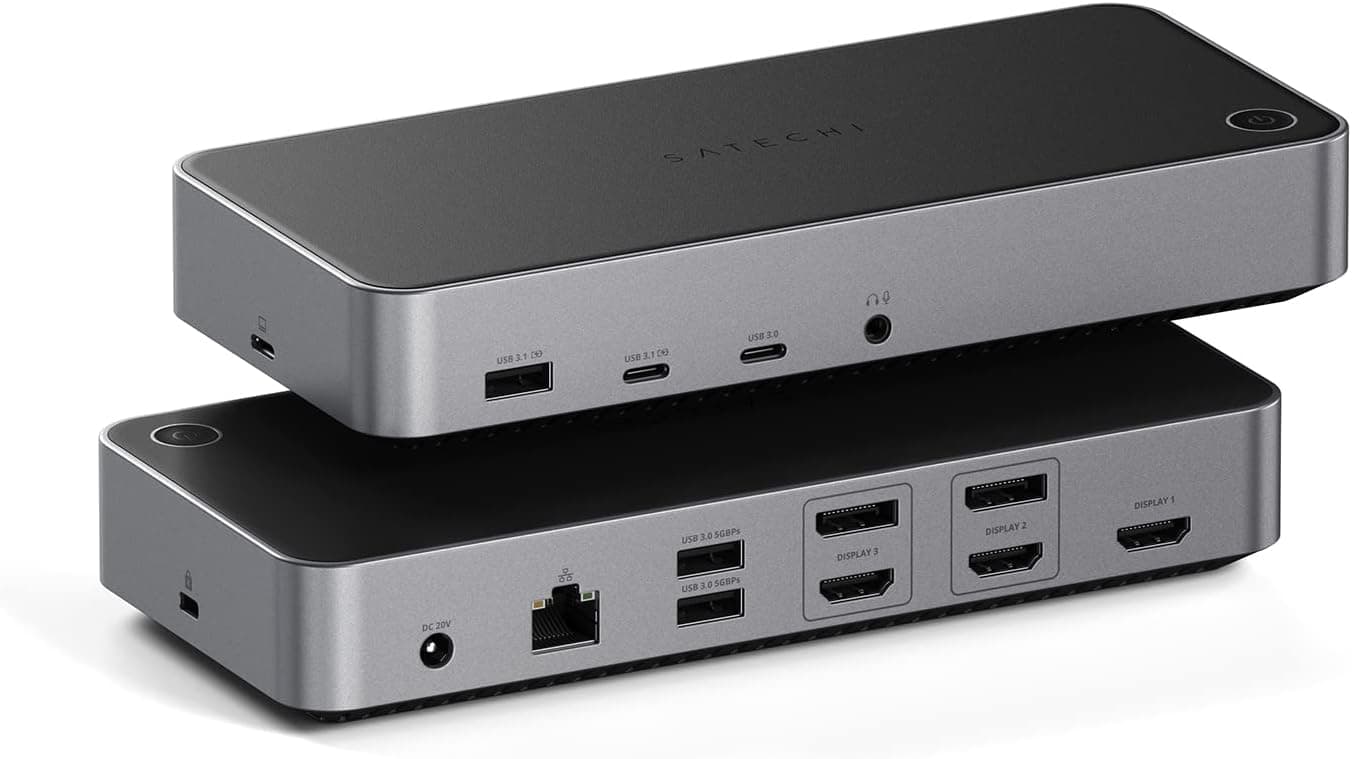
The Satechi Triple 4K Display Docking Station is a 14-in-1 USB-C hub designed to transform a single USB-C laptop into a full-fledged desktop workstation. Its standout feature is the ability to drive up to three 4K displays simultaneously at 60Hz, leveraging DisplayLink technology to bypass the single-monitor limitation of Apple Silicon Macs (M1/M2). On the rear, you'll find two DisplayPort 1.4 ports and three HDMI 2.0 ports (two via DisplayLink, one via DP Alt Mode). The host connection supports up to 100W power delivery passthrough, keeping your laptop charged. Additional ports include four USB-C (one 10Gbps, three 5Gbps), three USB-A 5Gbps, Gigabit Ethernet, and a 3.5mm audio jack. It's a comprehensive solution for professionals who need multiple monitors and a clean cable setup.
Host Connection: USB-C (Thunderbolt 3/4, USB4 compatible) Video Outputs: 2× DisplayPort 1.4, 3× HDMI 2.0 (2 DisplayLink, 1 DP Alt Mode) Max Resolution: Triple 4K @ 60Hz (with DisplayLink) Data Ports: 1× USB-C 3.1 Gen2 (10Gbps), 3× USB-C 3.0 (5Gbps), 3× USB-A 3.0 (5Gbps) Networking: Gigabit Ethernet (RJ-45) Audio: 3.5mm headphone/speaker output Power: 100W USB-C PD passthrough (charges host) OS Support: macOS, Windows * Note: Requires DisplayLink software. Not compatible with iPad or iPhone 15. iPhone 15 data transfer limited to USB 2.0.
Check the retailer's page for the latest price. It comes with a 1-year warranty, a C5 power cable, a USB-C to USB-C cable, and a user manual. Available from Satechi's official store and major retailers like . Its market position is defined by the combination of DisplayLink-based triple 4K output and 100W PD passthrough — a rare feature set that directly addresses the needs of MacBook users who want multiple external monitors without buying a Pro-level machine.
MacBook M1/M2 users needing multiple monitors: Apple Silicon Macs natively support only one external display, but this dock's DisplayLink functionality enables three 4K screens. Ideal for developers, designers, and data analysts who rely on screen real estate. Windows laptop users seeking a single-cable desk setup: Connect one USB-C cable to your laptop and get video, data, Ethernet, and charging — no more fumbling with multiple adapters. Professionals in finance, trading, or creative fields: Three 4K monitors allow you to keep charts, timelines, and reference materials visible simultaneously. DisplayLink ensures stable output regardless of the host GPU. Not recommended for gaming: DisplayLink introduces noticeable latency, making it unsuitable for fast-paced games. Also, iPad and iPhone 15 users should look elsewhere.